For paving, sealcoating, striping and concrete contractors
Stop winning jobs that don't make money.
Pavr is software for paving and concrete contractors. The margin sits on the estimate before you send it, the customer signs that price on their phone, and the hours and material post against it while the job is still open.
No credit card. Crew who only clock in are free.
Where the margin goes
Revenue went up again. Nobody knows which jobs made it.
Nobody set out to lose money on a lot. Sales prices to win the work, because that's the job. The crew runs it the way they ran the last one. The office bills what it can find. Everyone did their part, and nobody saw the margin go.
- The price is built to win.
- Sales is paid on what it brings in, so the price is built to win. Whether it clears your cost at this month's plant price gets checked later, if ever.
- The crew runs it the way they always have.
- Two extra passes with the roller, a truck on standby, the sub kept a day longer. All judgment calls on the lot, and nobody sees what they cost against the estimate.
- "Just take care of it."
- Soft base under the mat; the property manager says go ahead on the phone. The plant bills you for the tons that week. The customer gets billed when somebody remembers.
- You find out in February.
- The accountant says what the year made, and it's thinner than the revenue promised. Nobody can tell you which jobs made it and which ones the others carried.
One job, start to finish
Here's the job, the way it actually goes.
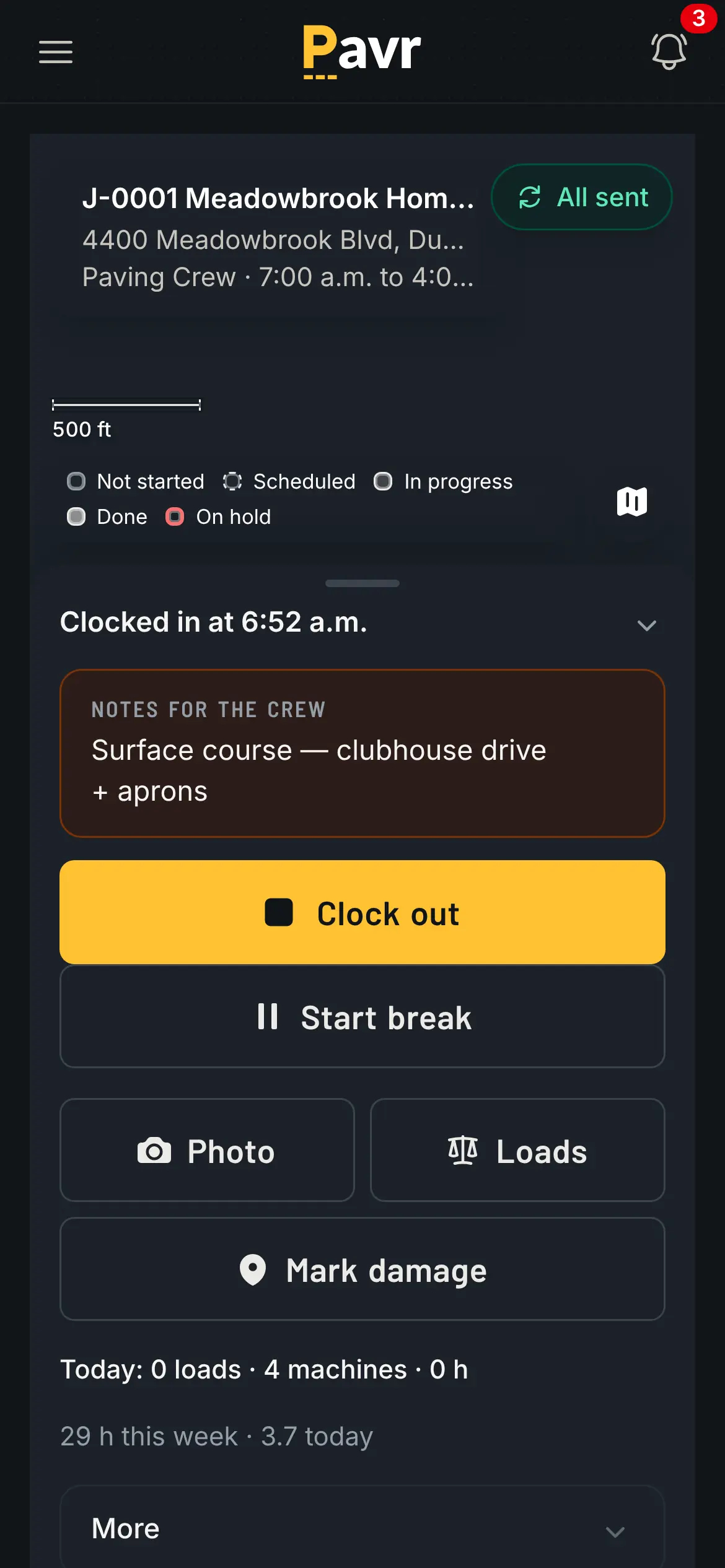
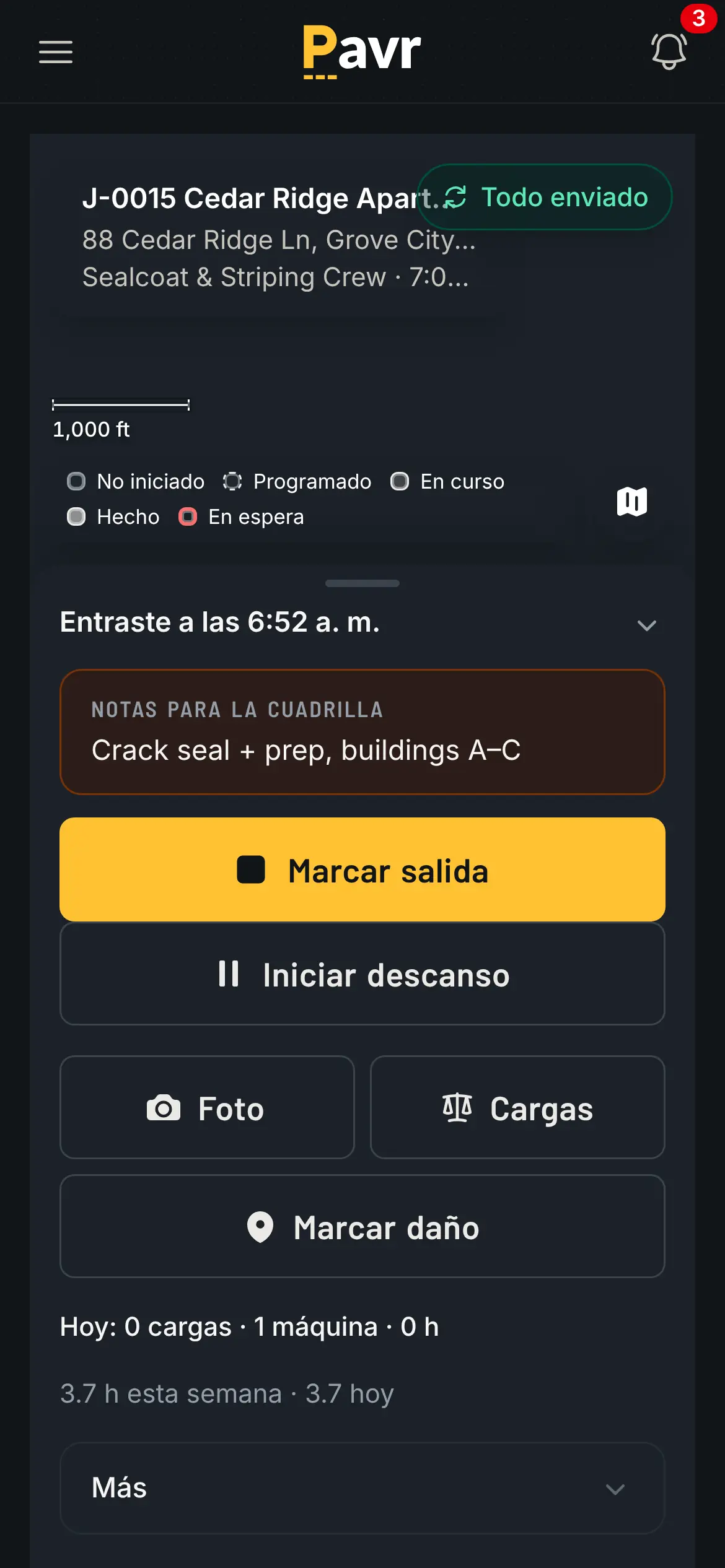
Every step below is a screen your office or your crew will use. Light or dark, whichever they pick.
01 The request
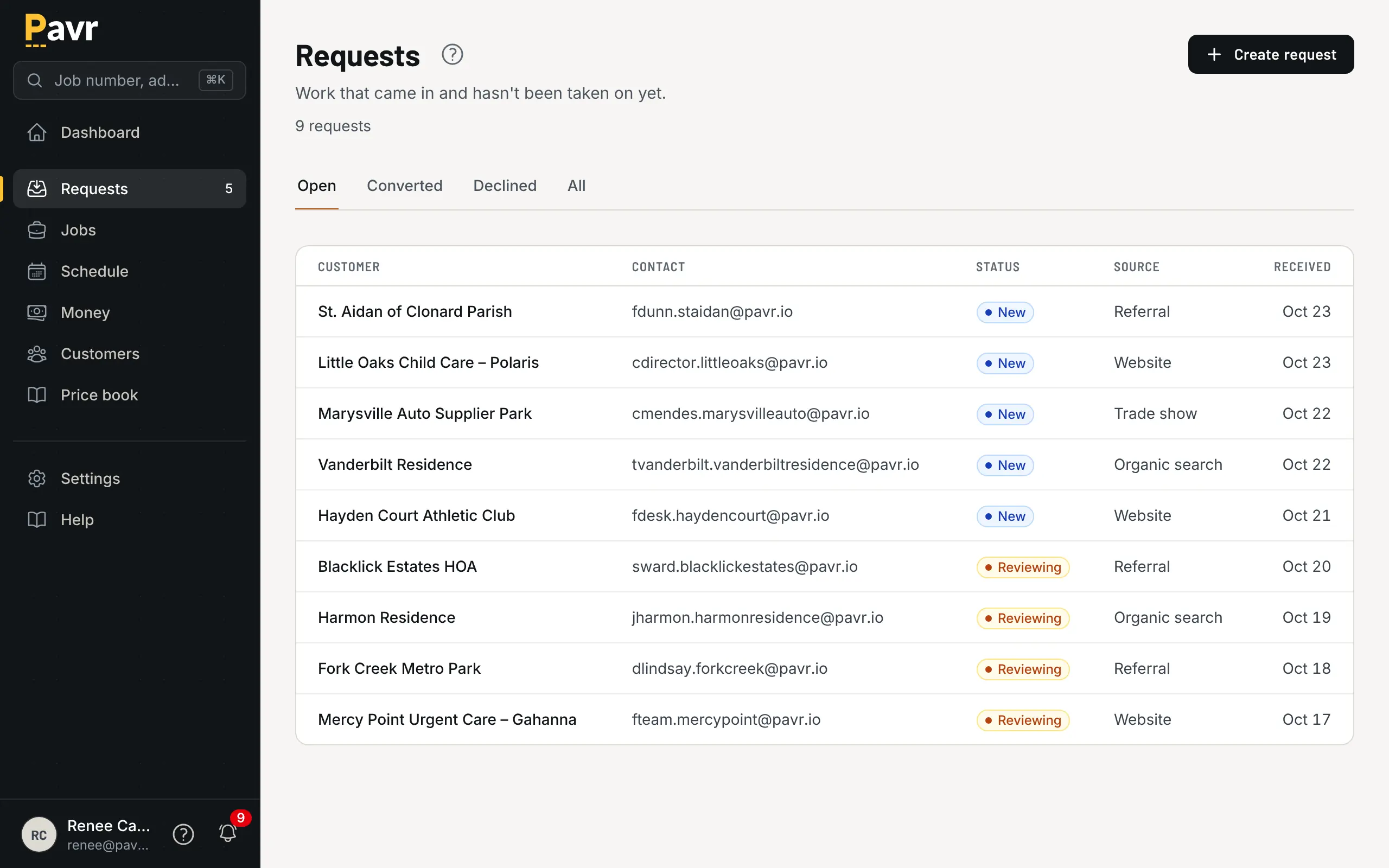
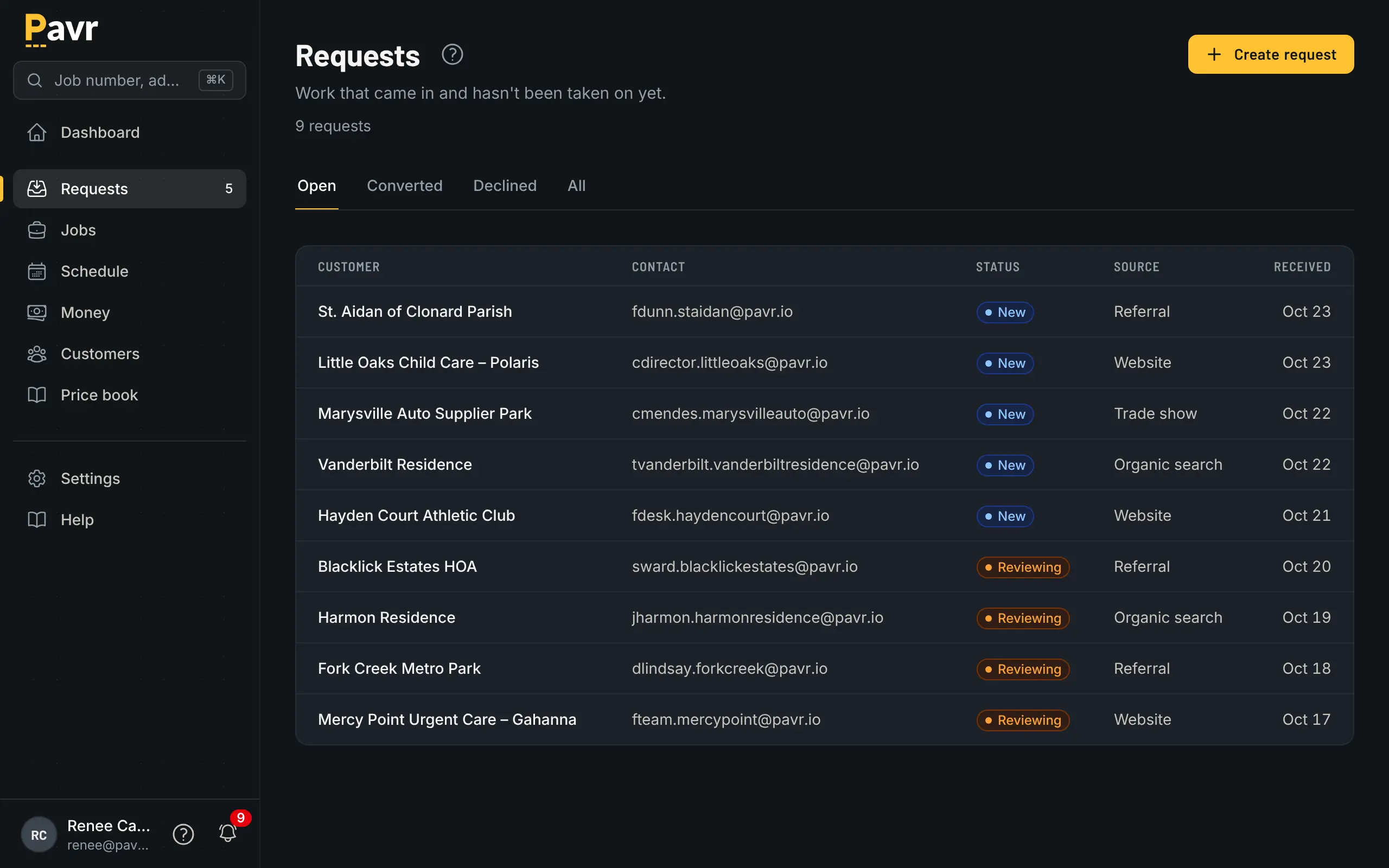
Work comes in as a request. It's a job when you say so.
A property manager calls, a homeowner fills in the form on your website, a GC sends the plan set with a proposal due date. Each one lands as a request with the address, the contact, the files and the walk date. Look it over, and either it becomes a job, with a number you'll say on the phone, or you decline it and keep the reason. Nothing sits in an inbox to be copied over by hand.
- Every request carries the address, the contact, the files and the walk date, however it came in
- Decline one and keep the reason, so you know what you're losing to
02 The map and the price
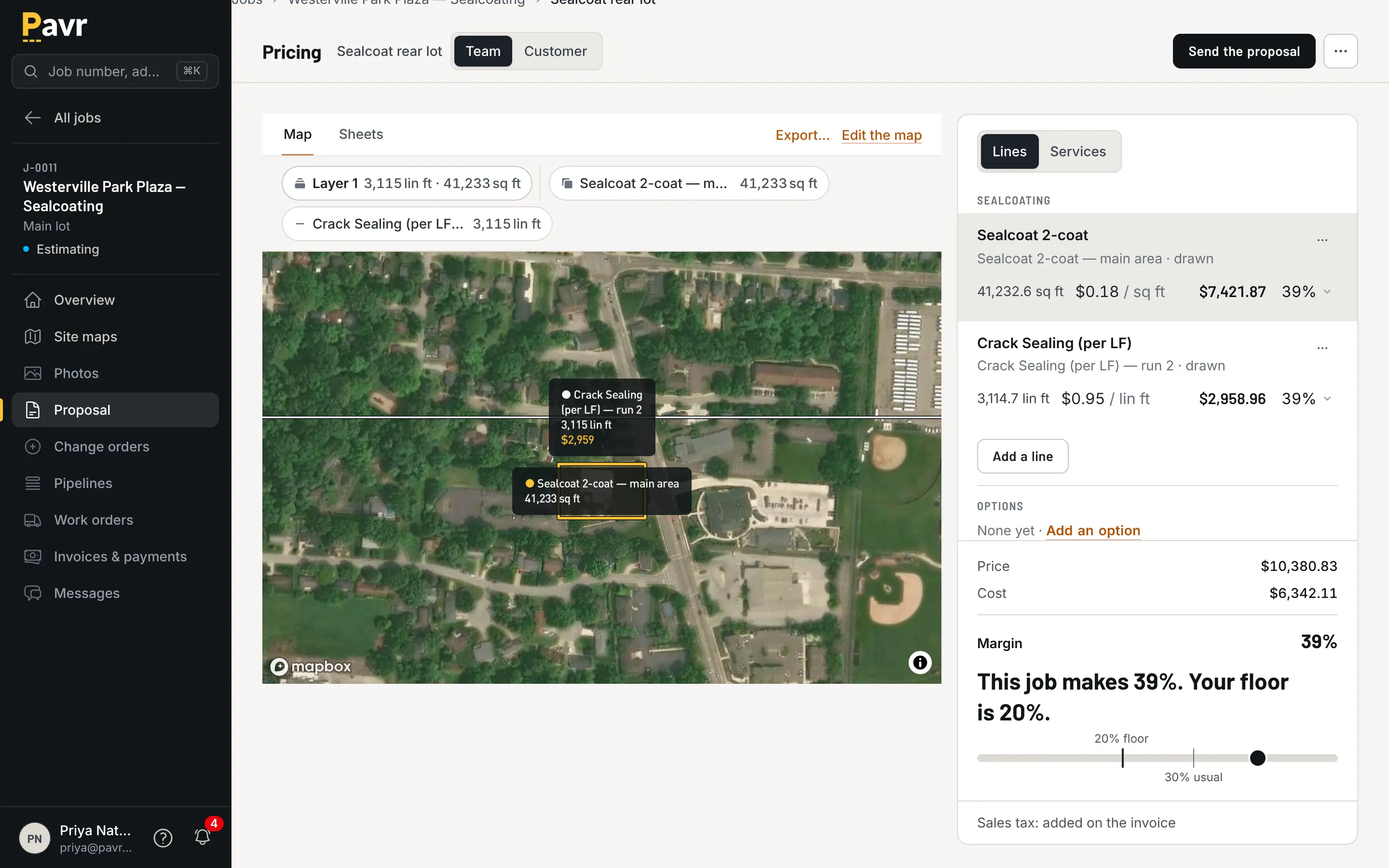
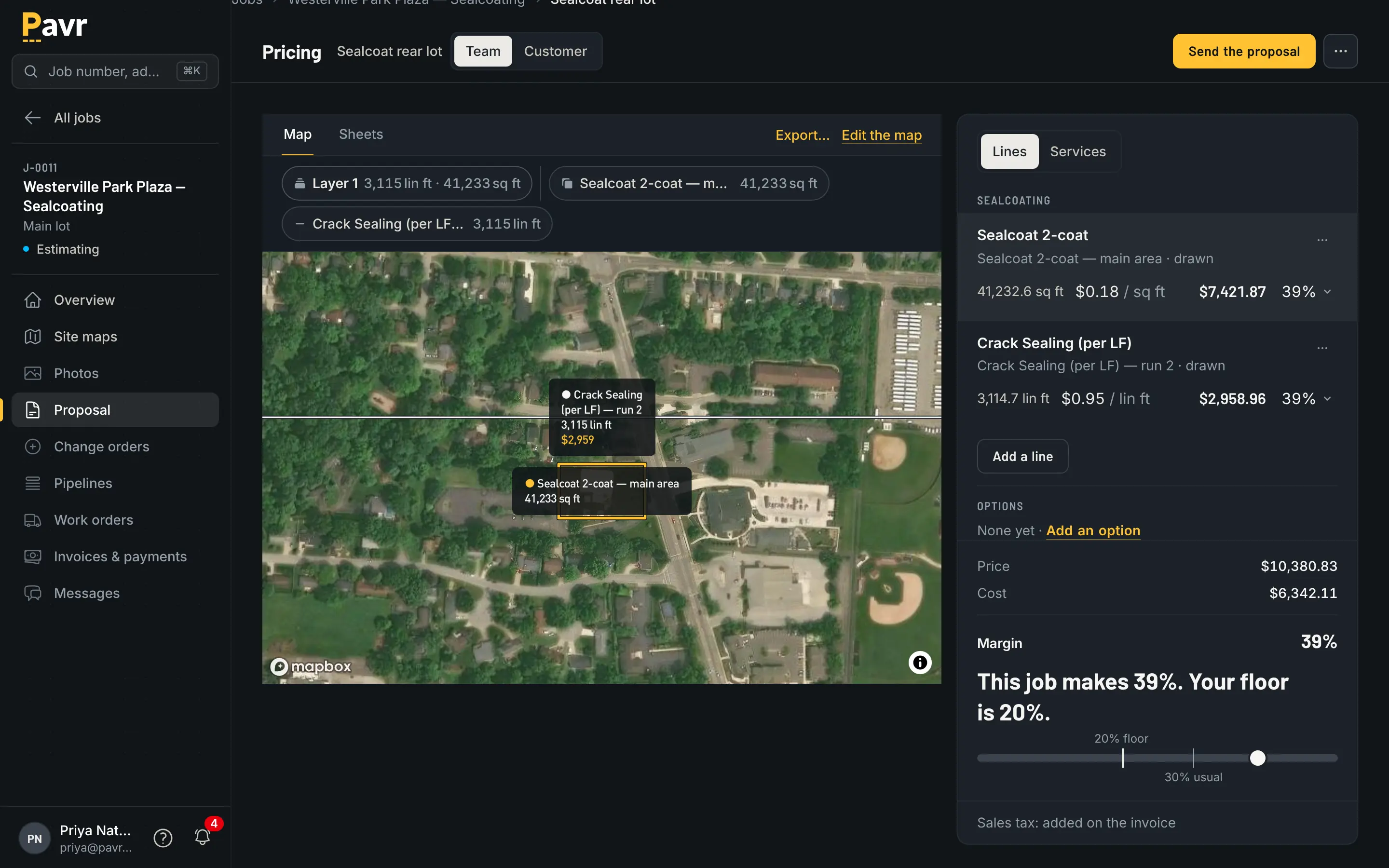
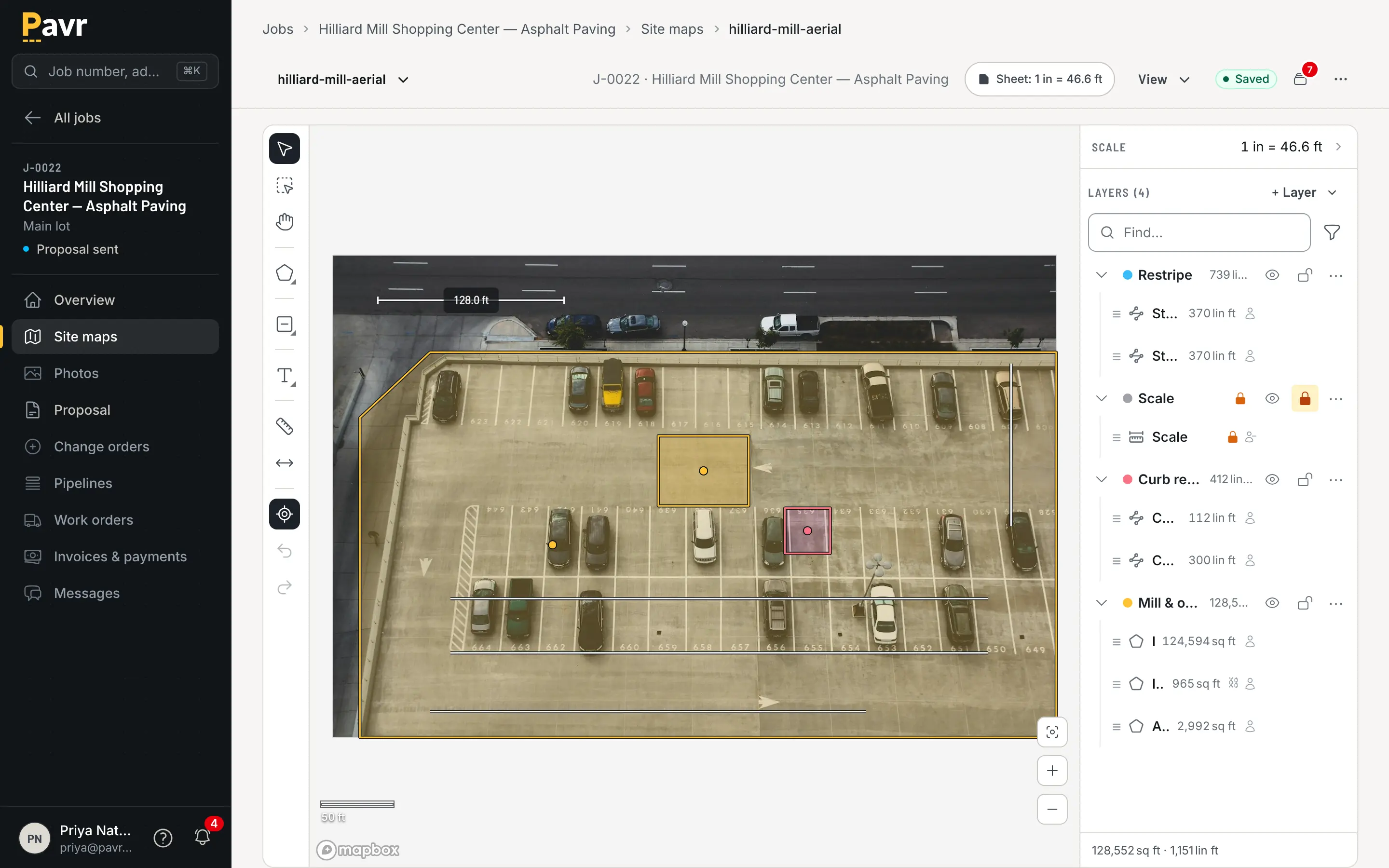
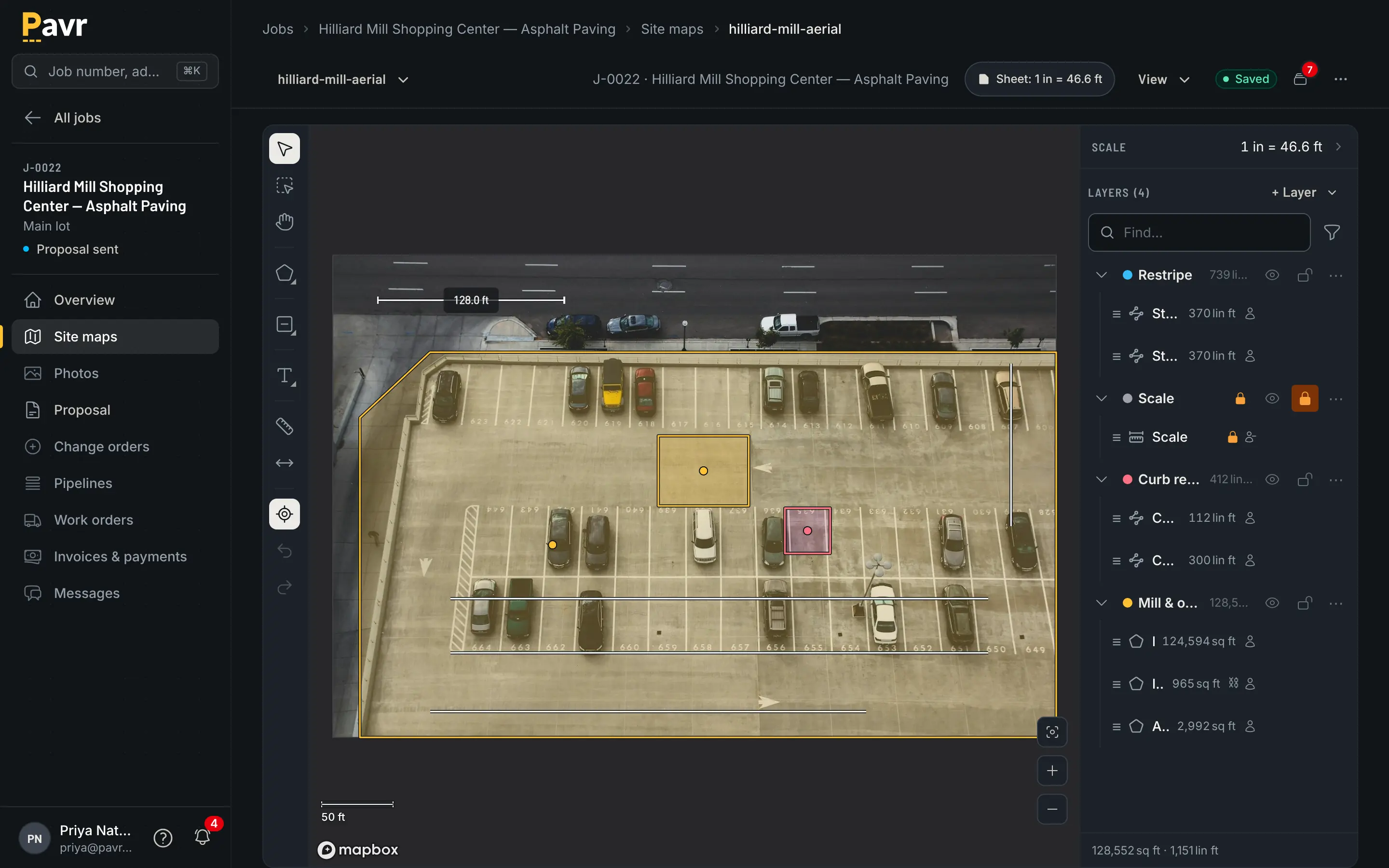
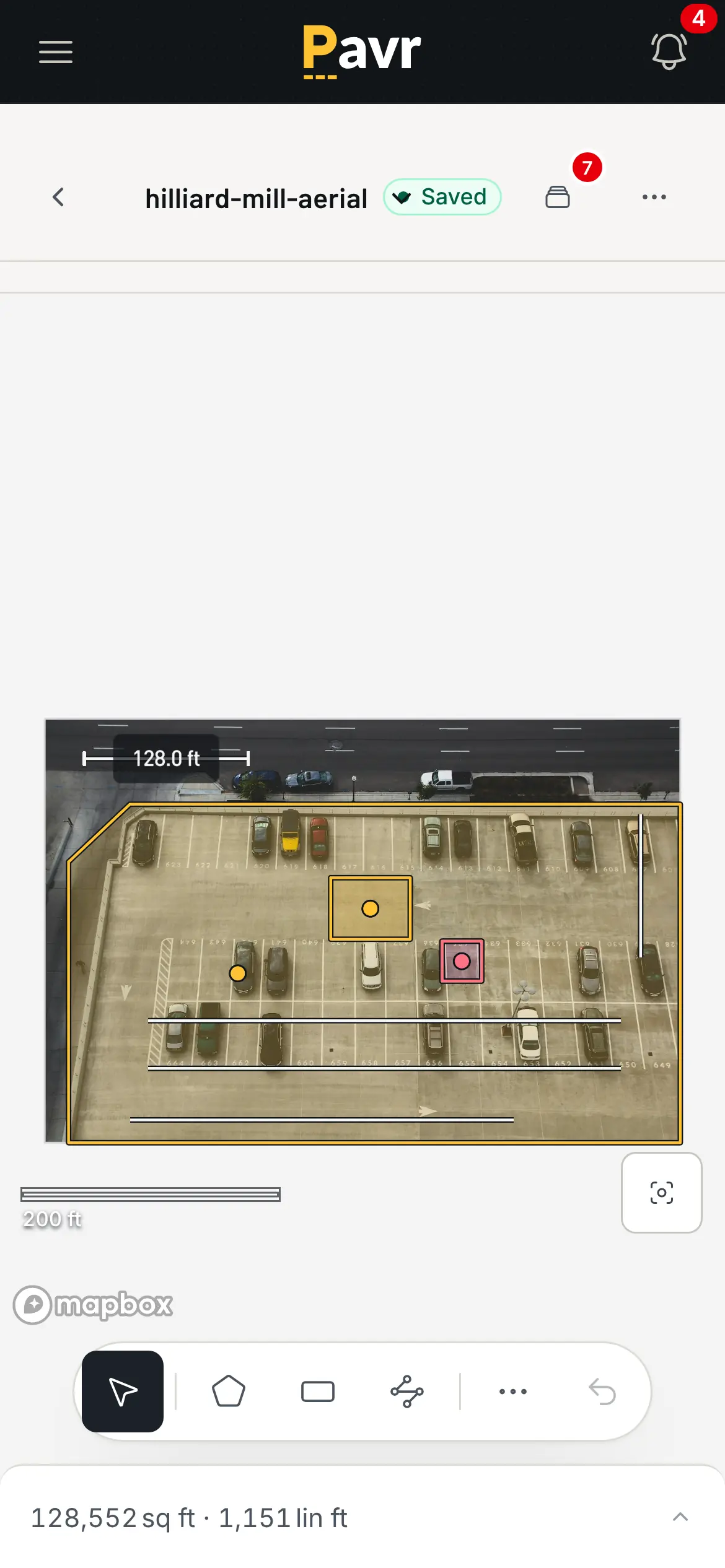
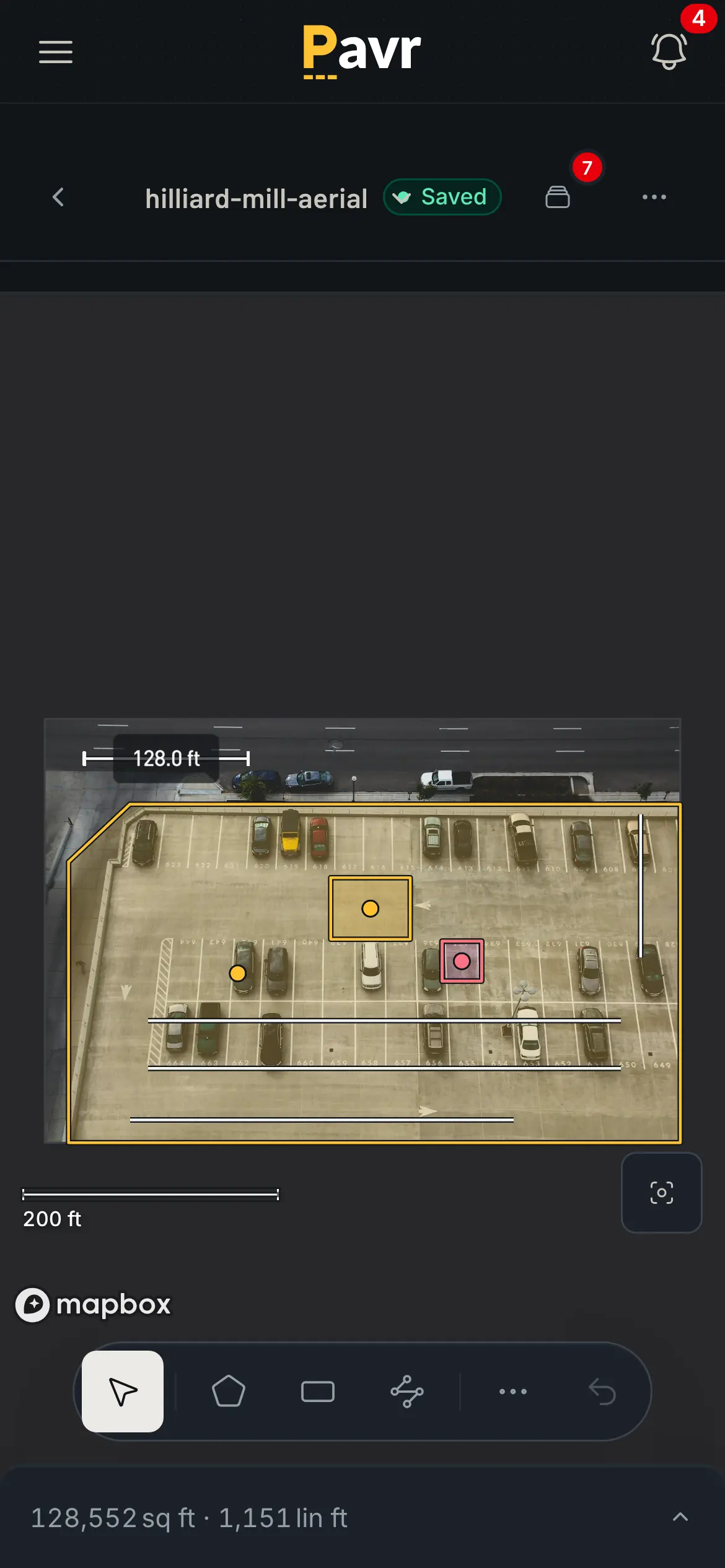
Draw the lot once. Price it tonight without driving out.
Pull up the address and draw the lot on the satellite view: the area to pave, the curb line, the stalls to stripe, each on a layer you name, with the islands cut out. If the GC sent a PDF plan, set the scale and draw on that instead. Or type in the square feet you walked with the wheel. Drop the work onto what you drew. Mill and overlay, sealcoat, curb and gutter and more than a hundred other common services come built in, and they price off your plant prices, your crew rates and your equipment. The margin sits beside every line before you send, and a proposal under the floor you set goes to whoever approves it, not the customer.
- Tons, gallons, yards and crew hours come off the measurement, not a calculator in another window
- The plant raises its price and your sent proposals don't move. Drafts take the new price when you tell them to.
- Paving, concrete, sealcoat and striping on one proposal, at one contract price
03 The proposal
The customer gets one link. It grows with the job.
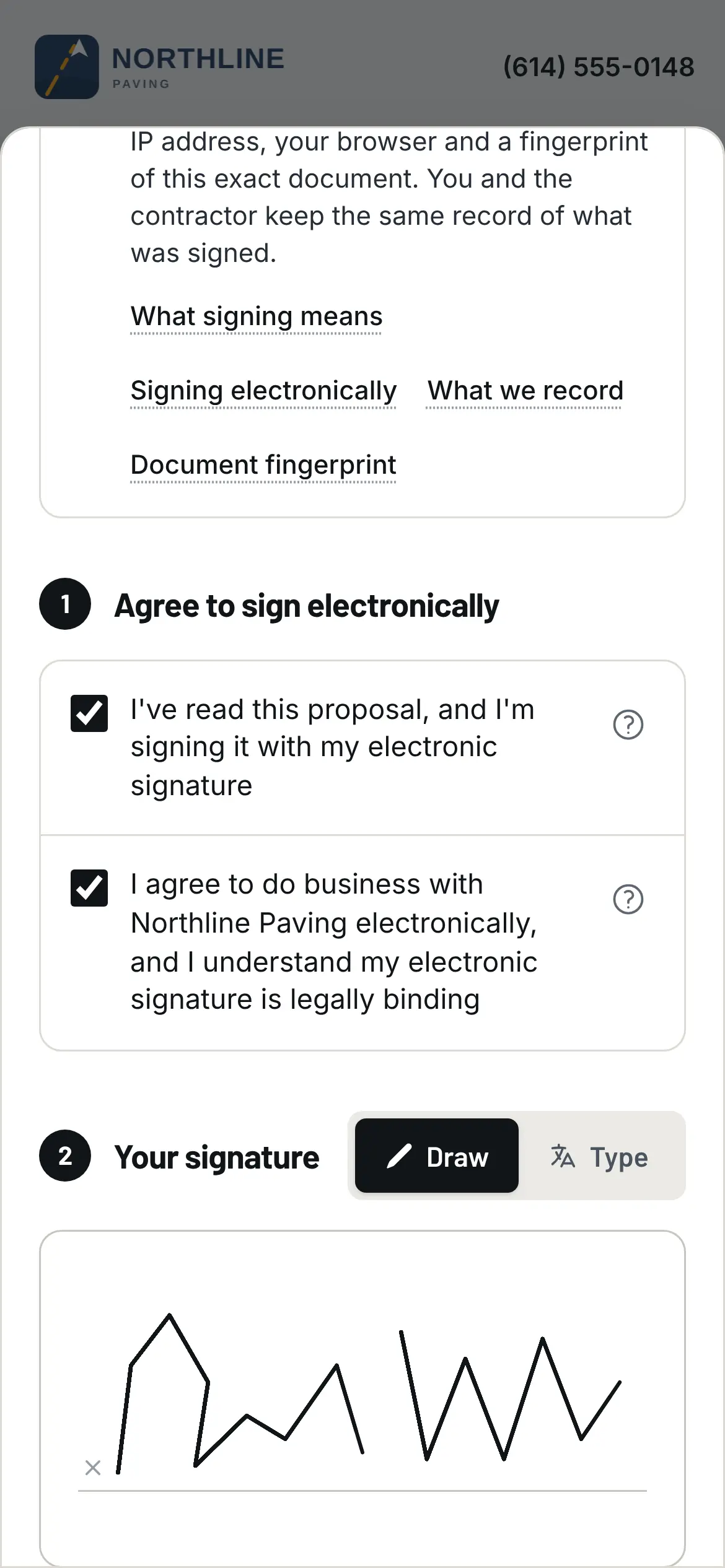
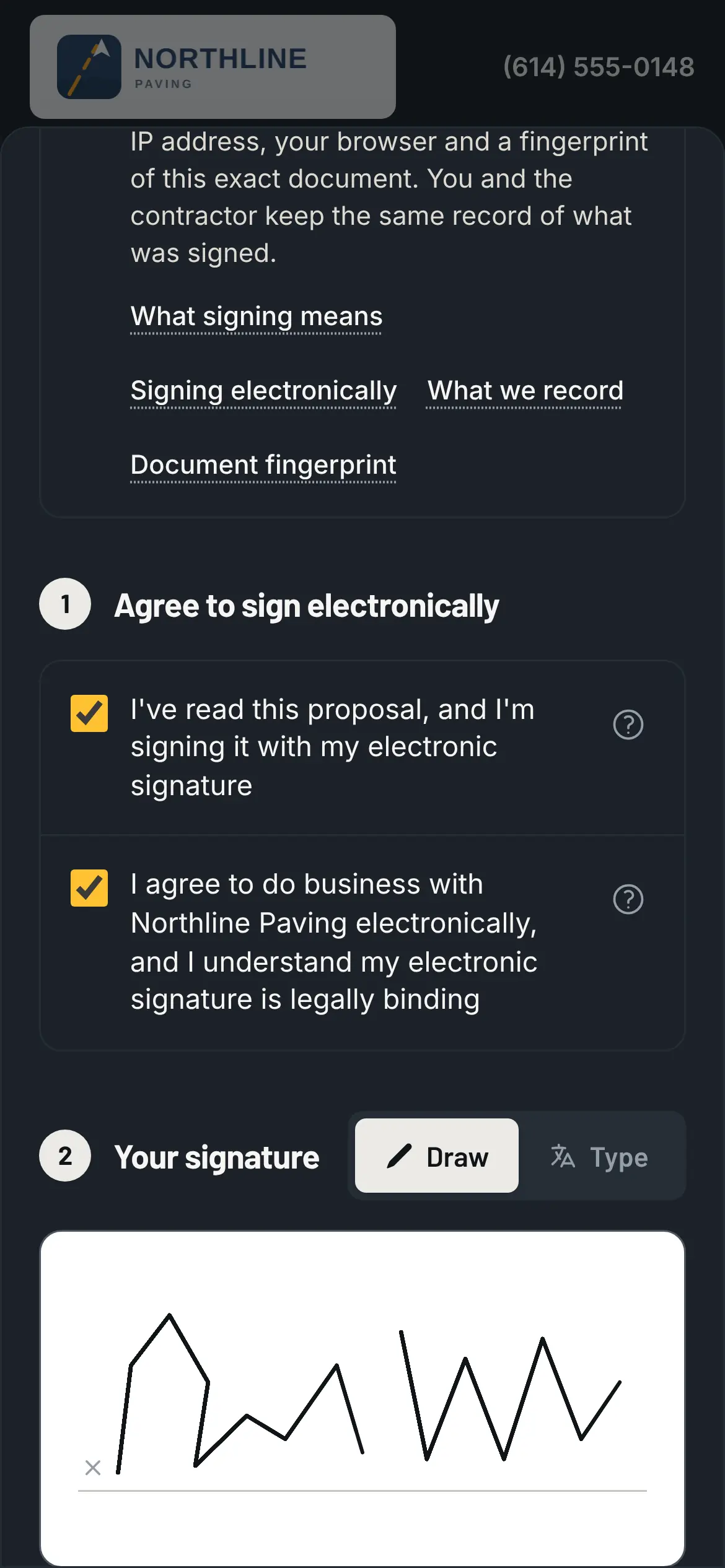
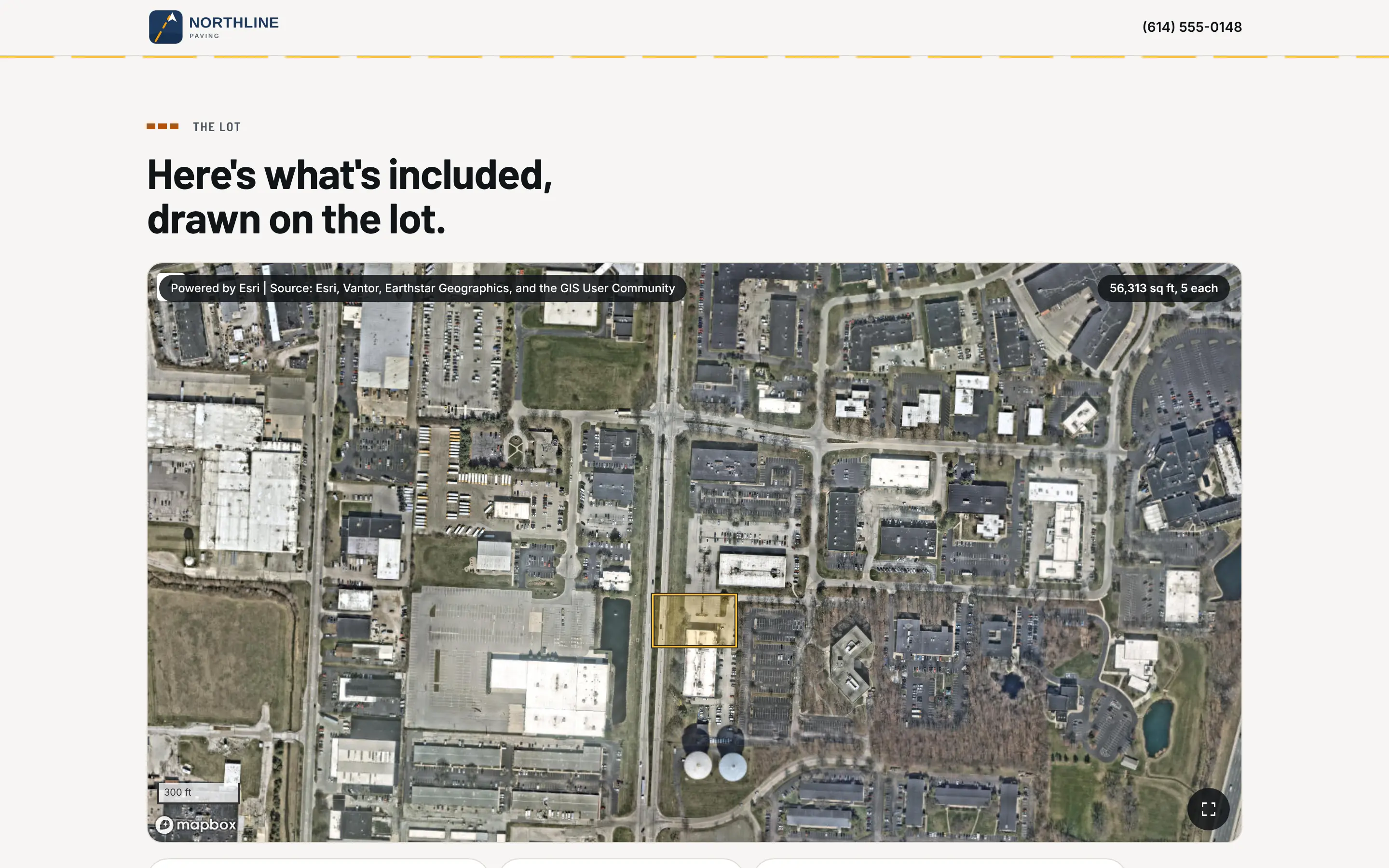
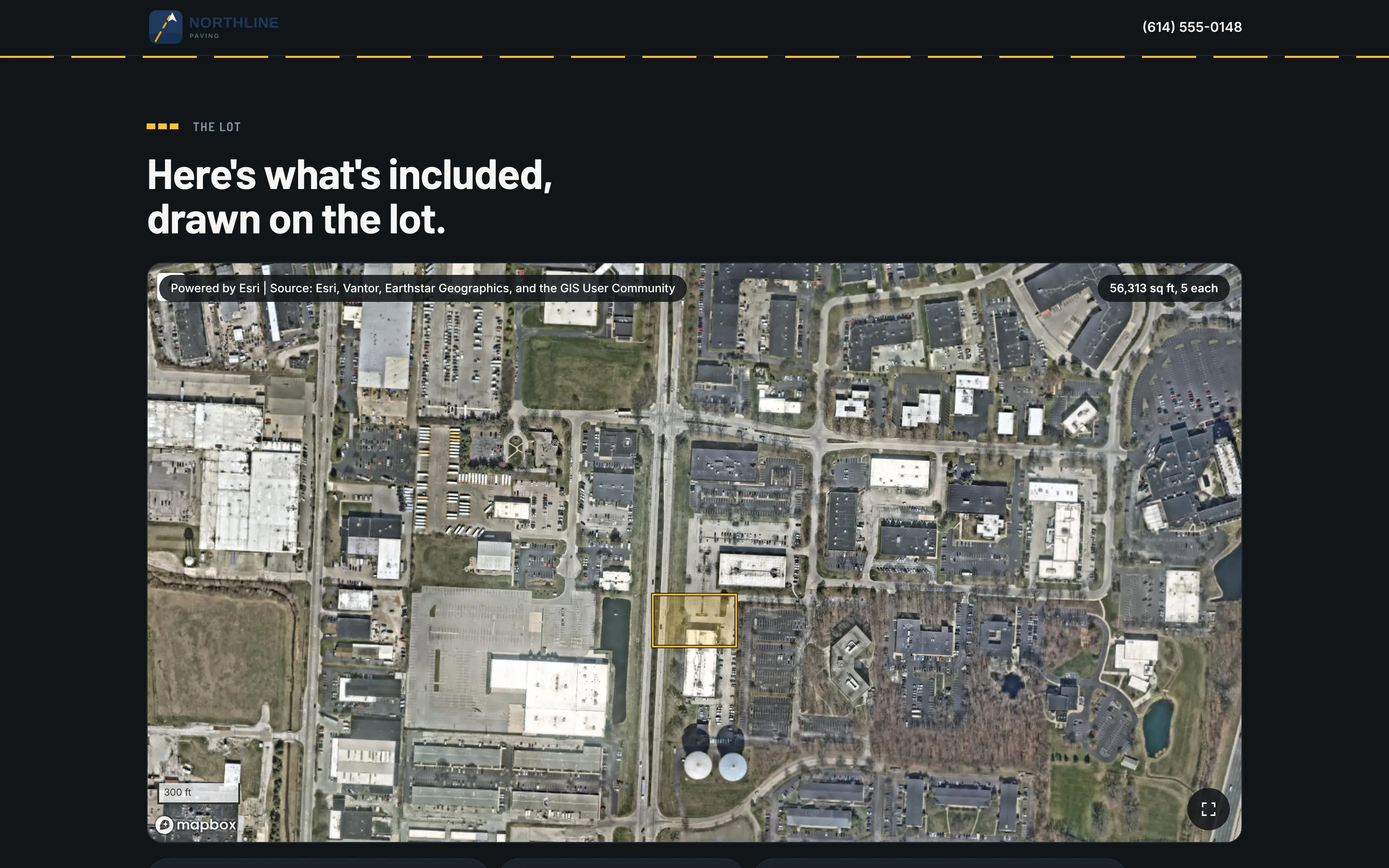
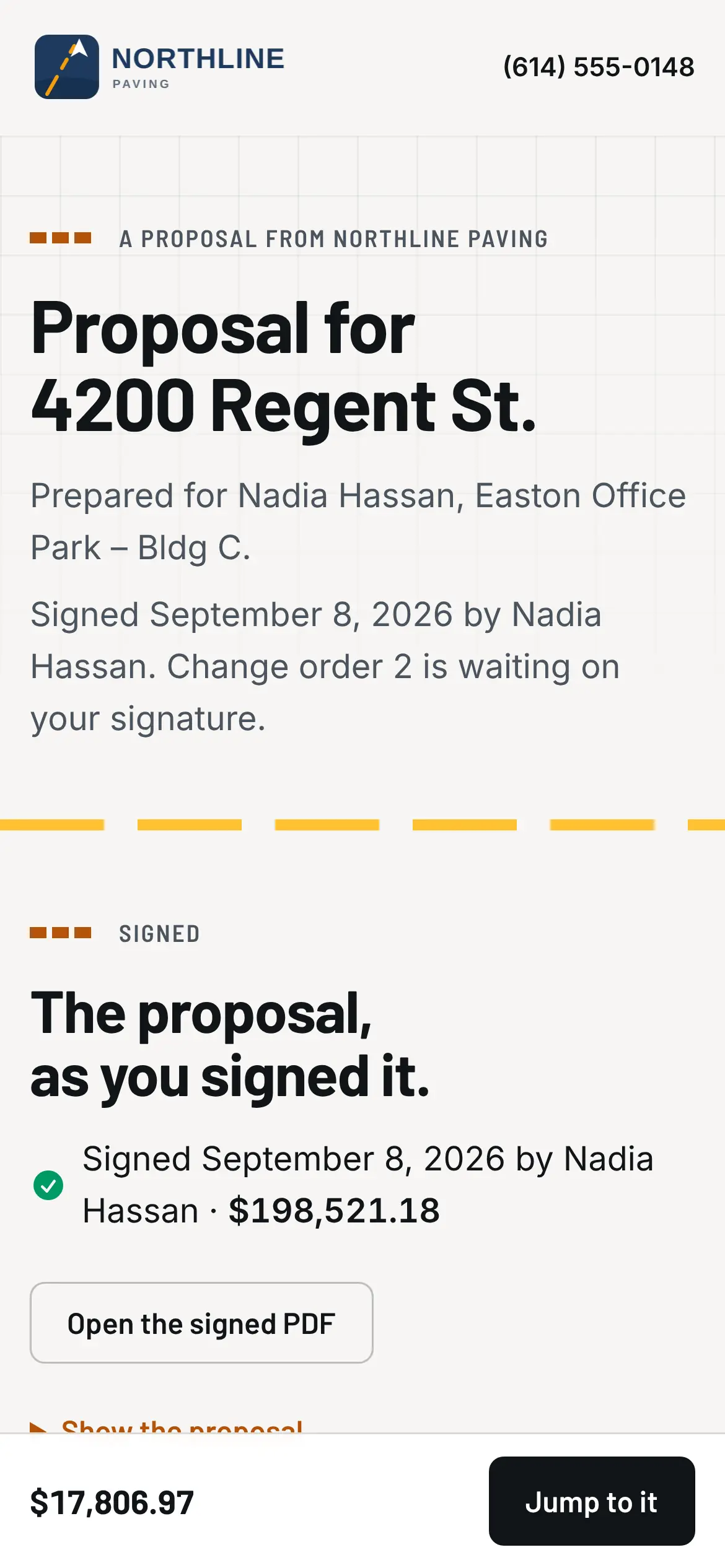
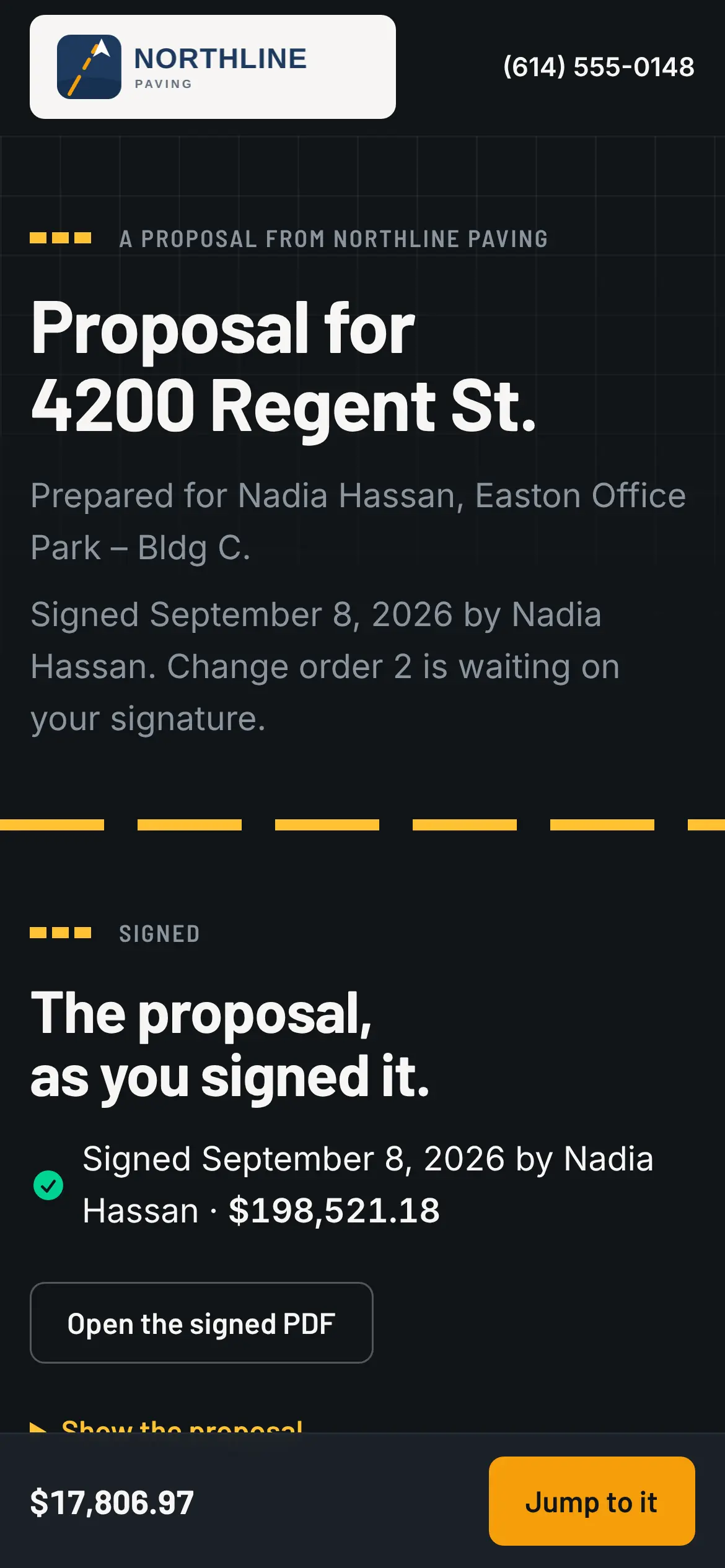
The proposal goes out under your logo, at the price you saw the margin on. The customer opens it on their phone, reads what they're buying (the square feet, the lift, the milling depth, the exclusions) and signs, with a code from their email instead of a password. No app, no printer. If you offered good, better and best, they pick one and the map and the price follow. The moment they sign, the job is won; nobody marks it won by hand.
- Customers see the exact version they signed, and you keep the record of when, from what device
- A proposal holds its price for 30 days unless you say otherwise. Three days before it runs out, the customer gets a reminder.
- The same link shows the schedule, the crew's photos from the lot, the change order to sign and the invoice as the job moves
04 The job
One screen says where the job stands, in a sentence.
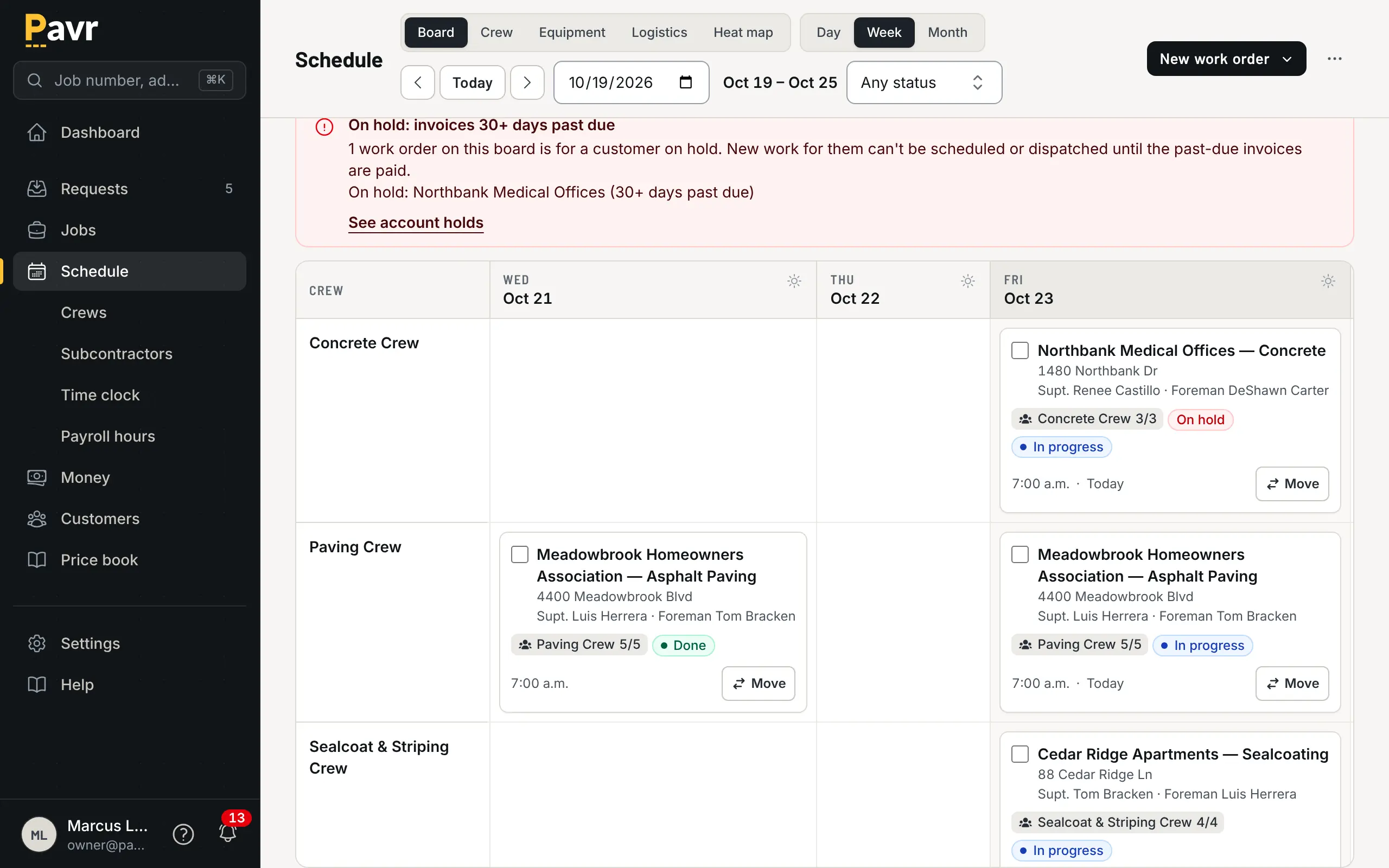
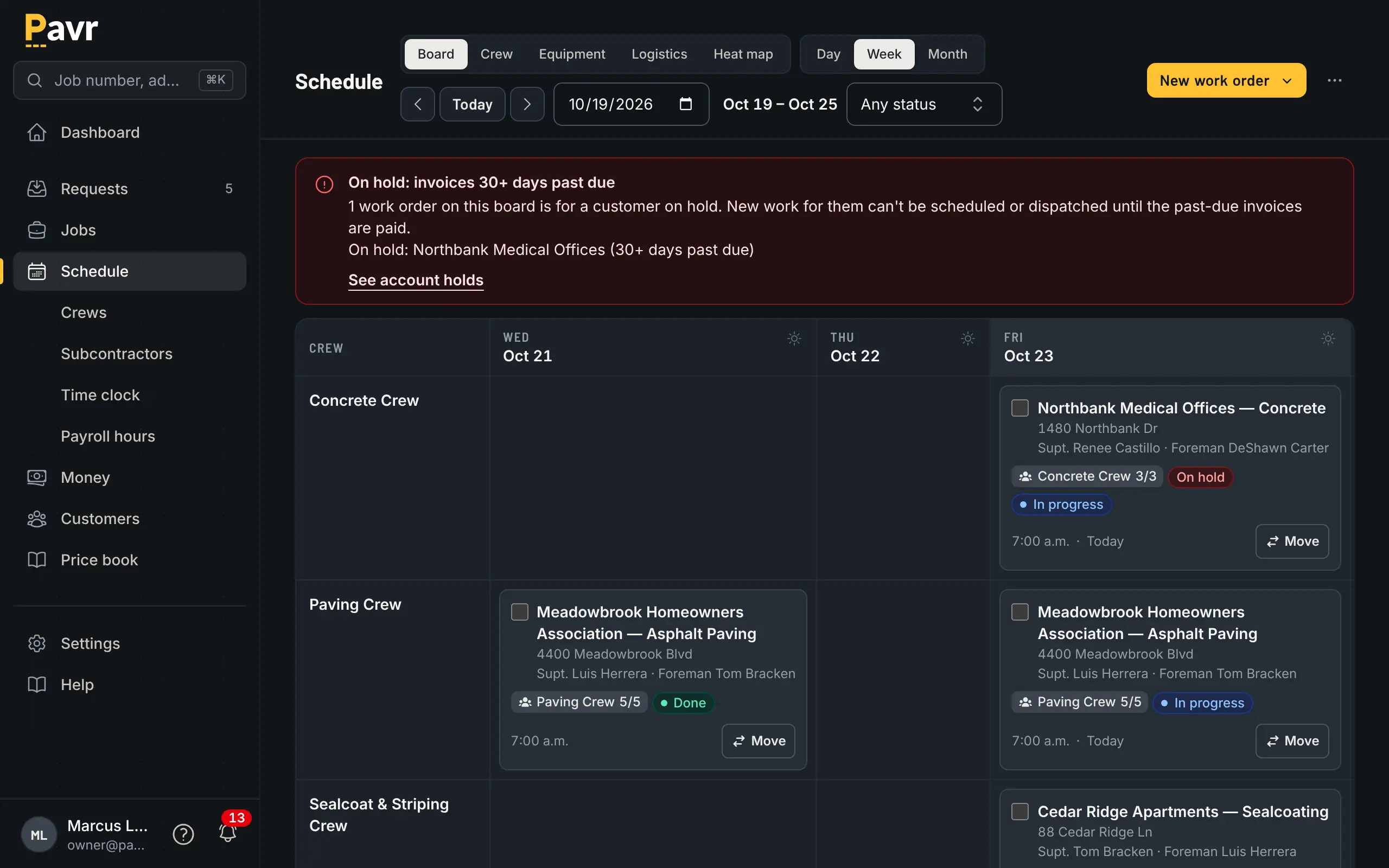
Open the job and the first line says where it is. Each kind of work on it runs through the stages you set once for the company, starting with the things that stop a crew cold: permits, material, the milling sub confirmed, the visit on the schedule. Subs confirm their day from a link in their email; they don't need an account. A job waiting on the permit says so, in words.
- Double-book a crew or the roller and the board warns you before anyone's dispatched
- Every account starts with weather rules per trade: 50°F and no rain for asphalt and sealcoat, 40°F for concrete. Change them to yours, and the forecast flags the day that won't make it.
- Every job has a salesperson, a project manager, a superintendent and a foreman, and each kind of news goes to the right one
- On a lot with paving, curb and striping, each crew sees its own part, in order: striping waits on the paving, and sealcoat waits for new asphalt to cure
05 The crew's day
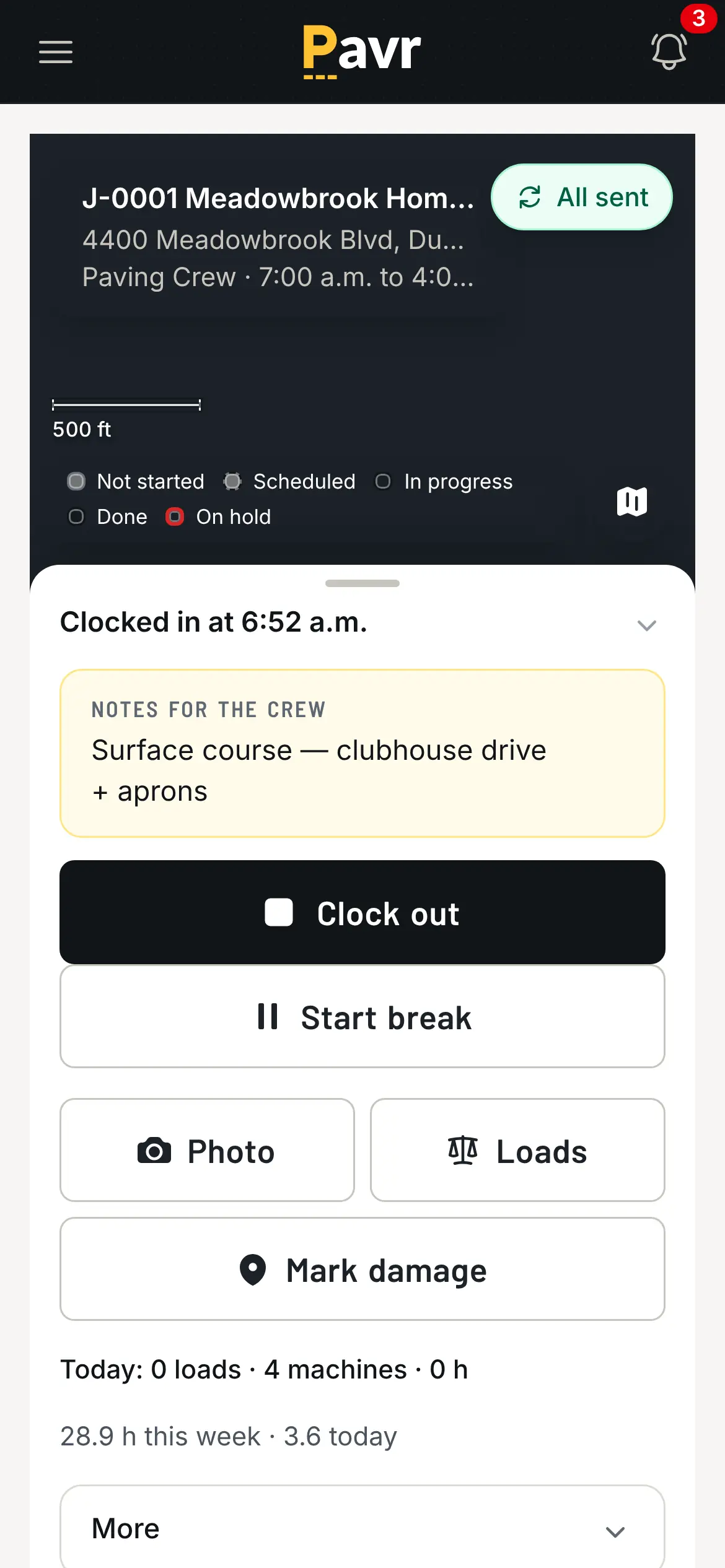
Hours come off the phone, with or without signal.
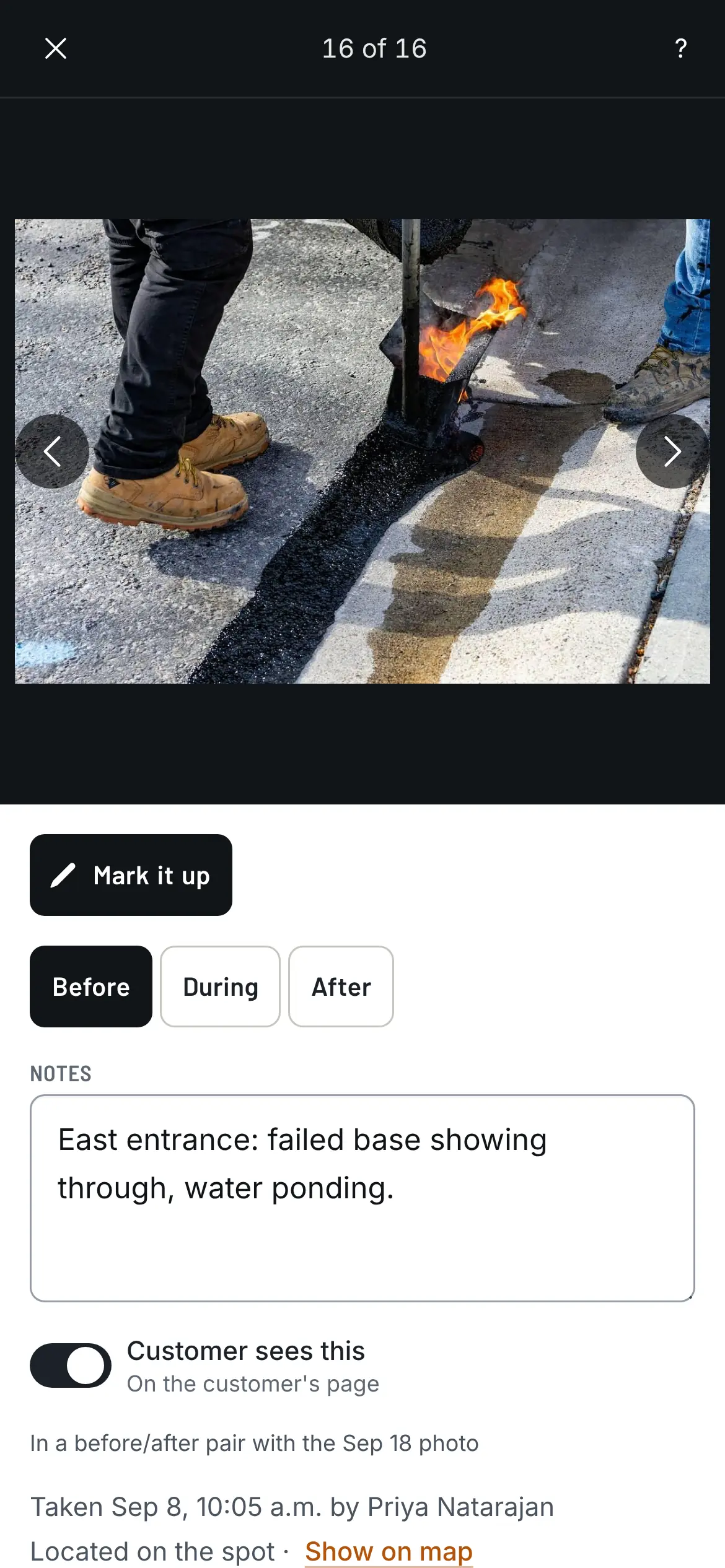
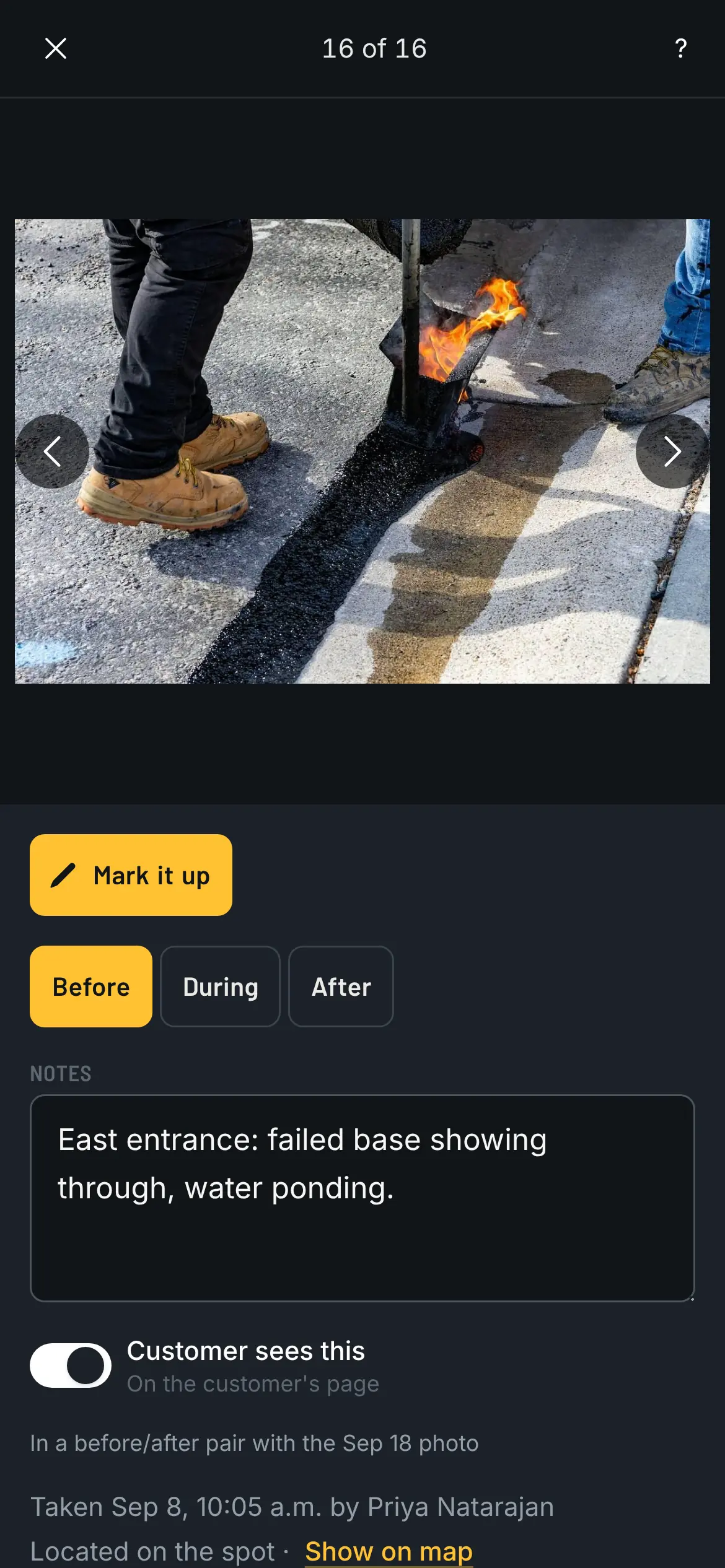
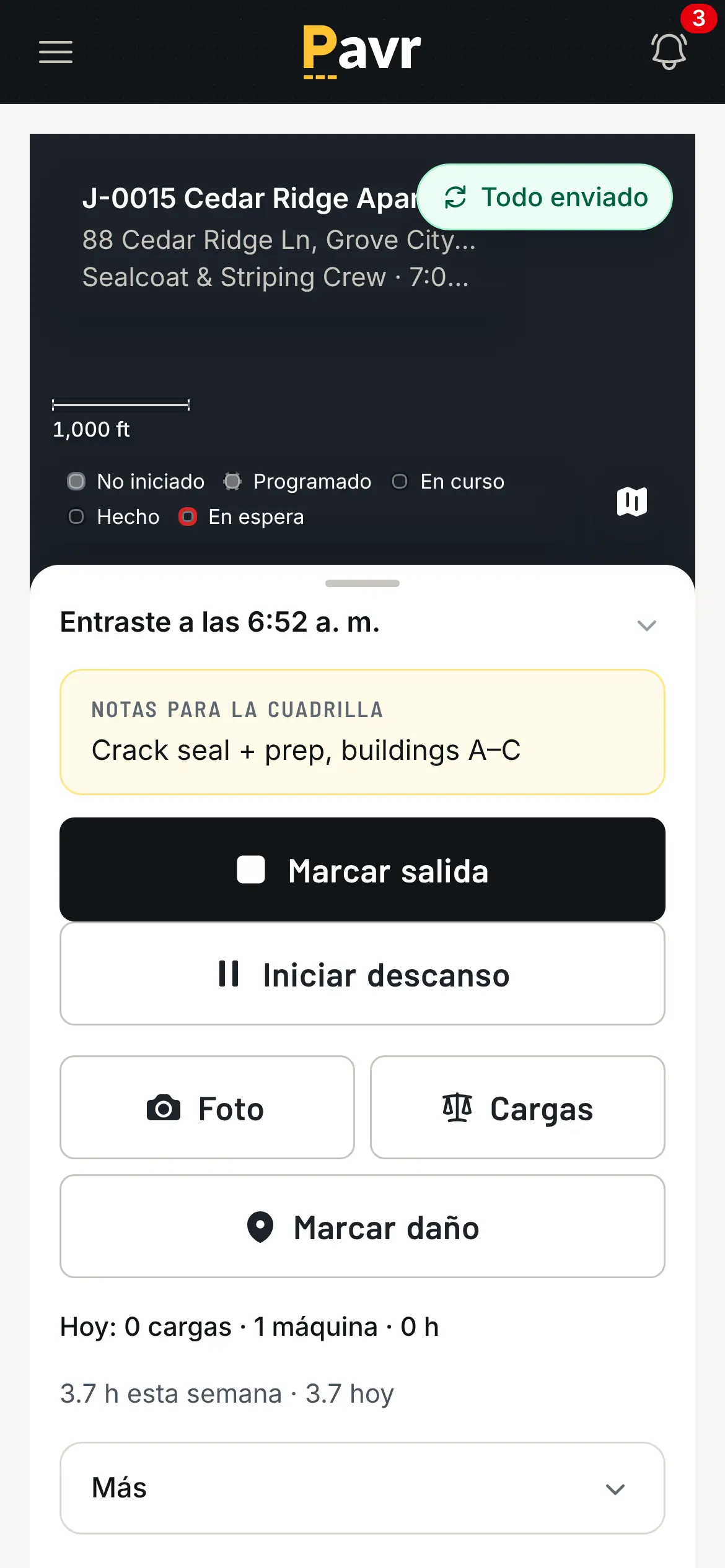
The crew clocks in on the job from their phones. The foreman can clock the whole crew in at once, and breaks come off the hours. Photos go onto the map where they were taken, marked before, during or after. At day's end the foreman logs what got done and the material used; once the office approves it, it posts against the estimate.
- Before and after photos of the same spot pair up, and go on your website when you say so
- No signal at the back of the lot? The clock, the daily log and punch items save on the phone and send themselves when signal comes back
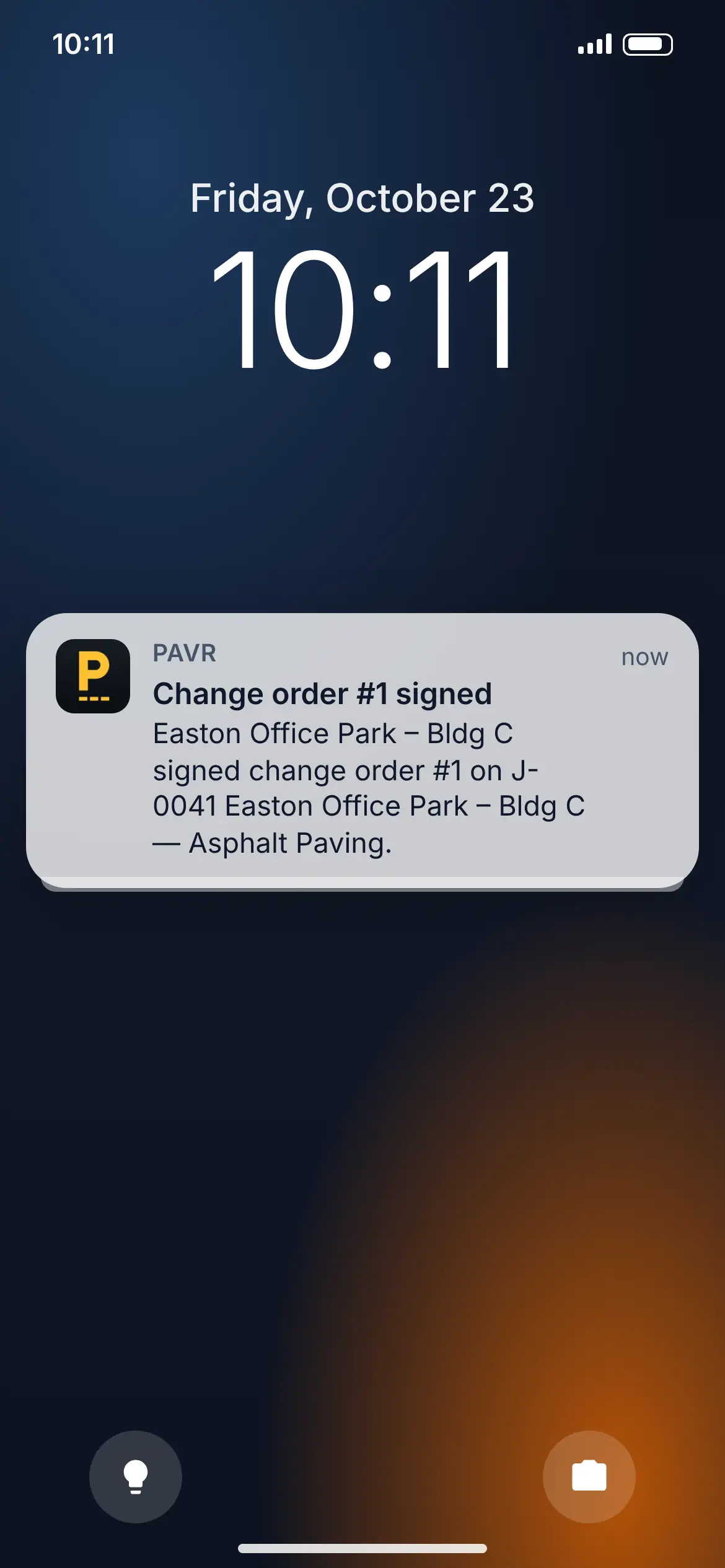
- A push on the phone or the desktop when a change order is signed or a job moves. On iPhone, once Pavr is on the home screen.
- Every person picks English or Spanish; the whole app is in both
06 The change order
Extra work gets signed before it's done. Then it gets billed.
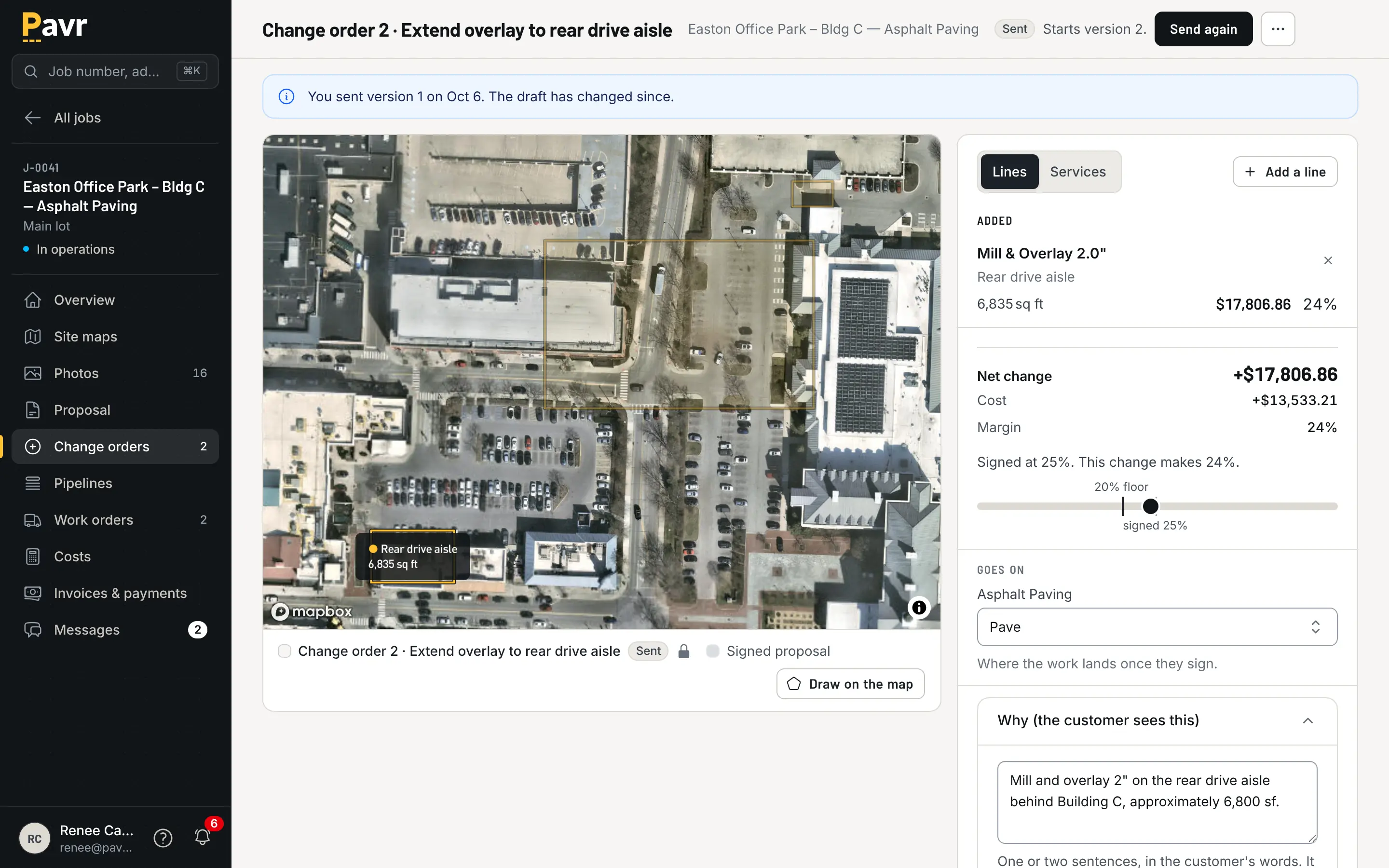
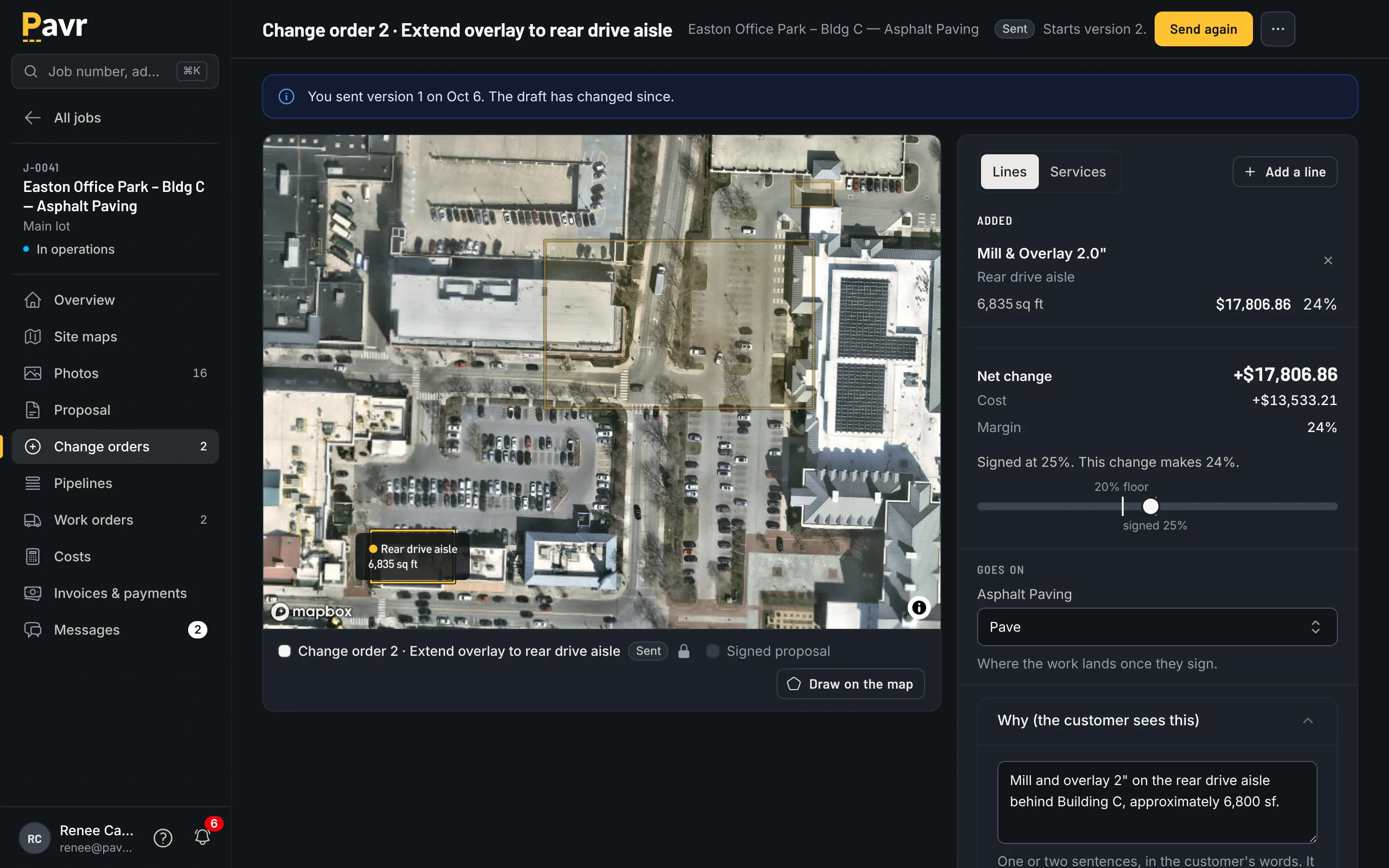
The site turns out different from the proposal. The foreman outlines the soft base on the crew's map from the lot, with no prices on their screen. The office prices it like any other line, at the margin the customer already signed, and sends it, and the customer sees the original lot dimmed and the new work lit. That part of the job waits until the customer signs. Once they do, it's on the invoice. There's no text message to dig up in August.
- The customer signs it on the same page as their proposal. A question or a change request comes to you as a message there.
- A signed change order that never gets billed is a donation. Here it can't be left off.
07 The invoice
Bill what was signed, the way the job gets paid.
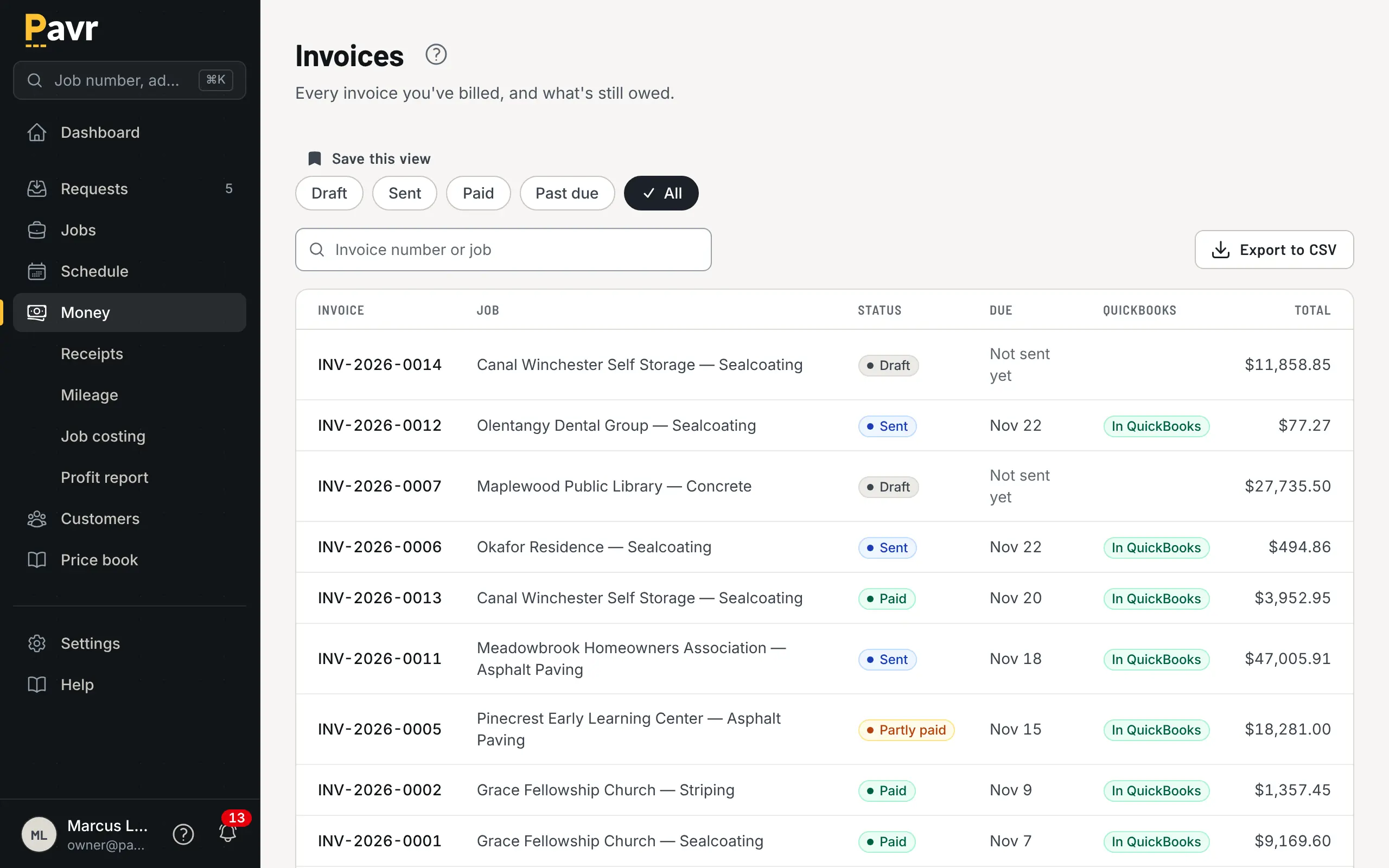
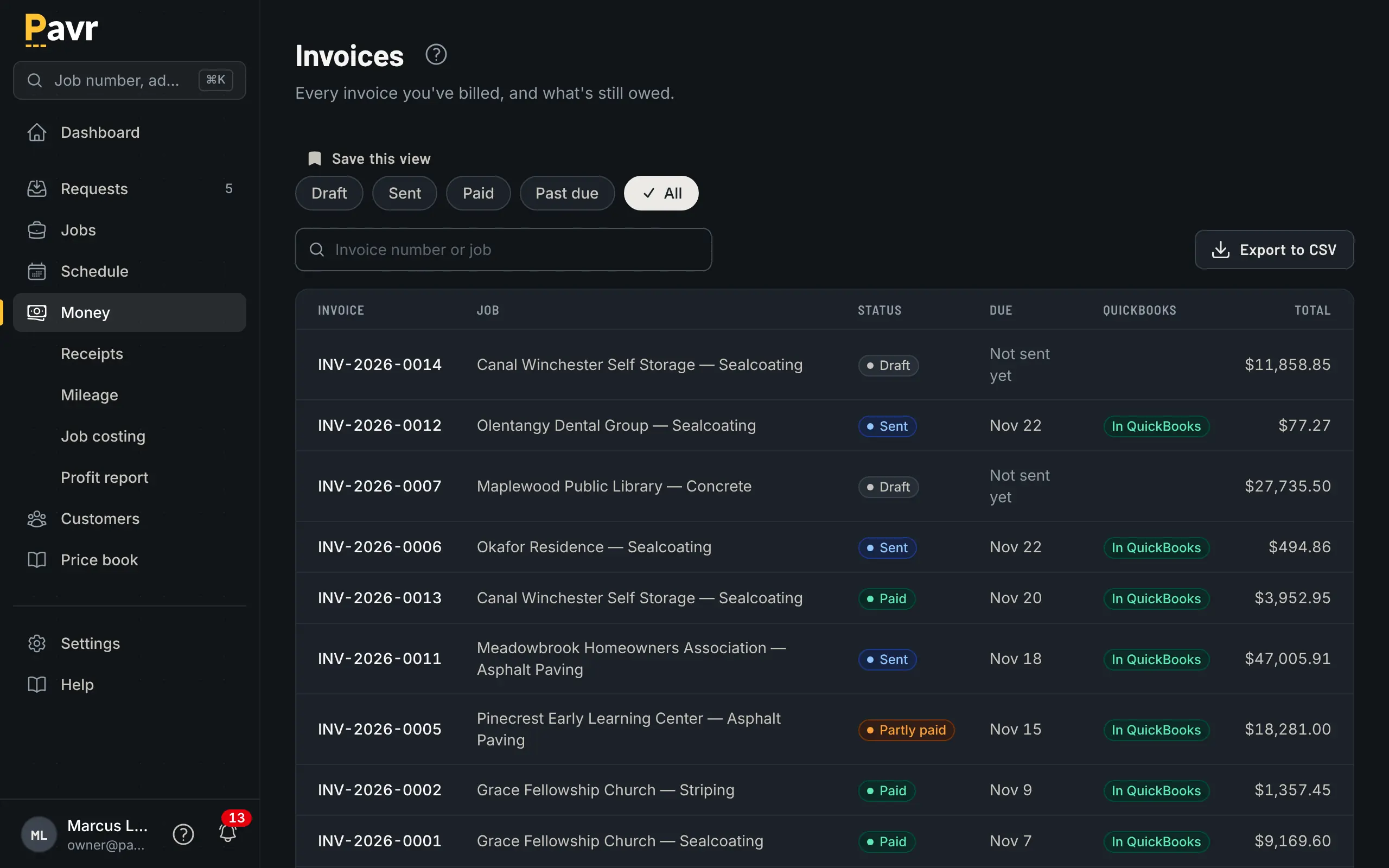
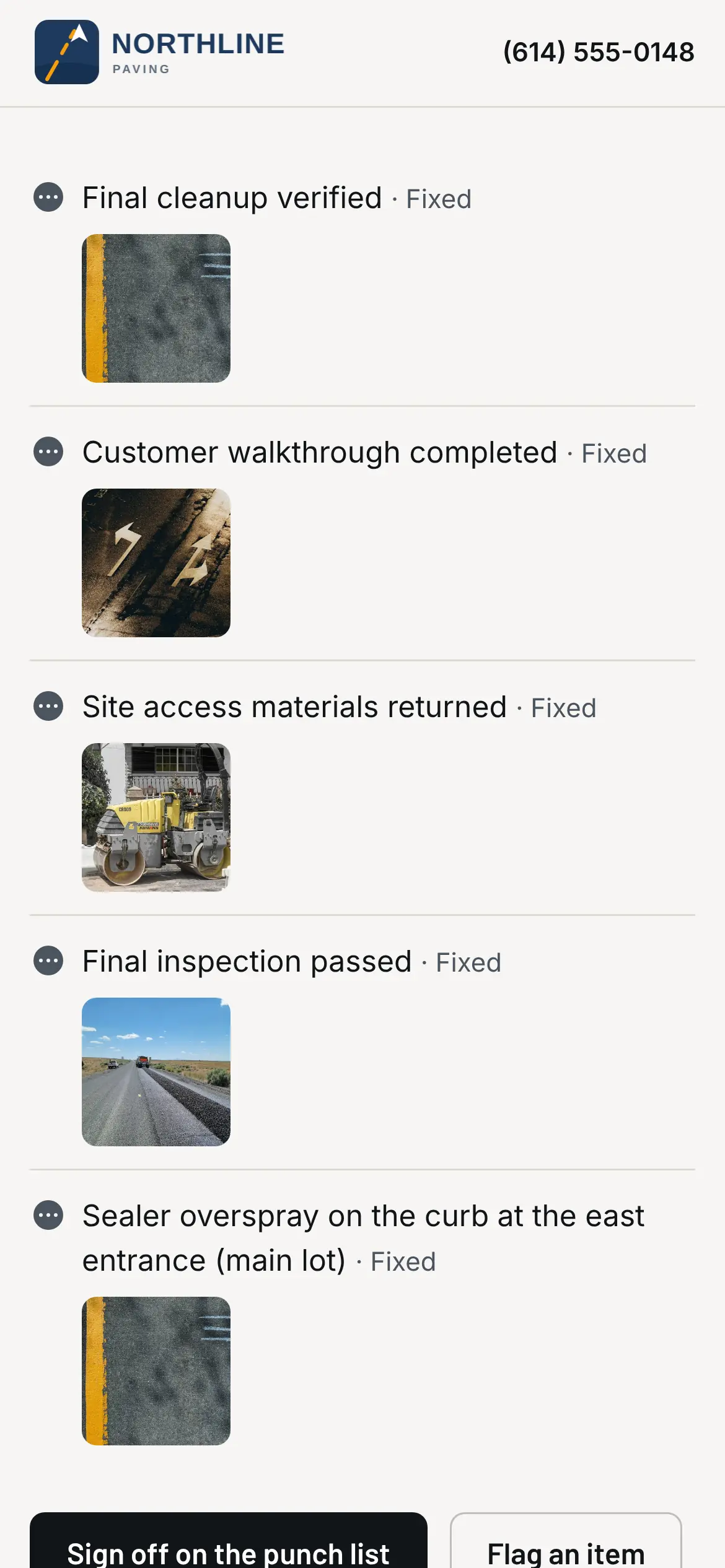
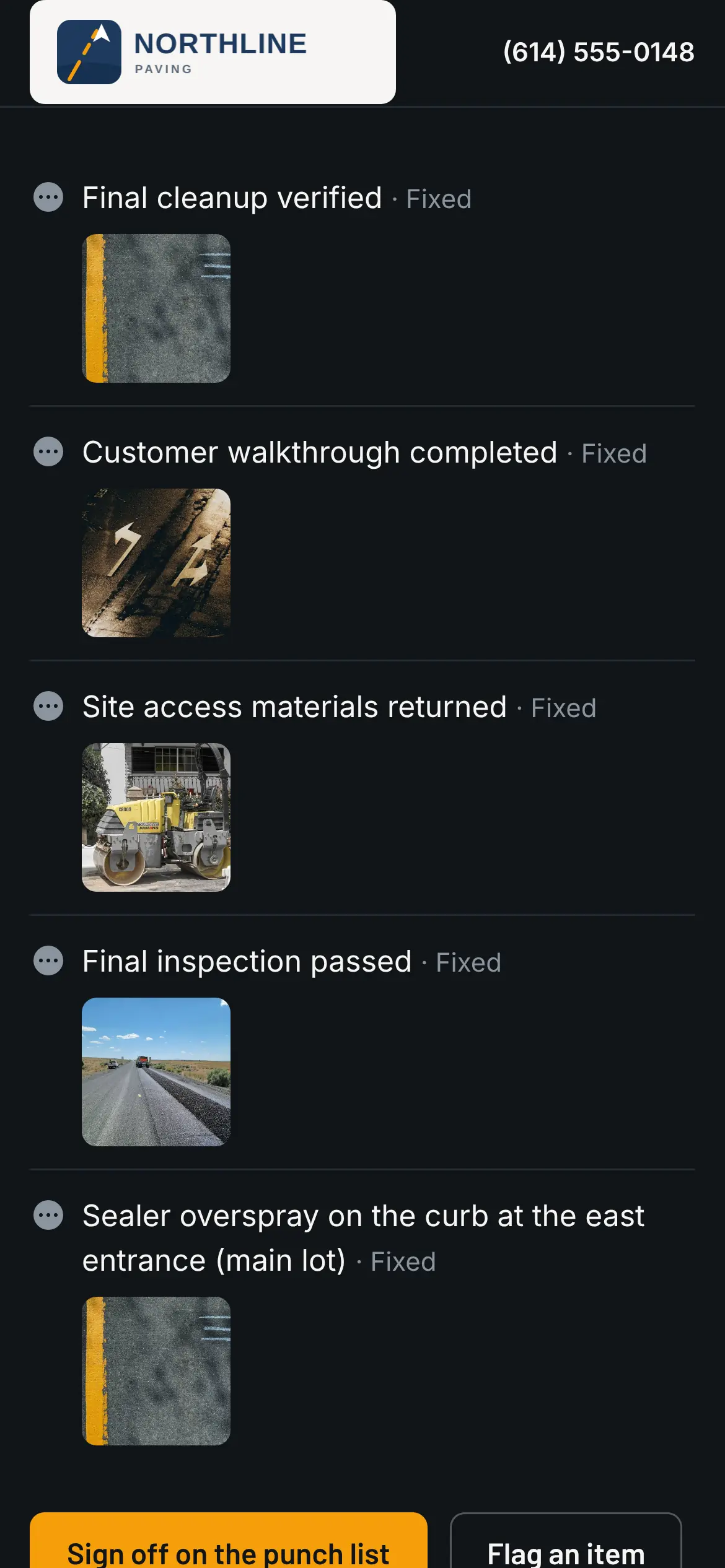
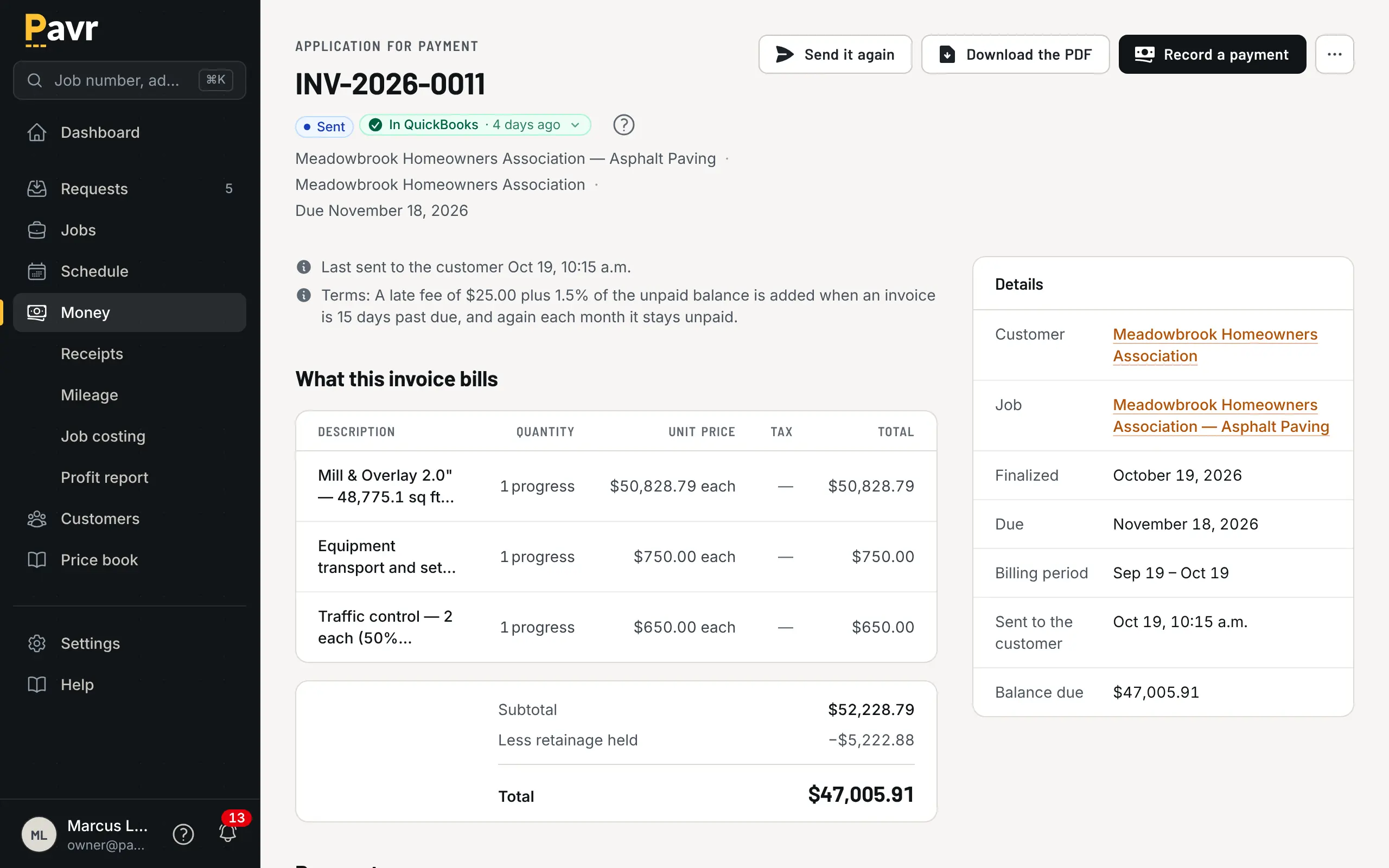
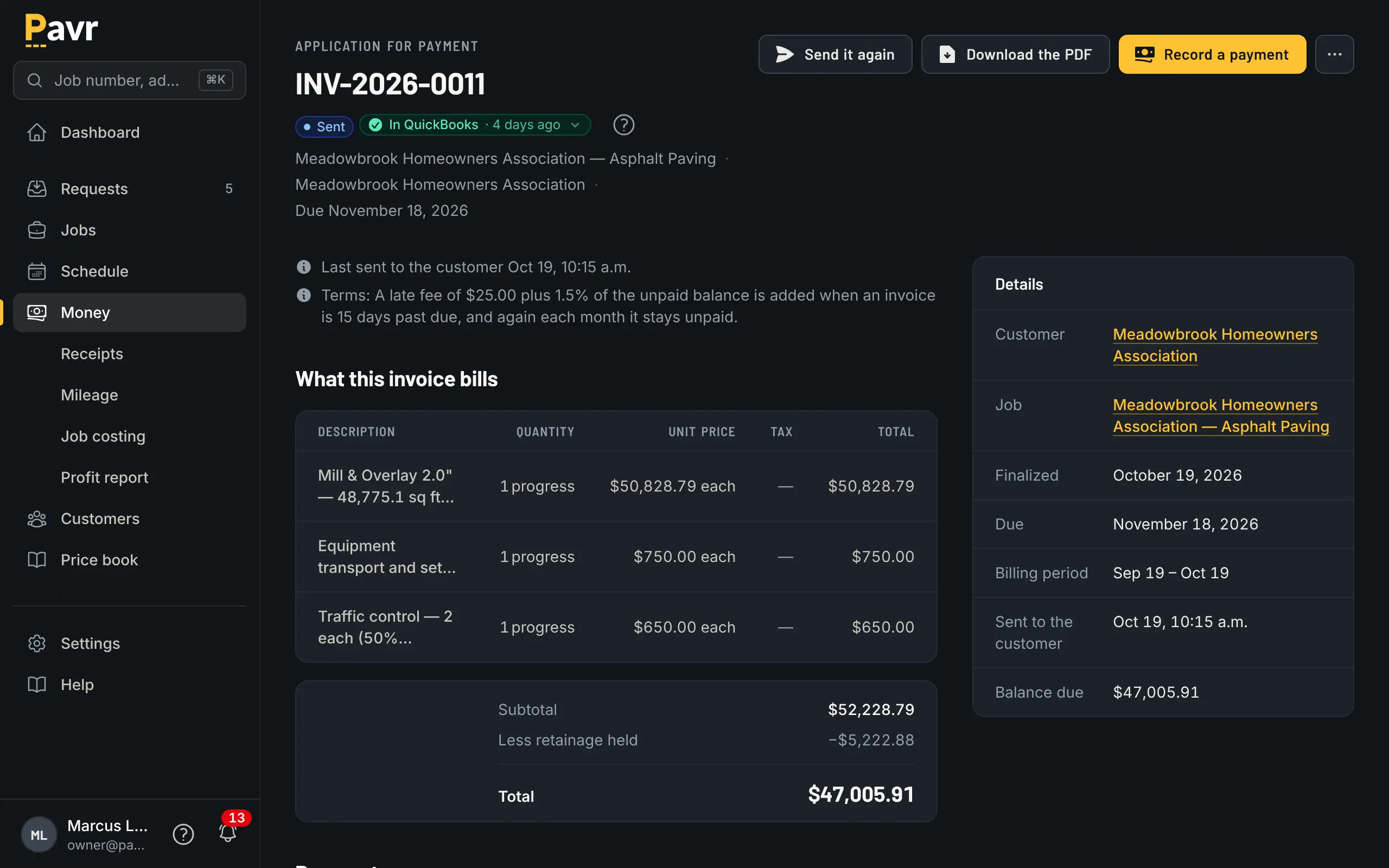
The customer walks the punch list on their phone, item by item with the crew's photo, and signs off, or flags the one that isn't right. The invoice is the signed proposal plus every signed change order, nothing left off, and it can't go out while the punch list is still open. Send it and the customer gets the PDF with a Pay now link. Finish it and it goes to QuickBooks Online; when the customer pays, QuickBooks tells Pavr and the invoice shows paid. A check that comes in the mail gets recorded by hand.
- The Pay now link goes to your QuickBooks payment page, or to wherever you already take payments, and Pavr takes nothing on it. Turn on Pavr Payments and the customer pays right on the invoice, by bank transfer or card, into a Stripe account in your business's name, for 1% plus Stripe's rates.
- Deposits up front, statements when a customer has several open, and reminders at 7, 14 and 30 days past due
- A customer 30 days past due goes on hold: nobody prices another lot for them, and nothing new gets scheduled for them without an admin override
- Late fees if you want them: flat or a percent, after a grace period you set. Off until you turn them on, and waivable when the check's in the mail.
08 The pay app
Bigger jobs bill by the pay app, with retainage tracked.
The schedule of values comes straight off the signed proposal, line by line, and every signed change order lands on it as its own line. Each pay app is what got done this period on each line, with retainage held from the first application to the release and a G703 continuation sheet the GC's office will recognize. T&M jobs bill weekly from approved hours, material and receipts; the office hears about it at 80% of the not-to-exceed, and billing stops at the cap.
09 The margin
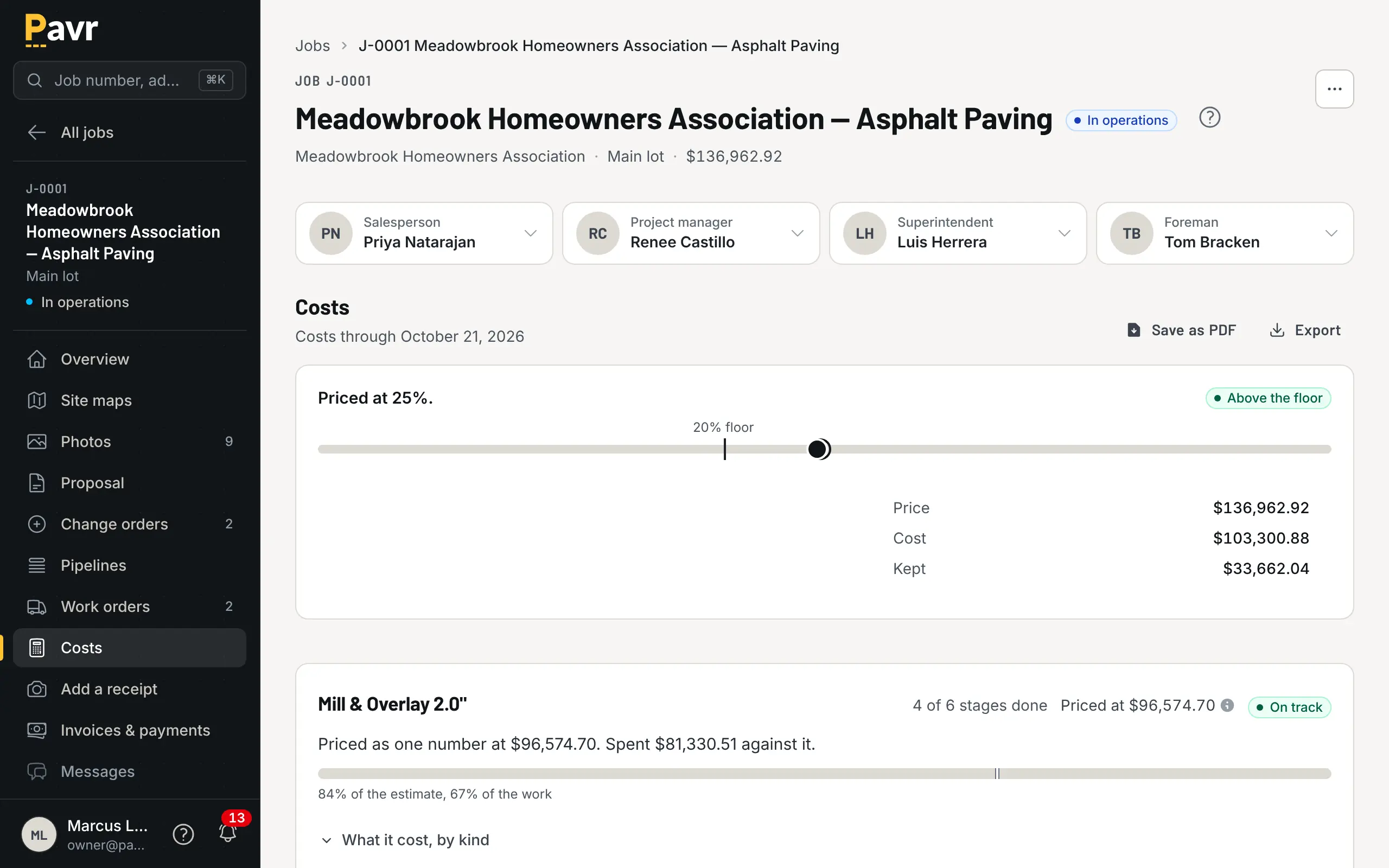
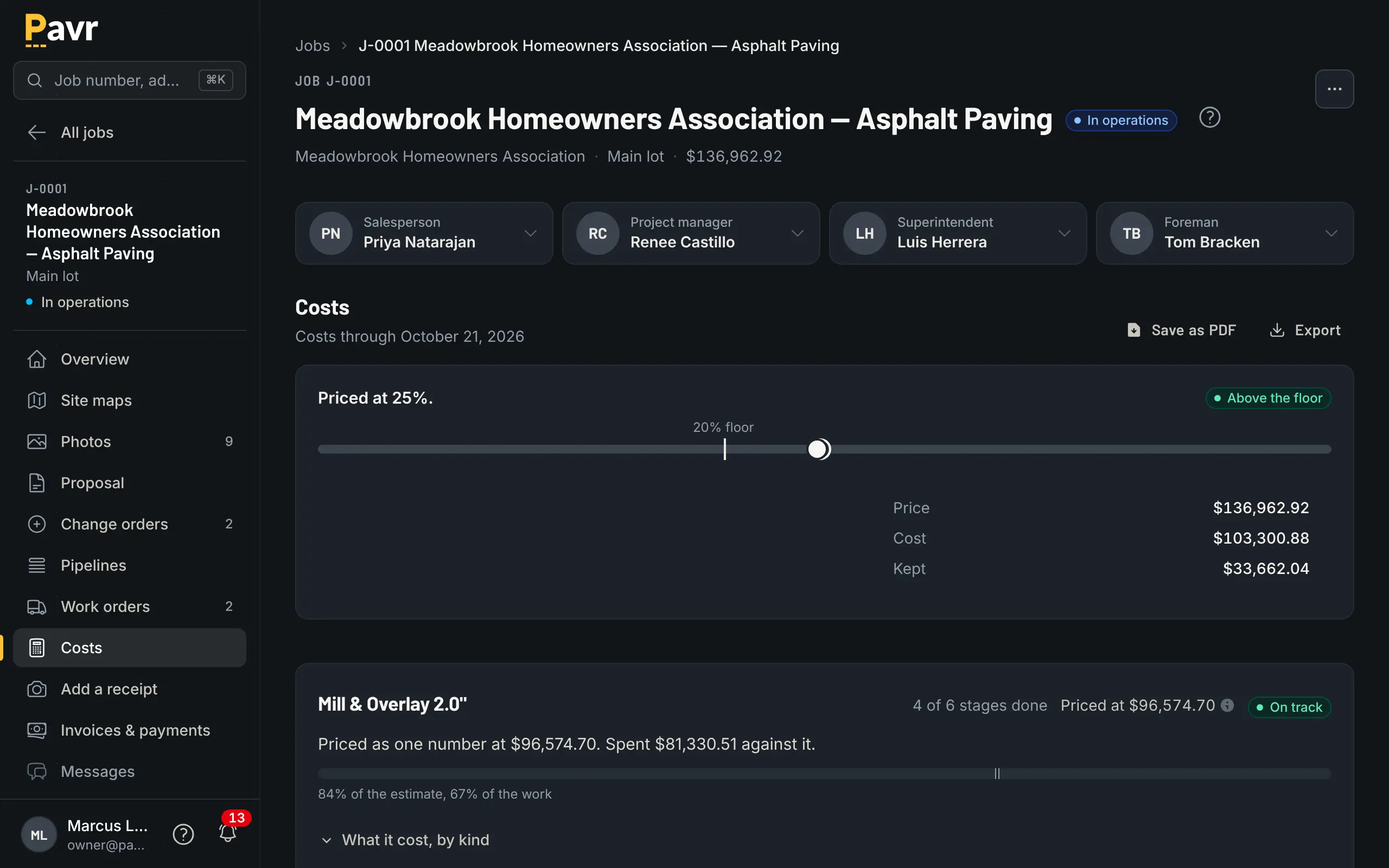
You know what a job is making while it's still open.
Approved hours, material from the daily log, receipts, sub invoices, mileage and equipment hours post against the job's budget by cost type: labor, material, equipment, subs. A line that runs 5% over turns yellow, 10% turns red, and the owner sets both numbers. One job over is noise. The same line over on every job of one type is the estimate.
- Closed jobs roll up by month, by customer, by project manager, and by paving, concrete, sealcoat and striping
- Job costs export to CSV for whoever does your books
Why paving and concrete
Made for the lot, not for "field service."
Generic contractor software knows about appointments. It doesn't know that asphalt needs 50 degrees, that striping waits on paving, or what a ton of mix costs you this month.
The forecast checks your rules.
Tell it what your trades need: 50°F and no rain for asphalt and sealcoat, 40°F for concrete, or whatever you'd set. The schedule checks the forecast against them and flags the day that won't make it, and you can push the whole day's work in one move.
One proposal for everything on the lot.
Paving, curb and gutter, sealcoat and striping go on one proposal at one contract price and come off one invoice. Each crew sees its own part of the job, in the order the work has to happen.
Priced from your numbers.
More than 130 paving, concrete, sealcoat, striping and site services come built in, from mill and overlay by depth to crack fill, catch basins and restripe. They price from your plant prices, your crew rates and your equipment, not a national average.
- 131
- paving, concrete, sealcoat, striping and site services built in
- 30
- days a proposal holds its price, unless you set it otherwise
- 2
- languages, English and Spanish, on every screen
- $0
- from Pavr on your customers' payments — until you turn on Pavr Payments. Then it's 1%.
On the crew's phone
The crew side works in Spanish.
Each person picks their own language. The clock, breaks, the daily log, the punch list and the photos all read the way they'd say it. The office can keep it in English. Nobody translates a text thread at 6 a.m.
And nobody needs a seat for it: crew who only clock in are free, however many you run this season.
Owner view
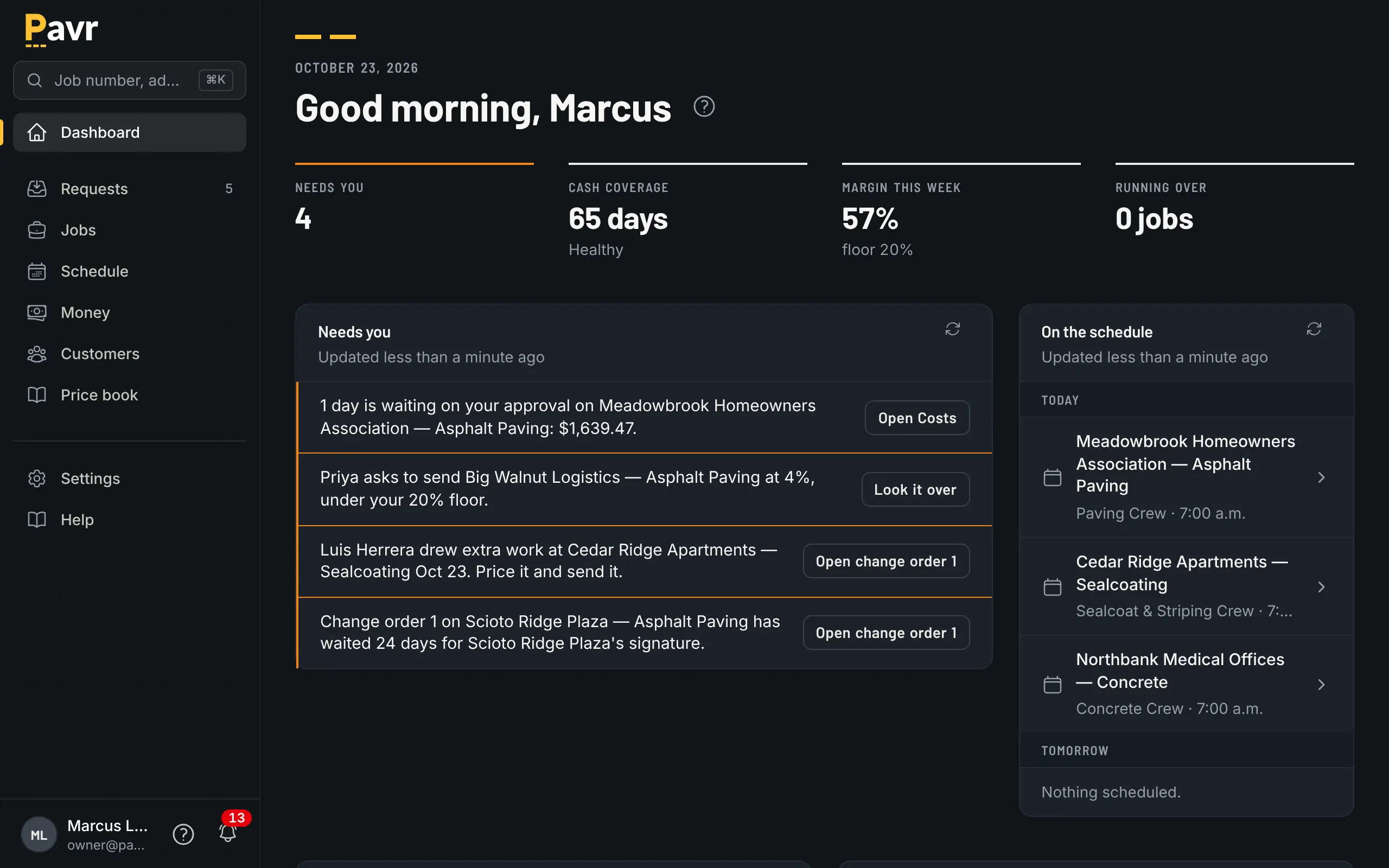
The questions you ask yourself on the drive home.
Everything here comes from hours your crews clocked and costs your office approved, not from anybody's guess at how it went.
- "Is this job making money?"
- Hours, material, receipts and sub invoices land on the job next to the estimate while it's still open. A line 5% over turns yellow, 10% turns red, and you set both numbers.
- "Which kind of work is carrying the year?"
- Closed jobs roll up by month, customer, project manager and trade. If mill and overlay has been light on labor all season, you'll see it in July, not February.
- "What did the customer think?"
- A short survey goes out a week after the work's done. Customers who score you a 9 or 10 get a button straight to your Google or Facebook review page.
What it costs
$85 a seat. The crew is free.
Priced by the office, not the crew. Crews turn over every season, and nobody should keep a laborer off the clock to save a seat.
An owner, an estimator, an office manager and two foremen who schedule and write change orders come to $425 a month. The eighteen people on their crews clock in for nothing.
One plan
$85 a month, per paid seat
Pavr is $85 a month for each person who estimates, schedules or runs jobs in it. Crew who only clock in, and customers who sign and follow their jobs, are free. Try it for 14 days with no credit card.
- Crew who only clock in
- Customers who sign and follow their jobs
- Subs who confirm a day from their email
Month to month. No credit card for the trial.
Straight answers
What it does and doesn't do.
What doesn't Pavr do?
It doesn't run payroll. It doesn't take a cut of your customers' payments unless you turn on Pavr Payments, and then it's 1% plus Stripe's rates, with the money going to your own Stripe account. It works with QuickBooks Online, not QuickBooks Desktop. It doesn't pull tickets from the plant: the foreman logs the material used on the daily log, and that's what posts to the job.
What does the customer see?
The proposal, every change order and the invoice, each one signed and dated, with a Pay button on the invoice. Their page also shows the schedule and the crew's photos from the lot. They get there from a link in their email, no password.
Whose name is on it?
Yours. Proposals, emails and the customer's page carry your logo and colors. Point your own web address at the customer page and send email from your own domain.
How long does it take to get set up?
The first week. A "Get set up" checklist on the dashboard walks the owner through it: your company and logo, your plant prices and crew rates, your people and their roles, QuickBooks Online. Then draw a lot you priced last month and see what it would have made.
Can I get my numbers out?
Yes, all of them. Job costs and reports export to CSV for whoever does your books, and the owner can download every record in the account as a set of CSV files whenever they like. Invoices and payments live in QuickBooks Online as well as in Pavr.
How do the crews get it?
They open a link on their phone and add it to the home screen. There's nothing to install from an app store, each person picks English or Spanish, and once it's on the home screen it can send them a push.
Can one person see more than their role allows?
Yes. Roles set what a person can do, and a per-person override adds or removes one thing without inventing a new role: the foreman who also prices sealcoat, the bookkeeper who shouldn't see estimates.
Put one real job through it.
Fourteen days, no credit card. Draw a lot you priced last month, price it with your own numbers, and see what it would have made.
Crew who only clock in are free. Cancel any time and keep access to the end of the month you paid for.
Or ask for a walkthrough.
Tell us a bit about your operation and we'll set one up around how you run jobs.