Pricing
One plan. $85 a seat. The crew is free.
Pavr is $85 a month for each person who estimates, schedules or runs jobs in it. Crew who only clock in, and customers who sign and follow their jobs, are free. Try it for 14 days with no credit card. Each seat is someone whose calls move the margin.
- A seat is the office.
- The owner, the estimator, the office manager, a foreman who schedules or writes change orders. Anyone who estimates, schedules or runs jobs.
- The crew is free.
- Crews turn over every season, and nobody should keep a laborer off the clock to save a seat. Clock in, breaks, daily log, photos: no seat.
- Customers are free.
- They sign the proposal and the change orders, follow the job and see the invoice from a link in their email. No account, no seat.
- Seats count themselves.
- Add a person and give them a role. If the role can estimate, schedule or run jobs, it's a seat; if it can only clock in or sign, it isn't. There's no seat screen to keep up.
One plan
$85 a month, per paid seat
- Crew who only clock in
- Customers who sign and follow their jobs
- Subs who confirm a day from their email
- Every feature, from the first day of the trial
No credit card for the trial. Month to month after that.
A real-sized company
Five seats, eighteen on the crews: $425 a month.
An owner who still writes most of the estimates, an estimator, an office manager, and two foremen who schedule their own crews and write change orders on the lot. Three crews under them.
| Who | People | A month |
|---|---|---|
| Owner estimates, signs off on the schedule | 1 | $85 |
| Estimator measures and prices lots | 1 | $85 |
| Office manager invoices, QuickBooks, holds | 1 | $85 |
| Two foremen schedule, change orders, daily logs | 2 | $170 |
| Crew clock in, breaks, photos, punch list | 18 | Free |
| Customers and subs sign, follow the job, confirm a day | — | Free |
| Five paid seats | 23 people | $425 |
Add a third foreman in June and the month is prorated. Let one go in November and it's prorated the other way.
Who can do what
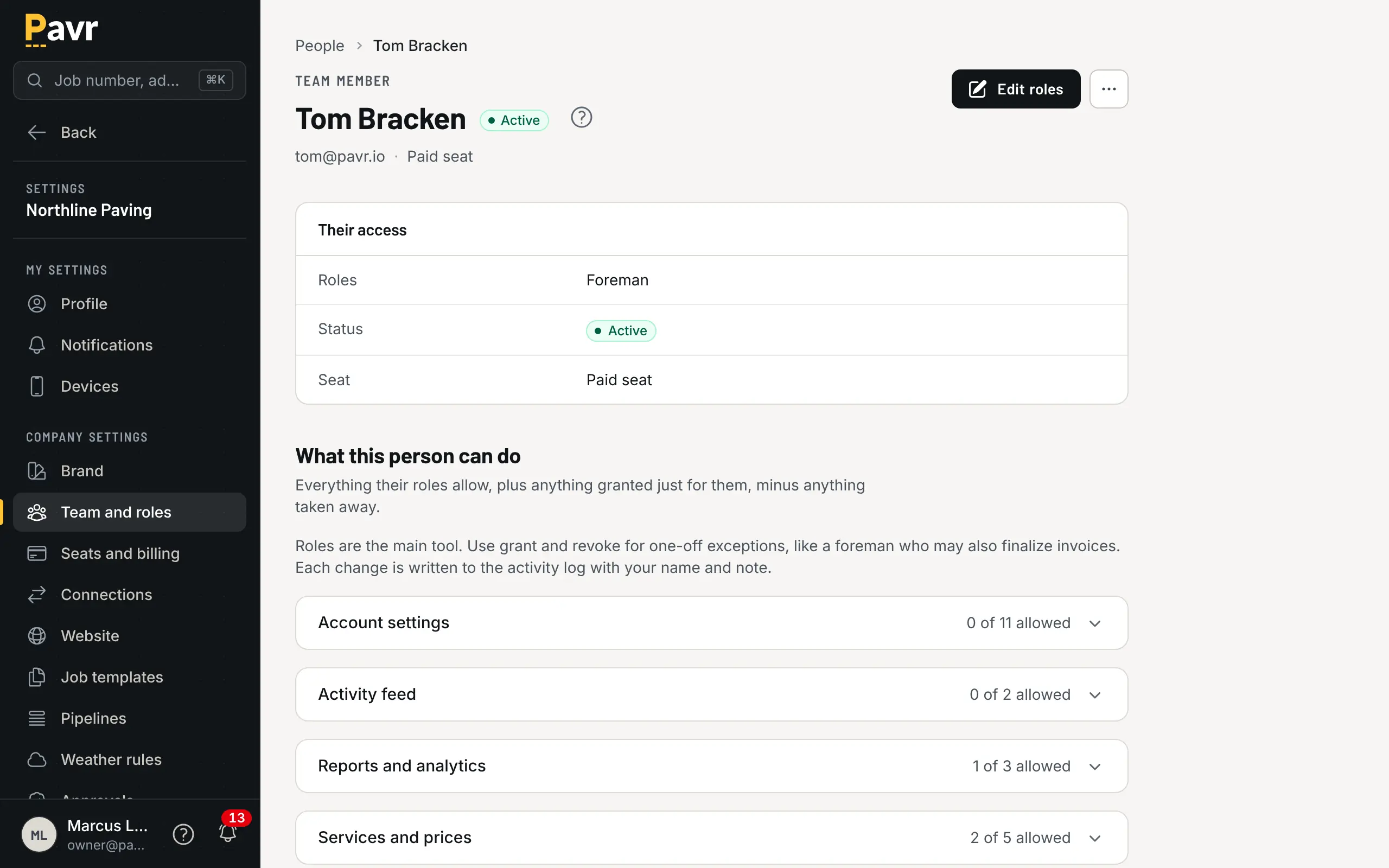
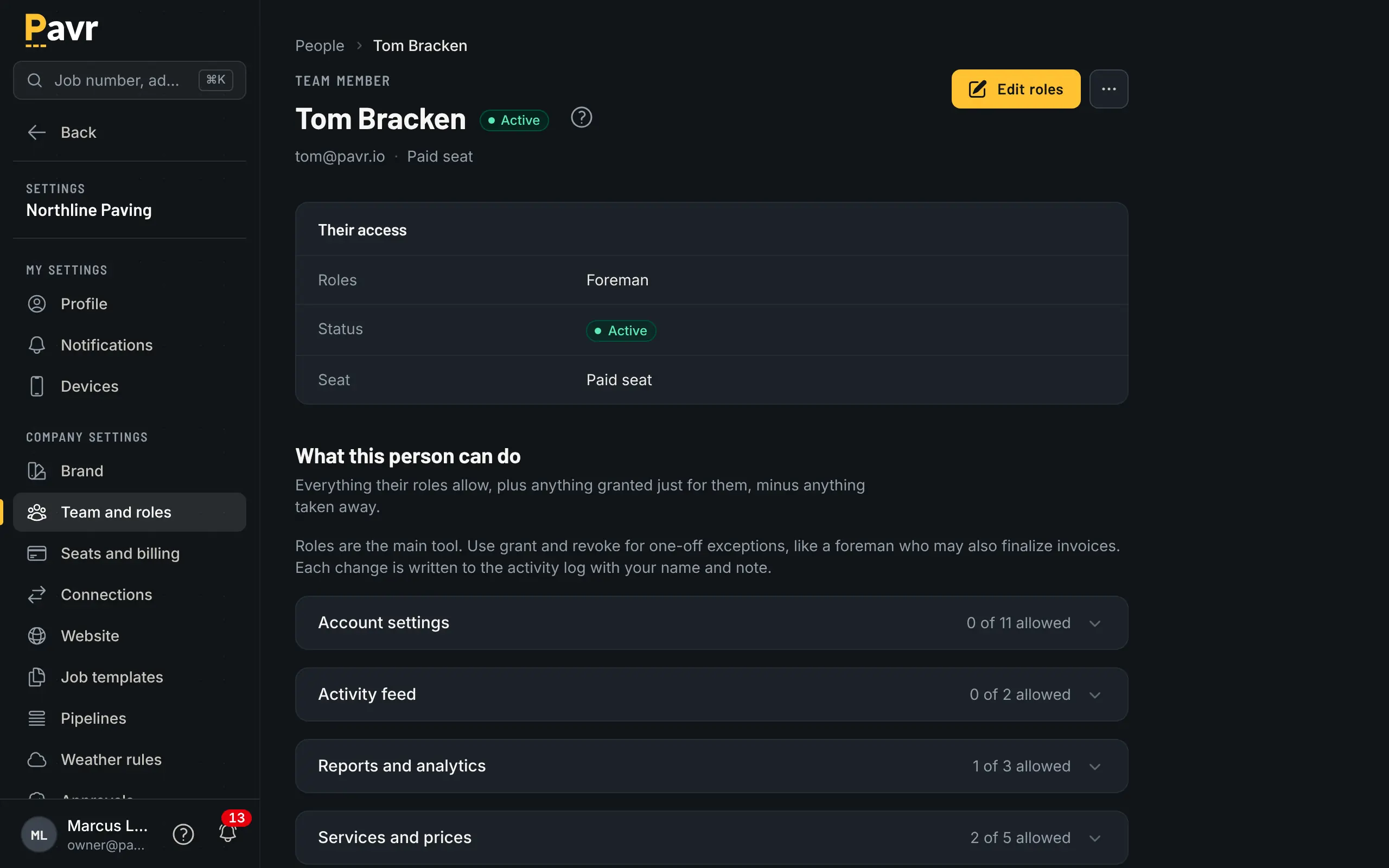
Roles set the seat. Overrides handle the exceptions.
Give each person a role and the seat counts itself. When one person needs one more thing, or one less, add a per-person override instead of a new role: the foreman who also prices sealcoat, the bookkeeper who shouldn't see estimates. If the override lets them estimate, schedule or run jobs, that person becomes a seat; if it doesn't, they stay free.
Pavr Payments, if you want it
Get paid on the invoice for 1%, on top of Stripe's rates.
Off until you turn it on. Keep your QuickBooks payment page or your own link and Pavr takes nothing. Turn it on and your customers pay from the invoice, by bank transfer or card, into a Stripe account in your business's name.
Bank transfer comes first because it costs the least, and mailing a check is always on the page. Whichever way they pay, Pavr's 1% is paid by you. It's never added to what the customer owes.
| What | Rate | On $12,000 |
|---|---|---|
| Bank transfer Stripe's fee, out of the payment: 0.8%, never more than $5 | 0.8%, never more than $5 | $5.00 |
| Card Stripe's fee, out of the payment: 2.9% + 30¢ | 2.9% + 30¢ | $348.30 |
| Check in the mail, recorded by hand: Free | Free | $0.00 |
| Pavr Payments 1% of each payment, no cap, whichever way they pay | 1% | $120 |
Stripe's fee is the cost of taking the payment; Pavr's 1% is separate and the same on every one. Both come out of the payment before it reaches your bank. Nothing is billed separately, and there's no monthly charge.
Your own Stripe account.
The account is in your business's name, with your own Stripe Dashboard. Stripe pays out to your bank, and the account is still yours if you ever leave Pavr.
Card fees, your call.
If your state allows it, pass card fees to customers on credit cards only. The fee shows in dollars before they pay and as its own line on the receipt. Debit cards, bank transfers and checks never carry one. Off until the account owner turns it on.
Books that match the bank.
Every payout is matched to the payments in it, fees and all. QuickBooks gets each payment in Undeposited Funds, one deposit per payout and the fees as expense lines.
How billing works
Month to month, prorated, and the trial waits for you.
The trial
Fourteen days with every feature and no card. If it ends before you've added one, your account locks and your data stays put. Add a card and it opens back up where you left it.
Adding and removing seats
Give someone a role that estimates, schedules or runs jobs and the seat is added that day, prorated to the end of the month. Take the role away and it comes off the same way.
Leaving
Cancel any time. You keep access to the end of the period you paid for, then 180 days to download everything: your records as CSV files, and your photos, plans, drone maps and signed proposals as ZIPs. When the 180 days end, your records and files are deleted, except invoices, payments and receipts, which we keep for 12 months from the day you cancel.
Setting up
An afternoon, with the numbers filled in.
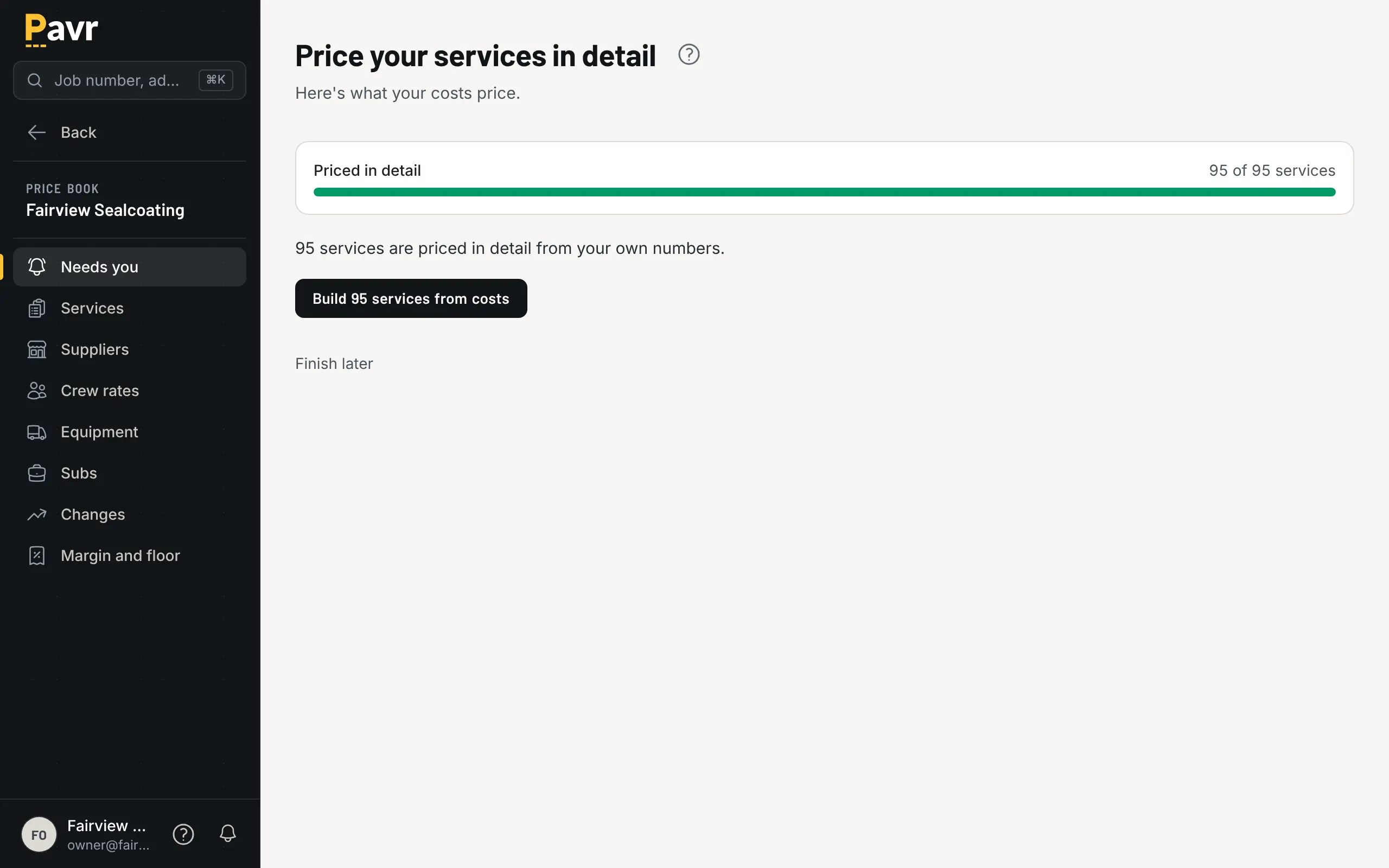
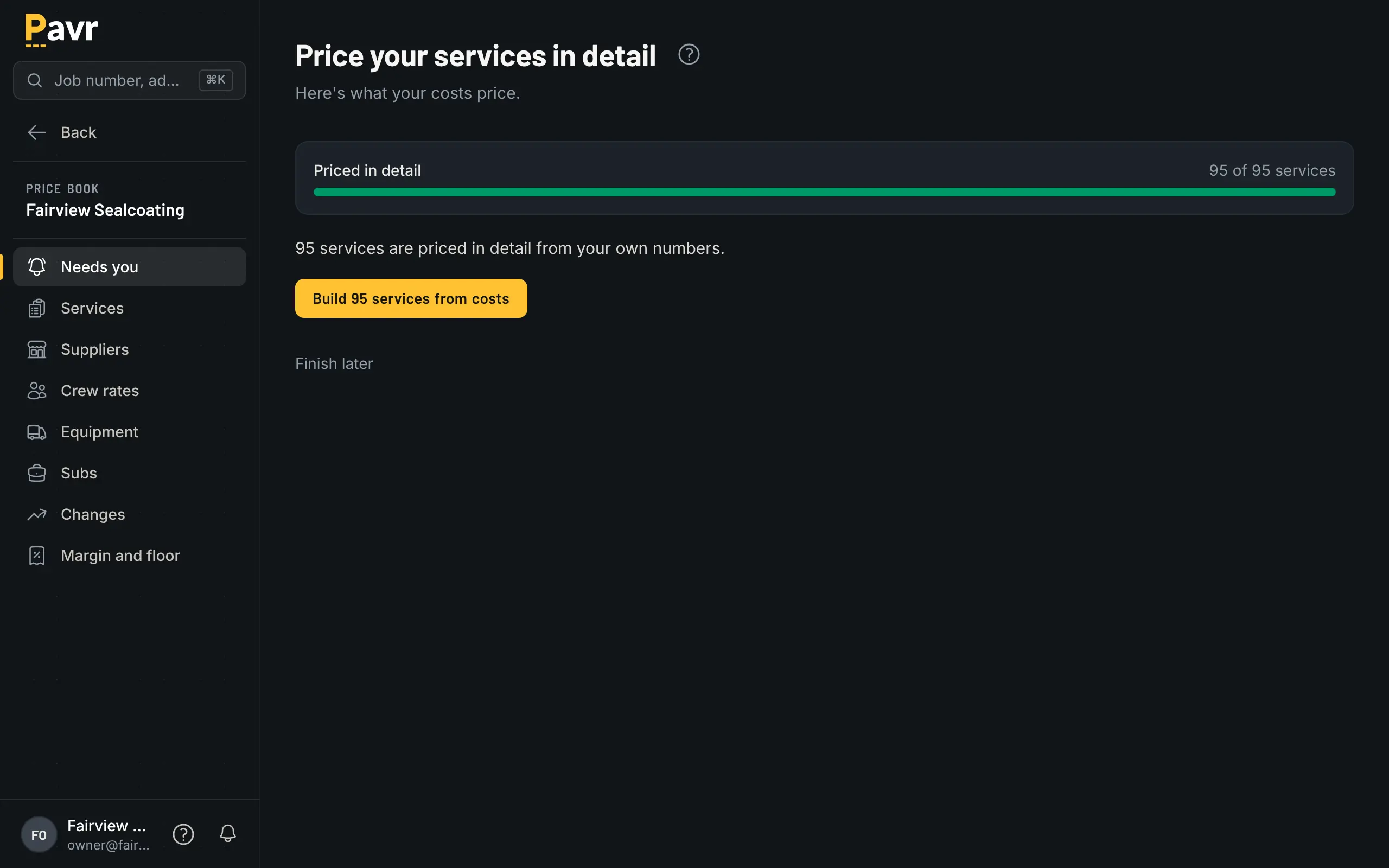
A new account walks through its crew rates, equipment, materials and subs, with Pavr's typical numbers filled in to start from. Each one you set becomes yours. Once every cost behind a service is yours it moves to Built from costs, and one button moves every service that is ready.
Questions
Straight answers on price.
What counts as a paid seat?
Anyone on your side who estimates, schedules or runs jobs in Pavr: the owner, the estimator, the office manager, a foreman who works the schedule or writes change orders. A crew member who only clocks in, logs the day and takes photos doesn't need one. Neither does a customer or a sub.
Is a foreman a seat?
Only if they schedule, write change orders or run the job from the office side. A foreman who clocks the crew in, fills in the daily log and works the punch list from the phone is crew, and crew is free.
What happens when the 14 days are up?
If you've added a card, billing starts on day 15 at $85 a seat. If you haven't, the account locks: nothing is charged and nothing is deleted. Add a card whenever you're ready and it opens back up the same day with everything in it.
Is it prorated?
Yes. A seat added on the 20th is charged for the days left in the month; a seat removed is credited the same way. Sales tax is added where it applies.
Is there a contract or an annual plan?
No contract. It's month to month, and you can cancel any time and keep access to the end of the period you paid for. There's no annual plan today.
How do I pay, and who sees the bill?
Monthly, on the card you add after the trial. Billing is the account owner's to open; nobody else on the account sees it. The minimum is one seat.
Do you take a cut of what my customers pay me?
Not unless you turn on Pavr Payments. Keep your QuickBooks payment page or the link you already use, and the Pay button goes there with no fee from Pavr. Turn on Pavr Payments and your customers pay on the invoice, by bank transfer or card, into a Stripe account in your business's name. Pavr's fee is 1% of each payment, on top of Stripe's published rates, with no cap. Checks are always free.
Does Pavr handle the sales tax on my invoices?
It figures it with the rates you enter. You add the authorities you collect for and their rates, build a tax group for each place you work, and the job site picks the group. The tax goes on the invoice and freezes there, each group picks its QuickBooks tax code, and the liability report, filing summary and itemized CSV read the way a return asks. Pavr ships no rates, doesn't file, doesn't remit and doesn't give tax advice, and an owner accepts that before anything is taxed. It's in the one plan.
How does $85 a seat compare with the other tools?
Where another tool publishes a price, our comparison pages quote it with the date we read it, and where it doesn't, the page says so. See Pavr compared with the alternatives.
What does it cost to switch from what we use now?
An afternoon. Bring in your material, crew-rate, equipment and sub price lists from a file, check every row before anything is saved, and set your markups once. Export your data hands you a ZIP of CSVs whenever you want out. What moving off a spreadsheet and QuickBooks looks like.
What about the off-season?
Cancel when the plant closes. You keep access to the end of the month you paid for. Then you have 180 days to download everything, photos and plans included, or to turn the account back on with everything still in it. A northern winter is long. Your data stays 180 days after you close, so keep one seat or come back inside that window. After that your records and files are deleted. The exceptions are invoices, payments and receipts, which we keep for 12 months from the day you cancel.
Put one real job through it.
Fourteen days, no credit card. Draw a lot you priced last month, price it with your own numbers, and see what it would have made.