Product

The margin on every job, before it's sent and while it runs.

The margin you need is set once for the account. Every estimate shows it before you send. Every open job shows how it's doing against it. The year rolls up by trade.

Before you send

The margin is beside the price, not in a spreadsheet next to it.

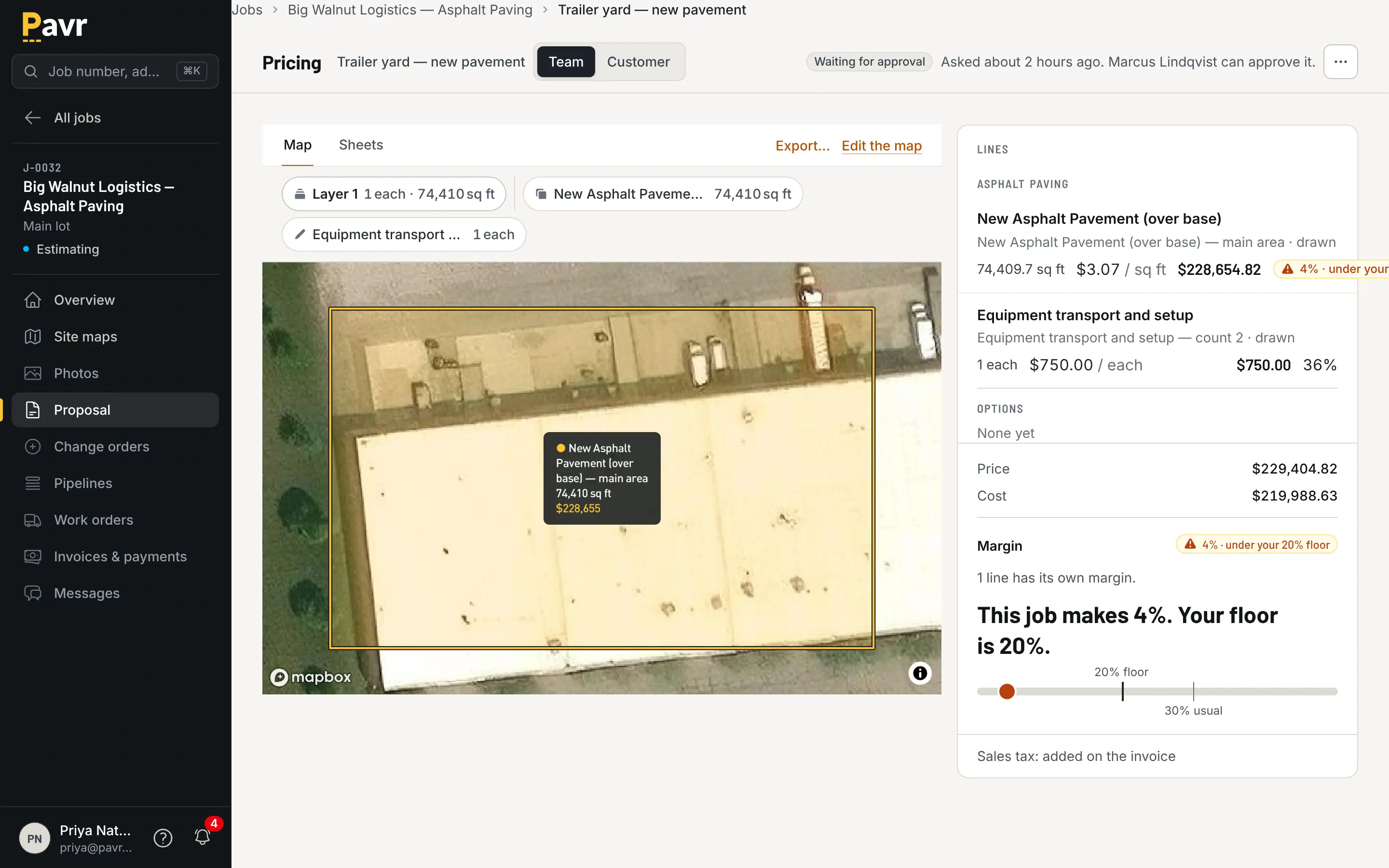
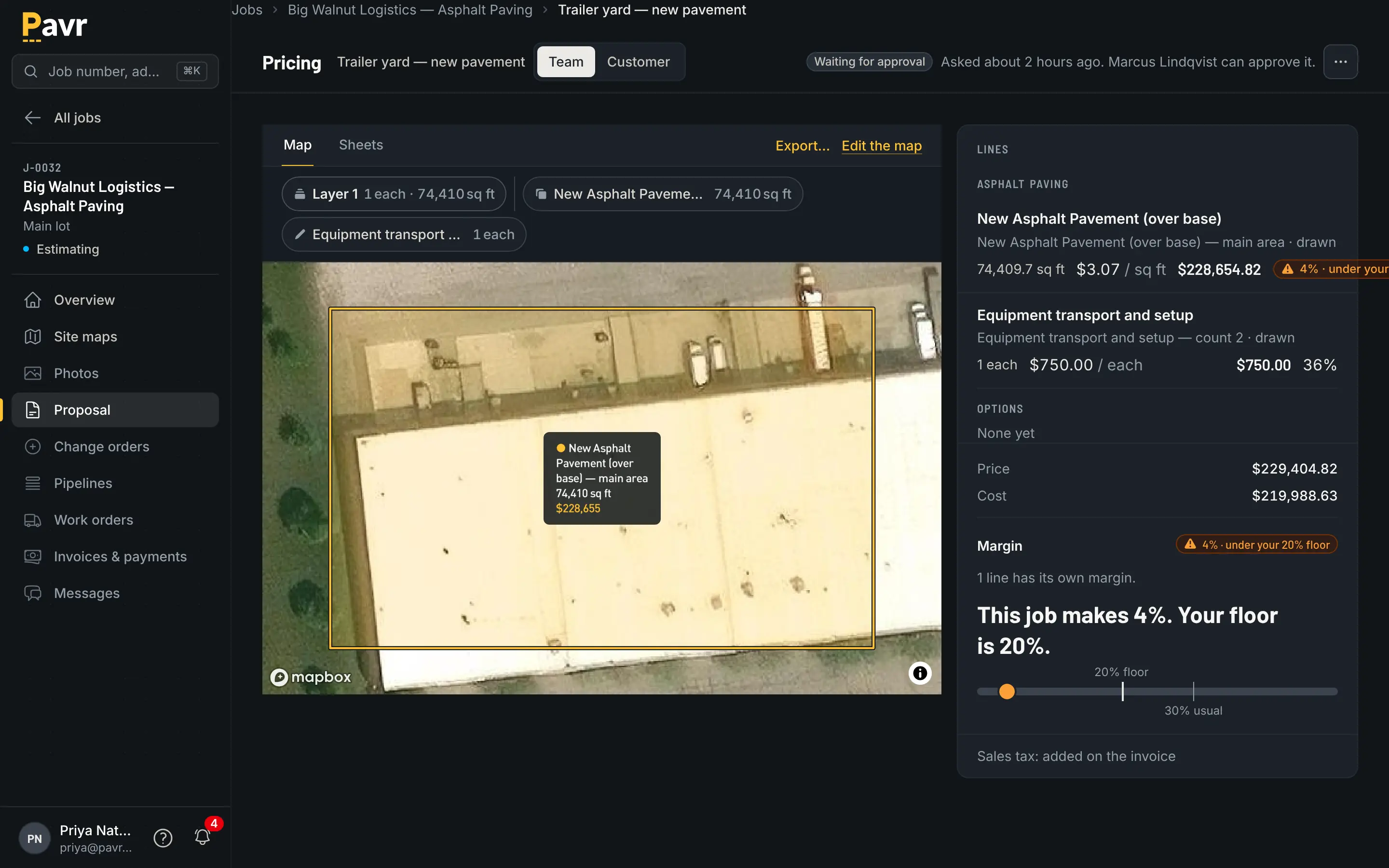
Every line prices from your plant, your crews and your equipment: a price and a cost per unit is enough, or build it up when you want the detail. The margin sits beside the price on every line, against the floor you set for the company. Send when it clears the floor; if it doesn't, it goes to whoever approves it, in Pavr, not by phone.

Pricing under the company's margin floor: the margin meter below the floor, the line flagged, and the proposal waiting for the approver.

On the drive home

What this week made, and what's at risk.

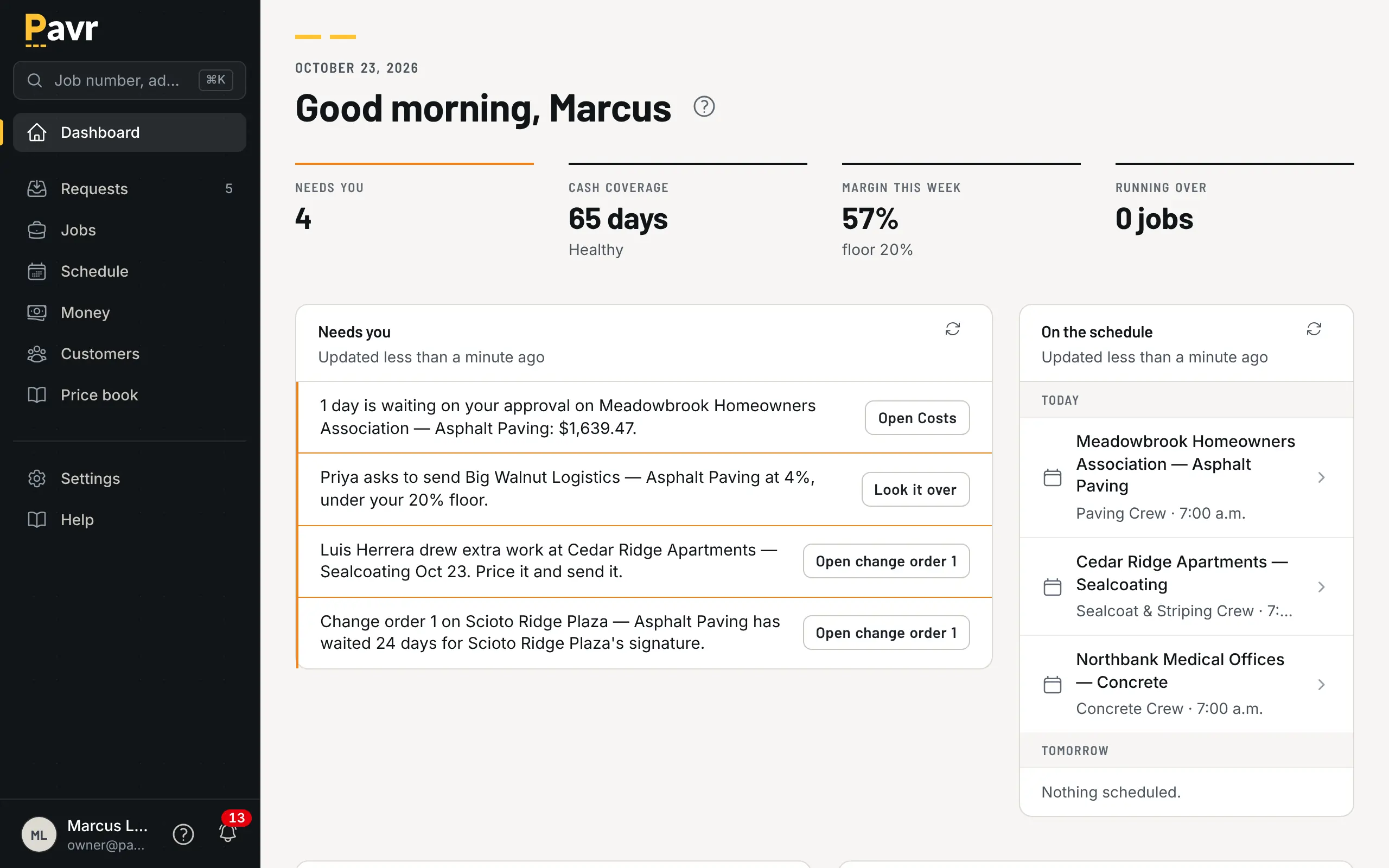
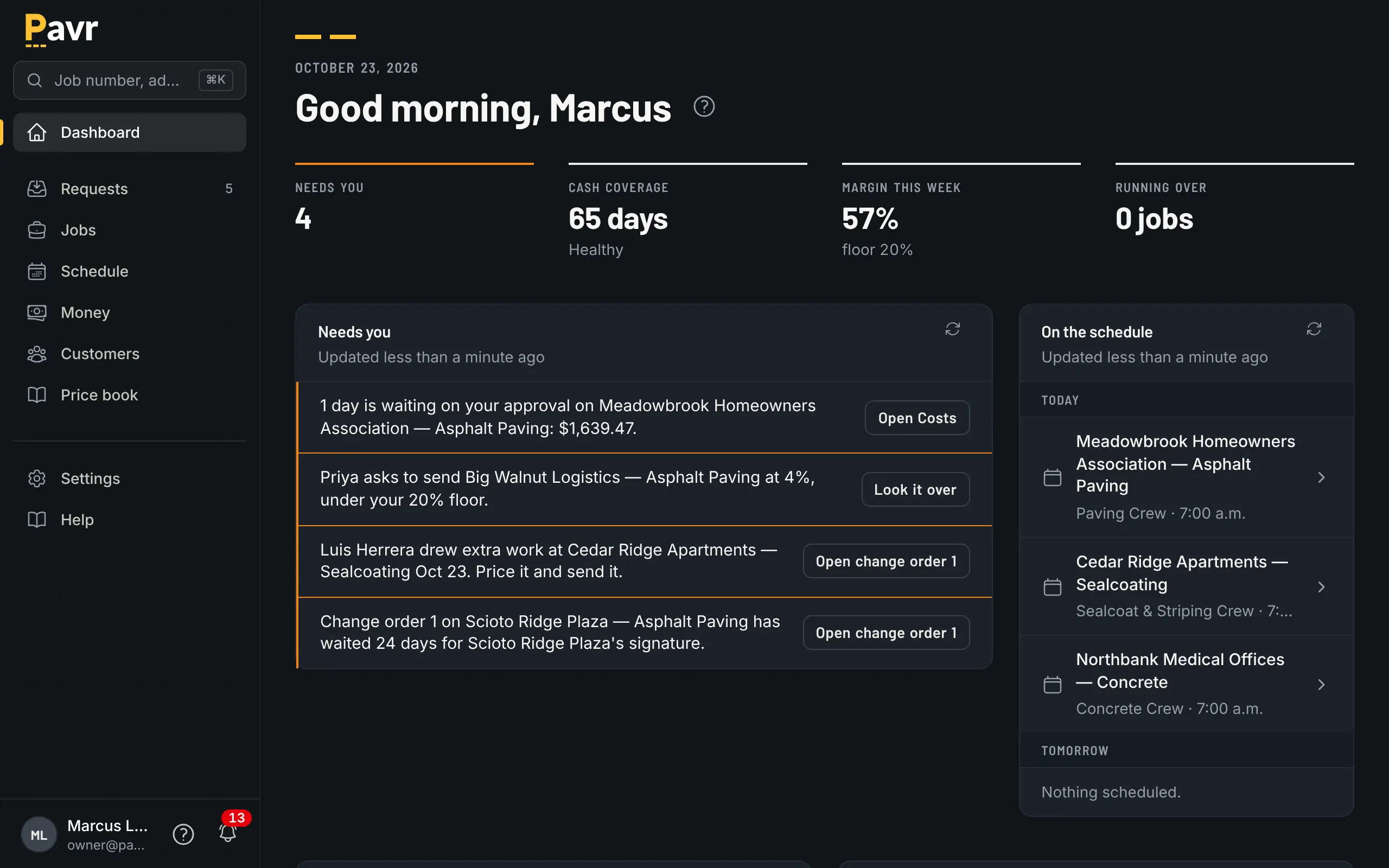
The owner's dashboard reads the way you'd ask it: what's outstanding, what the crews cost in the last 30 days, what the week made, and which job is running hot. Underneath it, closed jobs roll up by month, customer, project manager and trade, from hours your crews clocked and costs your office approved.

  • A job line 5% over the estimate turns yellow, 10% turns red; the owner sets both
  • Job costs and reports export to CSV

How job costing works

The owner dashboard for Northline Paving: what needs the owner, what is on the schedule, win rate and margin against the floor.

Comparing tools? Pavr vs Spreadsheets and QuickBooks covers this part of the job side by side, with a source and a date on every claim, and the rest of the comparisons are next to it.

Before the proposal goes out

Set the margin floor you need for the year. Every line prices from your plant, crews and equipment: a price and a cost per unit is enough, or build it up when you want the detail. The margin sits beside the price on every line. Send when it clears the floor; if it doesn't, it goes to whoever approves it, in Pavr, not by phone, so a Friday-afternoon number doesn't go out low by accident.

While the job runs

Hours, material, receipts, sub invoices, mileage and equipment post against the estimate by cost type as the office approves them. A line 5% over turns yellow; 10% over turns red; the owner sets both. The owner's dashboard shows what's outstanding, what the crews cost in the last 30 days, what the week made, and which job is running hot.

When the year closes

Closed jobs roll up by month, by customer, by project manager, and by paving, concrete, sealcoat and striping, all from hours your crews clocked and costs your office approved. Everything exports to CSV.

What it doesn't do

It doesn't guess. There's no "estimated hours versus actual" line that somebody typed in; hours come off the clock. There's no per-square-foot benchmark from other companies; the numbers are yours.

Put one real job through it.

Draw a lot you priced last month, price it with your own numbers, and see what it would have made. Fourteen days, no credit card.