Who each one is for
QuoteIQ calls itself a home service CRM "built for home service contractors across 50+ trades", and
paving, sealing and striping is one of its industry categories [1]. It has its own pages for
sealcoating and asphalt paving, and the sealcoating page is written for the work: lots and
driveways measured from satellite, crack linear feet, crack fill and striping bundles, and rebook
campaigns for driveways due for a re-seal [3].
Pavr is job software for paving, sealcoating, striping and concrete companies of five to sixty
people: an office manager, a foreman on each crew, a sub for milling or striping, and QuickBooks.
It covers the proposal, then keeps going into the part of the job that decides whether the money you
price is the money you keep: the extra work, the crew's hours, the costs landing against the estimate
while the job is open, and the pay app.
So the question isn't which one is bigger. It's where your work sits. QuoteIQ's sealcoating page
talks to driveway customers and to HOA and property management portfolios, and its pitch is
winning and rebooking that maintenance work [3]. Pavr is written for the company whose lots need
base repair, ADA ramps, sealcoat and a restripe on one job, often for a GC who pays by pay app.
Every claim below about the other product is quoted from its own site, with the number of the
source beside it and the date we read it. Where their site doesn't say, this page says so instead of
guessing.
The walk and the price
QuoteIQ's measuring is a real strength for sealcoat work: their sealcoating page says you can
"Measure any parking lot or driveway from satellite to calculate total square footage and crack
linear feet" and price it per square foot with crack fill and striping bundles [3]. The paving page
says the estimator "Calculates tonnage, material quantities, and labor based on your pricing
library" [8]. MapMeasure Pro comes with the Beginner plan and up [2].
In Pavr you draw the lot on the satellite view, or you set a scale on the GC's PDF plan and draw on
that, or you type in the square feet you walked with the wheel. Then you drop the work onto what you
drew: 131 services come built in across paving, concrete, sealcoat, striping and site work, each priced from your plant price, your crew rates and your equipment. There's a
markup slider on every line, and the margin sits beside you while you work. How estimating
works shows the whole screen.
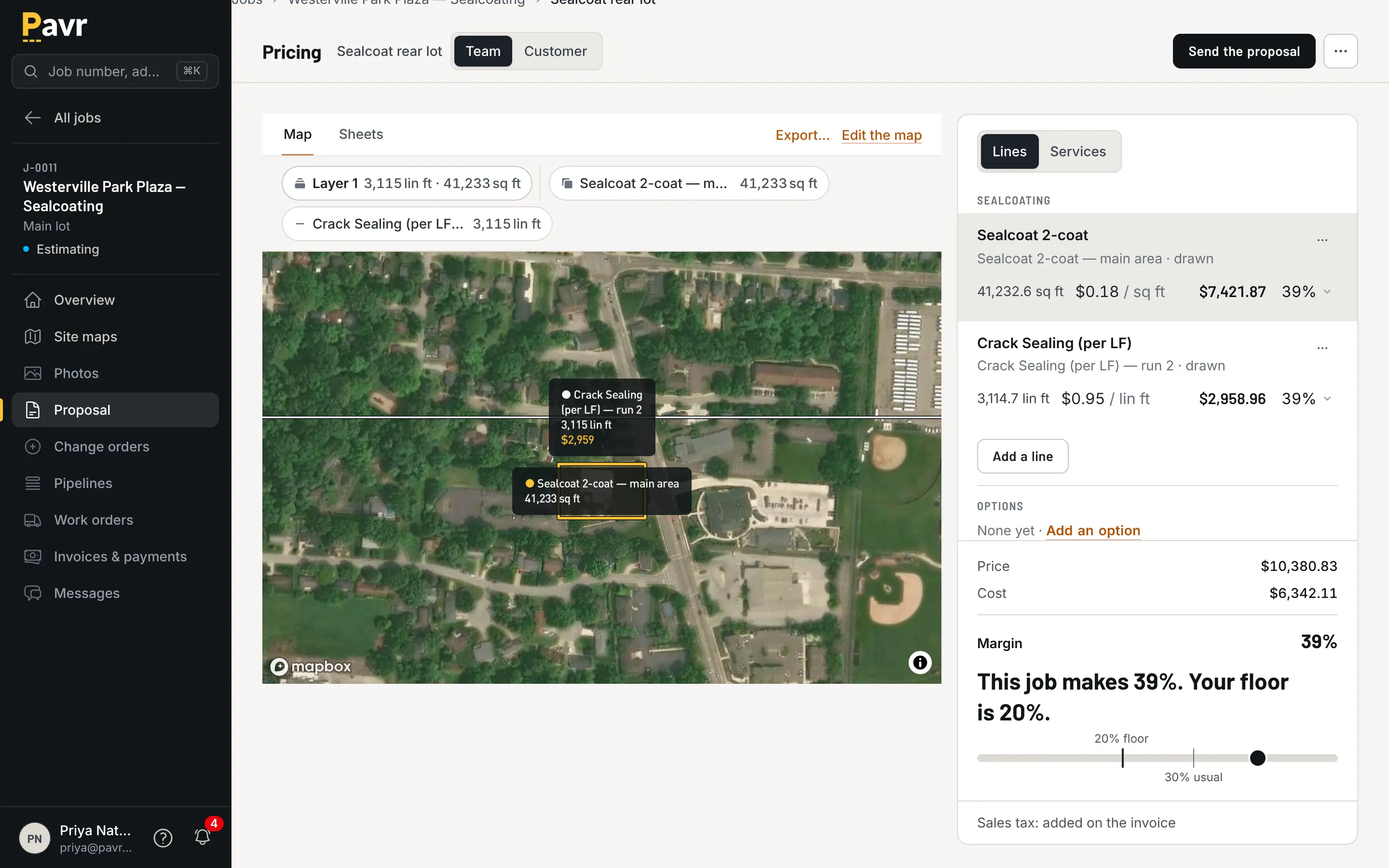
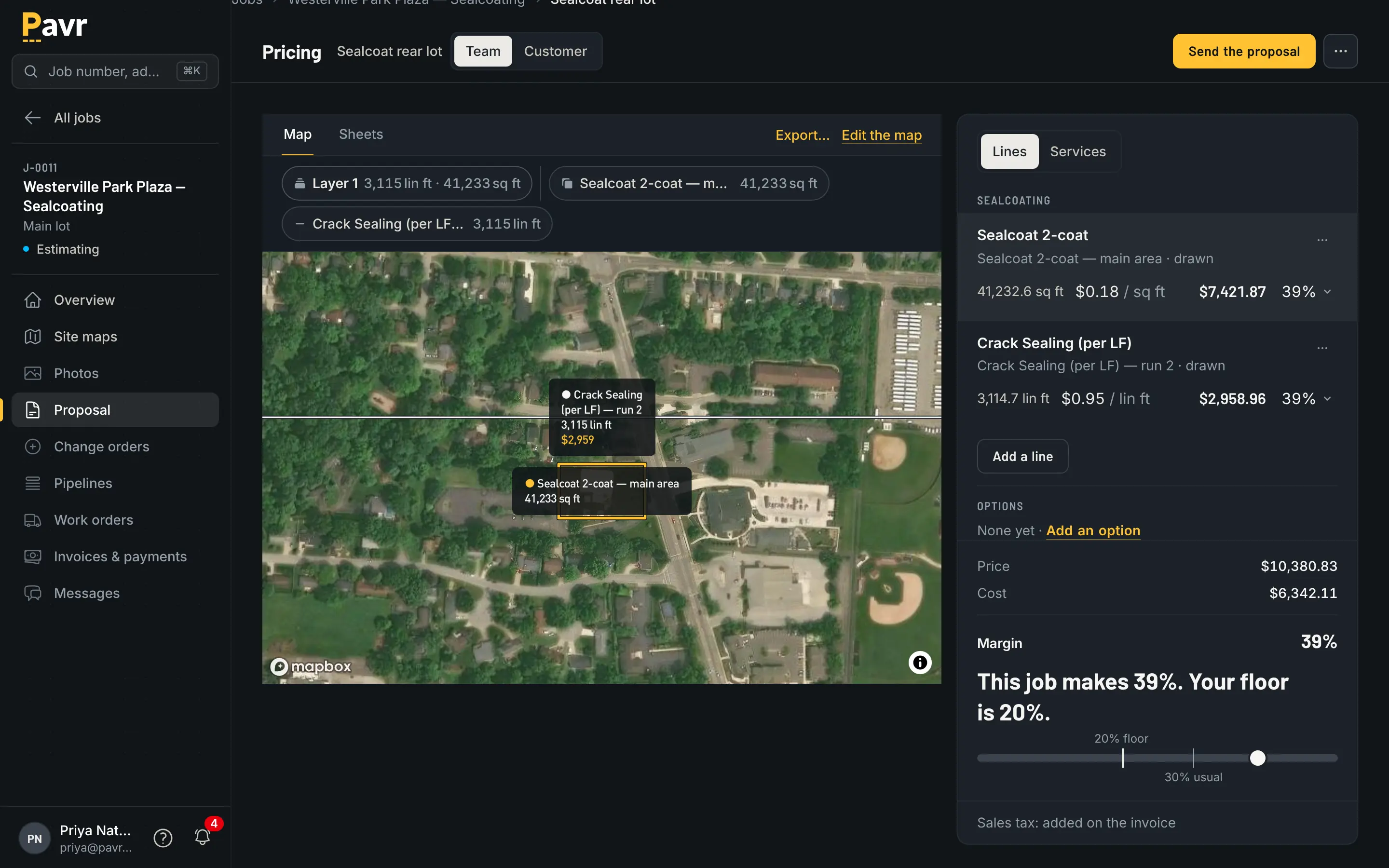
Draw the lot, drop the work onto it, and the tons, the gallons and the crew hours come off the drawing.
Measuring on a GC's PDF plan isn't listed on QuoteIQ's measuring or paving pages as of September
18, 2026 [8][9]. If most of your estimates start from a plan set rather than a satellite view, try that
first in both trials.
Two more things to test in any estimating tool. A proposal you've sent in Pavr keeps the price it
was sent at, and a plant increase never moves it. And one Pavr estimate can carry the overlay, the ramps,
the sealcoat and the restripe, come out as one proposal grouped by trade with subtotals, and become
one job that each crew sees its own part of. See one job across trades.
The signature
Both tools put the signature on the customer's phone. QuoteIQ's e-signatures cover estimates and
invoices, and customers sign "without creating an account, downloading an app, or printing a thing"
[4]. It's on the Beginner plan and up [2].
In Pavr the proposal goes out under your company's name and opens on the customer's phone from the
email, with no password. They sign by typing or drawing, and the signature is tied to the exact
version they were shown. Signing wins the job, with the trades, the crews
and the waits already on it.
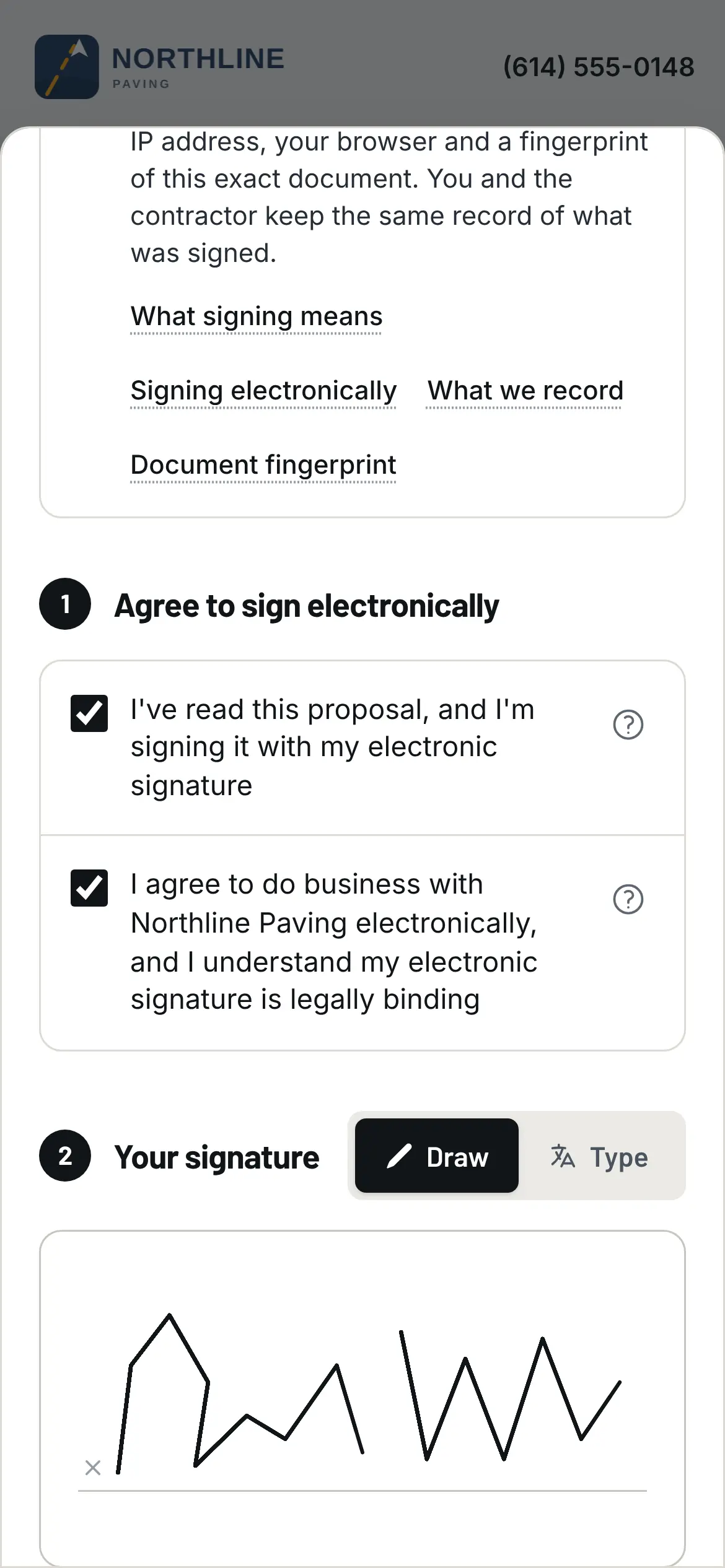
The property manager signs in the parking lot, on the phone, from the email.
Change orders
The extra two inches of base you found when you milled. The ramp the owner wants poured while you're
there. The stalls that went from 48 to 61.
Pavr writes the change order on the job, prices it from your current catalog with the markup the
customer already agreed to on the proposal, and emails it for signature the same way the proposal went.
The part of the job it touches waits until it's signed. Once it's signed, it's on the invoice, or
on the schedule of values as its own line.
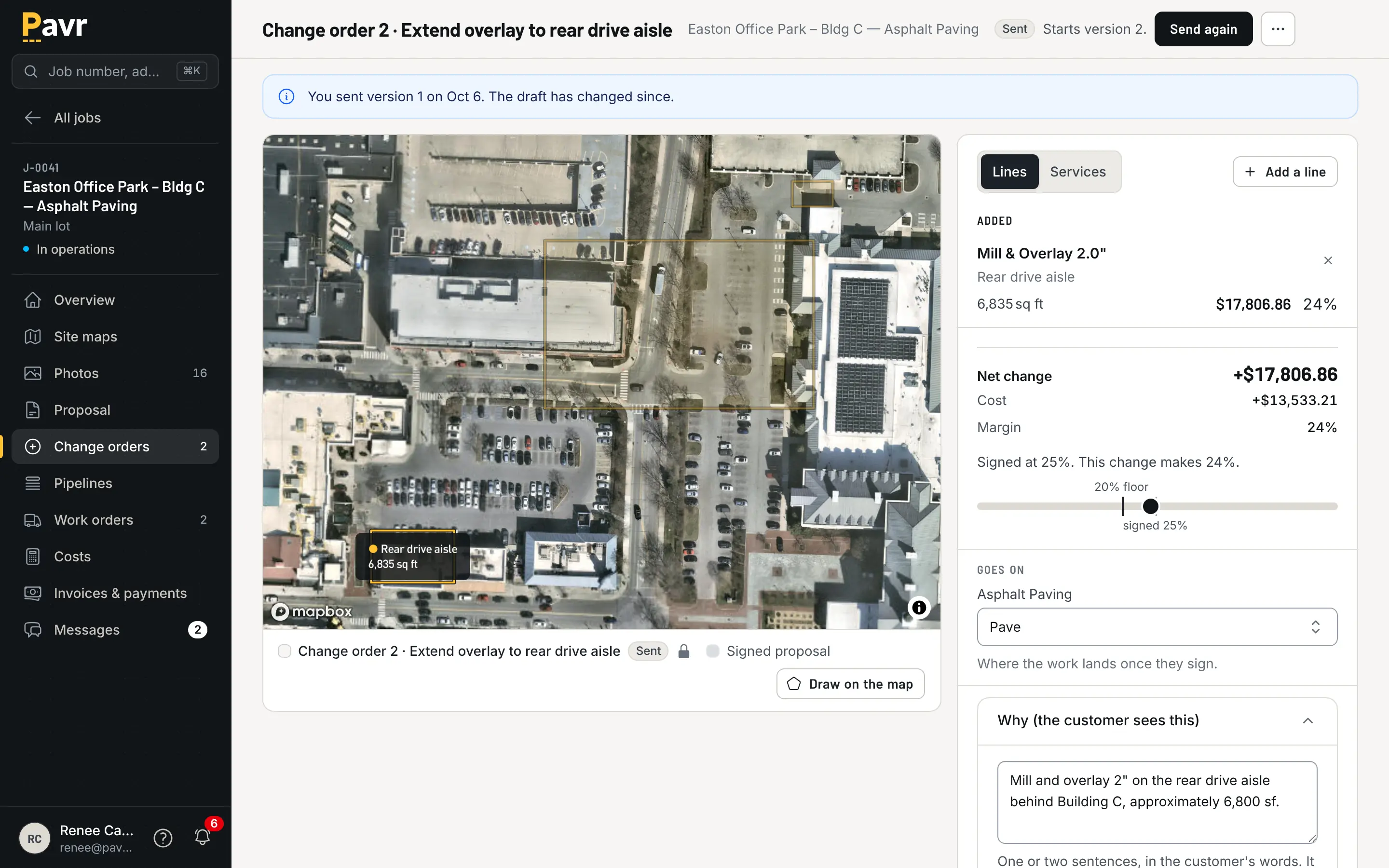
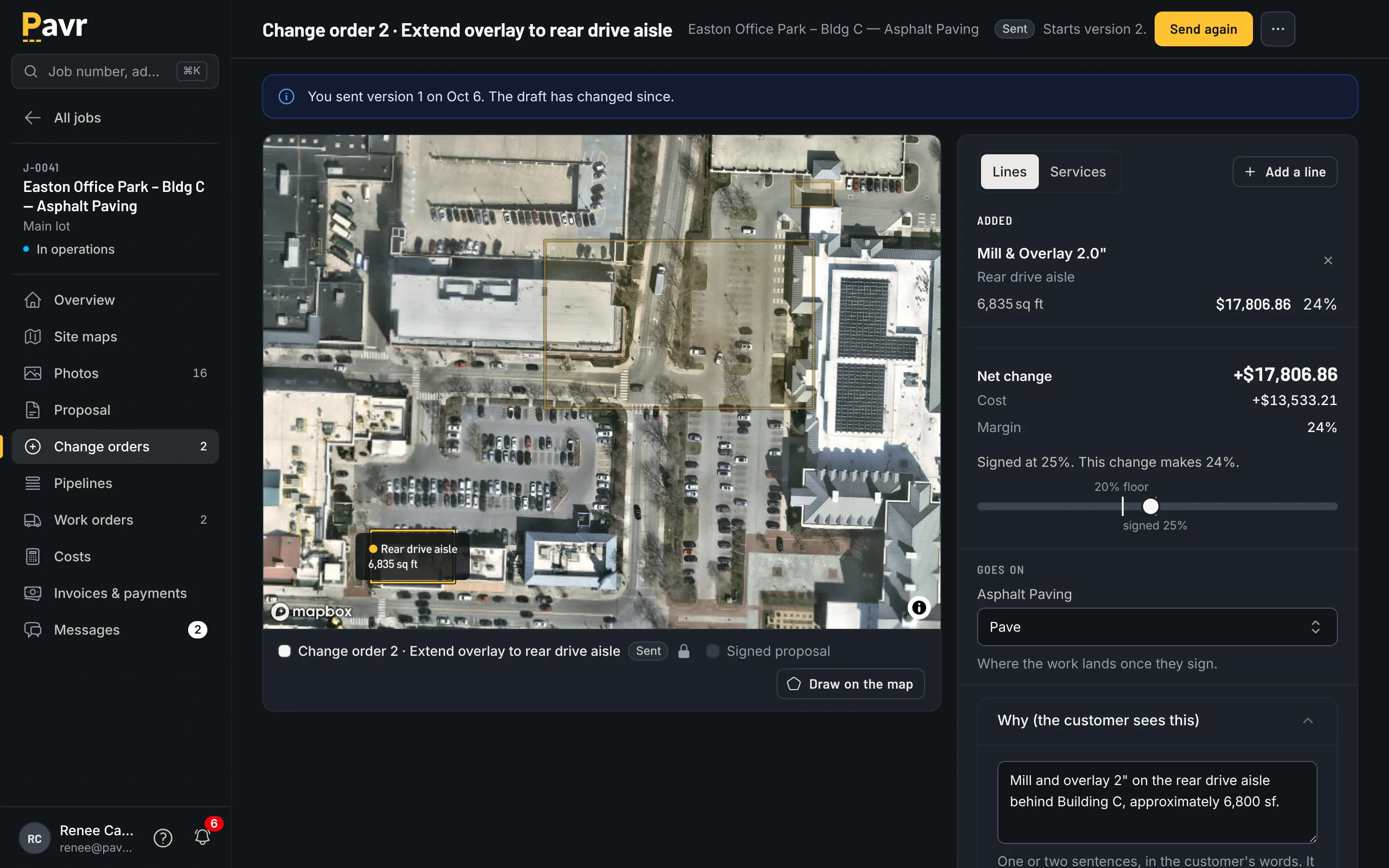
The work waits on the signature, not on somebody's memory of a phone call.
QuoteIQ lists change orders among the documents you can attach to an estimate or an invoice [6]. A
change order the customer signs on its own, with the work waiting on it, isn't listed on their site
as of September 18, 2026 [4][6]. A signed change order that never gets billed is a donation, so take
a real one from last month into the trial. The change orders
guide has the questions worth asking.
The week before the crew rolls
QuoteIQ's sealcoating page takes the weather seriously: it describes tracking "weather windows for
scheduling", and AI Autopilot sending "weather-window rescheduling messages when rain forecasts
shift a job" to the customers affected [3]. You assign jobs "to specific team members or crews" [10].
For a sealcoat outfit with a book of driveways, a rain message that goes out on its own is worth
having.
Pavr's schedule starts every account with a rule per trade: asphalt, sealcoat and striping want 50°F
and no rain, concrete 40°F, and you can change any of them. The forecast flags the jobs that won't
make it, and a rain day moves as one batch to the next day that passes. Double-booked crews and
equipment show up before dispatch, and dispatch buzzes the foreman's phone.
The trades also wait on each other on their own: the striping waits on the paving, the sealcoat
waits 30 days for new asphalt to cure, and the striping waits 24 hours after sealcoat. A temperature
rule you set per trade, and waits between crews on one job, aren't listed on QuoteIQ's pages as of
September 18, 2026 [3][10].
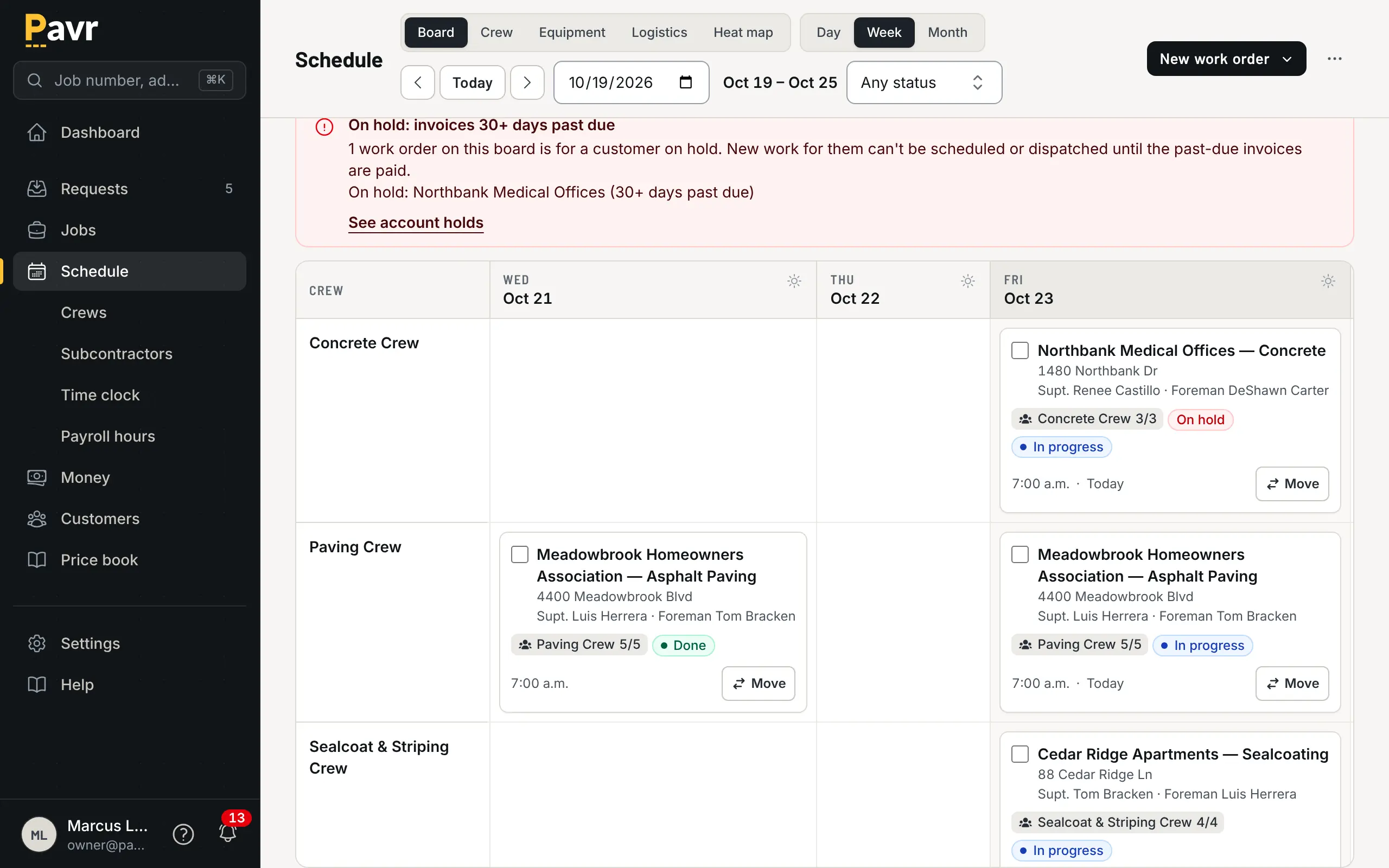
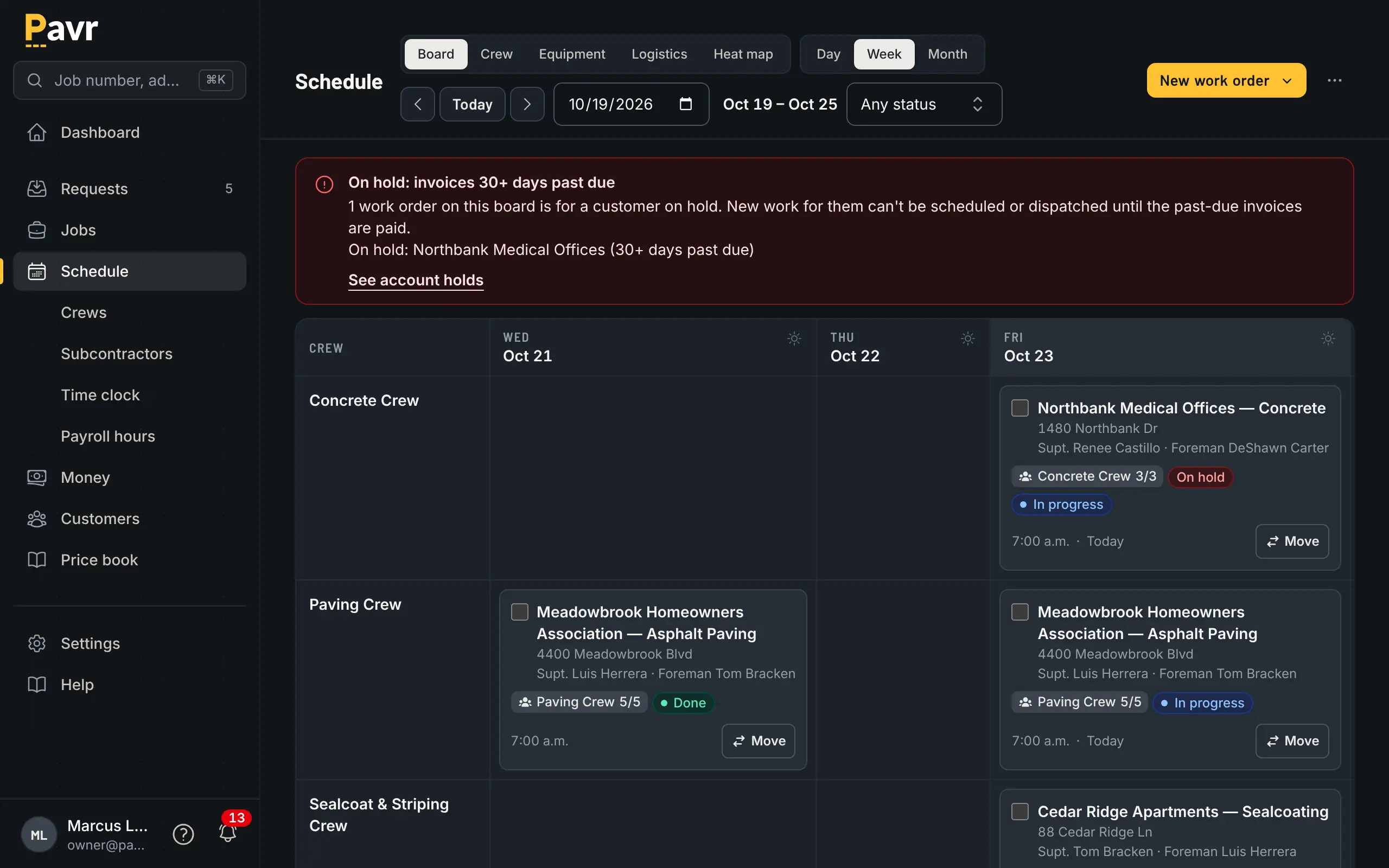
A week with the weather in it: the jobs that won't make the temperature are flagged before you dispatch.
Crew hours
QuoteIQ's EmployeeHub has "GPS-verified clock in/out from mobile app" with breaks, and lets you
"Export time entries for payroll" [11]. It's on the Elite plan and up [2]. Their iPhone and iPad app
lists "offline capability" [12].
In Pavr the crew clocks in on the phone with their location, the foreman can clock the whole crew in
at once, and lunch comes off. The daily log carries photos, material used and punch list items. All
of it saves on the phone with no signal and goes up when there's some, and nothing is sent twice.
Approved hours come out as a payroll CSV with the overtime split at 40 hours a week, and the crew
side works in Spanish. Spanish isn't listed on QuoteIQ's employee or mobile pages as of September 18,
2026 [11][12]. More on the crew side.
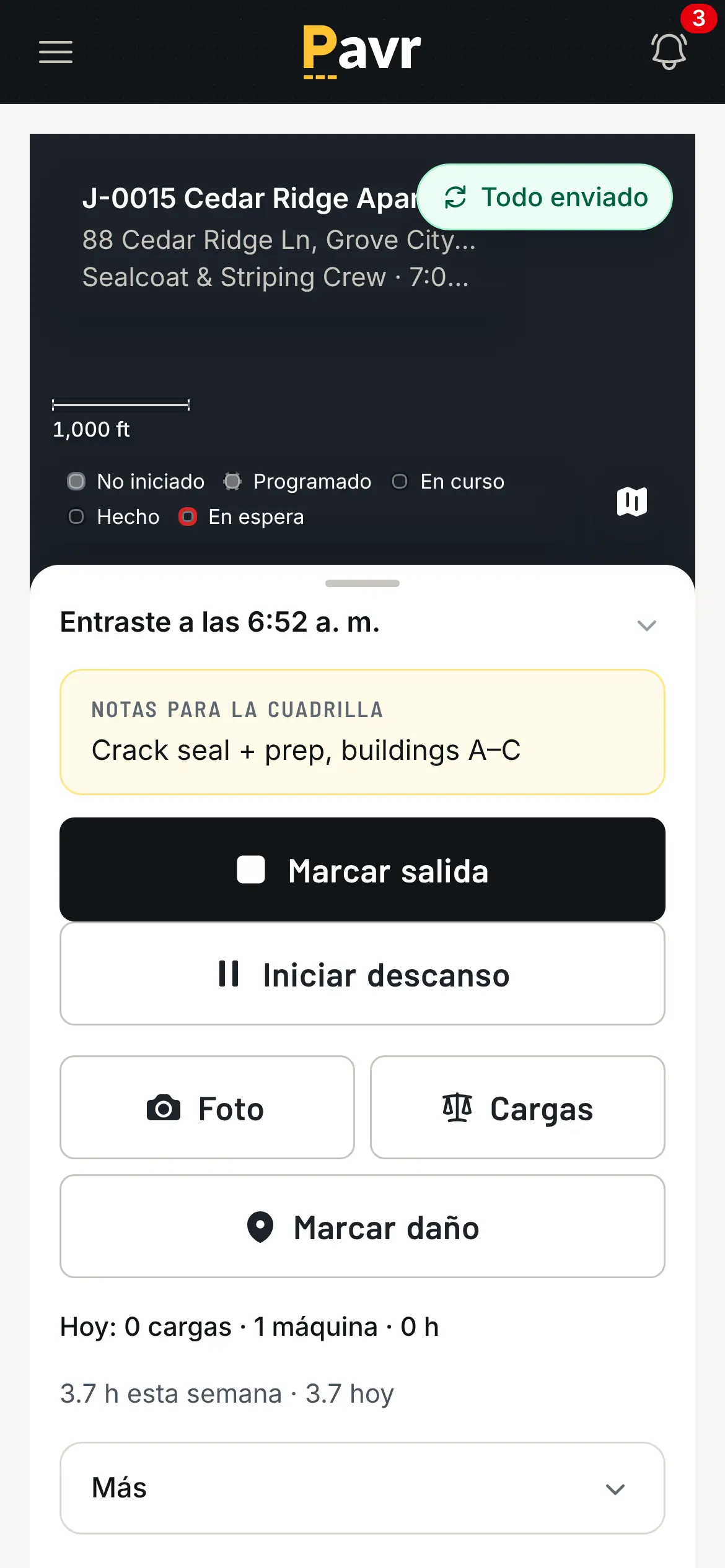
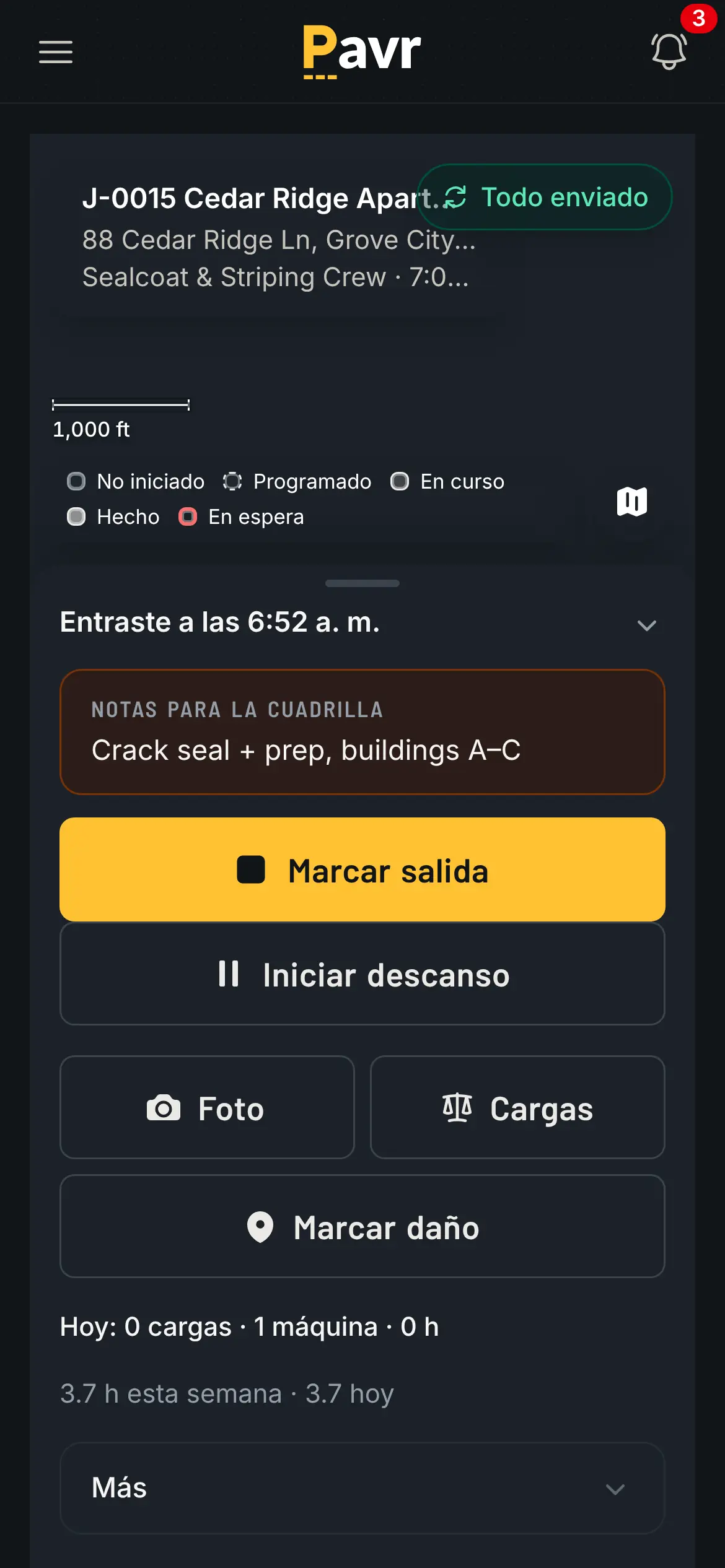
The clock screen in Spanish, because the crew reading it is the crew clocking in.
Job costing
Both track what a job is making. QuoteIQ pulls labor from clock-ins and lets you add expenses like
"materials, supplies, subcontractor fees, equipment rental" [13], and its paving page says it
"Flags when actual costs are tracking above the scoped estimate" [8]. Job Costing is on the Pro plan
and up [2].
Pavr posts approved hours, material off the daily log, receipts, sub invoices, mileage and equipment
hours against the estimate line by line, while the job is still open. A line turns yellow at 5% over
the estimate and red at 10%, and you set both numbers in Profit Tracking. One
job over is noise. The same line over on every job of one type is the estimate.
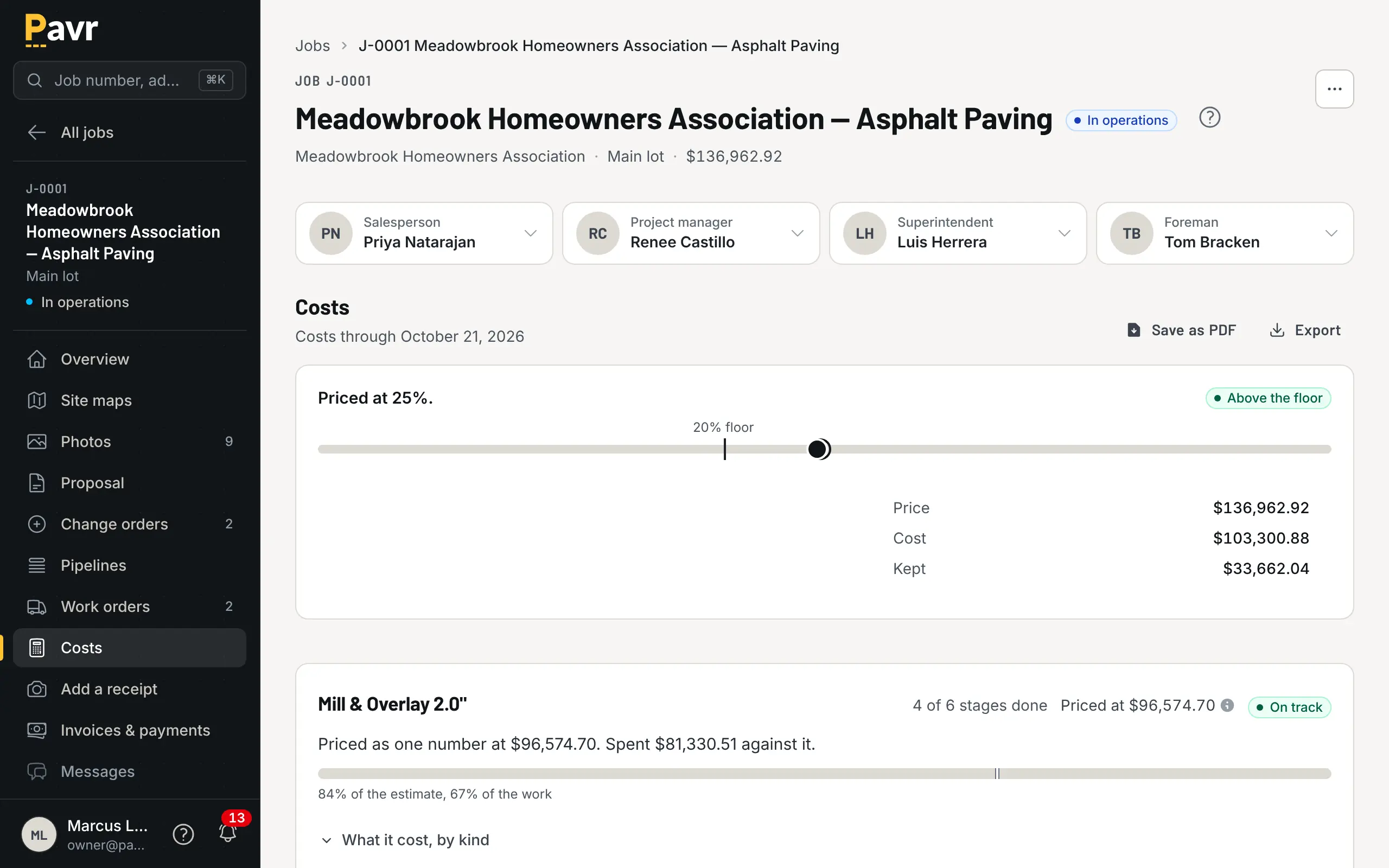
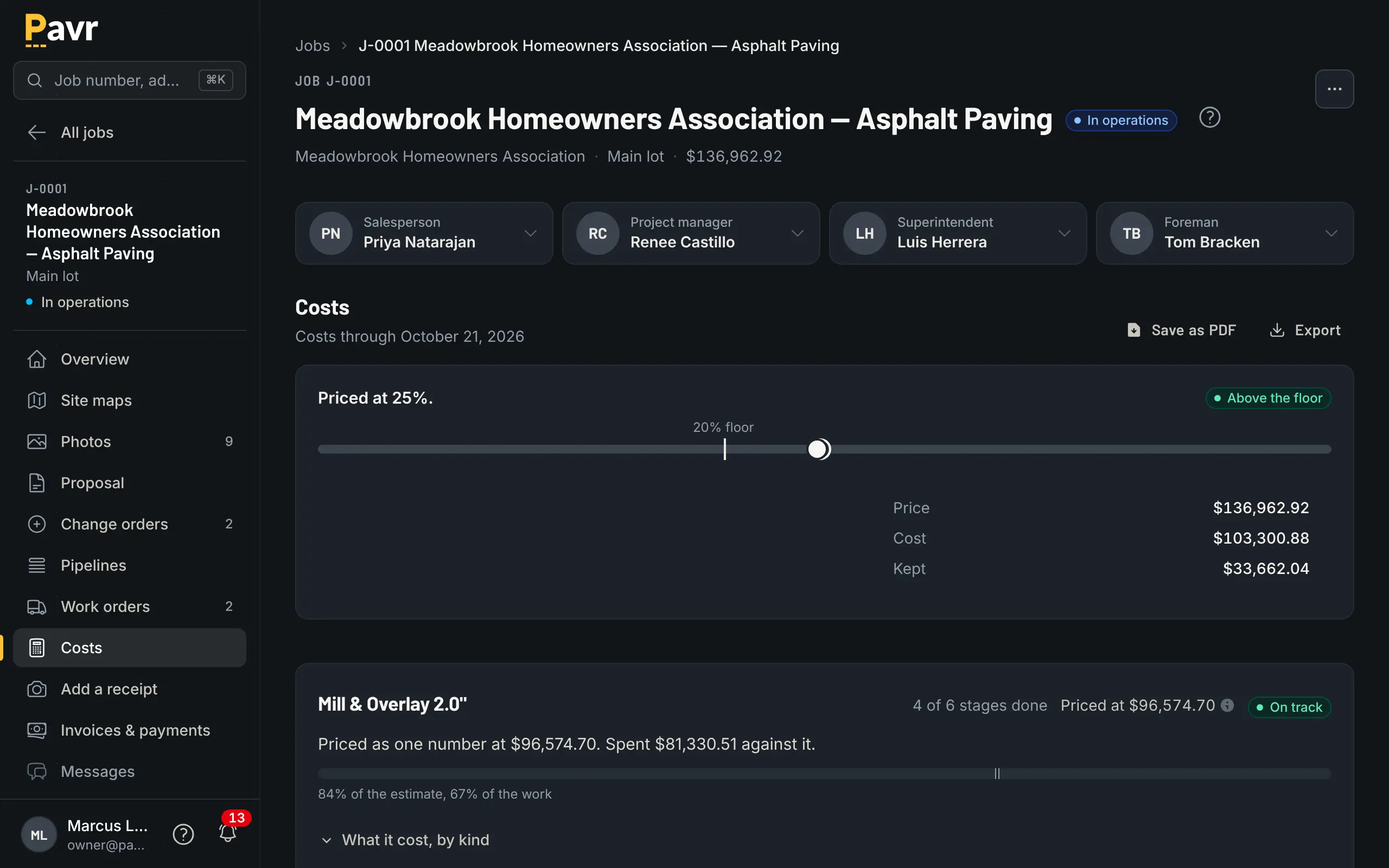
Tonnage over, hours under, and the line that's red before the job closes.
Billing and getting paid
QuoteIQ is built to collect: it sends invoices with "Automated payment reminders" [7] and takes
credit cards, bank transfer, Apple Pay and Google Pay through Stripe on every plan, with processing fees per
transaction [5]. Its pricing page lists "Partial-Payment Percentage Settings" on every plan [2].
Pavr takes nothing on your customer's money unless you turn on Pavr Payments. The invoice comes from
what was signed: the proposal plus the signed change orders, once the punch list is closed. The
customer gets the PDF by email with a Pay button that goes to your QuickBooks payment page or wherever
you already take payments, or, with Pavr Payments on, takes bank transfer or card right on the invoice
for 1% plus Stripe's rates. A deposit
comes off the final invoice on its own, reminders go out at 7, 14 and 30 days past due, and late fees
are there if your terms allow them.
Bigger lots bill the way paving gets paid. A schedule of values is built from the signed proposal, pay
applications go by percent complete on each line, retainage is held and released, and there's a
G703-style continuation sheet. T&M bills weekly against a not-to-exceed and stops at it. Pay
applications, a schedule of values and retainage aren't listed on QuoteIQ's site as of September 18,
2026 [2][7]. If you work for GCs, read working for general contractors: pay
apps before either trial.
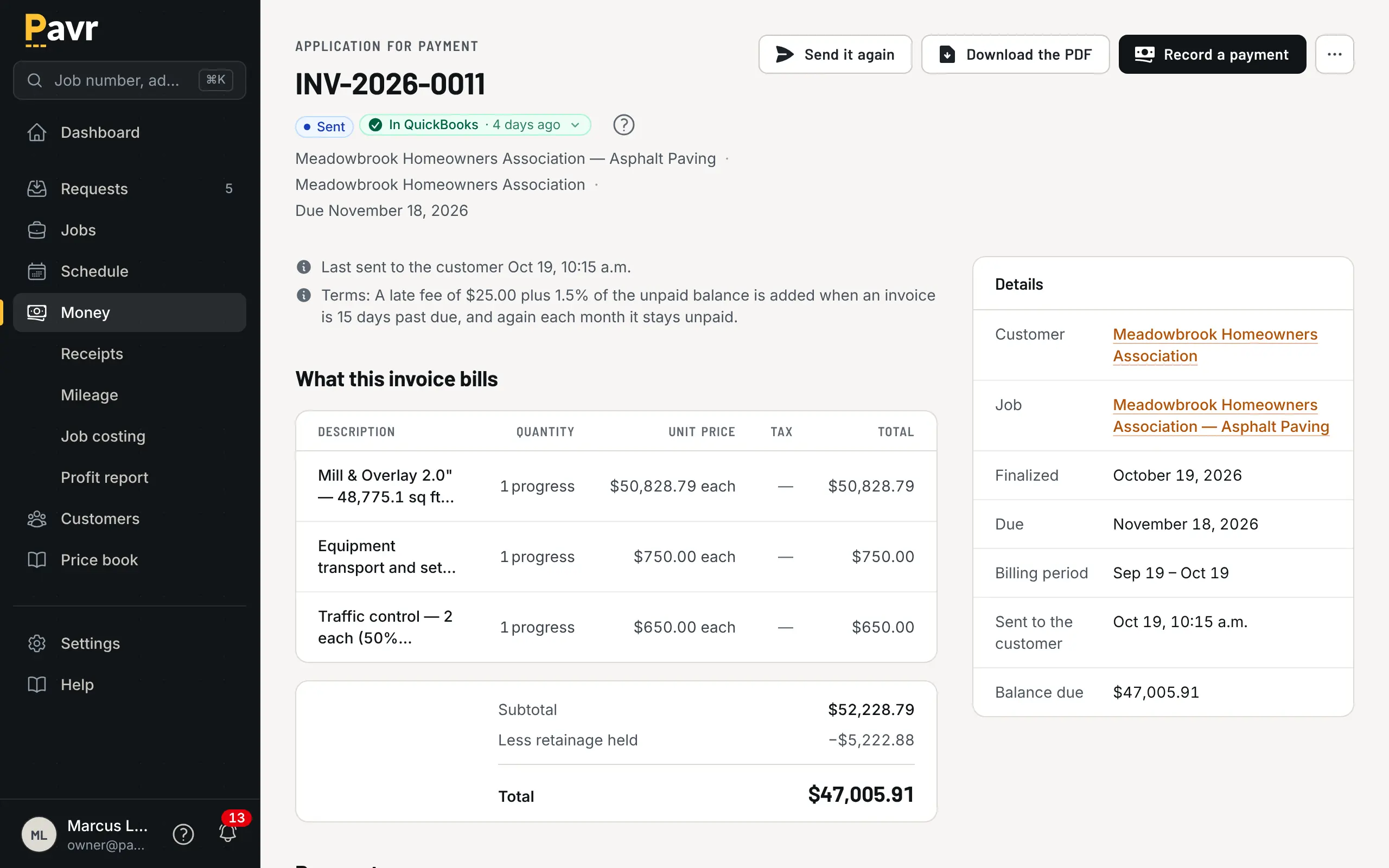
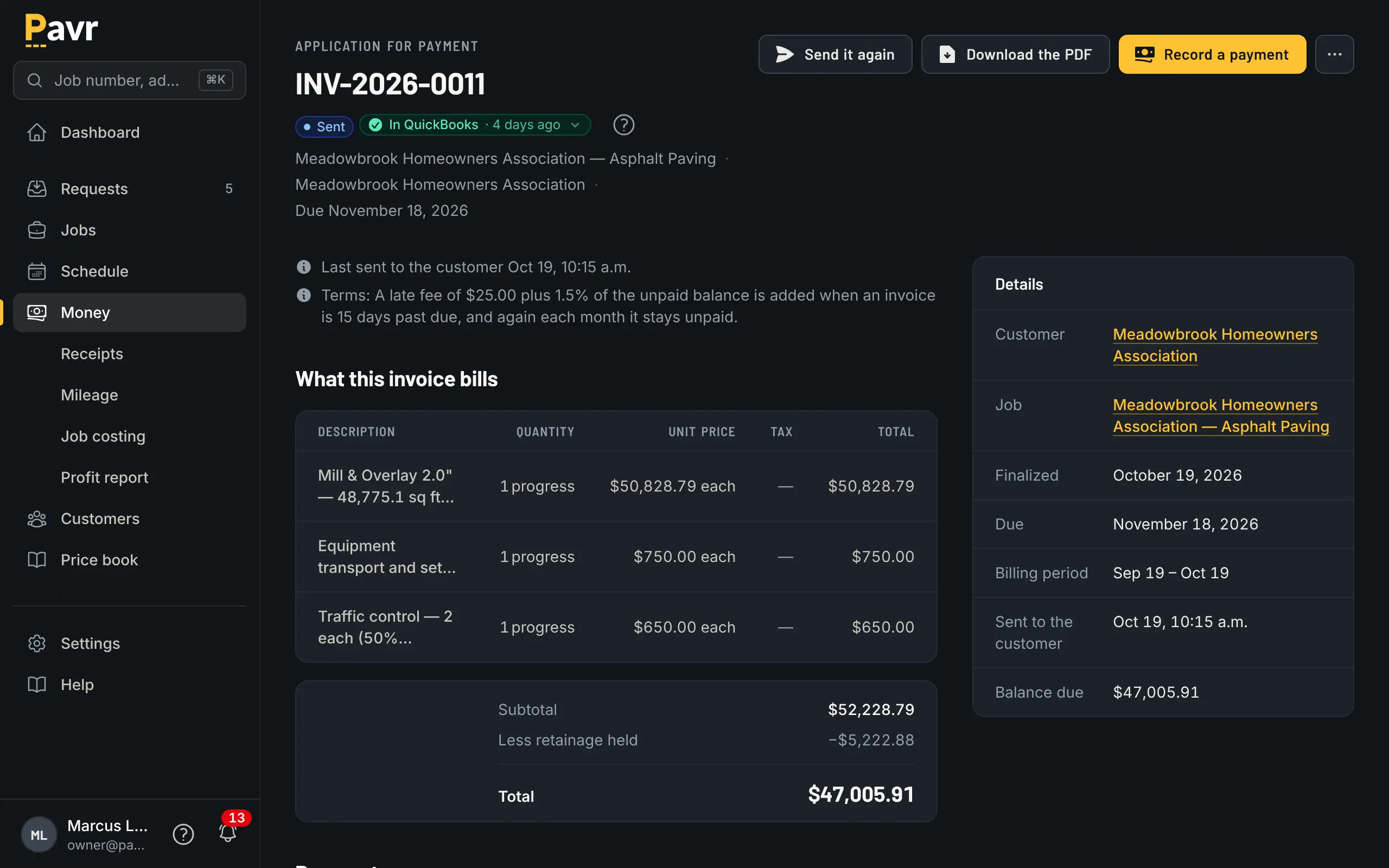
Pay application by line, retainage held, and the customer's copy ready to send.
QuickBooks
Both work with QuickBooks Online. QuoteIQ says it "currently integrates with QuickBooks Online
only" [14], on the Pro plan and up [2]. Pavr sends invoices to QuickBooks Online and brings payments
back without double counting. When an invoice goes across, Pavr looks for a QuickBooks customer with
the same name and links to it rather than making a duplicate.
Price
Pavr is $85 a month for each person who estimates, schedules or runs jobs in it. Crew who only clock in,
and customers who sign and follow their jobs, are free. Try it for 14 days with no credit card.
QuoteIQ prices by plan and user count: $29.99 a month for 1 user, $74.99 for 2, $149.99 for 4, $299
for 10 and $699 for unlimited users [2]. Every plan has a 14-day trial, and "A credit or debit card is
required to start." [2]
Here's the arithmetic. An owner, an estimator, an office manager and two foremen who schedule
and write change orders cost $425 a month on Pavr, and the eighteen people on their crews clock in
free. On QuoteIQ, the plan that includes the GPS time clock, job costing and QuickBooks for that
many people is Elite at $299 a month for 10 users [2]. For a small office, QuoteIQ's published price
is lower [2]. Ask them whether crew who only clock in count toward the user limit, because that
decides which plan you're really on.
Where QuoteIQ is the better fit
You're a sealcoat outfit first. Driveways and property-management lots, measured from satellite with crack
linear feet, quoted per square foot with crack fill and striping bundles, and rebooked when the
re-seal comes due [3]. That's what QuoteIQ's sealcoating page is written for, and the entry price is
$29.99 a month [2].
You want card payments built in. QuoteIQ takes cards, bank transfer, Apple Pay and Google Pay on every
plan [5]. Pavr takes bank transfer and card only if you turn on Pavr Payments (1% plus Stripe's
rates); otherwise its Pay button sends the customer to your QuickBooks payment page or wherever you
already take them.
You want the marketing side with it. Rebook campaigns and weather-window rescheduling messages
are on the sealcoating page [3], and review requests and a client portal are on the pricing page [2].
Pavr keeps a list of the requests you're working and tells you when a proposal has gone unsigned, but it isn't a marketing tool.
Switching: what moving actually looks like
Your price lists come in from a file. Material, crew rates, equipment and subs are read from the lists you keep, and you check every row before anything is saved. The 131 built-in services give you the shape, sealcoat by the square foot, crack fill by the foot, stalls by the stall, mill and overlay by depth, and you set the markups once. An afternoon.
Start with a real lot. Take one you priced last month, price it again in Pavr with your own plant
price and crew rates, send the proposal to yourself and sign it on your phone.
Old jobs stay where they are. Finish what's open where it is, and start new estimates in Pavr from
a clean date.
Your data comes back out. Export your data gives the owner a ZIP with one CSV per record type and
a README explaining each file. You can pull it the day you sign up.