Who each one is for
Housecall Pro is software for home-service businesses, and it's good at that day: the call comes in,
the job gets booked, the estimate goes out by text or email, and the customer pays by card [2][3].
Their concrete page puts it plainly: "Run jobs smoothly, keep crews on the same page, and get paid
faster with concrete contractor software" [1].
Pavr is written for the lot. Paving, sealcoating, striping and concrete, five to sixty people,
property managers and general contractors as customers, prices that get measured and jobs that run for
weeks.
The most useful fact for this comparison is on Housecall Pro's own industries page: 36 industry
pages, including concrete, and no paving, asphalt, sealcoating or striping page as of September 18,
2026 [5]. That tells you where their product's attention goes, and it isn't an insult — nobody
builds tonnage math for a plumber.
The walk and the price
Housecall Pro estimates carry "labor, materials, and equipment costs" [1], with flat-rate pricing
from the Essentials plan [2]. For a driveway pour or a patio, that's the right shape: you know your
price per yard, you build the estimate, you're done.
Pavr's estimate starts from a measurement. You draw the slab, the drive lane and the ramps on the
satellite view, or set a scale on the GC's PDF plan and draw on that, or type in what you walked.
Then the work goes onto what you drew from 131 built-in services, 24 of them concrete, plus asphalt, striping, sealcoating and site work, each priced from your ready-mix price, your crew rates and your
equipment, with a markup slider per line and the margin beside you. Here's how the estimating
works.
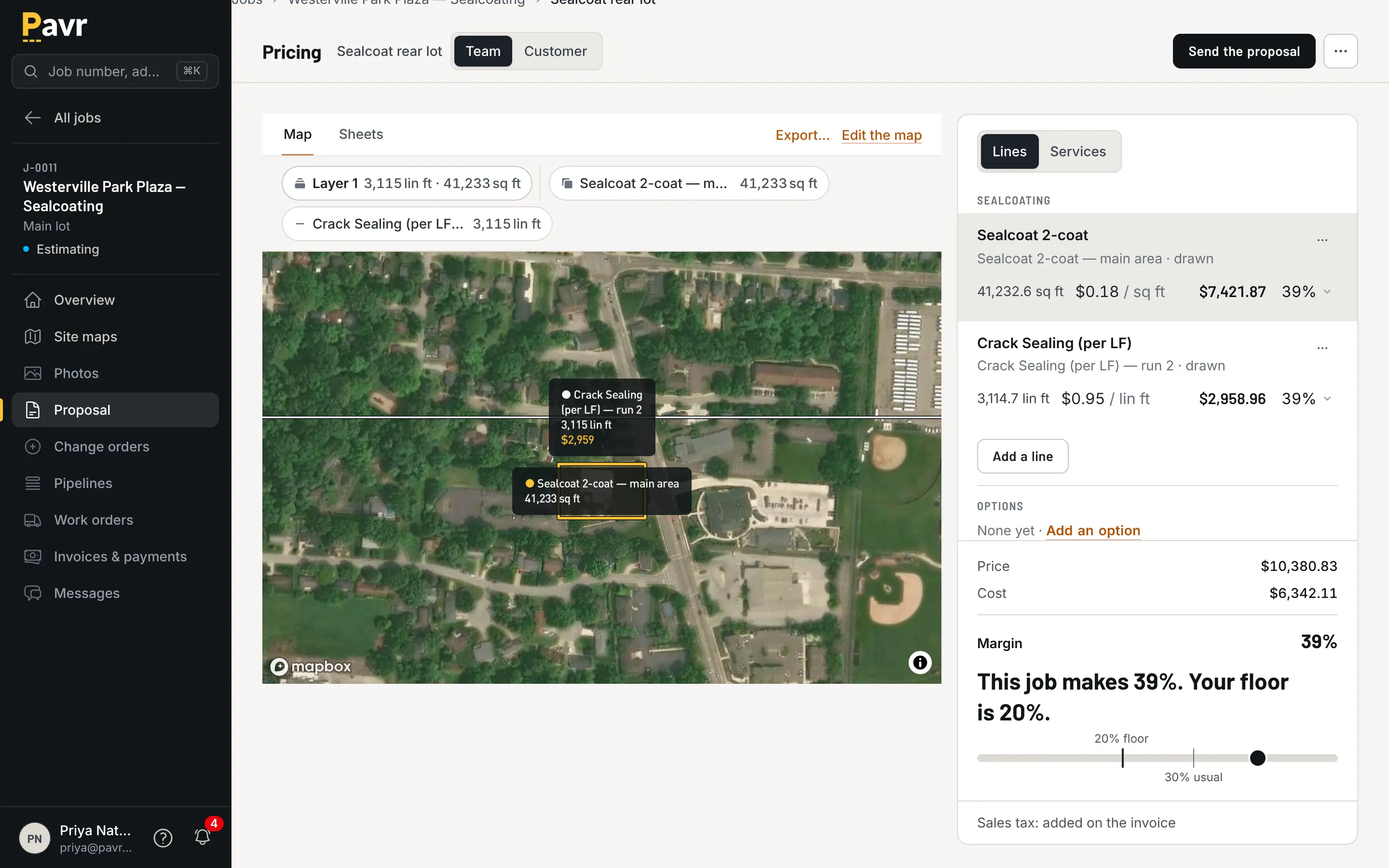
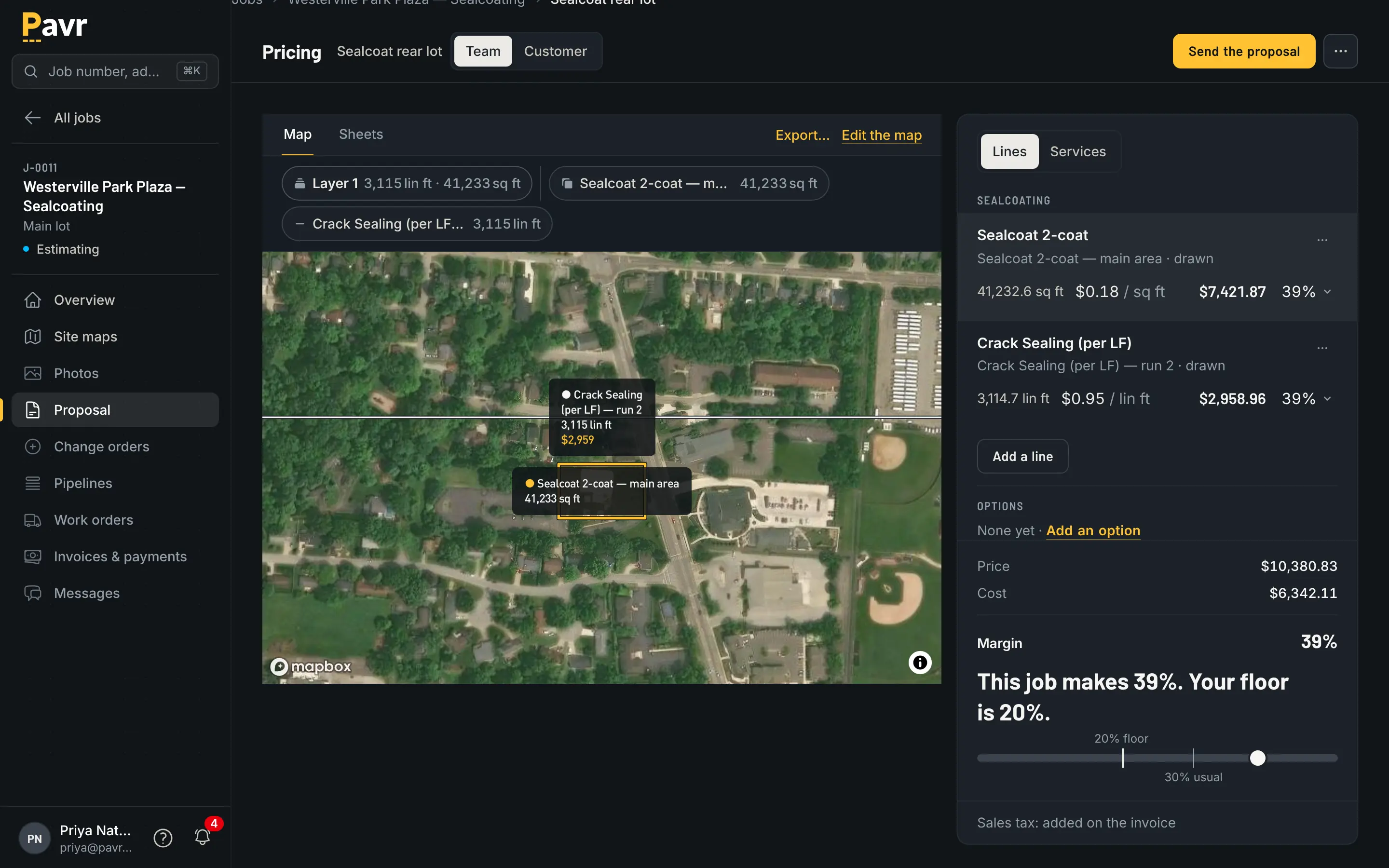
Yards, forms, and the ramps you'd otherwise price from memory.
The proposal that carries four trades is the other difference. One lot needs the overlay, two ADA ramps,
a sealcoat next spring and the restripe. In Pavr that's one estimate, one proposal grouped by trade
with subtotals, one job with a part for each crew. How to estimate concrete
flatwork and how to estimate concrete curb and
gutter are the arithmetic behind those
lines.
The signature
Housecall Pro covers both ways a customer signs [1][3][4]. You can "Collect digital signatures in the app to
confirm jobs instantly" on site [1], or send the estimate "by text or email for quick customer
approval" [3] and let the customer "provide an e-signature with a single click from their phone or
email" [4].
Pavr sends the proposal to the customer under your company's name, and they sign it on their own
phone with no password. The signature is tied to the exact version they were shown, and the price
they saw is the price that was locked when you sent it. Signing wins the
job, with the trades and the waits already on it. What the customer sees.
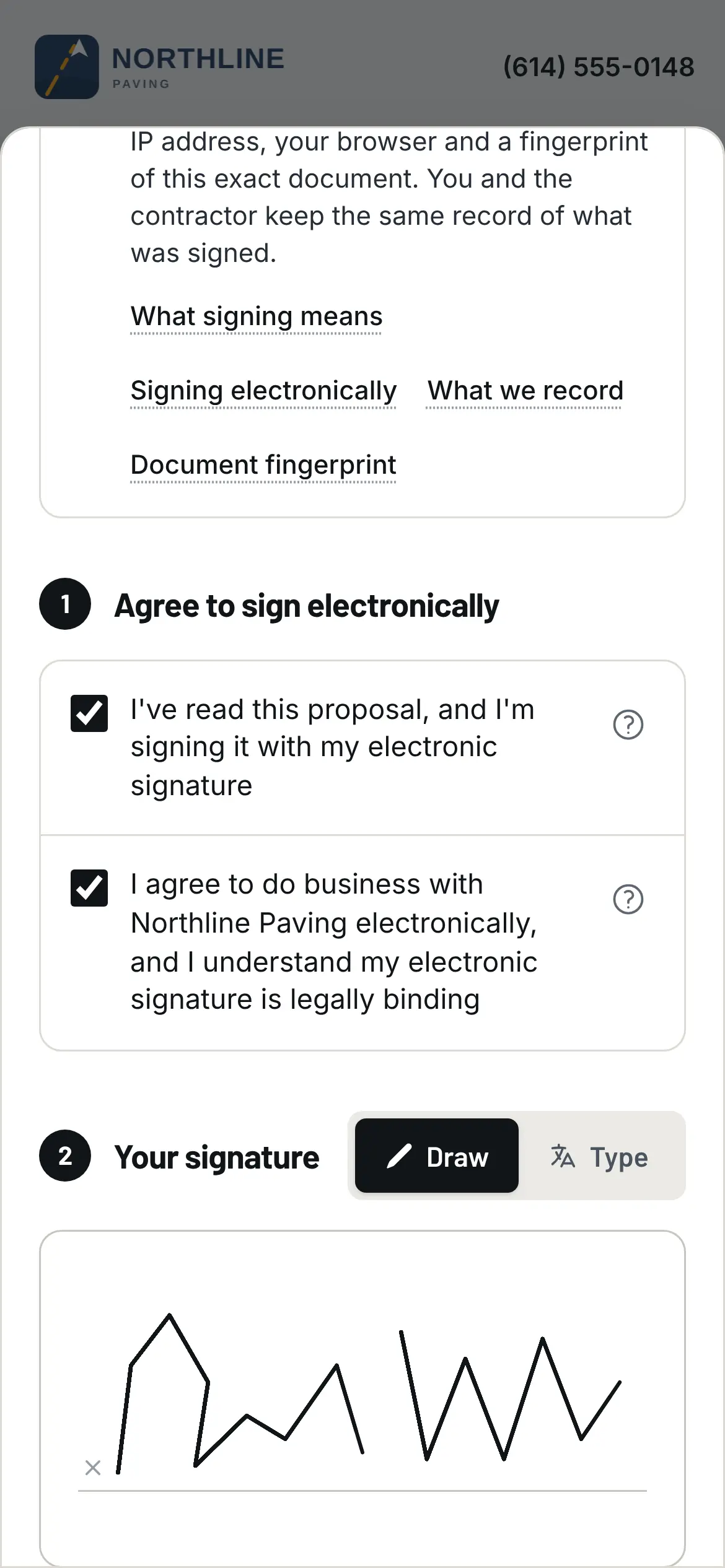
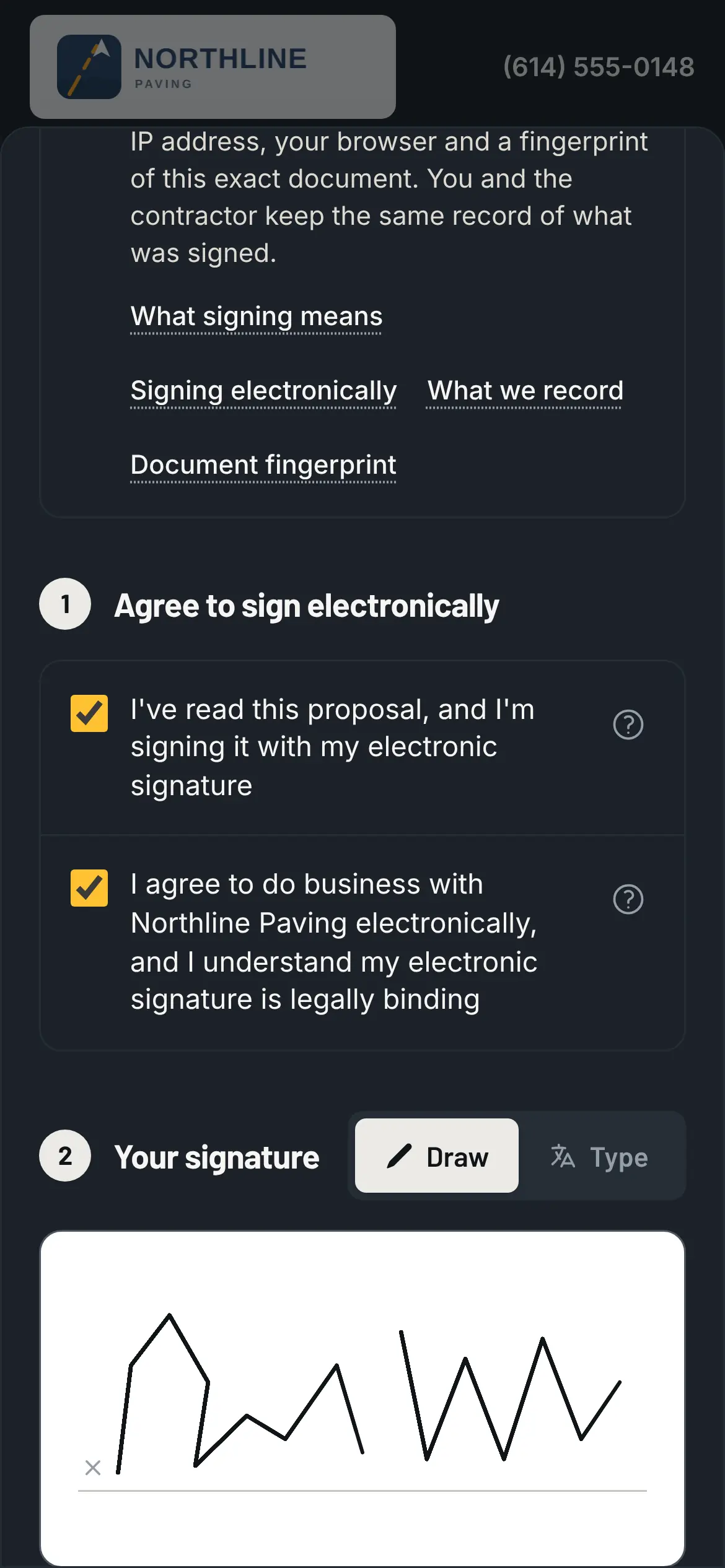
The property manager signs from the email, without calling you back.
The question to ask in any demo is what happens to that signature when the price changes after it's
signed. In Pavr it can't: extra work goes on a change order with its own signature.
Change orders
Housecall Pro handles change orders as estimates on the job [3]. Its estimating page says you can "Easily
update change orders and price additional work on-site without slowing down the job," and its FAQ
says you create an estimate on the ongoing job and copy the approved option onto it [3].
In Pavr, extra work gets its own document too: priced from your catalog with the markup the customer
already agreed to on the proposal, emailed for signature, and the part of the job it covers waits until
it's signed. Then it's on the invoice, or on the schedule of values as its own line.
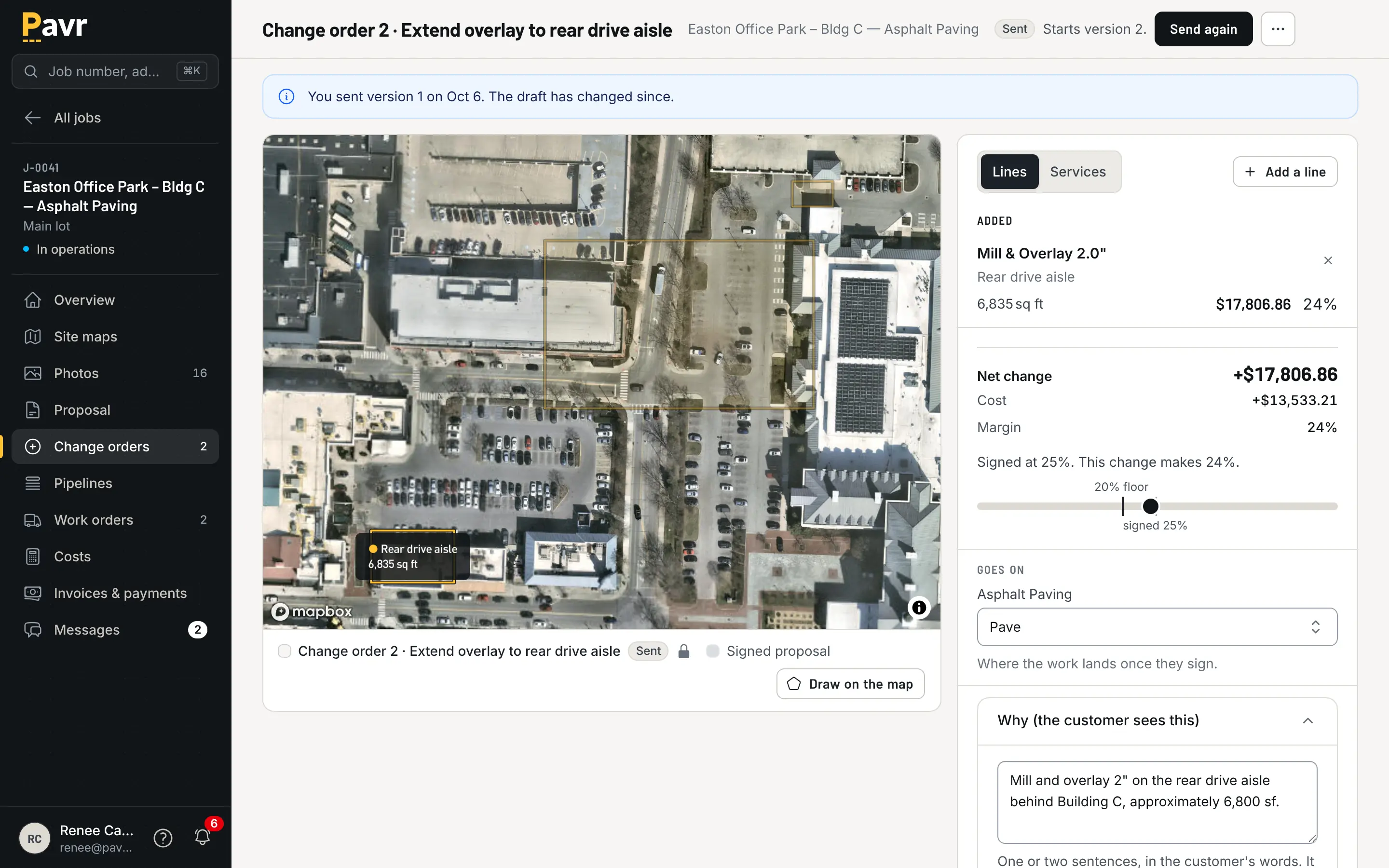
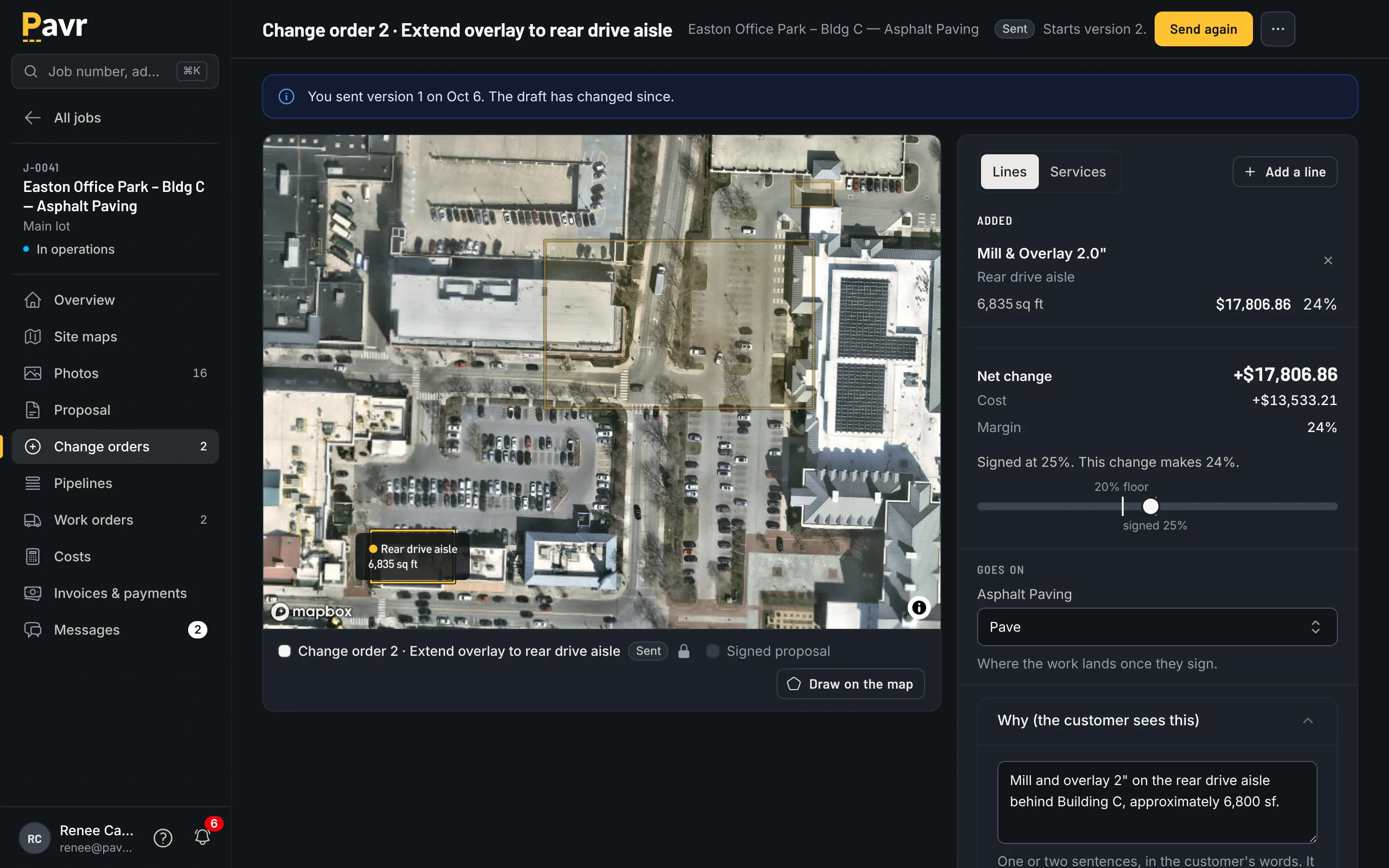
The undercut that was found on Tuesday, signed before Wednesday's pour.
The week before the crew rolls
Housecall Pro schedules like a dispatch board: "Easily drag and drop jobs, assign crews, and manage
schedules in real time" [1], with route optimization on the Max plan [2]. Weather rules aren't listed
on its site as of September 18, 2026 [1][2].
Pavr schedules like a paving company. A rule per trade, the concrete one starting at 40°F, the
asphalt, sealcoat and striping rules at 50°F and no rain, and the forecast flagging the jobs that
won't make it. A rain day moves as one batch. The sealcoat waits 30 days after new asphalt, the
striping waits 24 hours after sealcoat, and both waits are yours to change. Double-booked crews and
equipment show up before dispatch.
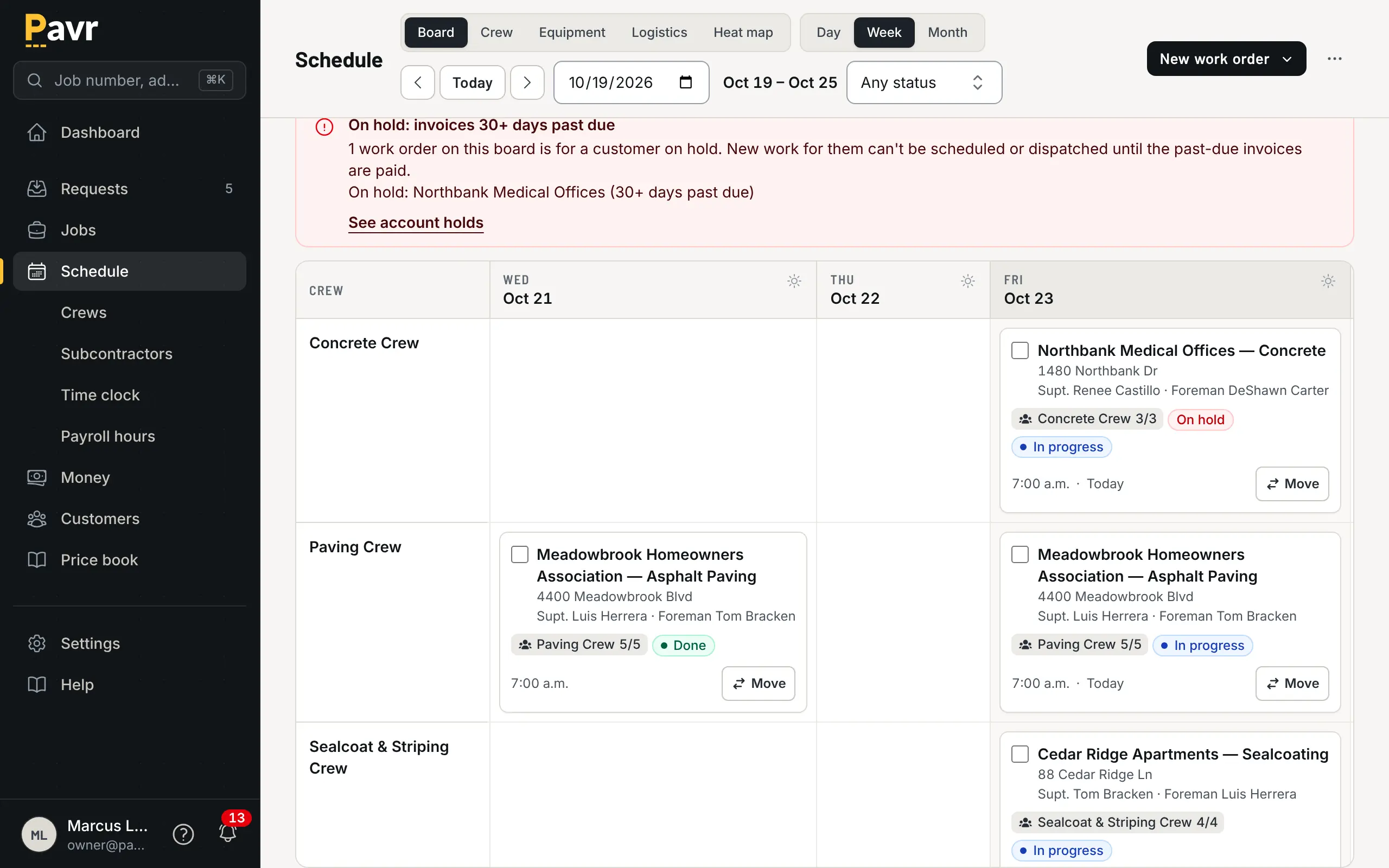
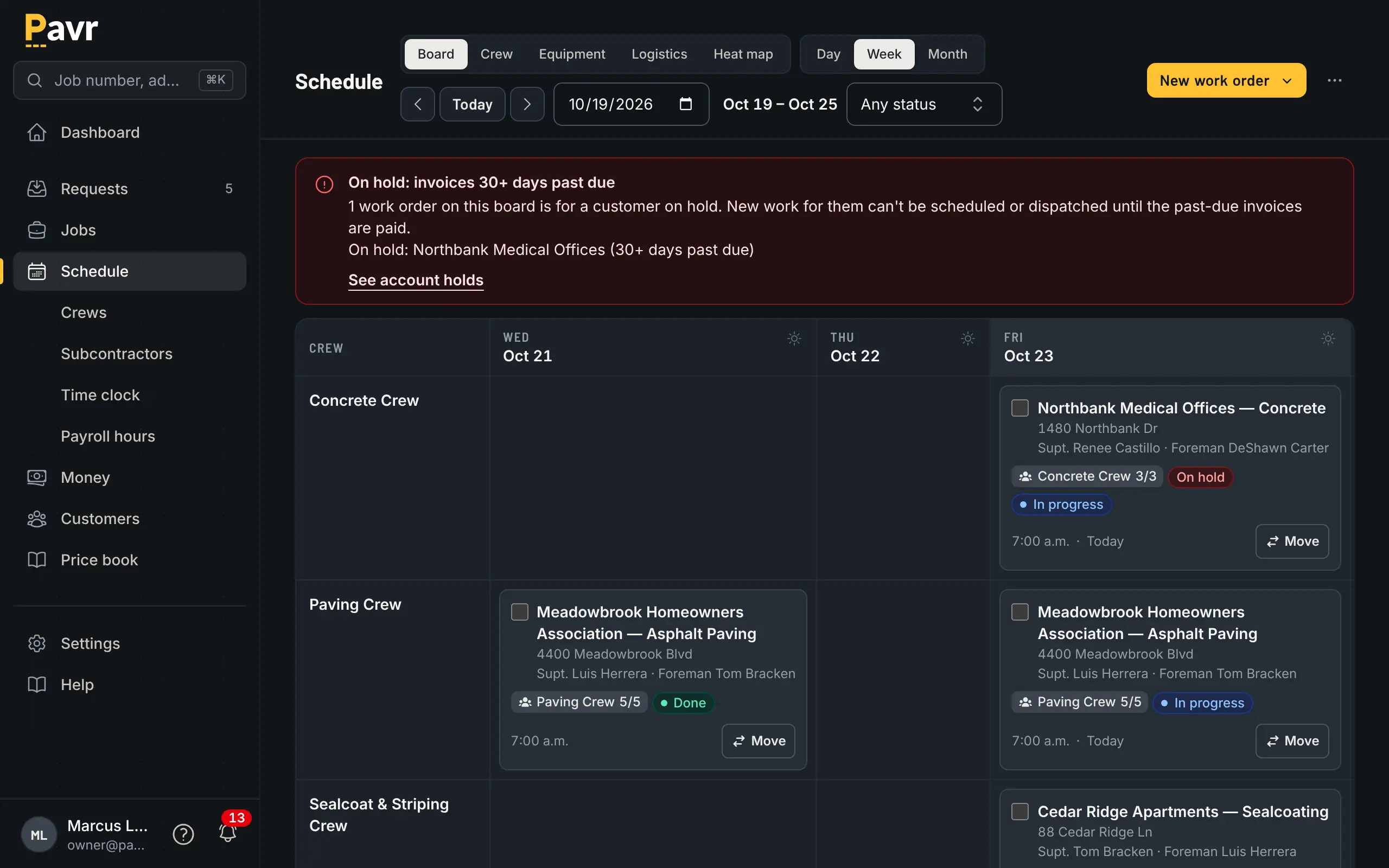
A week that already knows Thursday is 38 degrees.
Crew hours
Housecall Pro's crew side is published [6][7]. Employees clock in and out from the mobile app [7], the app
comes in English and Spanish [6], and "Employee GPS tracking" starts on the Essentials plan [2].
Without signal, job and scheduling data can be viewed, but "Editing in offline mode is not supported
at this time" [6].
Pavr's crew screens are built for a phone in a glove, in the sun, sometimes with no bars. Clock-in
with location, the foreman clocking the whole crew, lunch off, daily logs with photos and material,
punch list items from the lot — all saved on the phone and sent up when there's signal, nothing
twice. Approved hours become a payroll CSV with the overtime split at 40 hours a week. The crew
screens are in Spanish too.
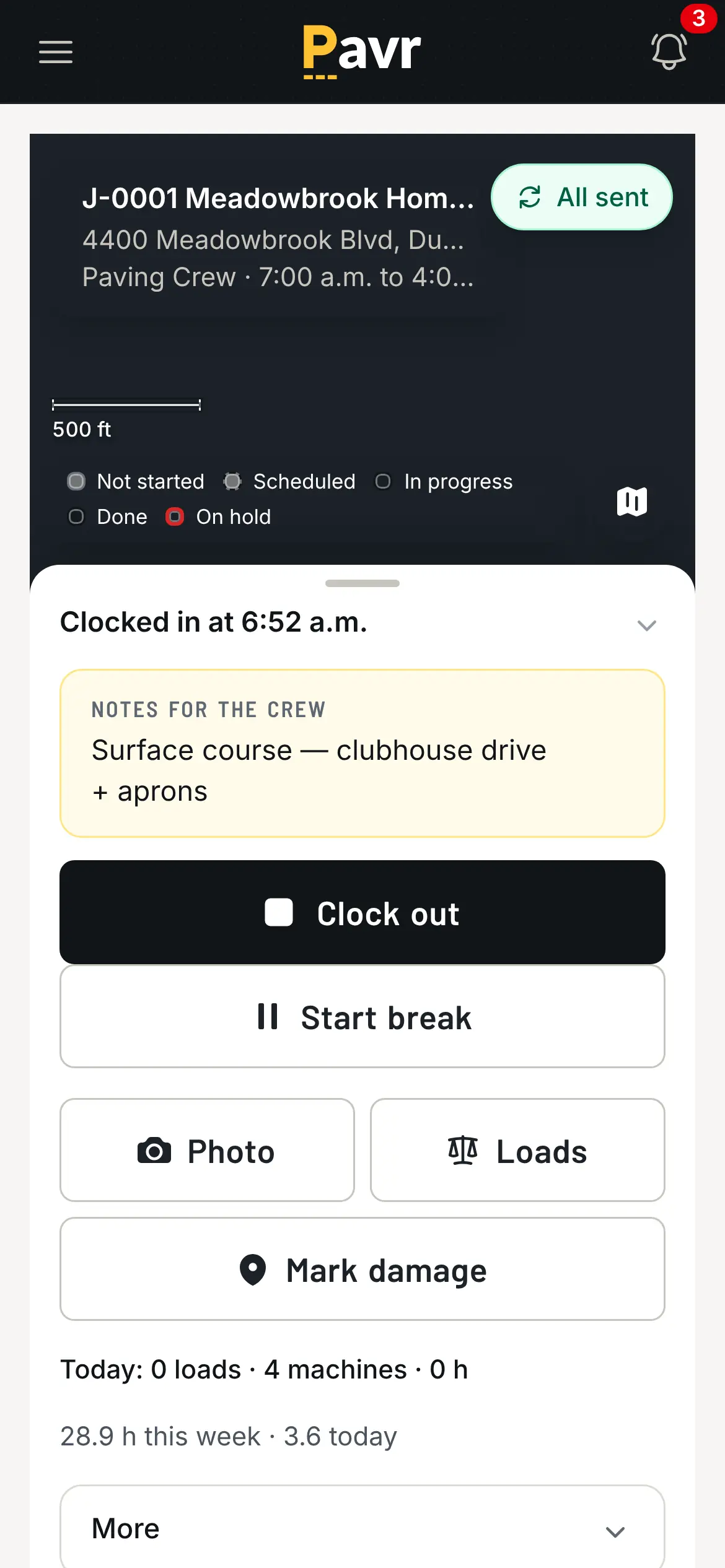
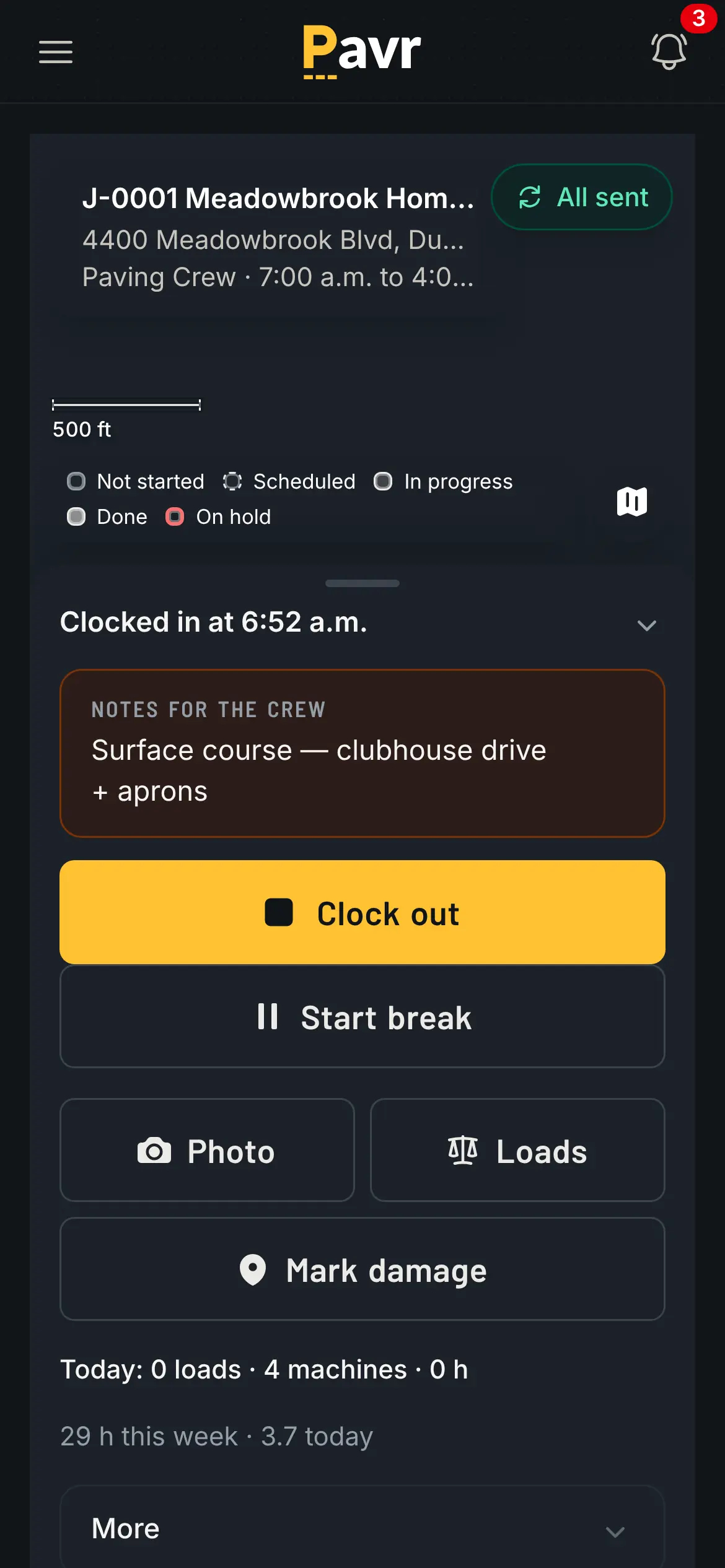
Four words and a big button, because it gets read at 6 a.m.
Job costing
Housecall Pro lists job costing from the Basic plan [2], and its concrete page says you can "Monitor
labor, materials, and equipment costs per job or project" [1].
Pavr posts approved hours, material off the daily log, receipts and sub invoices against the
estimate line by line, by cost type, while the job is open — yellow at 5% over the estimate, red at 10%,
both numbers yours. The question that report answers isn't "did we make money", it's "which line is
wrong on every job of this type", which is how next year's prices get set. See job
costing.
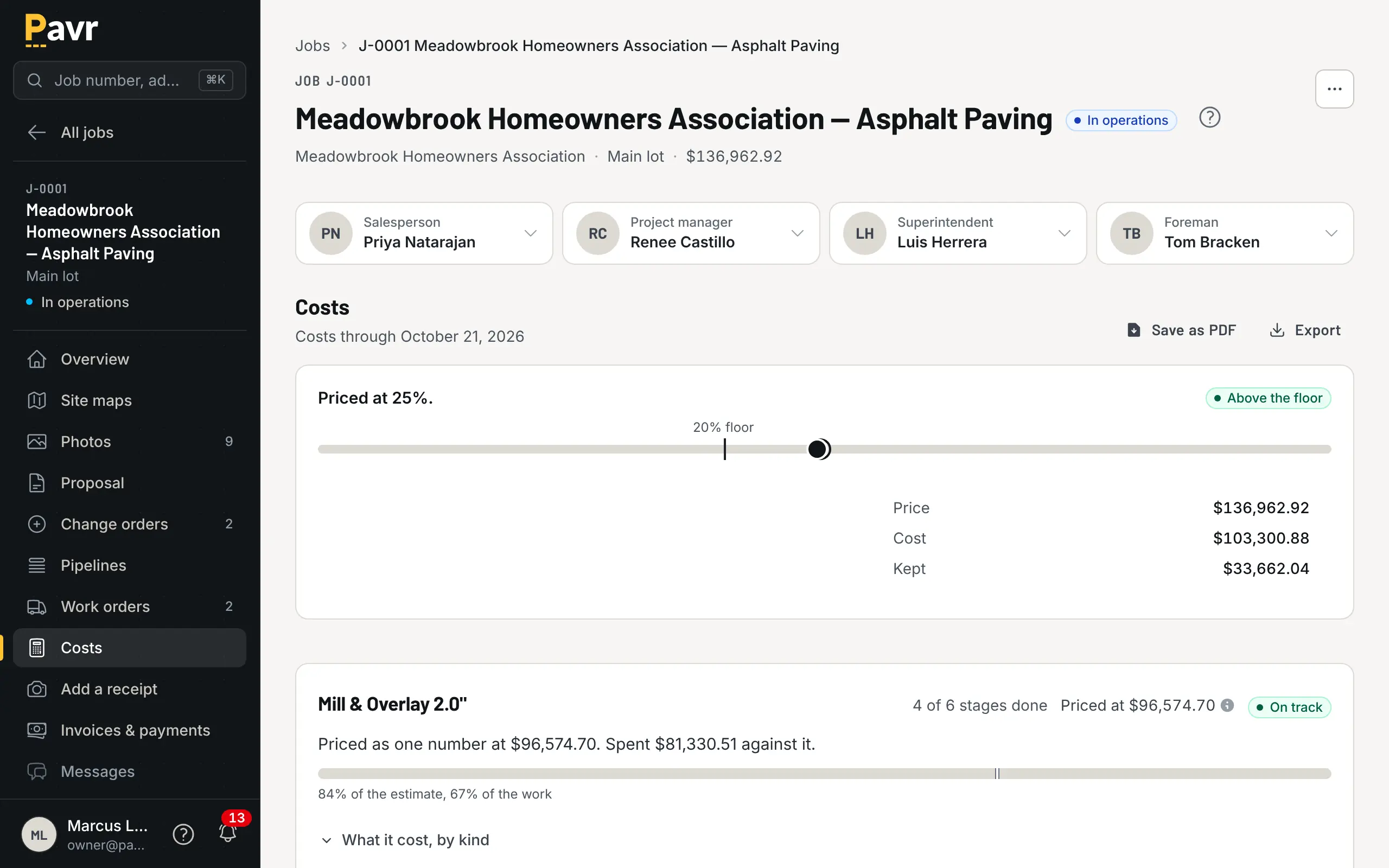
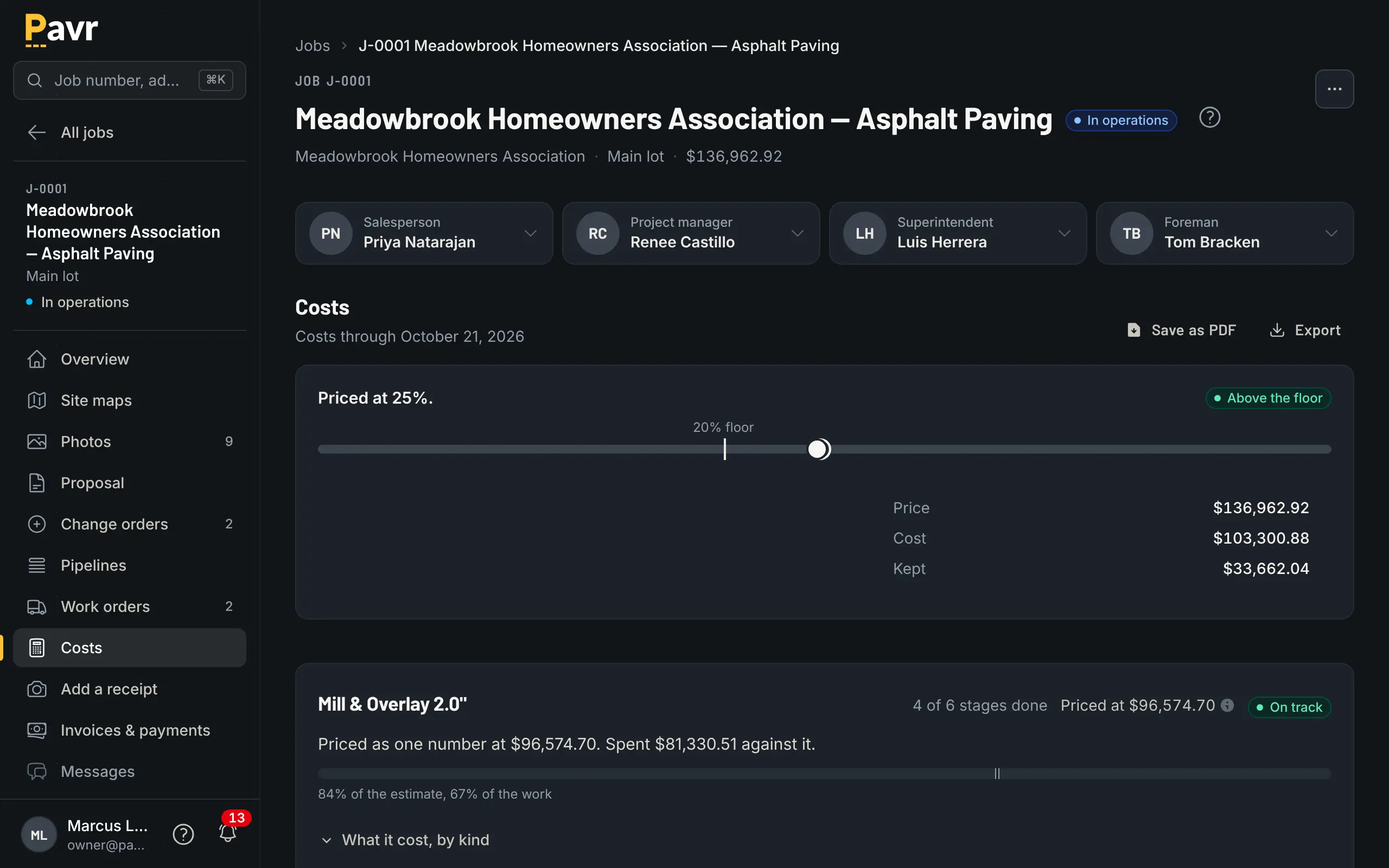
Costs against the estimate, by line, while the job is still open.
Billing and getting paid
Housecall Pro is strong on collecting: card and bank payments, "Send reminders or auto-charge cards
on file" and consumer financing [1][2], and it connects to QuickBooks Online from Essentials [2]. It also
bills big jobs in stages: "Progress Invoicing lets you break customer payments into multiple
invoices by dollar amount or percentage for large or multi-day projects" [8].
Pavr bills from what was signed. The invoice comes off the signed proposal plus signed change orders
once the punch list closes, a deposit credits itself against the final invoice, and the customer
gets the PDF with a Pay button that goes to your QuickBooks payment page or wherever you already
take payments, with no fee from Pavr; turn on Pavr Payments and they pay on the invoice, by bank transfer or card, for 1% plus Stripe's rates. Commercial jobs get the rest of the paperwork: a schedule of values from the signed
proposal, pay applications by percent complete on each line, retainage held and released, a G703-style
continuation sheet, and T&M billed weekly against a not-to-exceed that it stops at. Reminders at 7,
14 and 30 days, late fees where your terms allow them, statements when a customer asks.
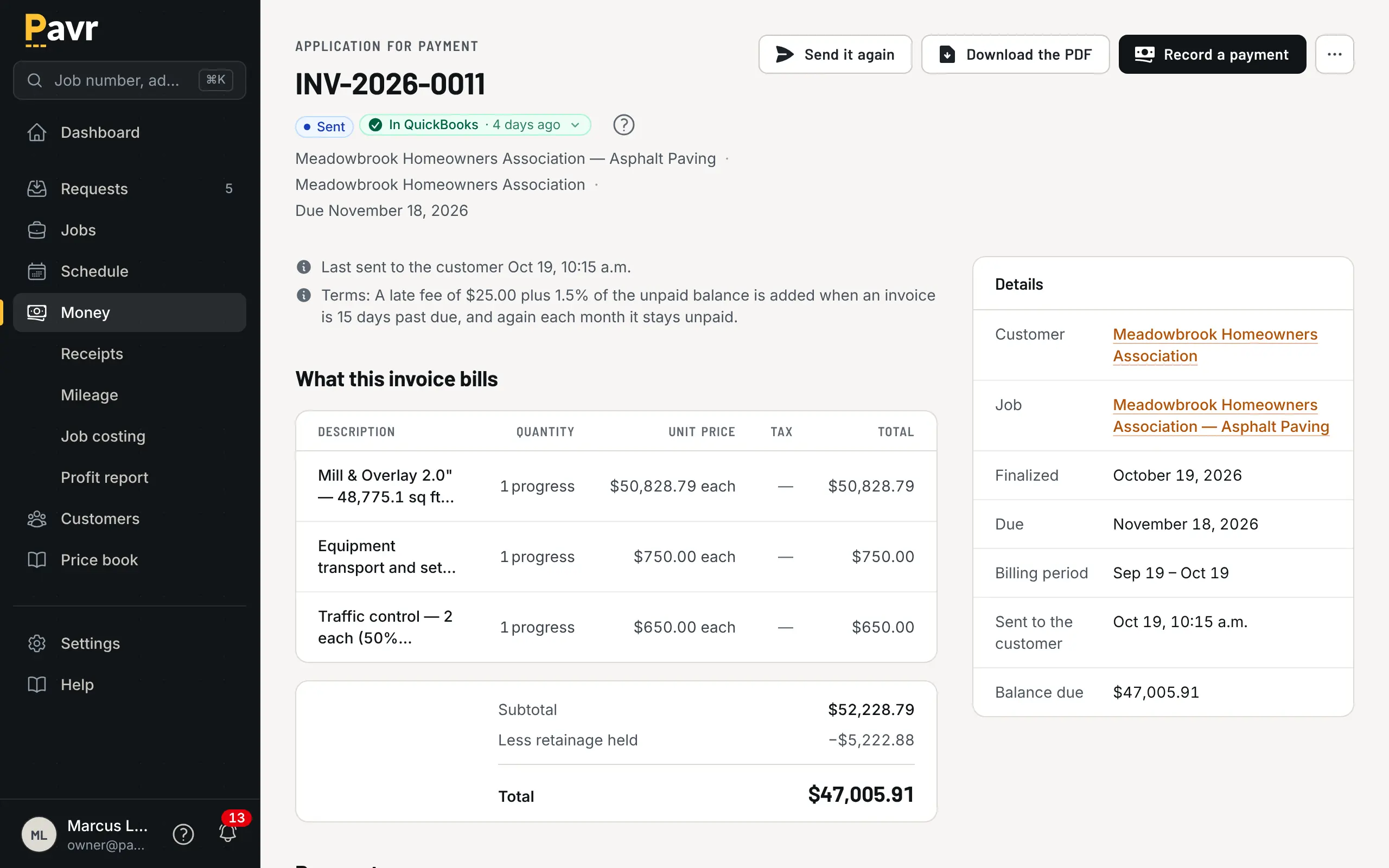
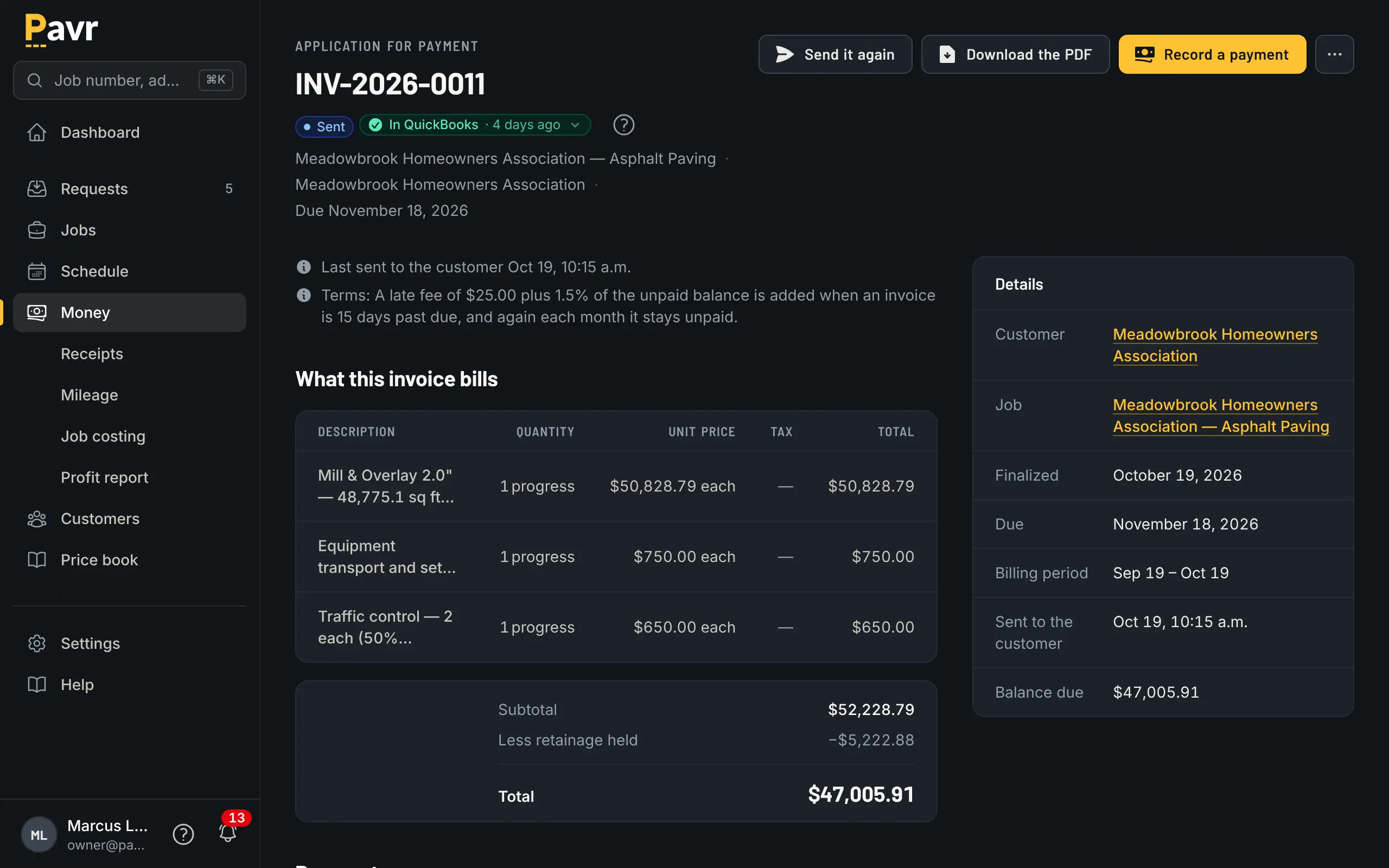
This month's percent, the retainage held, the balance to finish.
Retainage, AIA-style pay applications and T&M caps aren't listed on Housecall Pro's site as of
September 18, 2026 [1][2][8]. For residential concrete that's no loss at all. For a GC's project
manager, it's the first question they'll ask you.
Price
Housecall Pro publishes its prices [2]. Basic is $79 a month, or $59 billed annually, for one user;
Essentials is $189 ($149) for five; Max is $329 ($299) for eight, with "$35/mo per additional user"
shown on Max [2]. The trial is 14 days with no credit card [2].
Pavr is $85 a month for each person who estimates, schedules or runs jobs in it. Crew who only clock in,
and customers who sign and follow their jobs, are free. Try it for 14 days with no credit card.
The arithmetic that matters is how many people in your company need an account. An owner, an
estimator, an office manager and two foremen in Pavr is 5 × $85 = $425 a month, and the twenty
people on the crews clock in free. On Housecall Pro, those five fit Essentials at $189 a month [2].
If the twenty on the crews need accounts to clock in, that's twenty-five people, and Max with
seventeen extra users is $329 plus 17 × $35 = $595, or $924 a month [2].
Where Housecall Pro is the better fit
Residential work sold fast. Booking, an estimate by text, a signature from the customer's
phone, a card payment on the invoice [2][3][4]. If that's your whole week, Housecall Pro is built
for it [1].
You want reviews and repeat bookings. Review management is on the Basic plan and up [2]. Pavr
doesn't do marketing.
You want payments collected in the tool, with financing. Card on file, auto-charge and consumer
financing [1][2]. Pavr takes bank transfer and card only if you turn on Pavr Payments, with no card on
file, no auto-charge and no financing.
You're a concrete company with no asphalt side. If nothing you do involves tons, gallons or a
striping crew, some of what Pavr is built for won't earn its keep.
Switching: what moving actually looks like
Start with one commercial lot. Measure it in Pavr, price it from your own numbers, send the
proposal, sign it yourself on your phone. That's the hour that tells you.
Your price lists come in from a file. Material, crew rates, equipment and subs are read from the lists you keep, and you check every row before anything is saved; the 131 built-in services carry the shape of the work and you set the markups once.
Keep collecting where you collect. With Pavr Payments off, the Pay button points at your existing payment page, so you don't have to move merchant accounts to try it. Turn it on later and the customer pays on the invoice for 1% plus Stripe's rates.
On the way out. Export your data gives the owner a ZIP with one CSV per record type, plus a
README explaining each file. Available from the first day, not just the last.