Who each one is for
PavementSoft describes itself as "cloud based pavement management specific software" from a company
called Pavement & Concrete Software Solutions [1]. Pavr is written for the same company: five to
sixty people, an office manager, a foreman on each crew, a sub for milling or striping, and
QuickBooks. If you're choosing between the two, you've already decided you don't want a tool built
for plumbers.
The difference is where each one spends its attention. PavementSoft's home page leads with
the front of the business — leads, clients and properties in a built-in CRM, measurement with
snapshots for the proposal, estimates and proposals in minutes, scheduling to crews, work orders and
a finance tool for collecting after the job [1]. Its About page adds cost tracking and sending
proposals through DocuSign [2]. Pavr covers that ground too, then keeps going into the part of the
job that decides whether the money you price is the money you keep: the signature, the extra work, the
crew's hours, the costs landing against the estimate while the job is still open, and the invoice that
comes out of what was signed.
Everything below about the other product is quoted from its own site or its App Store listing, with
the number of the source beside it and the date we read it. Where those pages don't say, this page
says so instead of guessing.
The walk and the price
You stand on the lot, or you never leave the truck. Either way the price has to come out of real
quantities.
In Pavr you draw the lot on the satellite view, or you set a scale on the GC's PDF plan and draw on
that, or you type in the square feet you walked with the wheel. The area, the curb line and the
stall count land on the estimate before you've added a single service. Then you drop the work onto
what you drew: 131 services come built in across paving, concrete, sealcoat, striping and site work and each one prices from your plant price, your crew rates and
your equipment, with a markup slider on every line and the sell price and margin sitting beside you
while you work.
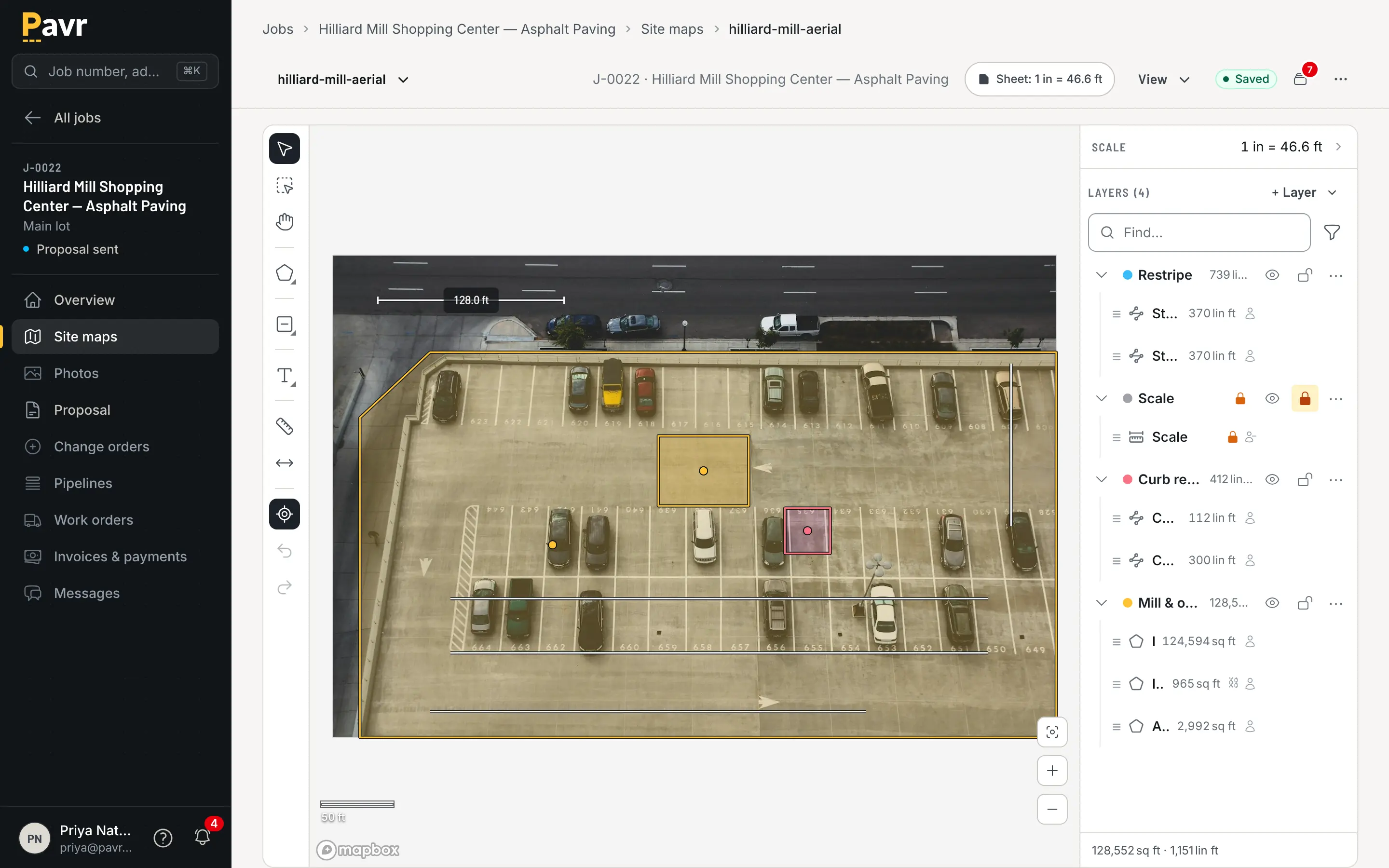
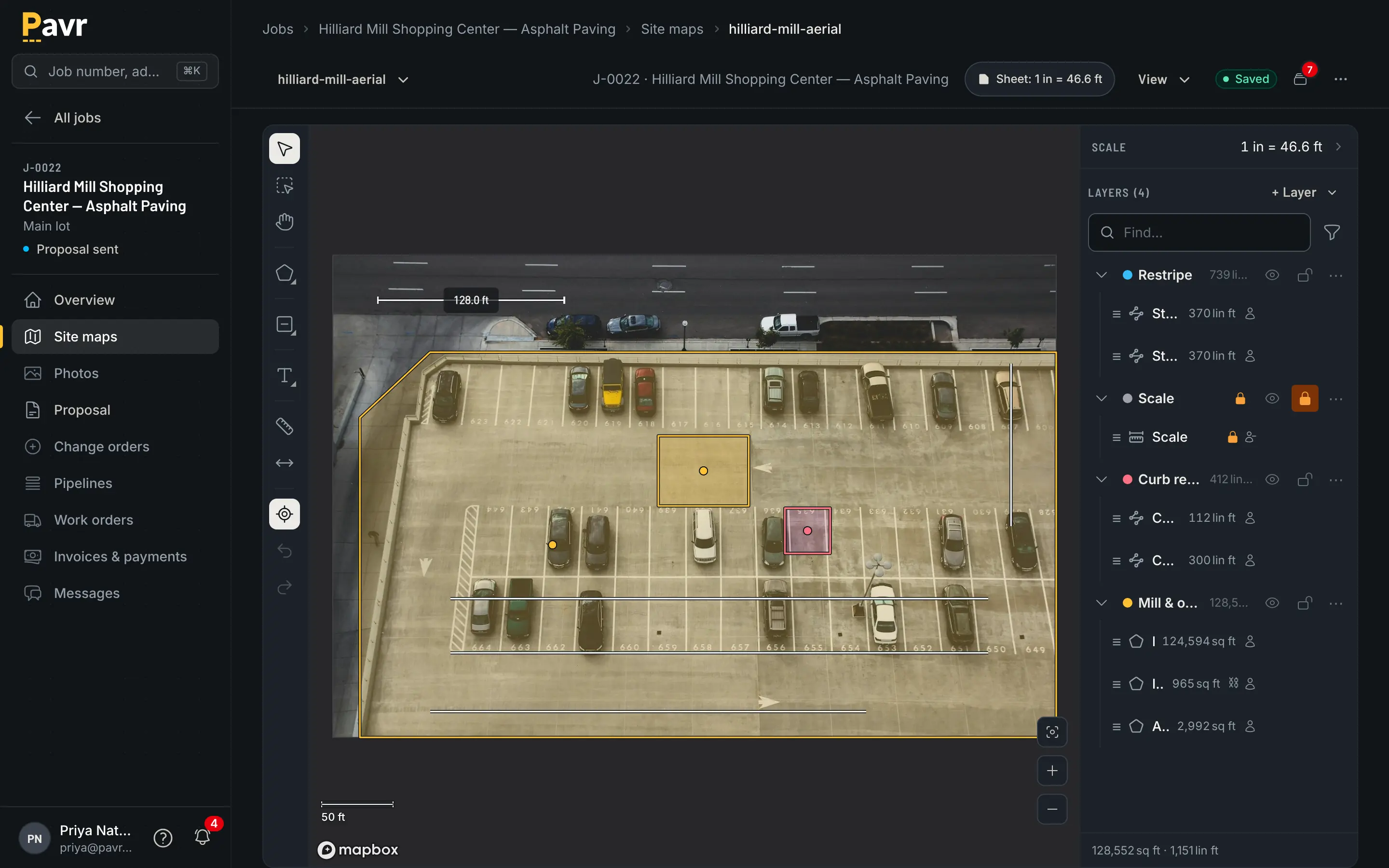
Draw the lot once: the mat, the curb, the stalls, the islands cut out, each with its square feet or linear feet.
PavementSoft's site says you can "Accurately measure your properties & take snapshots to include in
your proposals" and "Generate estimates & send out professional proposals in minutes" [1]. Its
About page adds that you can copy a proposal for each GC and keep multiple versions [2]. Whether
one proposal can carry asphalt, concrete and striping at once, and what happens to a proposal that's
already out when the plant
raises its price, isn't listed on those pages as of September 18, 2026 [1][2].
Those are the questions to put to any estimating tool, including this one. In Pavr, a proposal
you've sent keeps the price it was sent at — a plant increase never moves it. A draft picks up the new
number when you press refresh, and not before. And one estimate can carry the overlay, the ADA
ramps, the sealcoat and the restripe, come out as one proposal grouped by trade with subtotals, and
become one job that each crew sees only its own part of. How estimating works
walks through it.
If you want the arithmetic rather than the pitch, the paving estimating
guide walks a mill and overlay from the walk to the
sent proposal, and markup vs margin is the
post to read before you argue with anyone about a percentage.
The signature
Both tools can get a proposal signed electronically, and they get there differently [2][3].
PavementSoft sends proposals through DocuSign [2][3]. Its About page says "Print, E-mail, or send with
Docusign directly from PavementSoft" [2], and its help post has you create a DocuSign account and
connect it from your user profile [3].
In Pavr the signing is built in. The customer gets an email under your company's name with a link
that opens the proposal on their phone. No password and no app. The signature is tied to
the exact version they were shown — not to "the current proposal", which is how a signed price
quietly turns into an argument. Signing wins the job, with the trades, the
crews and the waits already on it. Here's what the customer sees.
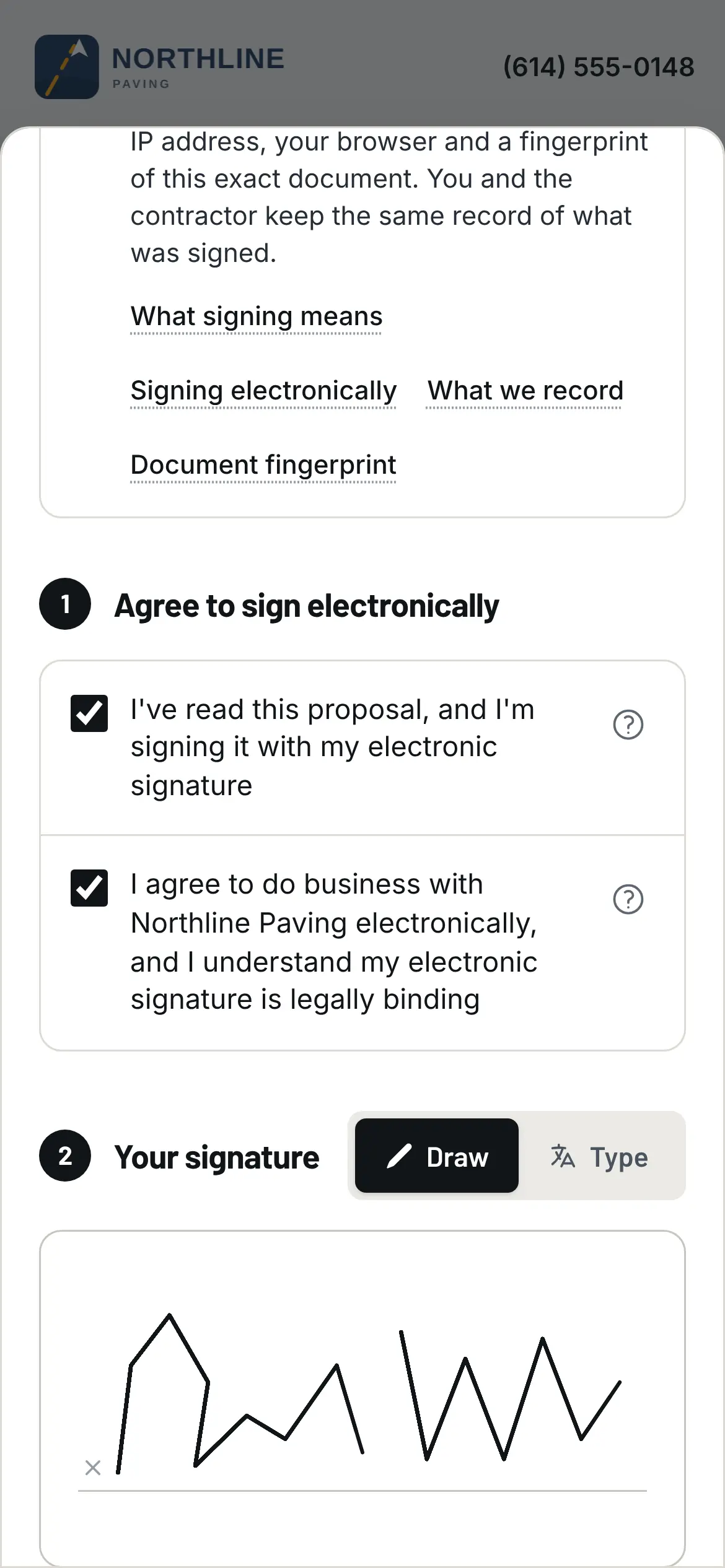
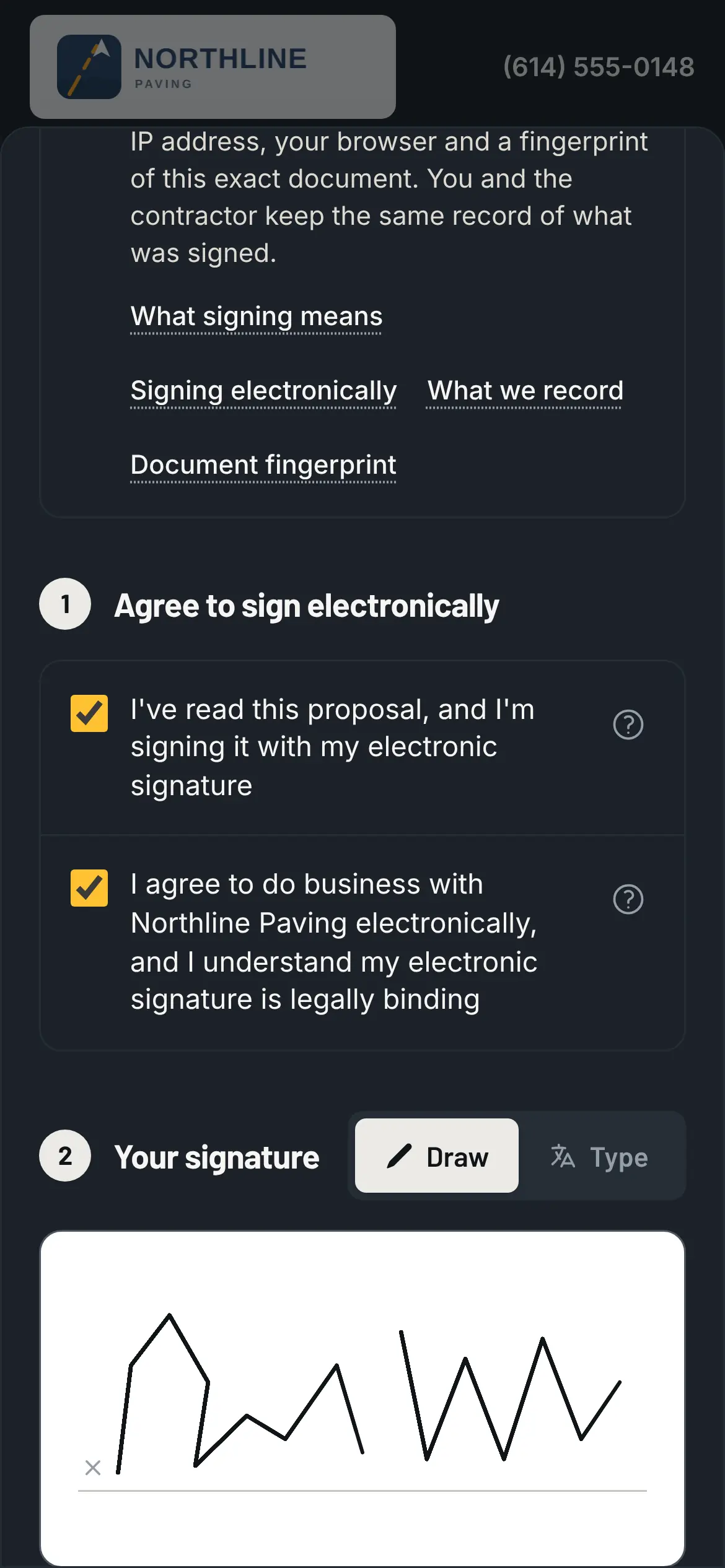
The property manager signs in the parking lot, on the phone, from the email.
Ask any tool you're looking at: is the signature tied to the version the customer actually saw, and
does signing move the job forward by itself, or does somebody have to go back and mark it won? If
the signed copy lives in one inbox and the proposal lives in another screen, the two drift apart by the
third job of the week.
Change orders
The extra two inches of base you found when you milled. The cracked ramp the owner wants poured
while you're there. The stalls that went from 48 to 61 because the striping layout changed.
Pavr writes the change order on the job, prices it from your current catalog with the markup the
customer already agreed to on the proposal, and emails it for signature the same way the proposal went.
The part of the job it touches waits until it's signed. Once it's signed, it's on the invoice — or
on the schedule of values as its own line if the job is being progress billed.
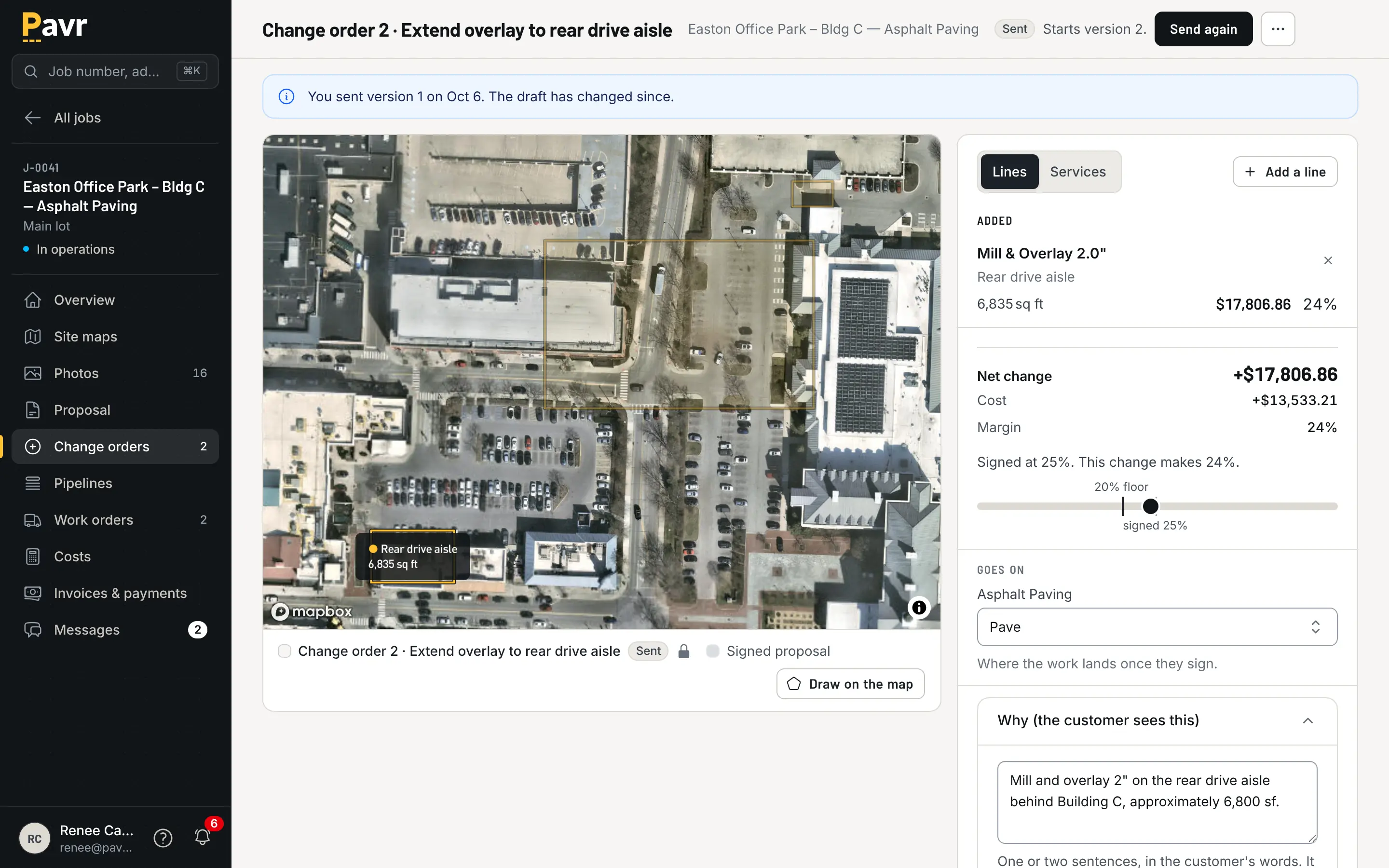
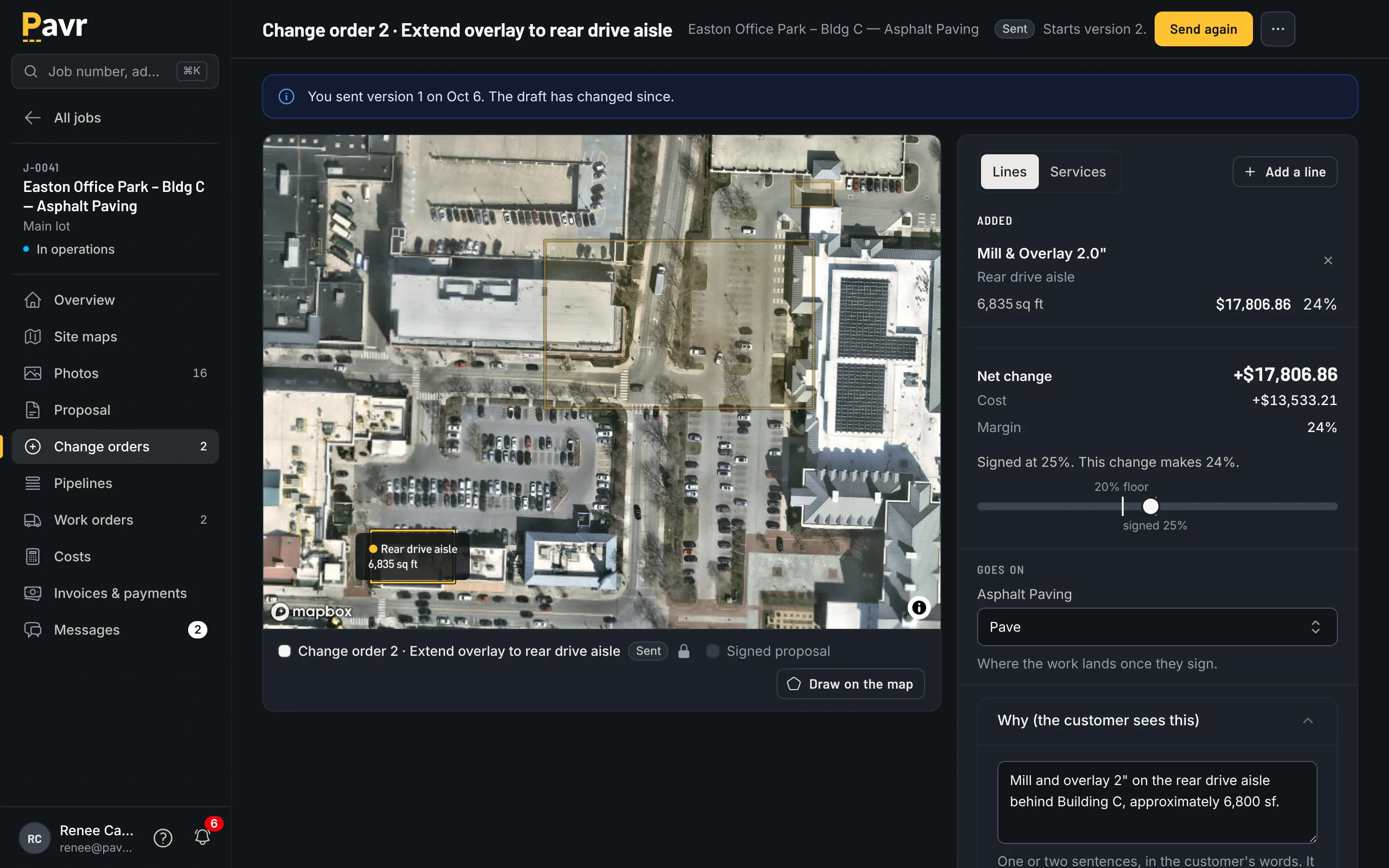
The work waits on the signature, not on somebody's memory of a phone call.
PavementSoft's site doesn't list change orders, and neither does its App Store listing, as of
September 18, 2026 [1][2][4]. That may mean the feature exists and isn't marketed; it may mean it
doesn't. Take a real change order from last month into the demo and have it run front to back,
including what the customer signs and how it reaches the invoice. The change orders
guide has the five questions worth asking, and change
orders on paving jobs is what it costs when nobody
asks them.
The week before the crew rolls
Paving is a weather business, and no schedule board that ignores the forecast survives April.
Every Pavr account starts with a rule per trade: asphalt, sealcoat and striping want 50°F and no
rain, concrete 40°F, and you can change any of them. The forecast flags the jobs that won't make
it. A rain day moves as one batch to the next day that passes the rule, instead of you dragging
eleven cards around at 5 a.m. Double-booked crews and equipment show up before dispatch, dispatch
buzzes the foreman's phone, and a customer who's 30 days past due goes on hold so nobody schedules
new work for them without an Admin saying why.
The trades also wait on each other on their own: the striping waits on the paving, the sealcoat
waits 30 days for new asphalt to cure, the striping waits 24 hours after sealcoat. You can change
every one of those waits.
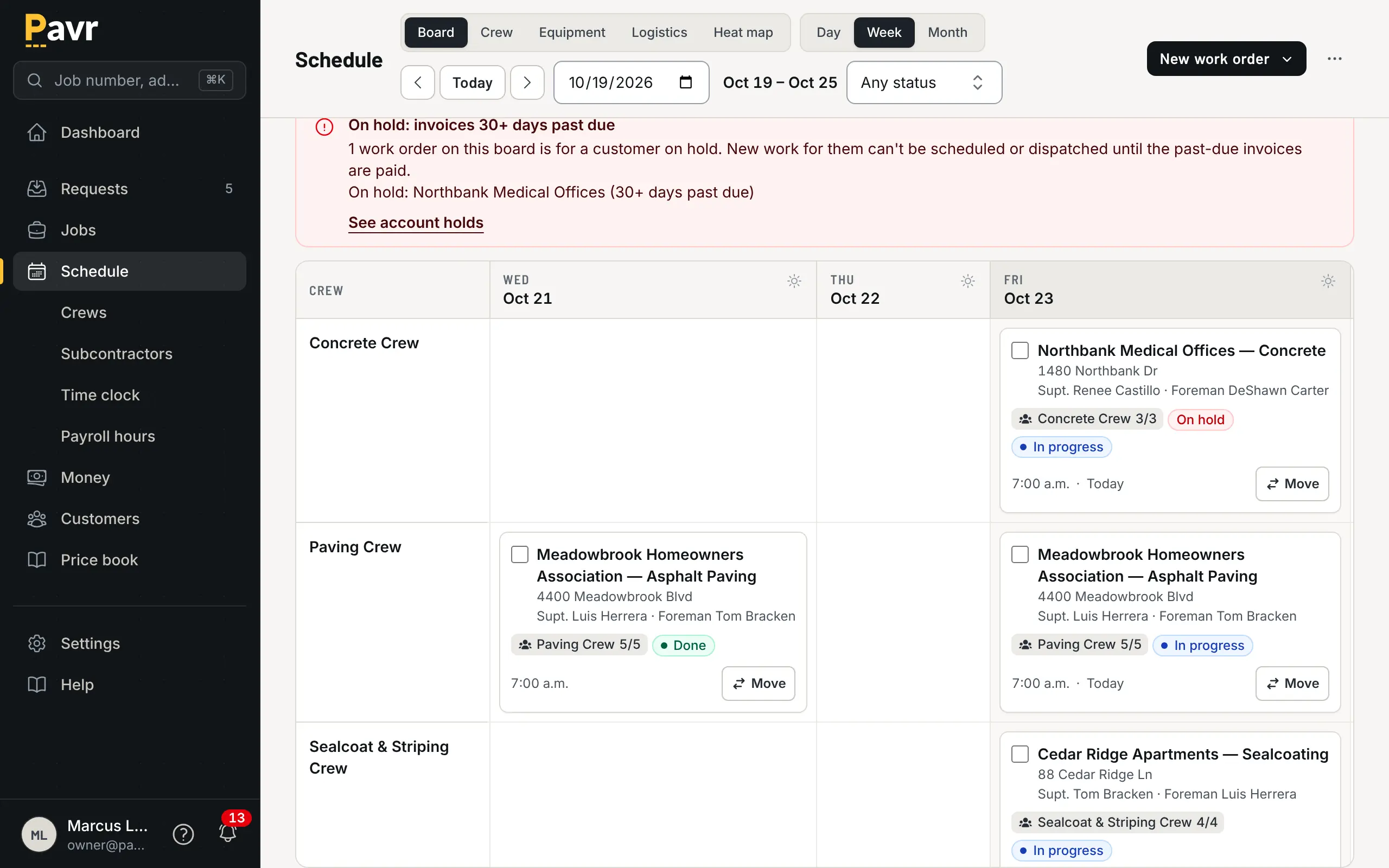
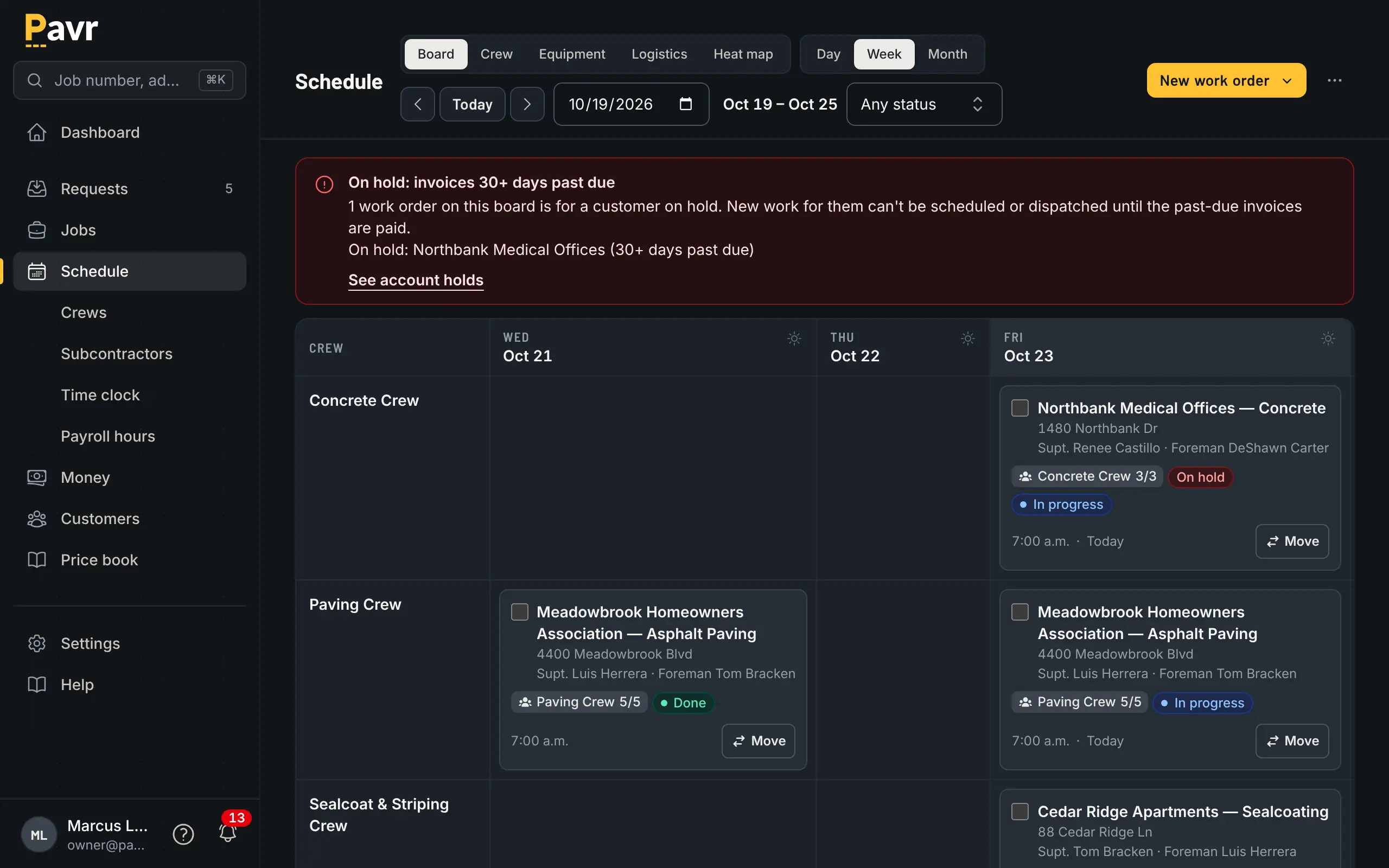
A week with the weather in it: the jobs that won't make the temperature are flagged before you dispatch.
PavementSoft says "Scheduling jobs to your crews just became a whole lot easier" and that you can
"Create simple & practical work orders that will get everyone working on the same page" [1]. Its
About page describes a "simple drag-n-drop interface" where you "Assign crews, analyze trends,
track rain-days" [2], and its App Store listing notes an update that "Added ability to mark events
as canceled because of weather" [4]. So the rain days get recorded [2][4]. A temperature and rain
rule per trade, a rain day that moves on its own, and the waits between trades aren't listed on
those pages as of September 18, 2026 [1][2][4]. If you've ever restriped over sealcoat that wasn't
ready, ask about the wait in the demo — and read sealcoat cure time and
restriping first so you know what you're asking
for.
Crew hours
Hours are the one number that's wrong in both directions: crews who forget to clock out, and jobs
where nobody knows what the hours actually were until payroll.
In Pavr the crew clocks in on the phone with their location, the foreman can clock the whole crew in
at once, and breaks come off. The daily log carries photos, material used and punch list items. All
of it saves on the phone with no signal and goes up when there's some, and nothing is sent twice —
which matters at a lot behind a building where the bars disappear. Approved hours come out as a
payroll CSV with the overtime split at 40 hours a week. The crew side works in Spanish.
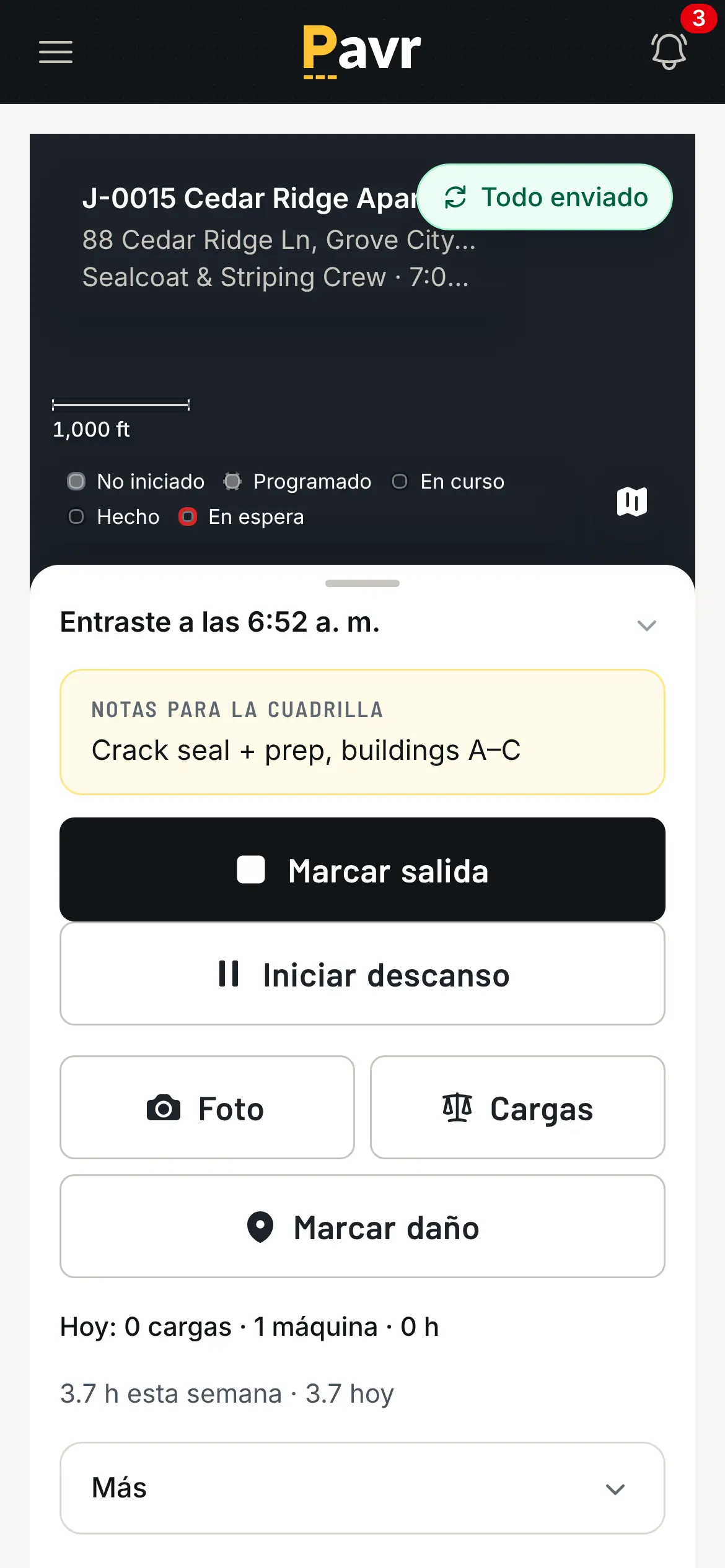
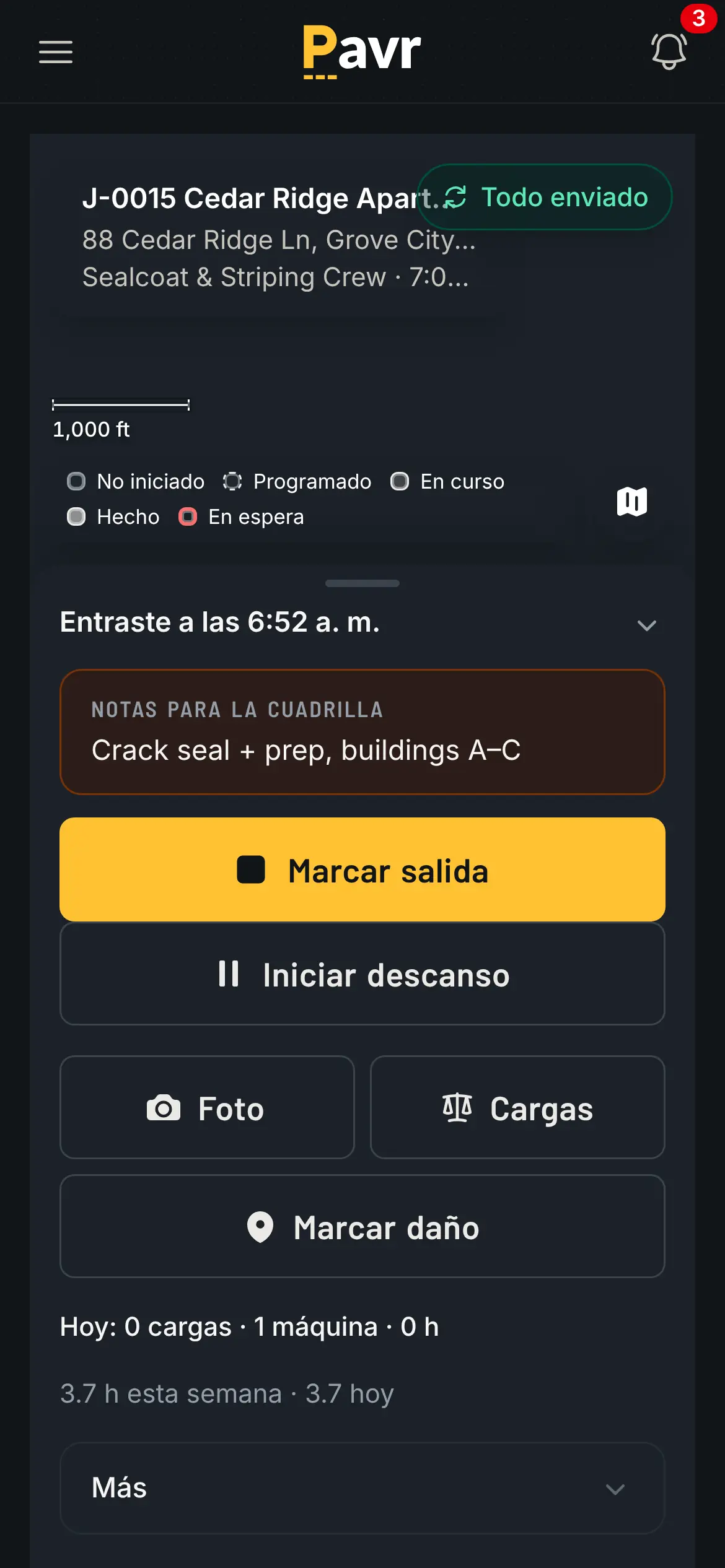
The clock screen in Spanish, because the crew reading it is the crew clocking in.
PavementSoft calls its app the "asphalt industry's first comprehensive mobile tool" [1], and its App
Store listing shows crew time tracking: "Track time - foreman flow, employee flow" [4]. Offline use
isn't described on its site or in that listing as of September 18, 2026, and the listing gives
English as the app's only language [1][4]. Ask what happens when the phone has no bars — every
paving company has at least one lot where that's the daily reality. Rolling out a time clock to
crews covers the part nobody warns you about,
which is the first two weeks.
Job costing while the job is still open
A job costing report that arrives after closeout tells you a story. A job costing screen you can
open on Wednesday changes the story.
Approved hours, material off the daily log, receipts, sub invoices, mileage and equipment hours post
against the estimate line by line, by cost type, while the job is running. A cost type turns yellow
at 5% over the estimate and red at 10%, and you set both numbers in Profit Tracking. One job over is
noise; the same line over on every job of one type is your estimate, and that's the version of this
report that makes you money. Job costing in Pavr shows the screen.
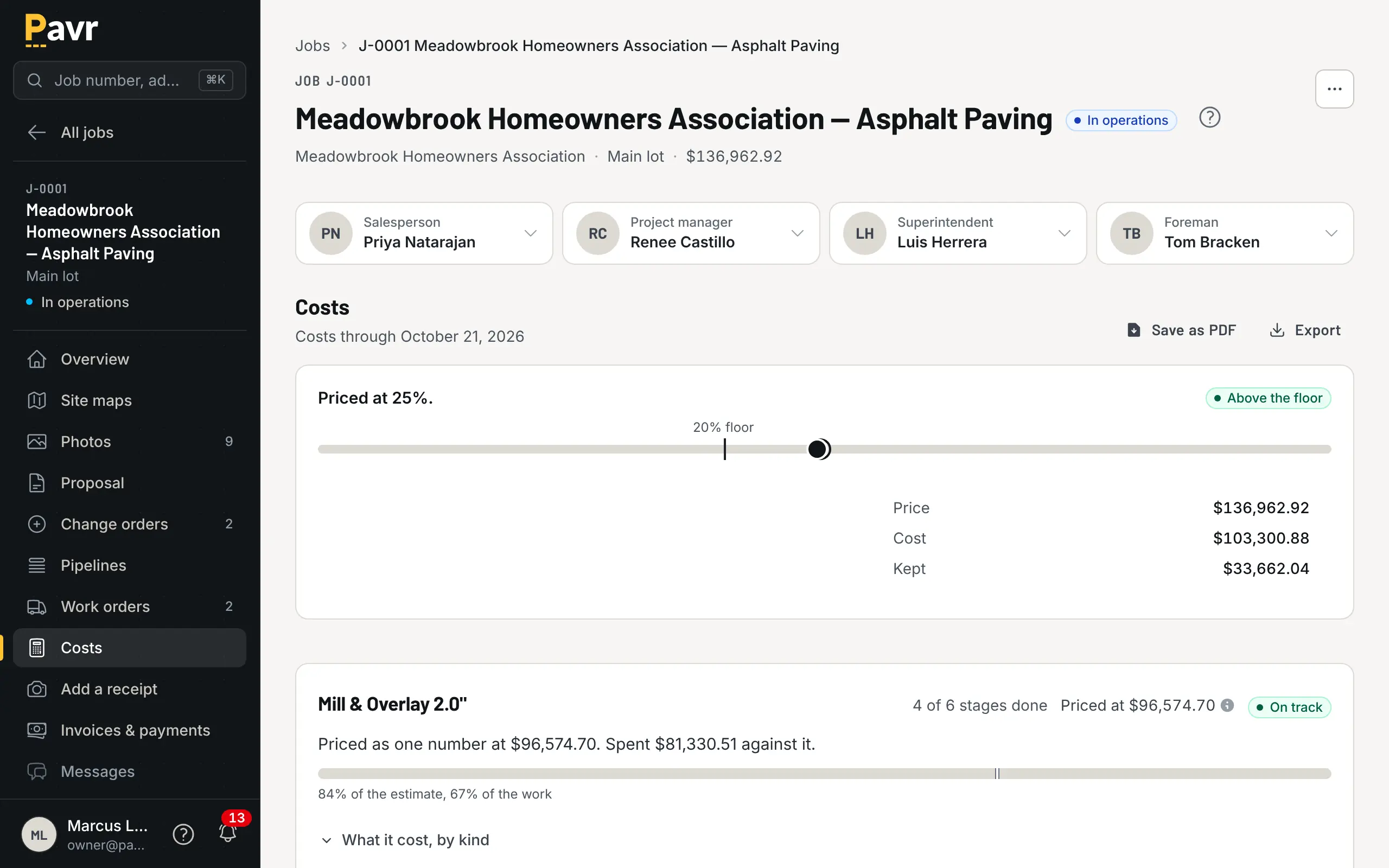
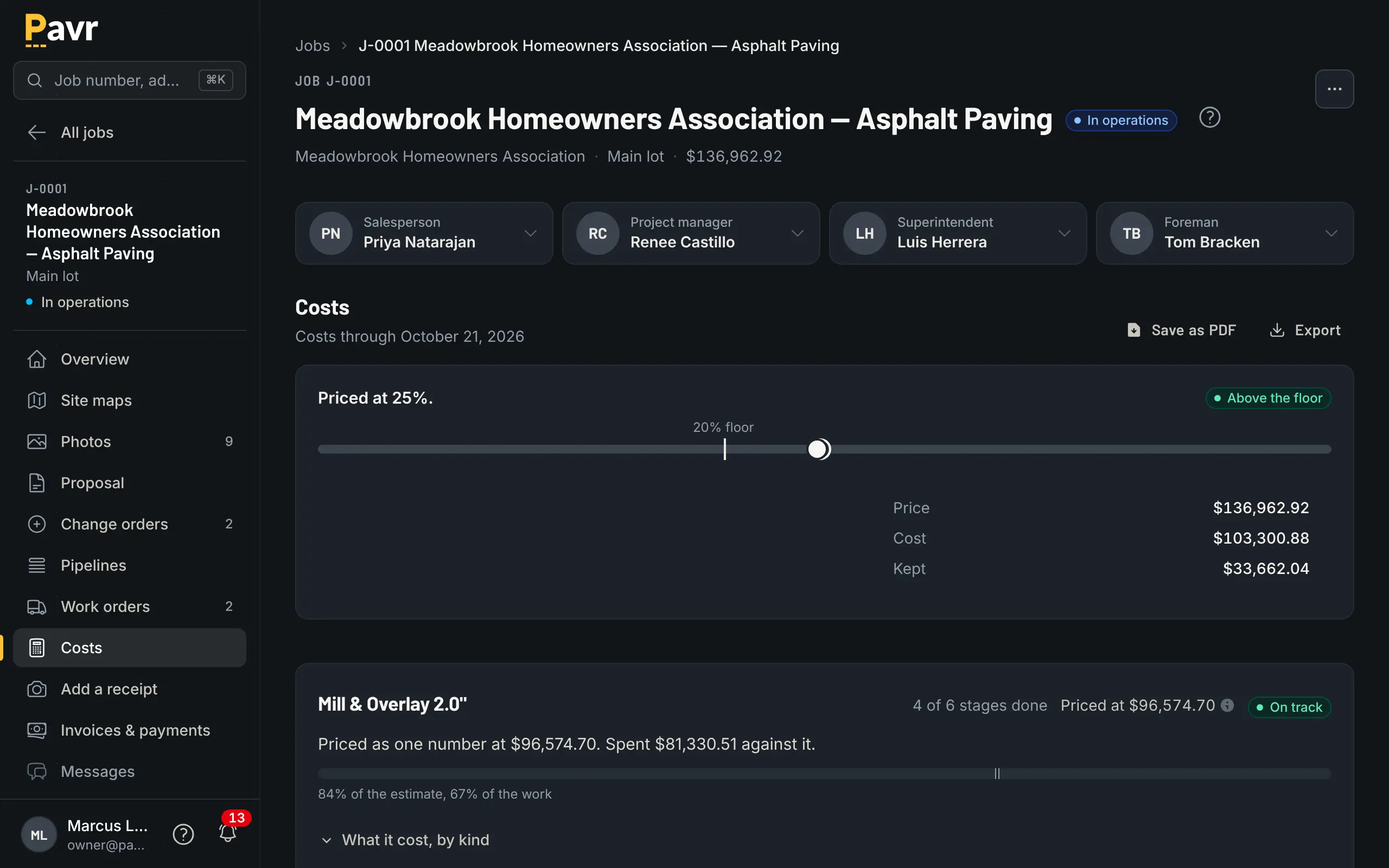
Tonnage over, hours under, and the line that's red before the job closes.
PavementSoft lists "Job set up, scheduling & costing" on its home page and "COST TRACKING" on its
About page [1][2], and its App Store listing says you can "Capture job costs on site from the app to
track job profitability" [4]. How those costs sit against the estimate — line by line, while the job is
open, with a warning when a line runs over — isn't described as of September 18, 2026 [1][2][4].
That's the screen to ask for in the demo. Job costing for paving
contractors is the plainest version of what to
demand from either tool.
Billing and getting paid
The invoice in Pavr comes from what was signed: the proposal, plus the signed change orders, once
the punch list is closed. The customer gets the PDF by email with a Pay button that goes to your
QuickBooks payment page or wherever you already take payments, with no fee from Pavr. Or turn on Pavr
Payments and the customer pays on the invoice, by bank transfer or card, into your own Stripe account,
for 1% plus Stripe's rates.
Bigger lots bill the way paving actually gets paid. A schedule of values is built from the signed
proposal. Pay applications go by percent complete on each line, with retainage held and released and a
G703-style continuation sheet. Deposits come off the final invoice on their own. T&M work bills
weekly against a not-to-exceed and stops at it. Past-due reminders go out at 7, 14 and 30 days, late
fees are there if your terms allow them, and a customer can see their statement. More on getting
paid.
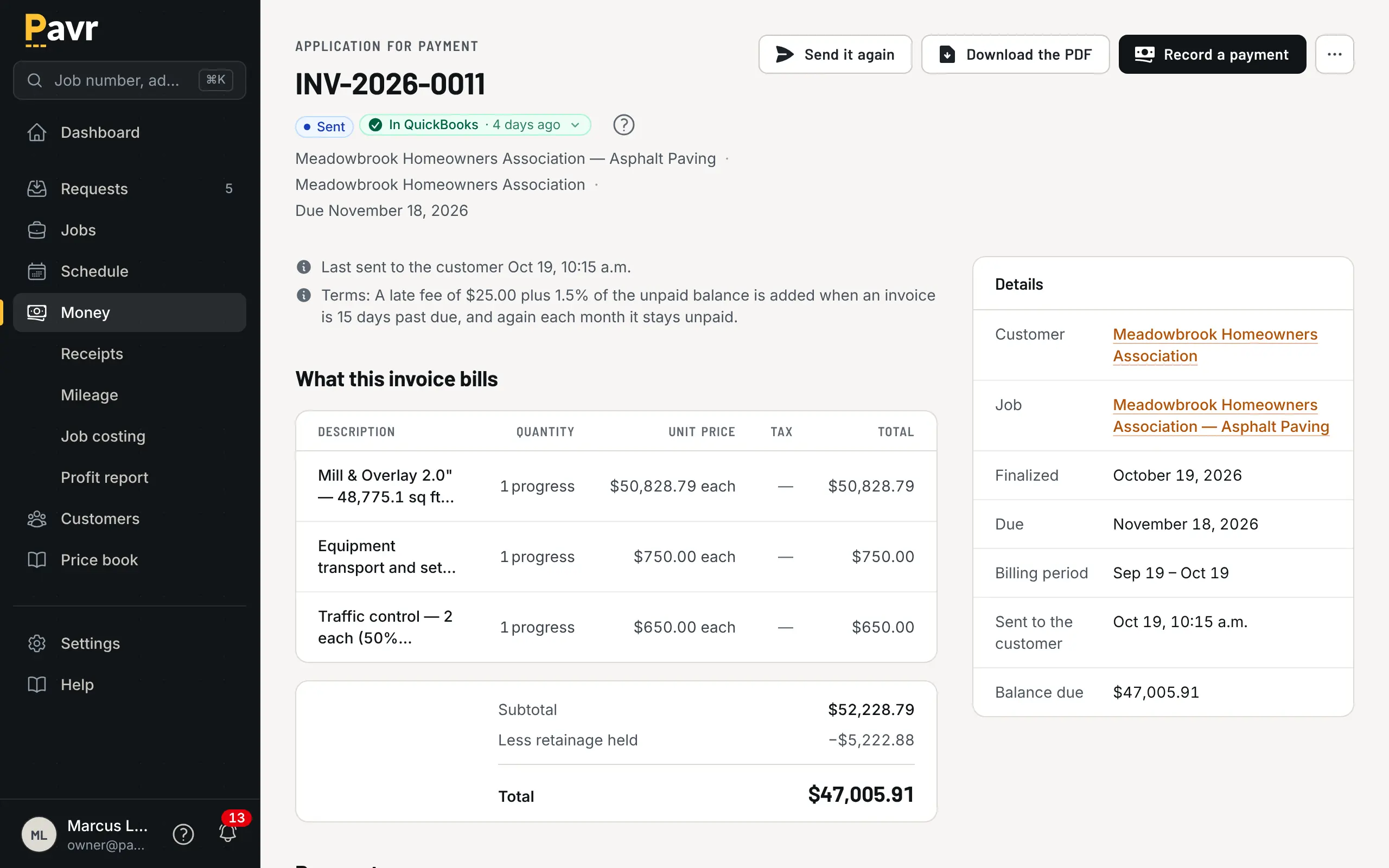
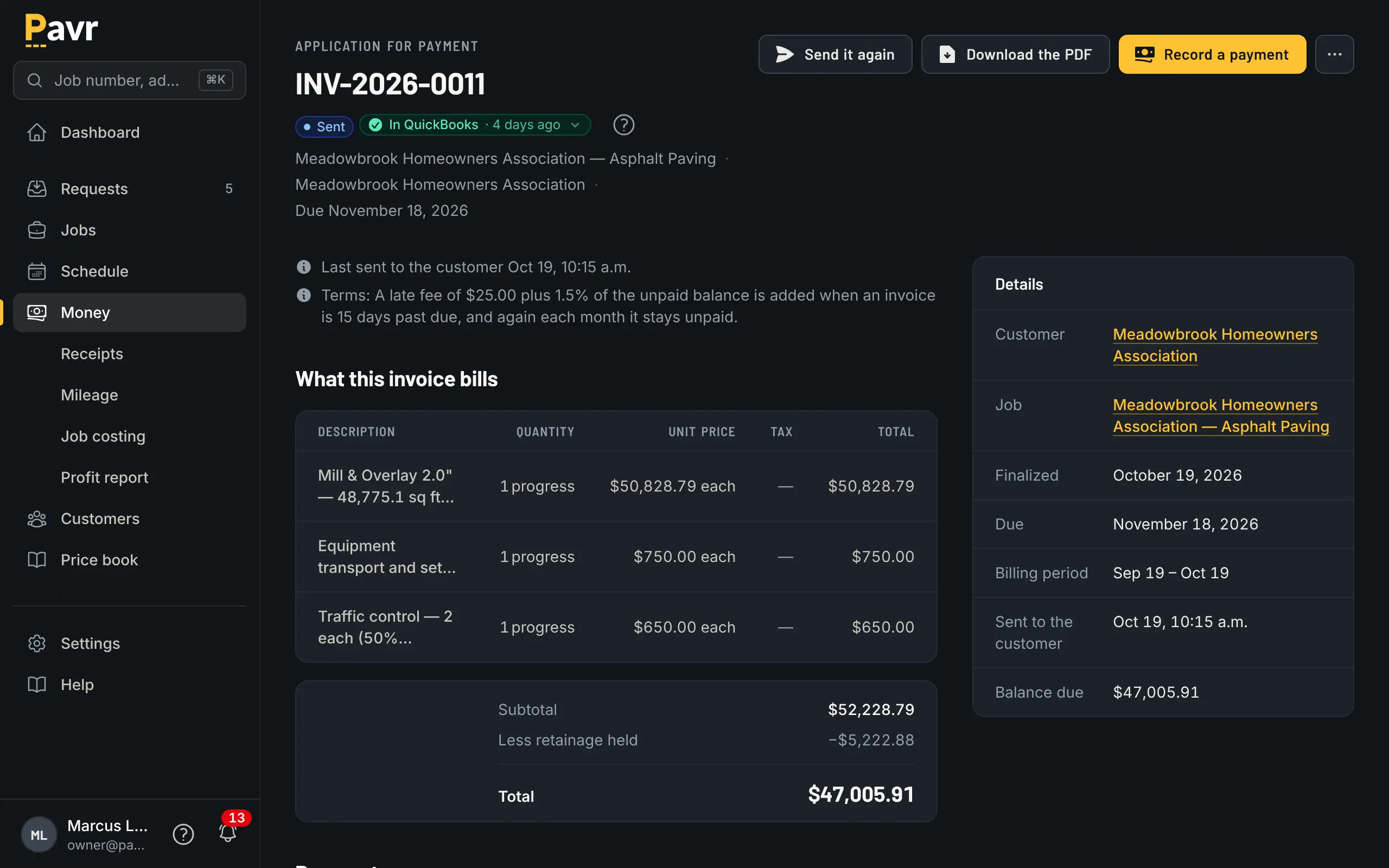
Pay application by line, retainage held, and the customer's copy ready to send.
PavementSoft describes a built-in finance tool for collecting "after every job you finish" and names
QuickBooks as an integration [1]. Progress billing, retainage and time-and-materials caps aren't
listed on its site or in its App Store listing as of September 18, 2026 [1][2][4]. If you work for
general contractors, that's the demo to ask for first — working for general contractors: pay
apps and
retainage explain what you're looking at.
QuickBooks
Both tools point at QuickBooks [1]. PavementSoft names it as a finance integration and names HubSpot
on the CRM side [1]. Pavr sends invoices to QuickBooks Online and brings payments back without
double counting, so the office isn't typing the same invoice twice.
Price
Pavr is $85 a month for each person who estimates, schedules or runs jobs in it. Crew who only clock in,
and customers who sign and follow their jobs, are free. Try it for 14 days with no credit card.
An owner, an estimator, an office manager and two foremen who schedule and write change orders cost
$425 a month. The eighteen people on their crews clock in free. We price it that way because crews
turn over every season and nobody should keep a laborer off the clock to save a seat.
PavementSoft doesn't publish a price as of September 18, 2026 [1]. Its home page says "Our pricing
varies based on YOUR needs" and "Apply today to learn more about pricing" [1]. The same page says
"Free onboard training, free service requests, & all support calls at absolutely no cost" [1]. Ask
what counts as a user, whether field crew need seats, and what happens to the price in year two.
Where PavementSoft is the better fit
Four cases where it is [1][2][3].
You need a CRM more than you need a job system. PavementSoft leads with managing "leads, clients,
& properties" in a built-in CRM and names HubSpot as an integration [1]. If your problem is that
proposals you sent in March are sitting somewhere nobody's looking, and your jobs already run fine on
paper, that's their strongest pitch. Pavr keeps a list of requests, and tells the
salesperson when a proposal has gone unsigned, but it isn't a CRM or a marketing tool and doesn't pretend to be.
Your office already sends contracts out for signature. If your contracts already go out through a DocuSign
account, PavementSoft sends proposals through the account you have [2][3]. Pavr's signing is its
own, so your proposals would be signed in Pavr instead.
You'd rather be quoted than do seat arithmetic. PavementSoft prices to your company after you
apply, and its home page promises onboarding training and support calls at no cost [1]. Some owners
prefer that to a per-seat number they have to multiply out.
Your work is mostly measure-and-price maintenance. If your season is sealcoat, crack fill and
restripe on properties you already know, most of what Pavr adds after the signature is weight you
won't use. Look at Pavr vs Bitumio as well; that page covers the maintenance side of
the trade.
Switching: what moving actually looks like
Here's the part most comparison pages skip.
Your prices come in from the lists you keep. Bring in your material, crew-rate, equipment and sub price lists from a file; you check every row before anything is saved. The 131 built-in services give you the shape (mill and overlay by depth, base repair, crack fill by the foot, sealcoat by the square foot, stalls by the stall) and you set the markups once. An afternoon.
Old jobs stay where they are. Don't migrate history. Close out what's open in the old system,
and start new estimates in Pavr from a clean date. The first job that runs end to end in one place is the
one that tells you whether this works.
Your data comes back out. Export your data lets the owner download every record in the account
as a set of CSV files — customers, sites, estimates, jobs, hours, invoices, payments. You can pull it
the day you sign up, which is the point.
A sensible first two weeks. Week one: your prices in, one lot priced, one proposal signed by you on
your own phone. Week two: one real job dispatched, one crew clocking in, and the invoice at the end
of it. If any of those four steps doesn't fit your work, you've learned it for the price of two
evenings.