Pavr vs OneCrew

Pavr vs OneCrew

A job-by-job comparison for asphalt and concrete contractors: measuring, signing, change orders, weather, crew hours, costing, billing and price.

Last checked September 18, 2026. Every line quoted from another company carries a numbered source read that day.

The short answer.

OneCrew and Pavr cover the same stretch of the job — measure the lot, price it, send a proposal the customer signs, run the crew, cost the job, bill it — and both are built for asphalt and concrete companies rather than for plumbers [1][2].

Pavr is the better fit when the schedule fights the weather, the crew works where there's no signal, and the billing runs through pay applications with retainage or a time-and-materials cap.

OneCrew is the better fit if you want your customers to pay by card or bank transfer on your invoices, if a vendor picker that compares plant distances and rates while you estimate is the thing you'd use every day, or if you want estimate approvals built into the proposal [2][3].

OneCrew doesn't publish a price on its site as of Sep 2026 [1]. Pavr is $85 a month for each person who estimates, schedules or runs jobs in it, and crew who only clock in are free.

Pick Pavr when

Weather rules and trade waits decide your week, your crews lose signal at the lot, and the money comes in through pay apps with retainage or T&M caps rather than one invoice at the end.

Pick OneCrew when

You want card and bank-transfer payments collected on your own invoices, you buy from several plants and want distances and rates compared while you estimate, and lead follow-up matters as much as job execution [1][2][3].

Side by side

The jobs, not the feature list.

Each row is something you do on a real lot. The Pavr column is what the app does today. The other column is quoted from their own pages, with the source numbered beside it. “Not listed on their site” with a date means we couldn’t find it published that day, not that it isn’t there.

Pavr compared with OneCrew, by the job it does
On the job Pavr OneCrew
Measuring the lot Satellite view, a scale set on the GC's PDF plan, or numbers you walked with the wheel. Cut-outs, curb line and stall counts feed the estimate. How it works in Pavr "Access monthly satellite images or upload blueprints"; "Easily draw and edit precise areas, including cut-outs and irregular shapes" [2]; instant takeoffs through a partner, "TruTec Instant Takeoffs" [4]
Pricing the job 131 built-in services priced from your plant prices, crew rates and equipment, with a markup slider per line and margin beside you as you work. How it works in Pavr "Automatically calculate tonnage and materials"; "Use the Vendor Picker to see distances and rates by vendor"; "Set default margins so every estimate starts with your target pricing" [2]
One proposal across trades Paving, concrete, sealcoat and striping on one estimate and one proposal grouped by trade, one job, each crew seeing its own part, with the waits between trades set on their own. How it works in Pavr "Multi-service projects stay in the queue until every phase is on the calendar" [5]; "Breakdown complex jobs into sections for clarity" [2]; cure waits between trades not listed as of Sep 2026 [5]
Getting it signed A link in the customer's email opens the proposal on their phone; no password. The signature is tied to the version they saw, and signing creates the job. How it works in Pavr "Customers receive a link to view a beautifully formatted web proposal optimized for any device", sign "from their phone or computer", and you "Track who opened your proposal and when" [2]; the link needs "nothing to install and no account to create" [6]
Change orders Priced with the proposal's markup, emailed for signature; the work waits until it's signed, then it bills or lands on the schedule of values. How it works in Pavr "Foreman can post photos, flag issues, and request change orders from the job site"; change orders update a job by "crediting back services, or applying new services" [7]; clients "review, approve, and sign off" in the portal when "scope changes need client approval" [8]; work held until signed not described as of Sep 2026 [7][8]
The schedule and the weather Temperature and rain rules per trade, a rain day that moves as one batch, cure waits between trades, crew and equipment conflicts before dispatch. How it works in Pavr "Drag-and-drop scheduling, built for paving" [1][5]; "Conflict alerts surface automatically before you save" [5]; weather rules, rain-day moves and cure waits not listed on their site as of Sep 2026 [5]
Crew hours Clock-in with location, foreman clocks the whole crew, daily logs and punch list items save with no signal and go up later. The crew side is in Spanish. How it works in Pavr "GPS-Enabled Time Tracking": "Crew members clock in and out from their phones, or foremen can manage time for the whole crew" [7]; offline use and Spanish not listed as of Sep 2026 [7]
Job costing Hours, material off the daily log, receipts, sub invoices, mileage and equipment post against the estimate line by line; yellow at 5% over, red at 10%. How it works in Pavr "Track every dollar on every job to protect your margins" [1]; "As foremen submit actuals from the field, your Work-in-Progress Report updates automatically" [9]
Invoicing The invoice comes from the signed proposal plus signed change orders once the punch list closes; deposits credit themselves. How it works in Pavr "Every service, quantity, and price is already pulled from the estimate"; "Send a full invoice, request a deposit, or bill by milestone" [3]
Progress billing, retainage, T&M Schedule of values off the signed proposal, pay apps by percent complete per line, retainage held and released, G703-style sheet, T&M weekly against a cap. How it works in Pavr "bill by milestone" [3]; "the line items that won you the job become the SOV you bill against" and "Generate progress invoices from completed work orders" [10]; retainage held per pay app, a G703-style sheet and T&M caps not listed as product features as of Sep 2026 [3][10]
What the customer sees Their own page: the proposal, the change orders, the punch list to sign off, the invoice and a Pay button, to your own payment page or, with Pavr Payments on, paid right on the invoice. How it works in Pavr "every project gets its own portal — a single place for your customer to view their proposal, ask questions, share photos, and stay updated" [6]
Taking the money A Pay button that goes to your QuickBooks payment page or wherever you already take payments, with no fee from Pavr. Or turn on Pavr Payments: bank transfer or card, paid on the invoice into your own Stripe account, 1% plus Stripe's rates. How it works in Pavr Customers get "a link to view and pay their invoice from their phone, tablet, or computer"; "Accept card, ACH, or both, based on how your business works" [3]
QuickBooks Invoices out to QuickBooks Online, payments back, no double counting. How it works in Pavr "OneCrew syncs invoices and payments in both directions" [3]
Price $85 a month per person who estimates, schedules or runs jobs; crew who only clock in are free; 14 days free with no card. How it works in Pavr Not published on their site as of Sep 2026; the call to action is "Book a Demo" [1]; their blog describes "seat-based pricing" with details "available during a demo consultation" [11]

Who each one is for

OneCrew describes itself as an "All-In-One Software Platform for Asphalt Paving Crews", and says it
"only works with asphalt and concrete businesses" [1]. Pavr is written for a paving, sealcoating,
striping or concrete company with five to sixty people. Both of us start where the money starts —
the measurement — and follow it to the invoice [1][2].

Both cover the job. The question is which parts of your week each one has built for. Everything below about the other product is quoted from its own pages with a
numbered source and the date we read it; where those pages don't say, this page says so rather than
filling in the blank.

The walk and the price

OneCrew's estimating page is specific in the way a paving contractor writes: "Access monthly
satellite images or upload blueprints", "Easily draw and edit precise areas, including cut-outs and
irregular shapes", "Automatically calculate area, perimeter, and edge measurements", "Automatically
calculate tonnage and materials", "Instantly estimate how many trucks you'll need", "Use the Vendor
Picker to see distances and rates by vendor", "Set default margins so every estimate starts with
your target pricing" [2]. Its March update added "TruTec Instant Takeoffs", which pick out the
elements on the map for you [4].

That is a real takeoff and a real estimator, and the vendor picker is a good idea — if you buy from
three plants, comparing transport distance and price while you're pricing is worth something every week.

Pavr's takeoff is the same shape: draw on the satellite view, set a scale on the GC's PDF plan and
draw on that, or type in what you walked with the wheel. Cut-outs, islands, curb line and stall
counts come off the drawing. The catalog underneath has 131 built-in services across paving, concrete, sealcoating, striping, drainage and site work, each priced from your plant price, your crew rates
and your equipment, with a markup slider per line, a flag when a markup drifts from your usual
number, and the sell price and margin sitting beside the lines while you work. Here's how
estimating works
.

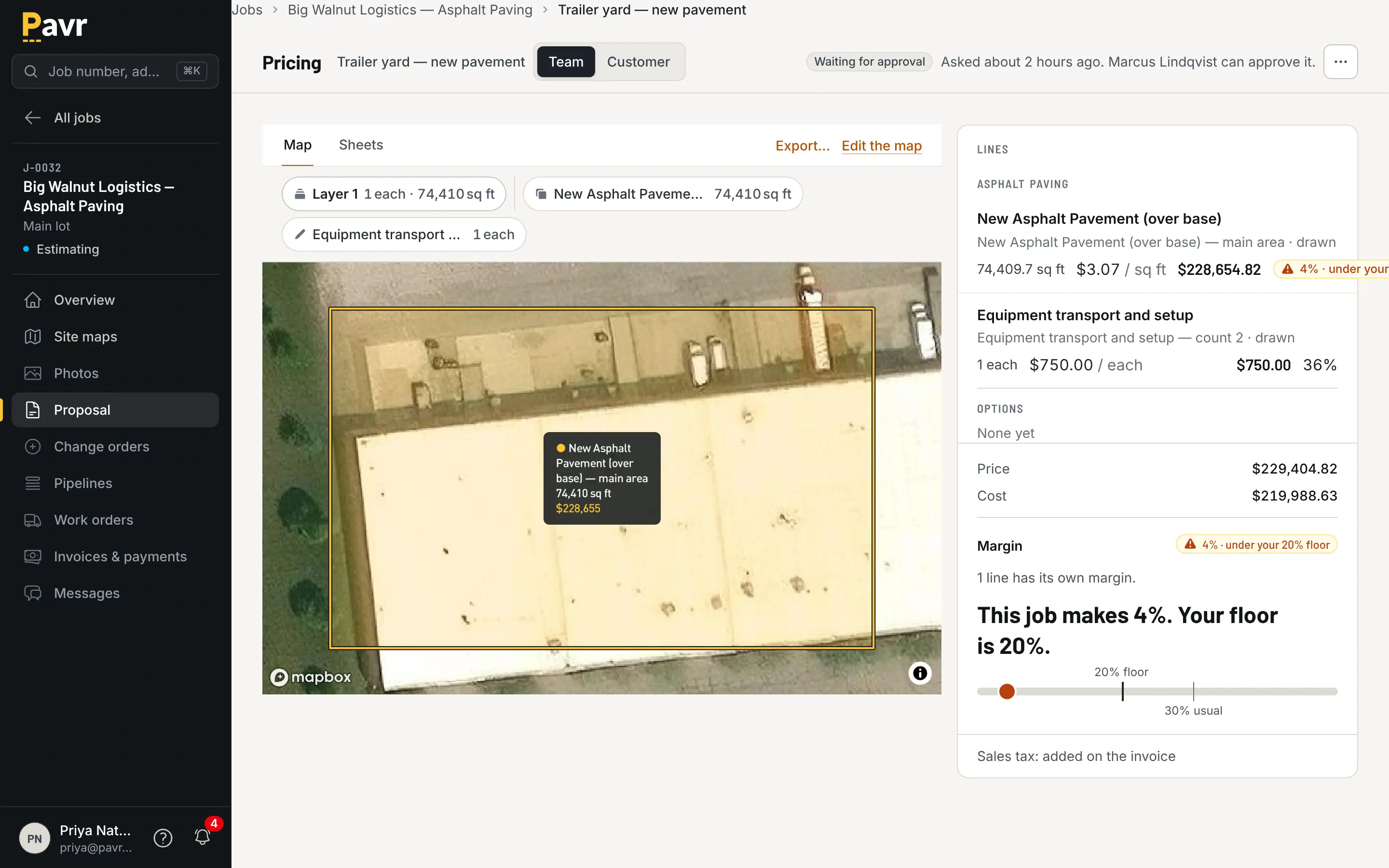
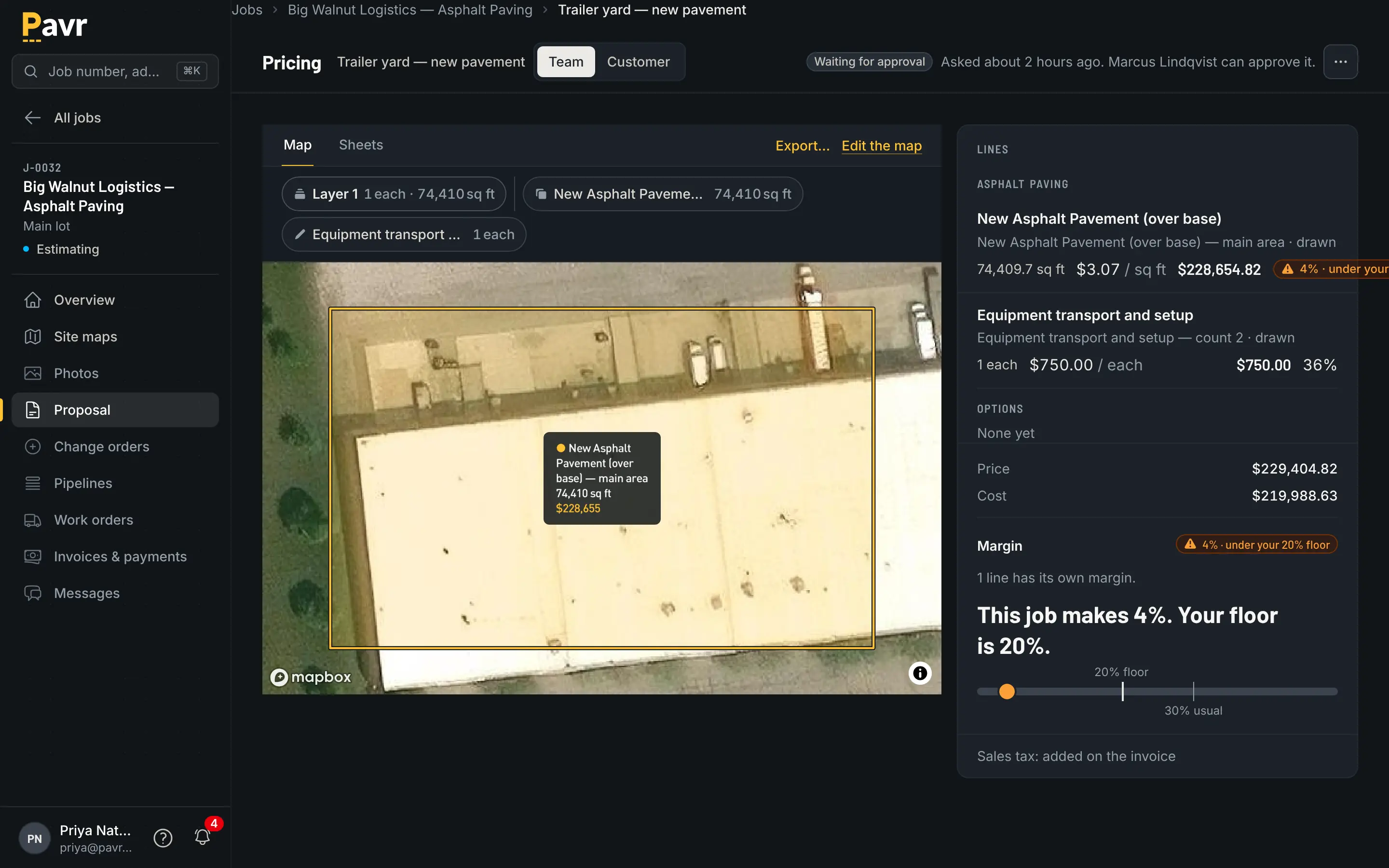
Pricing under the company's margin floor: the margin meter below the floor, the line flagged, and the proposal waiting for the approver.

Every line prices from your numbers, with the margin where you can see it before you send.

Both tools handle a job with more than one service on it [2][5]. OneCrew's scheduling page says
"Multi-service projects stay in the queue until every phase is on the calendar" [5], and its
estimating page lets you "Breakdown complex jobs into sections for clarity" [2]. One Pavr estimate
carries the overlay, the ADA ramps, the sealcoat and the restripe; the proposal groups them by trade
with subtotals; the job that comes out of it has a part for each crew. What isn't listed on
OneCrew's scheduling page as of September 18, 2026 is the wait between trades — the sealcoat that
waits on new asphalt, the striping that waits on the sealcoat [5]. In Pavr those waits set
themselves, and one job across trades shows how. If half your invoices
have two trades on them, run one of those jobs in both demos.

The signature

Both tools get the proposal signed on a phone, and both know that's the moment that matters [2].

OneCrew: "Customers receive a link to view a beautifully formatted web proposal optimized for any
device", they can "sign from their phone or computer", and you can "Track who opened your proposal
and when" [2]. The link needs "nothing to install and no account to create" [6].

Pavr: the customer gets an email under your company's name, opens the proposal on their phone with
no password, and signs. The signature is tied to the exact version they were shown — not to whatever
the proposal says today — and the price they saw is the price that was locked when you sent it, even
if the plant moved on Monday. Signing wins the job.
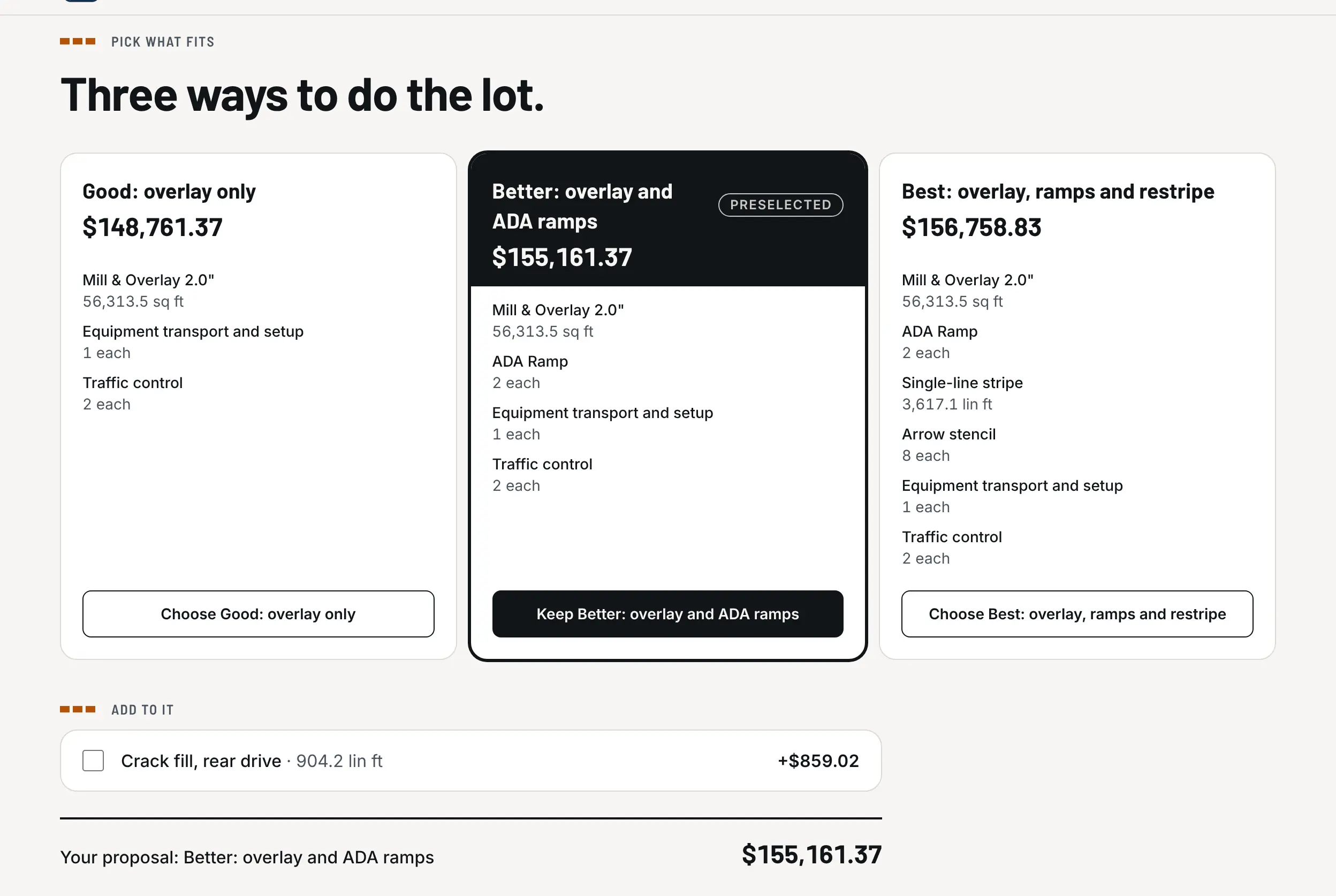
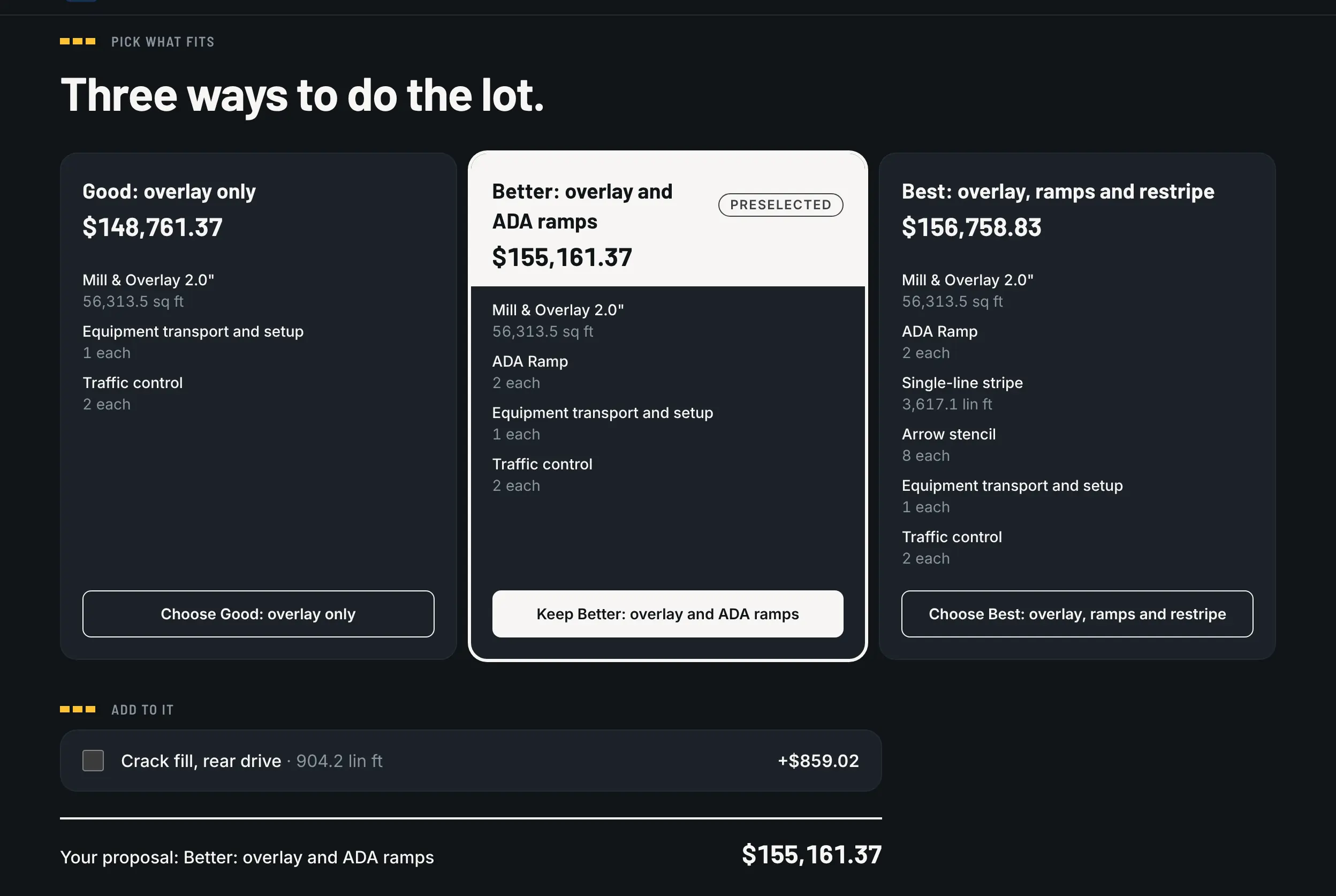
The options on the customer's proposal page: Good, Better and Best side by side, with what each includes and its total.

One proposal, three ways to do the lot, with the total for each.

If you only test one thing in both demos, test this: change a line on a proposal that's already been
signed and see what each system does with the signature.

Change orders

OneCrew's job site page says the "Foreman can post photos, flag issues, and request change orders
from the job site", and that a change order updates the job "by either crediting back services, or
applying new services as the job progresses" [7]. Its change order article says the customer portal
is where clients "review, approve, and sign off" when "scope changes need client approval" [8].
That's the right instinct — the person who finds the soft spot is the person standing on it, and the
customer approves it without a phone call.

Pavr takes the same instinct through to the money. The change order is priced from your current
catalog with the markup the customer already agreed to on the proposal, and emailed for signature the
same way the proposal went. The work it covers waits until it's signed. Once it's signed, it goes on
the invoice, or onto the schedule of values as its own line if the job is being progress billed.
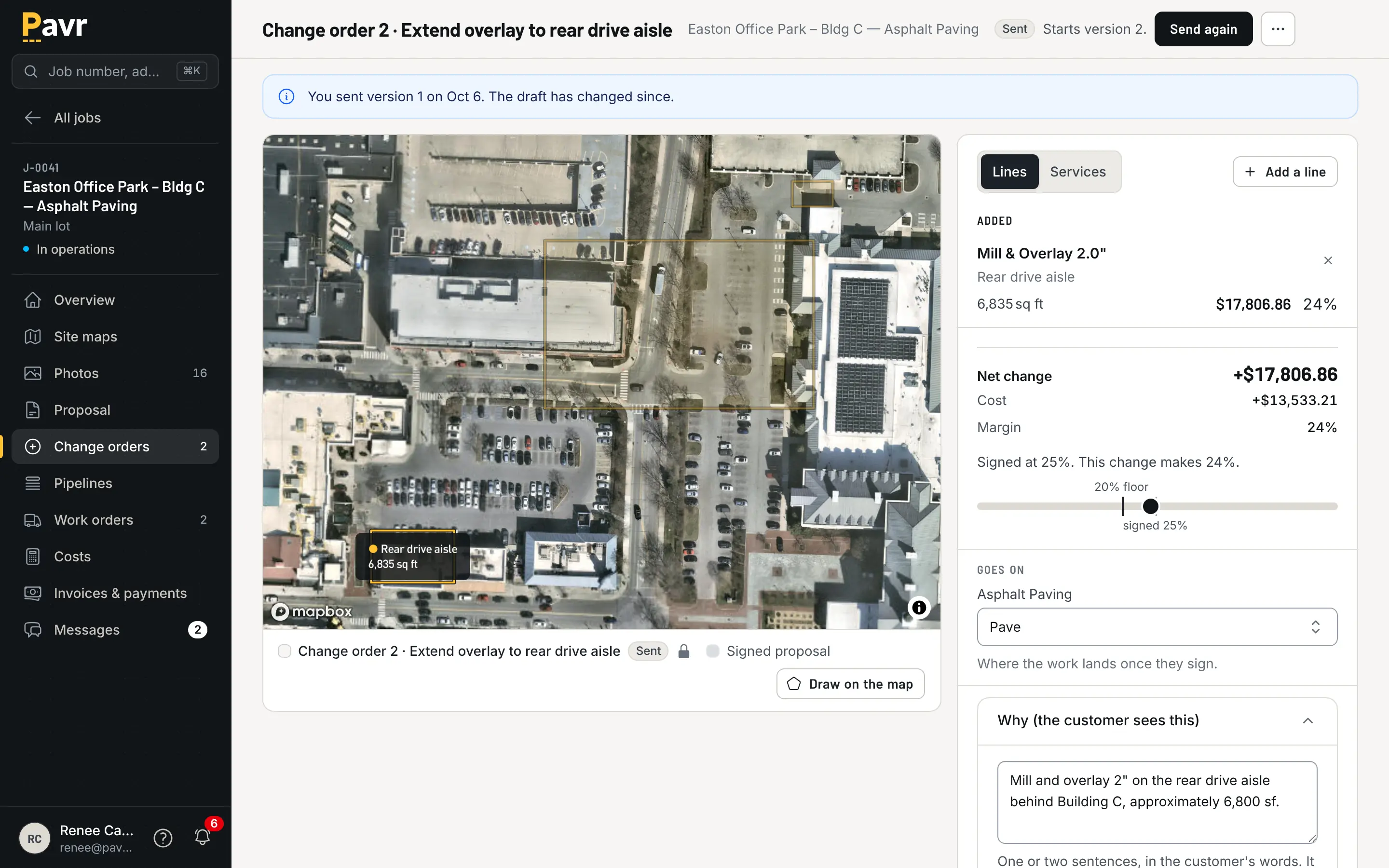
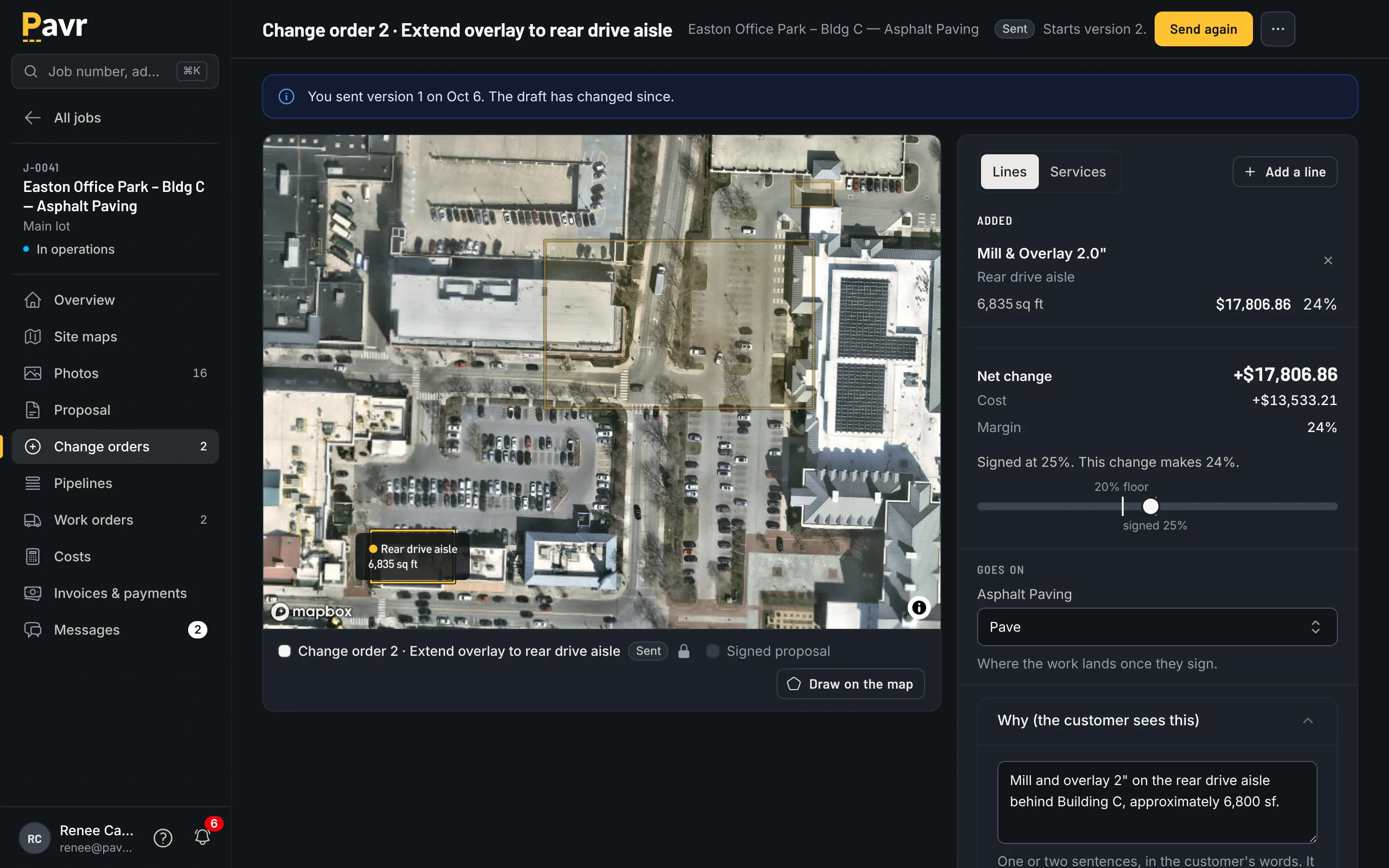
A change order drawn on the map: the original work dimmed, the added area lit, the lines with the net change and its status.

Signed before the extra work, billed after it. Both halves, or neither counts.

What isn't described on those OneCrew pages as of September 18, 2026 is whether the work waits for
the customer's signature, and how a signed change order lands on the invoice [7][8]. Ask, and bring
last month's real one.

The week before the crew rolls

Here's where the two split furthest [5].

OneCrew has "Drag-and-drop scheduling, built for paving" [1][5], and mobile work orders and GPS
directions [1]. It flags a double-booked crew member before you save: "Conflict alerts surface
automatically before you save" [5]. What isn't on their scheduling page as of September 18, 2026 is
the weather [5].

Every Pavr account starts with a rule per trade — asphalt, sealcoat and striping want 50°F and no
rain, concrete 40°F — and you can change any of them. The forecast flags the jobs that won't make
the rule. When a day rains out, it moves as one batch to the next day that passes, instead of you
dragging eleven cards around at 5 a.m. The trades also wait on each other on their own: striping
waits on the paving, sealcoat waits 30 days for new asphalt to cure, striping waits 24 hours after
sealcoat, and you can change every one of those waits. Double-booked crews and equipment show up
before dispatch, and dispatch buzzes the foreman's phone.
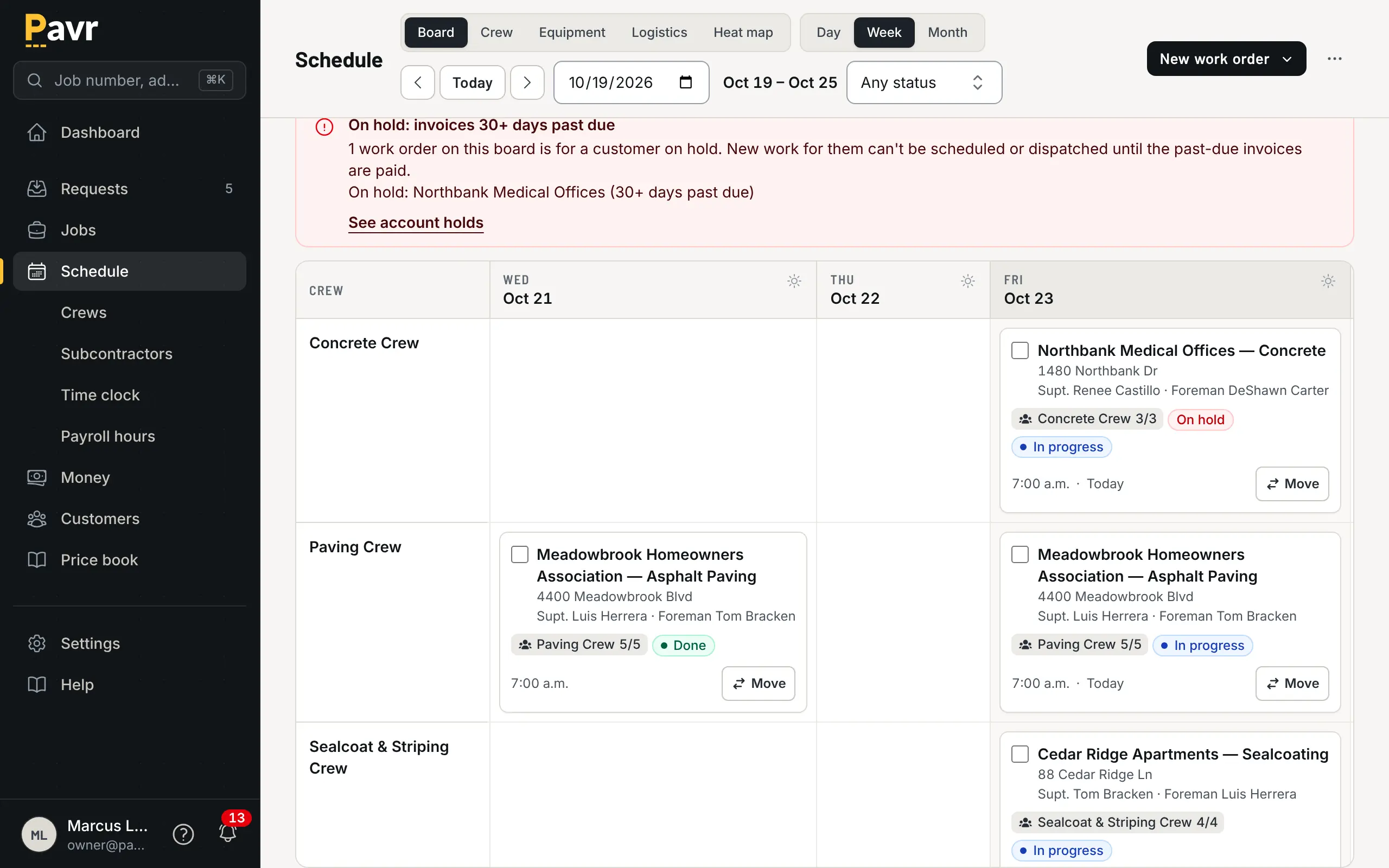
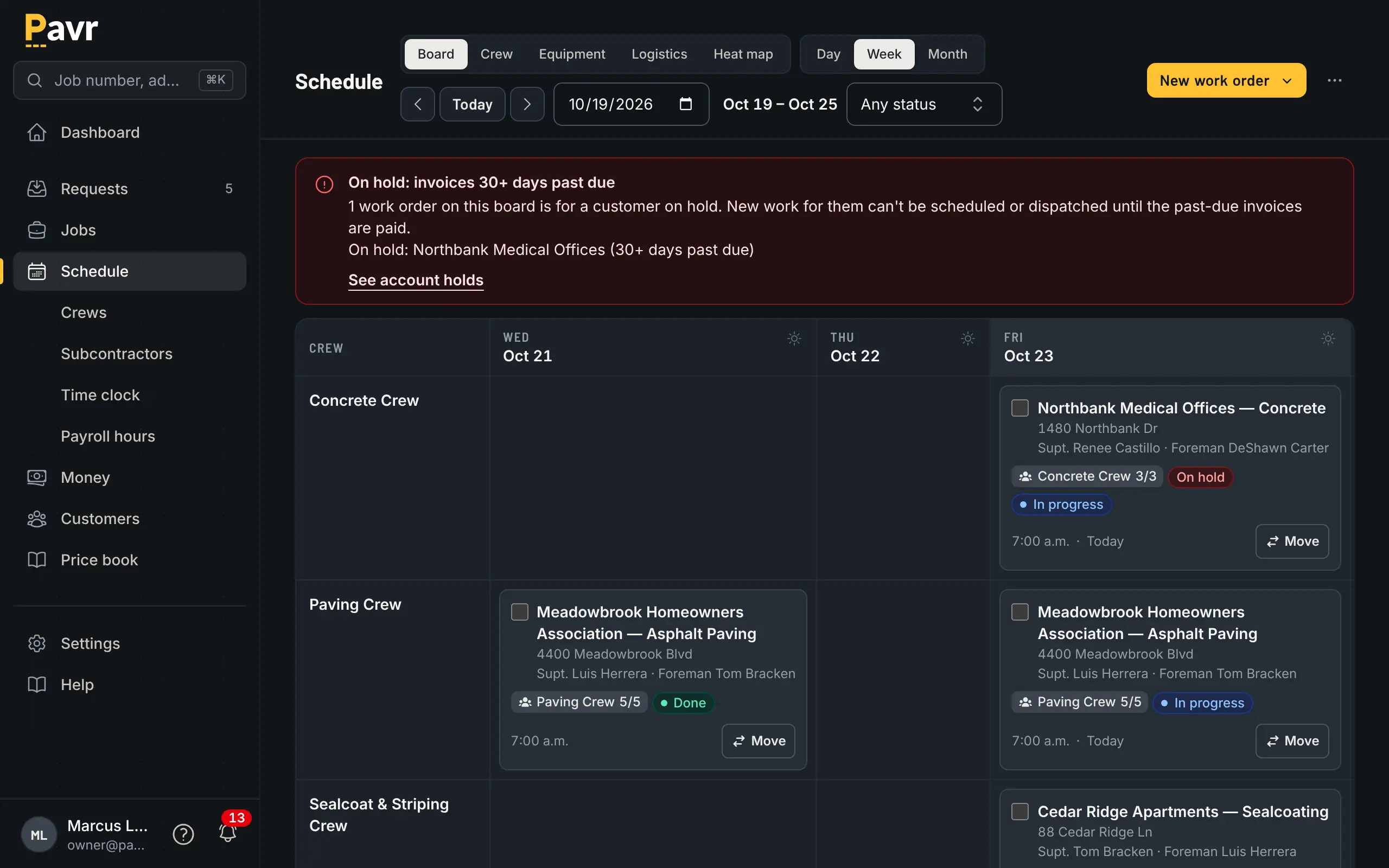
The weekly schedule board with a row per crew and a column per day, work orders as cards, one flagged for weather and one customer on hold.

The week, with the jobs that won't make the temperature already flagged.

If you sealcoat and stripe as well as pave, that machinery is most of what you do in April and
October. Rain days without losing the week is
the plain version of why it matters.

Crew hours

OneCrew lists "GPS-Enabled Time Tracking": "Crew members clock in and out from their phones, or
foremen can manage time for the whole crew", and "Approved time feeds directly into your actuals" [7].
That's the same design decision Pavr made, and it's the right one: a foreman clocking five people in
beats five people remembering.

Pavr adds two things their site doesn't list as of September 18, 2026 [7]. The first is offline:
clock-ins, daily logs and punch list items save on the phone with no signal and go up when there's
some, and nothing is sent twice. The second is Spanish — the crew side of Pavr is translated, so the
person reading the clock screen reads it in the language they speak.
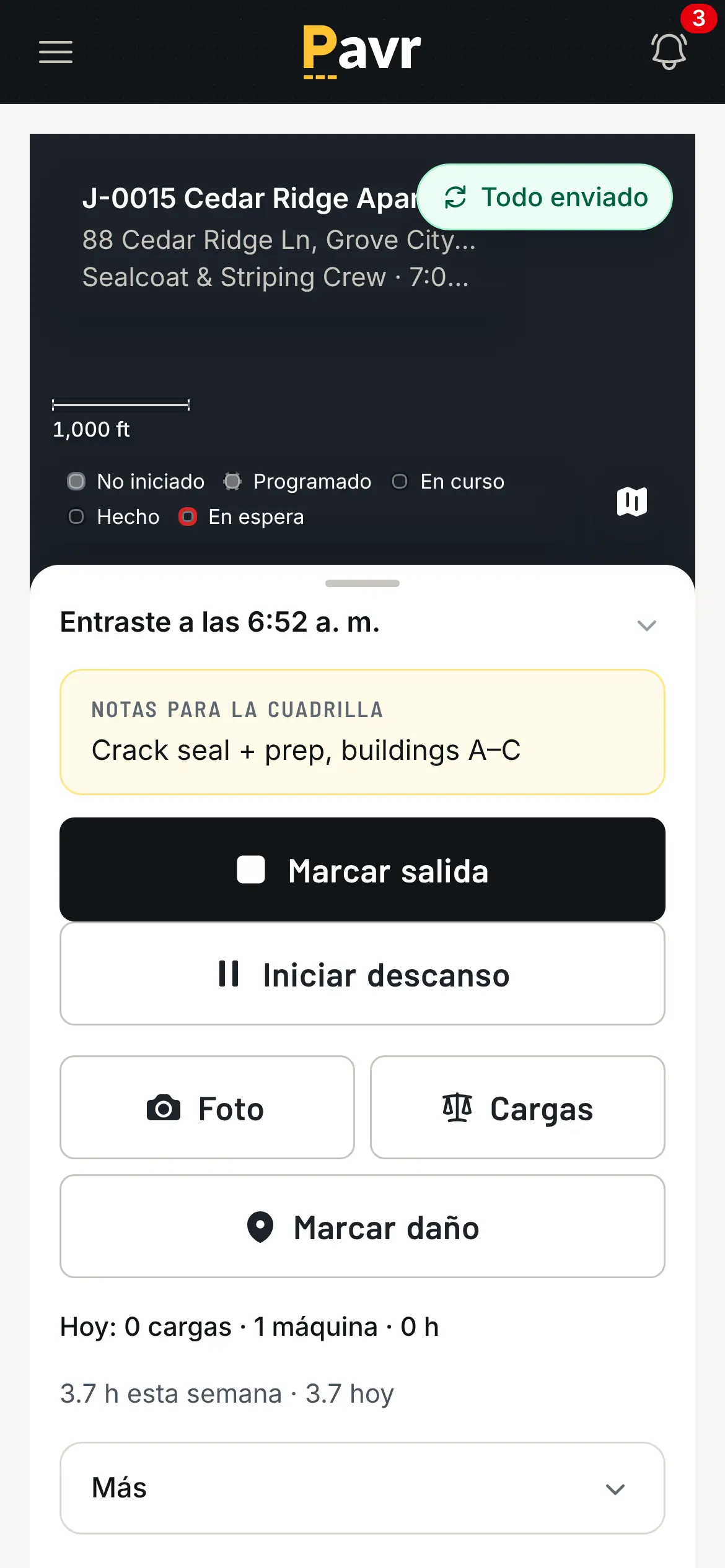
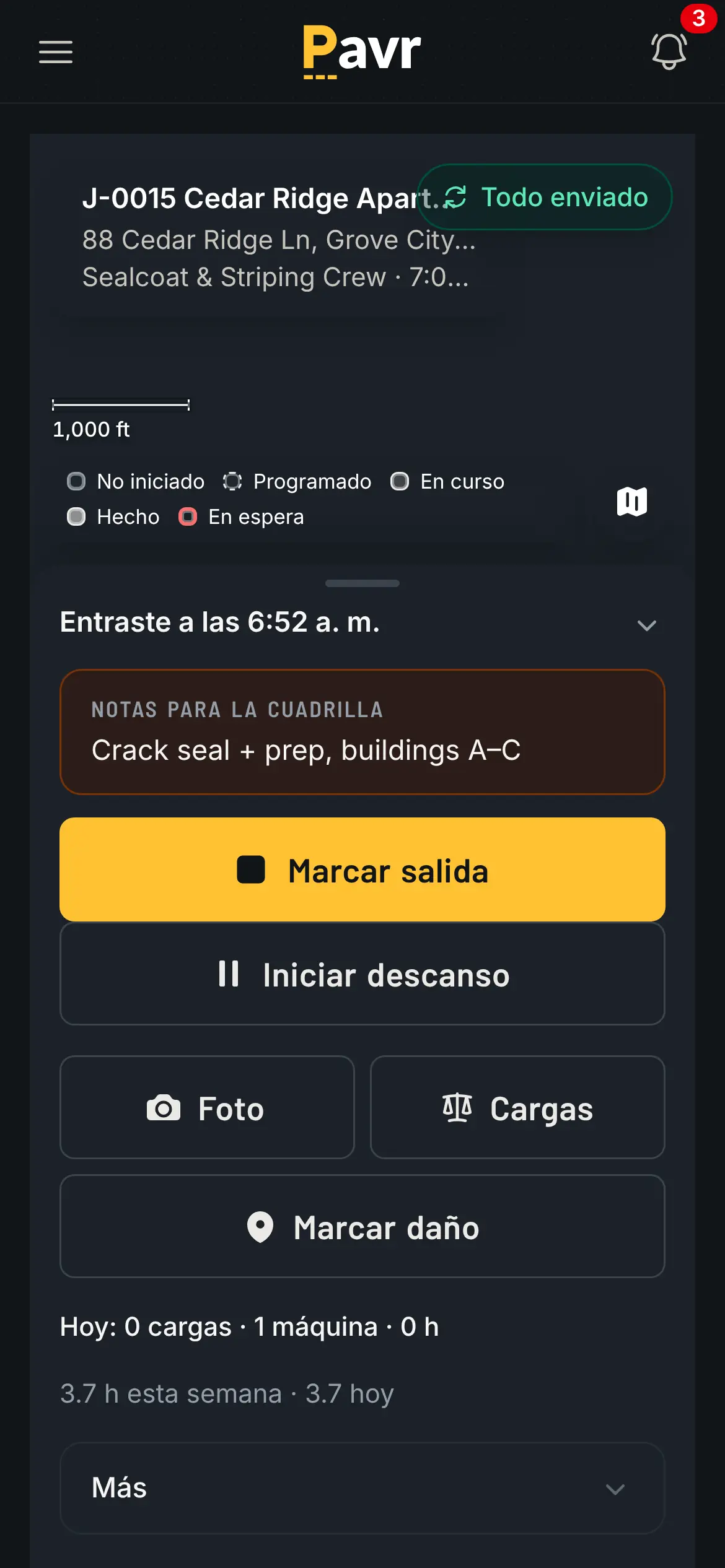
The same crew screen in Spanish, clocked in on the sealcoating job.

The clock screen the crew actually reads.

Approved hours come out as a payroll CSV with the overtime split at 40 hours a week, and those same
approved hours are what lands on the job's costs.

Job costing

OneCrew: "Track every dollar on every job to protect your margins" [1]. Its job costing page goes
further: foremen "submit actuals from their phone", and "As foremen submit actuals from the field,
your Work-in-Progress Report updates automatically" [9]. It tracks actuals per service, so over a
season you can compare estimated and actual margin on each kind of work [9]. That's a serious
answer to the question every owner asks in July.

Pavr posts approved hours, material off the daily log, receipts, sub invoices, mileage and equipment
hours against the estimate line by line, by cost type, while the job is open. A cost type goes
yellow at 5% over the estimate and red at 10%, and you set both numbers. The point isn't the color. The
point is that one job over is noise, and the same line over on every job of one type is your
estimate telling you something. Job costing in Pavr shows the screen.
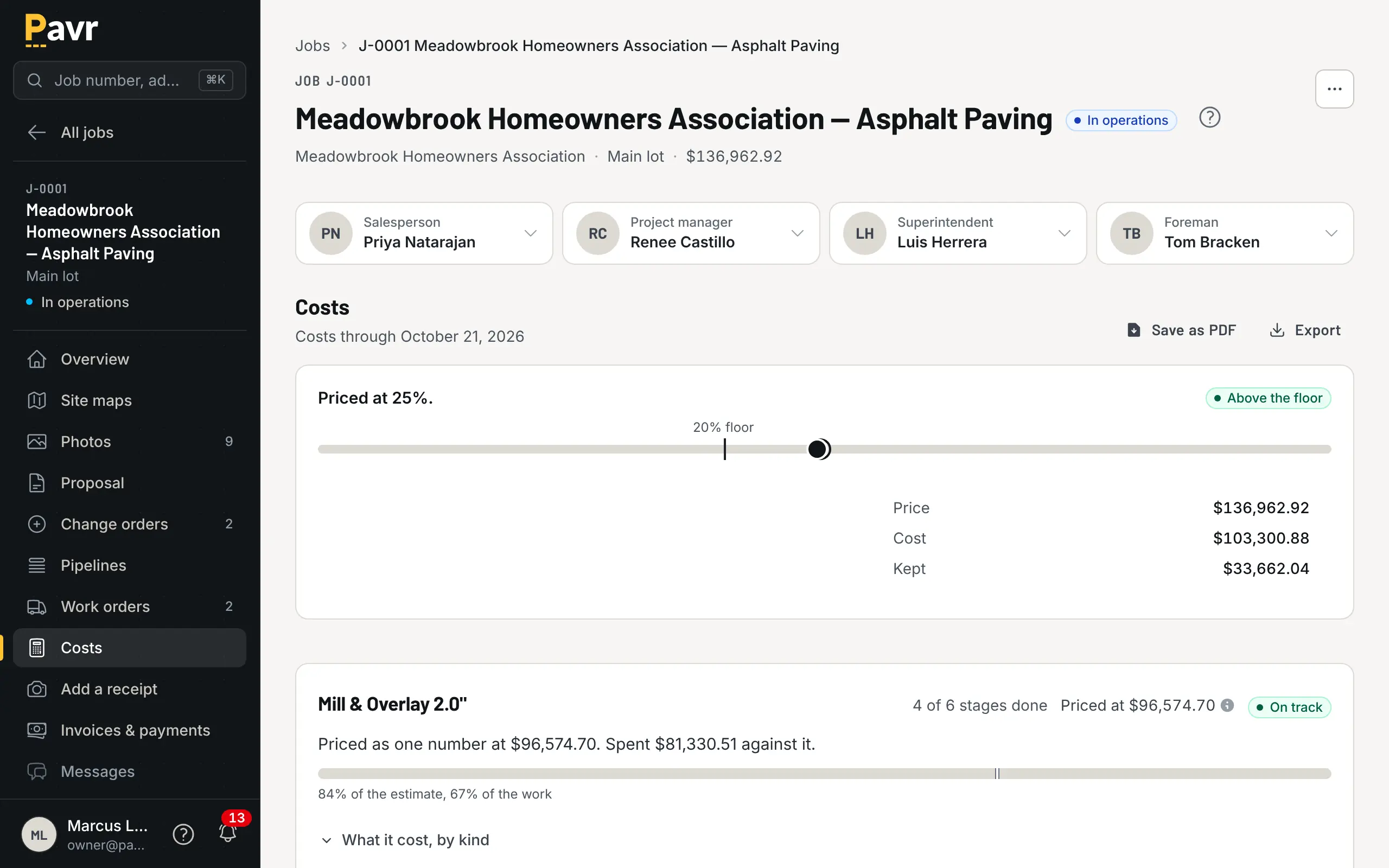
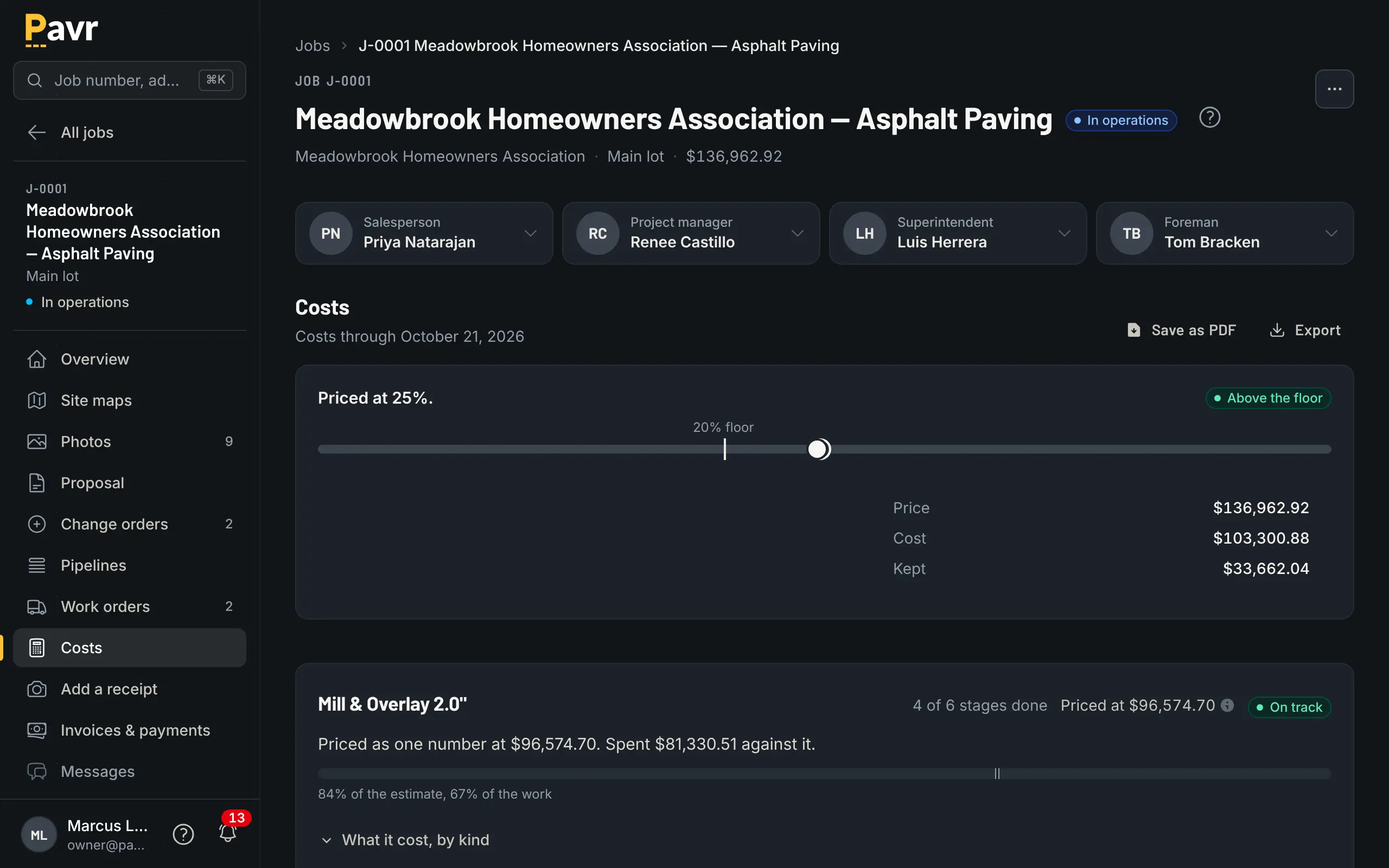
Job costing for the Meadowbrook overlay: priced at 25%, above the floor, with each line's cost against its own estimate.

Yellow at five percent over, red at ten, and both numbers are yours.

Billing and getting paid

OneCrew's invoicing page is good: when a job wraps, "Every service, quantity, and price is already
pulled from the estimate, with nothing to type, nothing to look up" [3]. The same page says "Send a
full invoice, request a deposit, or bill by milestone" [3]. Customers get "a link to view and pay
their invoice from their phone, tablet, or computer", by "card, ACH, or both", and "OneCrew syncs
invoices and payments in both directions" with QuickBooks [3]. Their progress invoicing article goes
further: "the line items that won you the job become the SOV you bill against", and you "Generate
progress invoices from completed work orders" [10].

Pavr's invoice comes from what was signed — the proposal plus the signed change orders — once the
punch list is closed. Bigger jobs get the paperwork commercial lots and GCs ask for: a schedule of
values built from the signed proposal, pay applications by percent complete on each line, retainage held
and released, a G703-style continuation sheet, deposits credited automatically against the final
invoice, and time-and-materials work billed weekly against a not-to-exceed that it stops at.
Past-due reminders go at 7, 14 and 30 days, late fees are there if your terms allow them, and the
customer can pull their own statement. More on getting paid.
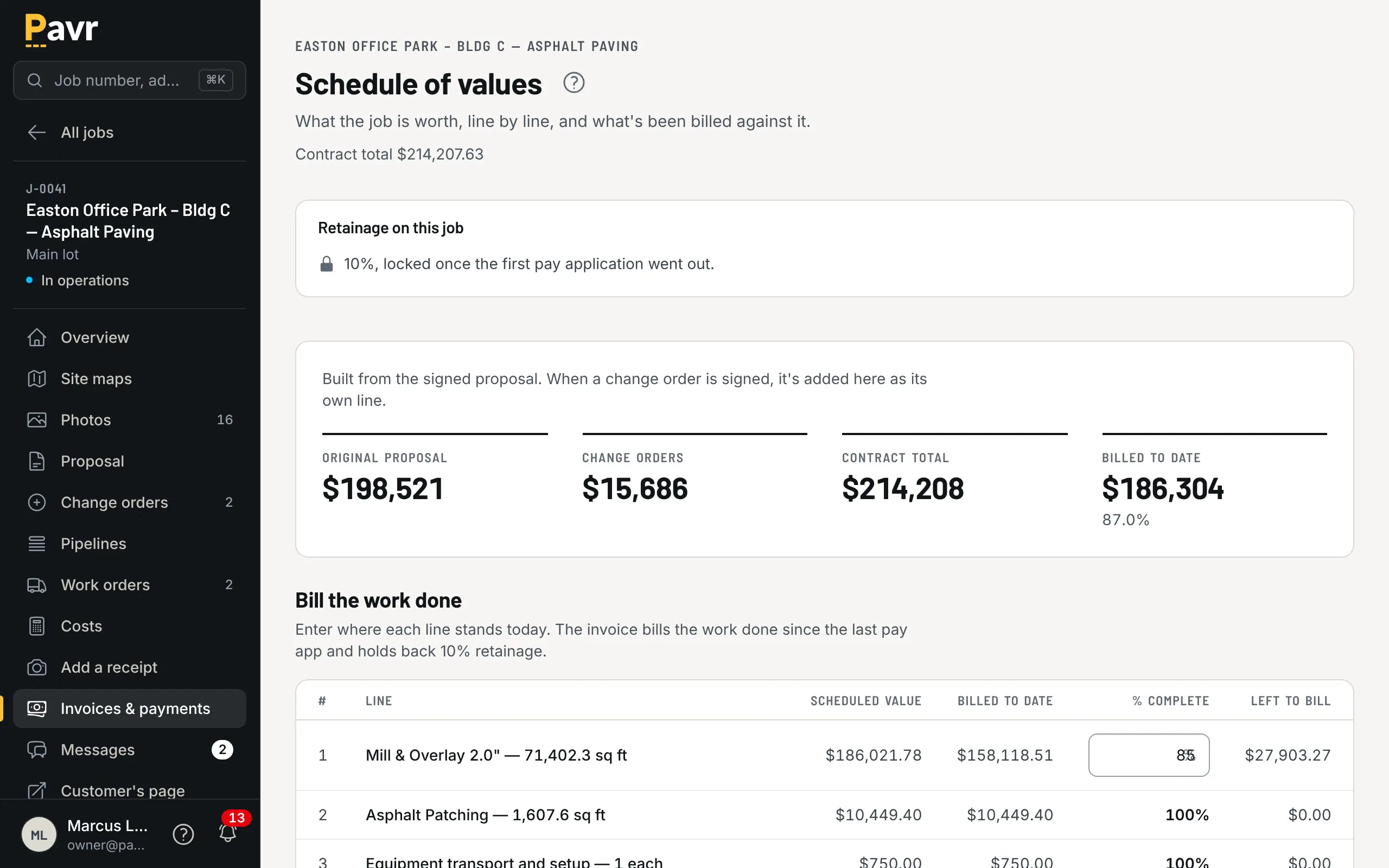
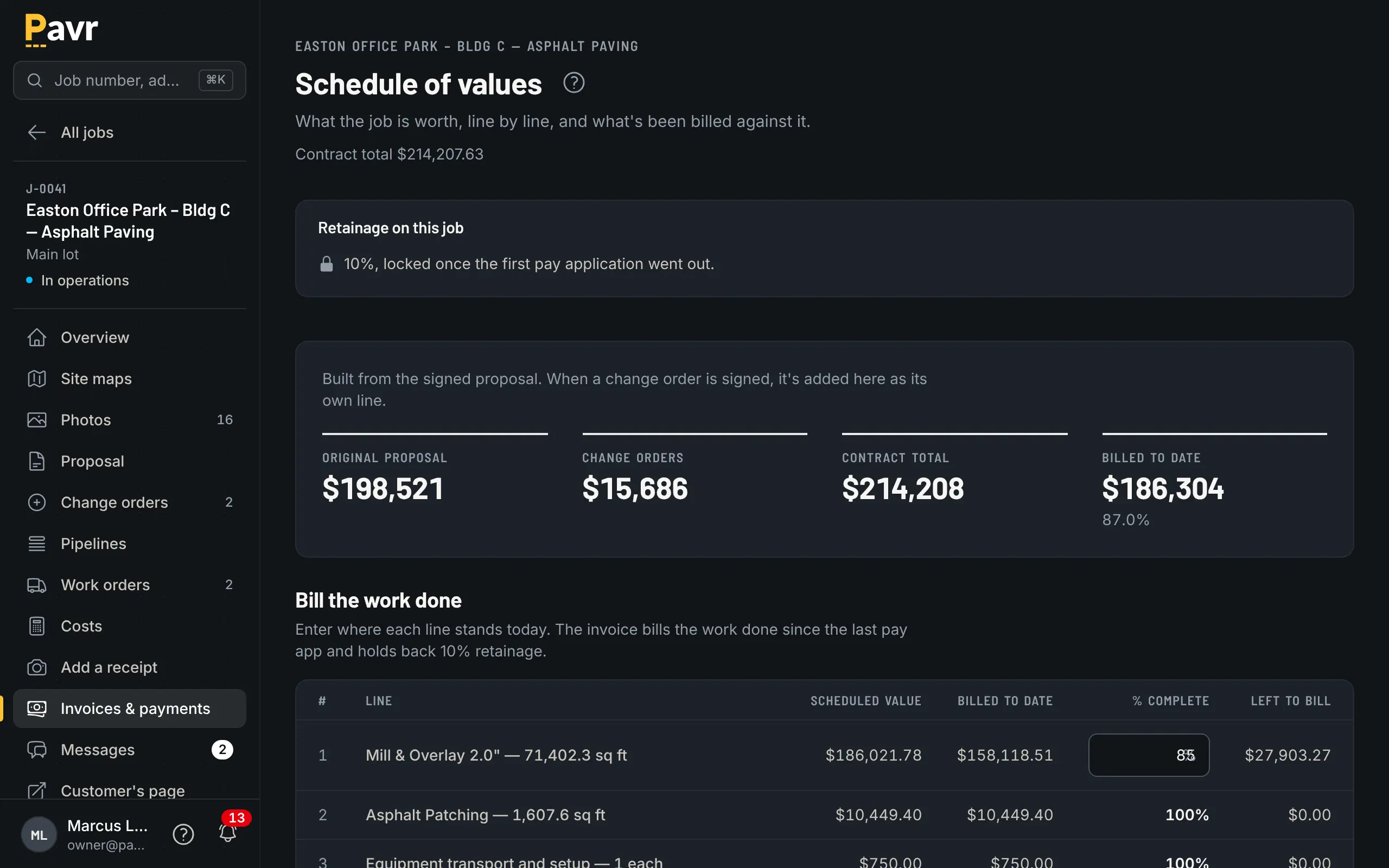
The schedule of values for a progress-billed job: one line per item on the signed proposal plus the signed change order, billed to date and retainage held.

The schedule of values comes off the signed proposal, not off a blank spreadsheet.

Retainage held on each pay app, a G703-style sheet and T&M caps aren't listed as OneCrew product
features as of September 18, 2026, though the progress invoicing article's pitch runs "from first
call through final retainage payment" [3][10]. If you work for GCs, ask them to show you a pay app
with retainage held and then released.

And the money itself: Pavr takes nothing on it unless you ask. The Pay button goes to your QuickBooks
Online payment page or wherever you already take payments, with no fee from Pavr. Or turn on Pavr
Payments and customers pay on the invoice, by bank transfer or card, into a Stripe account in your
business's name, for 1% plus Stripe's rates. OneCrew takes card and bank transfer on its own invoices [3]. Which of those
you prefer is a real business decision, not a feature score — see deposits and payment terms for
paving
.

Price

Pavr is $85 a month for each person who estimates, schedules or runs jobs in it. Crew who only clock in,
and customers who sign and follow their jobs, are free. Try it for 14 days with no credit card. An
owner, an estimator, an office manager and two foremen come to $425 a month; the eighteen people on
their crews clock in free.

OneCrew doesn't publish a price as of September 18, 2026; the site asks you to book a demo [1]. Its
own blog says it uses "seat-based pricing" [11]. When you're on that call, ask three things: the
per-seat price, whether foremen who only open a work order are billable, and what the number looks
like in year two.

Where OneCrew is the better fit

You want payments collected on your own invoices. OneCrew's customers pay by card or bank transfer from the invoice link, and "The invoice appears in the same customer portal where they signed their
proposal" [3]. If your office wants one place to see the invoice and take the payment, that's a
genuine advantage. Pavr's answer is a Pay button that hands off to the page where you already take payments, or, with Pavr Payments on, takes bank transfer or card on the invoice for 1% plus Stripe's rates.

You buy from several plants and price on transport. The Vendor Picker showing "distances and rates by
vendor" while you estimate [2] is a nice piece of work. Pavr prices trucking from your own numbers;
it doesn't compare plants for you.

You want the takeoff drawn for you. OneCrew's March update added a "Detect with TruTec action in
Mapping" that picks out the elements on the map for you [4]. Pavr's takeoff is one you draw
yourself.

Lead follow-up is your weak spot. OneCrew leads with capturing and converting leads with
"intelligent tracking and automated follow-ups" [1]. Pavr keeps a list of
requests and tells the salesperson when a proposal has sat unopened or unsigned for a few days, but if
automated follow-up is what you're shopping for, look at theirs closely.

You're an asphalt-only shop with simple billing. If every job is one trade, one invoice, and the
weather rarely moves you, much of what Pavr adds is for a week you don't have.

Switching: what moving actually looks like

Your price lists come in from a file. Material, crew rates, equipment and subs are read from the lists you already keep, and you check every row before anything is saved; the 131 built-in services carry the shape of the work, and you set the markups once.

Don't migrate history. Finish what's open where it lives now. Start new estimates in Pavr from
a clean date. One job that runs end to end tells you more than three months of parallel records.

Your data is yours, on the way out too. Export your data lets the owner download every record in
the account as a set of CSV files — customers, sites, estimates, jobs, hours, invoices, payments.
Pull it on day one if you want to see what it looks like.

A fair two-week test. Take a lot you priced last month and price it in both systems with the same numbers.
Send yourself the proposal from each and sign it on your phone. Then run one real job through the
one that felt right, all the way to the invoice. Whichever tool survives a rain day, a change order
and a payroll week is the one to buy.

Questions contractors ask

Before you switch.

Is OneCrew or Pavr better for an asphalt paving company?

They cover much of the same ground, from the takeoff to the invoice [1][2][3]. Pavr goes further on the weather and the paperwork: rules per trade, a rain day that moves as one batch, cure waits between trades, offline clock-ins, change orders that hold the work until they're signed, and pay applications with retainage, none of which OneCrew's feature pages list as of September 18, 2026 [5][7][3]. OneCrew goes further on money movement and estimating conveniences: card and bank-transfer payments on its own invoices, a vendor picker that compares plant distances and rates while you price, and approval thresholds by user on estimates [2][3].

How much does OneCrew cost?

OneCrew doesn't publish a price on its site as of September 18, 2026; the call to action is to book a demo [1]. Its own blog says it uses "seat-based pricing" with details "available during a demo consultation" [11]. Pavr is $85 a month for each person who estimates, schedules or runs jobs in it. Crew who only clock in, and customers who sign and follow their jobs, are free. Try it for 14 days with no credit card. On the demo call, ask for the per-seat number and whether foremen who only view a work order count as seats.

Do both let the customer sign the proposal on a phone?

Yes [2][6]. OneCrew says customers get a link to a web proposal they can sign "from their phone or computer", and that you can "Track who opened your proposal and when" [2]. Its portal link needs "nothing to install and no account to create" [6]. In Pavr the signature is tied to the exact version of the proposal the customer was shown, and signing wins the job, with its trades, crews and waits already set.

What happens to change orders in each?

OneCrew's job site page says a foreman can request a change order from the lot, and that a change order updates the job by "crediting back services, or applying new services" [7]. Its change order article says clients "review, approve, and sign off" in its customer portal when scope changes need approval [8]. Pavr prices the change order with the markup the customer already agreed to on the proposal, emails it for signature, and holds that part of the work until it's signed — then puts it on the invoice or on the schedule of values as its own line. Bring a real change order from last month to both demos and watch it go all the way to an invoice.

Does either one know about the weather?

Pavr does: every account starts with a temperature and rain rule per trade — 50°F and dry for asphalt, sealcoat and striping, 40°F for concrete — the forecast flags the jobs that won't make it, and a rain day moves as one batch to the next day that passes. OneCrew's scheduling page describes drag-and-drop scheduling built for paving, with conflict alerts when someone is double-booked, and doesn't mention weather as of September 18, 2026 [5].

What about crews at a lot with no cell service?

Pavr saves clock-ins, daily logs and punch list items on the phone and sends them up when signal returns, without sending anything twice. OneCrew's job site management page describes GPS-enabled time tracking and photos from the field; offline use isn't listed as of September 18, 2026 [7].

Can I take a credit card payment inside Pavr?

Only if you turn on Pavr Payments. Keep your own link and the Pay button goes to your QuickBooks Online payment page or wherever you already take payments, with no fee from Pavr. Turn on Pavr Payments and customers pay on the invoice, by bank transfer or card, into your own Stripe account, for 1% plus Stripe's rates. OneCrew takes card and bank transfer on its own invoices [3].

How long does it take to switch?

Budget an afternoon: bring in your material, crew-rate, equipment and sub price lists from a file, and set your markups against the 131 built-in services. Then run one job end to end: price it, sign it, dispatch it, clock the crew, invoice it. Your data comes back out any time: the owner can download every record in the account as a set of CSV files.

Where every line about OneCrew came from.

Software changes. These are the pages we read on September 18, 2026, in the order they're cited above. If something here is out of date, tell us and we'll fix the page.

  1. [1] OneCrew home page https://www.getonecrew.com/ — read September 18, 2026
  2. [2] OneCrew estimating feature page https://www.getonecrew.com/features/estimating — read September 18, 2026
  3. [3] OneCrew invoicing feature page https://www.getonecrew.com/features/invoicing — read September 18, 2026
  4. [4] OneCrew product updates (TruTec Instant Takeoffs, March 25, 2026) https://www.getonecrew.com/product-updates — read September 18, 2026
  5. [5] OneCrew scheduling feature page https://www.getonecrew.com/features/scheduling — read September 18, 2026
  6. [6] OneCrew customer portal feature page https://www.getonecrew.com/features/customer-portal — read September 18, 2026
  7. [7] OneCrew job site management feature page https://www.getonecrew.com/features/job-site-management — read September 18, 2026
  8. [8] OneCrew blog: Construction Change Order Management https://www.getonecrew.com/post/construction-change-order-management — read September 18, 2026
  9. [9] OneCrew job costing feature page https://www.getonecrew.com/features/job-costing — read September 18, 2026
  10. [10] OneCrew blog: Progress Invoicing for Contractors (updated July 1, 2026) https://www.getonecrew.com/post/progress-invoicing — read September 18, 2026
  11. [11] OneCrew blog: PavementSoft vs. OneCrew (updated January 7, 2026), FAQ on OneCrew pricing https://www.getonecrew.com/post/pavementsoft-vs-onecrew — read September 18, 2026

The products named on this page are trademarks of their owners. Pavr isn't affiliated with any of them, and no screenshot or logo of theirs appears here. The pictures on this page are Pavr.

Keep looking

Pavr vs PavementSoft

Pavr vs PavementSoft

You pave and pour concrete for property managers and GCs, and the money you keep gets decided after the proposal is signed.

Last checked September 18, 2026

Pavr vs Bitumio

Pavr vs Bitumio

Your season is mostly sealcoat, crack fill and restripes, priced by the square foot, the gallon and the stall.

Last checked September 18, 2026

Pavr vs Spreadsheets and QuickBooks

Pavr vs spreadsheets and QuickBooks

You price from a sheet you built, the books live in QuickBooks, and it all works because you remember everything, until the week you're at a different lot.

Last checked September 18, 2026

Put one real job through it.

Both sides of this page promise the margin. Fourteen days, no credit card: price last month's lot with your numbers and see what it would have made.