Pavr vs SiteRecon

Pavr vs SiteRecon

A measuring and estimating tool next to a system that also runs the job, compared by where your week actually goes: the takeoff, the price, the signature, the crew, the costs and the bill.

Last checked September 18, 2026. Every line quoted from another company carries a numbered source read that day.

The short answer.

SiteRecon is a measuring and estimating tool for outdoor services — landscaping, lawn care, snow, and paving and asphalt among the trades it lists [1] — with done-for-you takeoffs and published plans from $250 to $500 a month, each with $200 of takeoff credits included [2].

Its paving page goes past the takeoff: estimates priced from your crew costs, equipment rates and material prices, change order calculators, branded PDF proposals and actual-vs-estimated costs [3]. An e-signature, scheduling and dispatch, a crew time clock and invoicing aren't listed on its site as of Sep 2026 [1][2][3].

Pavr measures too — satellite, a scale on the GC's PDF plan, or the numbers you walked — and then prices the job, sends a proposal that gets signed, schedules the crews, tracks hours and costs, and bills it.

If measuring is your bottleneck, or you want somebody else to do the takeoffs, SiteRecon is a real answer, and it lists connections to job systems including Jobber, Bitumio and OneCrew [3]. If everything after the signature is still living in spreadsheets and a group text, a measuring tool solves the smaller part of the problem.

Pick Pavr when

You want the measurement, the price, the signature, the schedule, the crew's hours, the costs and the invoice to be one chain of numbers rather than four tools.

Pick SiteRecon when

Takeoffs are the bottleneck, you price huge or complicated properties, you want measurements or whole estimates done for you, or you also do landscaping and snow and want one measuring tool across all of it [1][2].

Side by side

The jobs, not the feature list.

Each row is something you do on a real lot. The Pavr column is what the app does today. The other column is quoted from their own pages, with the source numbered beside it. “Not listed on their site” with a date means we couldn’t find it published that day, not that it isn’t there.

Pavr compared with SiteRecon, by the job it does
On the job Pavr SiteRecon
What it is A system for running paving, sealcoating, striping and concrete jobs from the walk to the last payment. How it works in Pavr Its home page pitches going from the map to the measurement, the estimate and the win in minutes [1]; its paving page calls it "a complete estimating and project planning platform for paving and asphalt contractors" [3]
Measuring the lot Draw it on the satellite view, set a scale on a PDF plan and draw on that, or type in what you walked; cut-outs, curb line and stall counts included. How it works in Pavr "Capture accurate AI measurements in minutes" [1]; parking lots, driveways, roadways, patch areas and striping zones measured from imagery [3]; the Plato app measures from a phone and works offline in low-signal areas, though the AI measurement itself needs a connection [4]
Somebody else doing the takeoff Not offered — you or your estimator draw it. How it works in Pavr Done-for-you takeoffs on every published plan, and "Takeoffs or Estimations done for you" on Partner [2]
Pricing the job 131 built-in services price from your plant prices, crew rates and equipment, with a markup slider per line and the margin beside you. How it works in Pavr "Input your paving crew costs, equipment hourly rates (pavers, rollers, milling machines), material pricing (asphalt per ton, tack coat, striping paint), and overhead once" [3]; or start from its own production rates [5]
Getting it signed The customer signs on their phone from the email; the signature is tied to the version they saw, and signing creates the job. How it works in Pavr "Deliver branded PDFs with satellite imagery, phased paving maps, and transparent milling/tonnage/striping breakdowns" [3]; an electronic signature is not listed on their site as of Sep 2026 [1][2][3]
Change orders Priced with the proposal's markup, signed before the work, billed after it. How it works in Pavr "change order calculators that price extra work accurately" [3]; a customer signature on a change order is not listed as of Sep 2026 [3]
Scheduling and crews Weather rules per trade, rain days moved as a batch, cure waits, crew and equipment conflicts, dispatch to the foreman's phone. How it works in Pavr Crew planning ("Know equipment, materials, and labor needs before mobilizing crews") [3] and crew performance tracking [6]; scheduling and dispatch are not listed as of Sep 2026, and its data sits "alongside your existing scheduling, payroll, and HR systems" [6]
Crew hours Clock-in with location, offline daily logs and punch items, payroll CSV with the overtime split, Spanish crew screens. How it works in Pavr Crews document the work with geo-tagged photos in the mobile app [3]; a crew time clock and payroll hours are not listed as of Sep 2026 [1][3][6]
Job costing Hours, material, receipts and sub invoices against the estimate line by line while the job is open; yellow at 5% over, red at 10%. How it works in Pavr "Build historical data comparing actual vs. estimated costs" [3]; costs posting against an open job are not described as of Sep 2026 [3]
Billing Invoices from what was signed, pay apps, retainage, T&M caps, QuickBooks Online, and a Pay button to your own payment page or, with Pavr Payments on, paid on the invoice. How it works in Pavr Invoicing, pay apps and retainage are not listed as of Sep 2026 [1][2][3]; measurements and estimates go to other systems through integrations, and QuickBooks isn't among those listed [7]
What the customer sees Their own page: proposal, change orders, punch list sign-off, invoice, statement and a Pay button, to your own payment page or, with Pavr Payments on, paid on the invoice. How it works in Pavr "Allow customers to view maps with guest user access" [2]; a customer page for proposals and invoices is not listed as of Sep 2026 [1][2]
Trades served Paving, sealcoating, striping and concrete. How it works in Pavr Landscaping, plant health care, lawn care, paving and asphalt, snow removal, utilities and sitework, and landscape construction [1]
Price $85 a month per person who estimates, schedules or runs jobs; crew who only clock in are free; 14 days free, no card. How it works in Pavr Growth $250/mo (2 creator seats), Teams $400/mo (5 seats), Partner $500/mo (5 seats, done-for-you estimates); $200 of takeoff credits included on each; 5% off yearly [2]

These two aren't the same kind of thing

SiteRecon leads with measuring [1]. Its home page pitches going from the map to the measurement, the estimate
and the win, with AI measurements "in minutes" [1]. Done-for-you takeoffs come with every published plan [2],
and its Plato phone app measures at the property [4]. The trades it lists are landscaping, lawn
care, paving and asphalt, snow removal, utilities and sitework, plant health care and landscape
construction [1].

Its paving page goes further than a takeoff tool, and it's fair to say so. It prices estimates from
your crew costs, equipment rates and material prices, lists change order calculators, delivers
branded PDF proposals, and builds history comparing actual with estimated costs [3].

Pavr is a system for running the jobs those measurements turn into. The measurement is the first
step, not the product.

So this page isn't a fight. It's a question about where your week actually goes. If you're an
estimator drowning in takeoffs for 40 properties a month, a measuring service is a good purchase. If
your proposals go out fine and the money disappears somewhere between the signature and the invoice,
measuring faster doesn't help.

Where the measurement comes from

In Pavr, you draw the lot on the satellite view, or set a scale on the GC's PDF plan and draw on
that, or type in the square feet you walked with the wheel. Cut-outs and islands come out of the
area. The curb line and the stall count come off the same drawing. Nothing gets retyped between the
drawing and the estimate, which is where most takeoff errors are born.
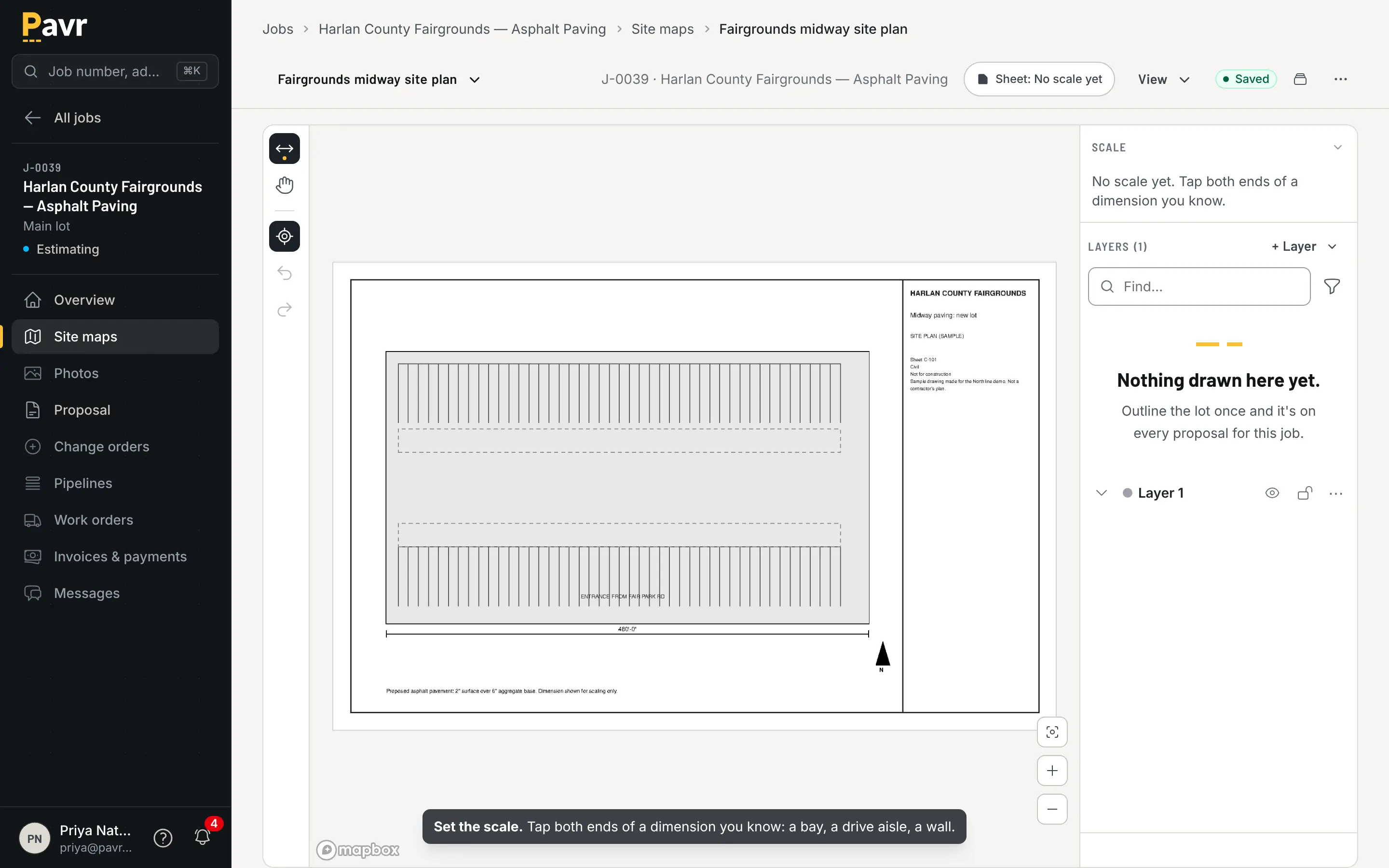
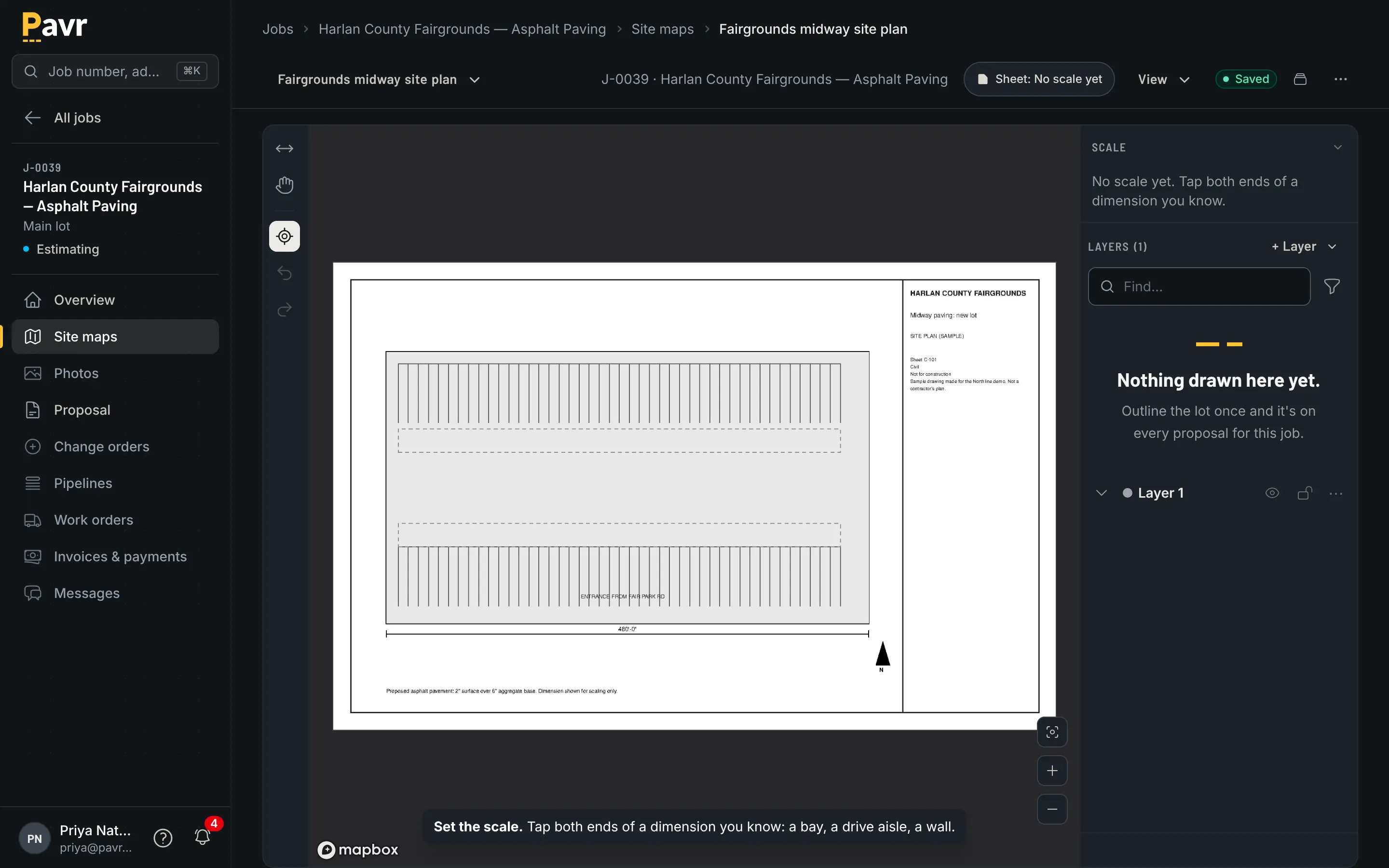
A PDF plan sheet in the site map editor with the scale being set from a known dimension.

Set the scale from one dimension you know, and the takeoff comes off the GC's drawing.

SiteRecon's pitch is that you shouldn't have to draw at all: "Capture accurate AI measurements in
minutes, respond to more opportunities, and grow revenue without adding overhead" [1], with
done-for-you takeoffs included in the plans and done-for-you estimates on the Partner plan [2]. Its
Plato app measures from a phone before you leave the property, works offline in low-signal areas and
catches up when you reconnect, though the AI measurement itself needs a connection [4].

Both are legitimate. The question is volume. Drawing a lot in Pavr takes a few minutes; if that's
three lots a week, you'll never notice. If it's thirty, a service that hands you finished
measurements is buying your estimator back.

After the measurement

Here's where the two overlap, and where they part.

The price. SiteRecon's paving page prices from your numbers: "Input your paving crew costs,
equipment hourly rates (pavers, rollers, milling machines), material pricing (asphalt per ton, tack
coat, striping paint), and overhead once" [3]. You can also start from its production rates [5]. In
Pavr, 131 built-in services turn the measurement into money the same way: your mix price by the ton
at the depth you're laying, your sealer coverage by the gallon, your crew rates by the hour, your
equipment, your subs. Every line carries a markup slider, and the sell price and the margin sit
beside the lines while you work. That's how estimating works in Pavr.

The signature. SiteRecon delivers "branded PDFs with satellite imagery, phased paving maps, and
transparent milling/tonnage/striping breakdowns" [3]. An electronic signature isn't listed on its
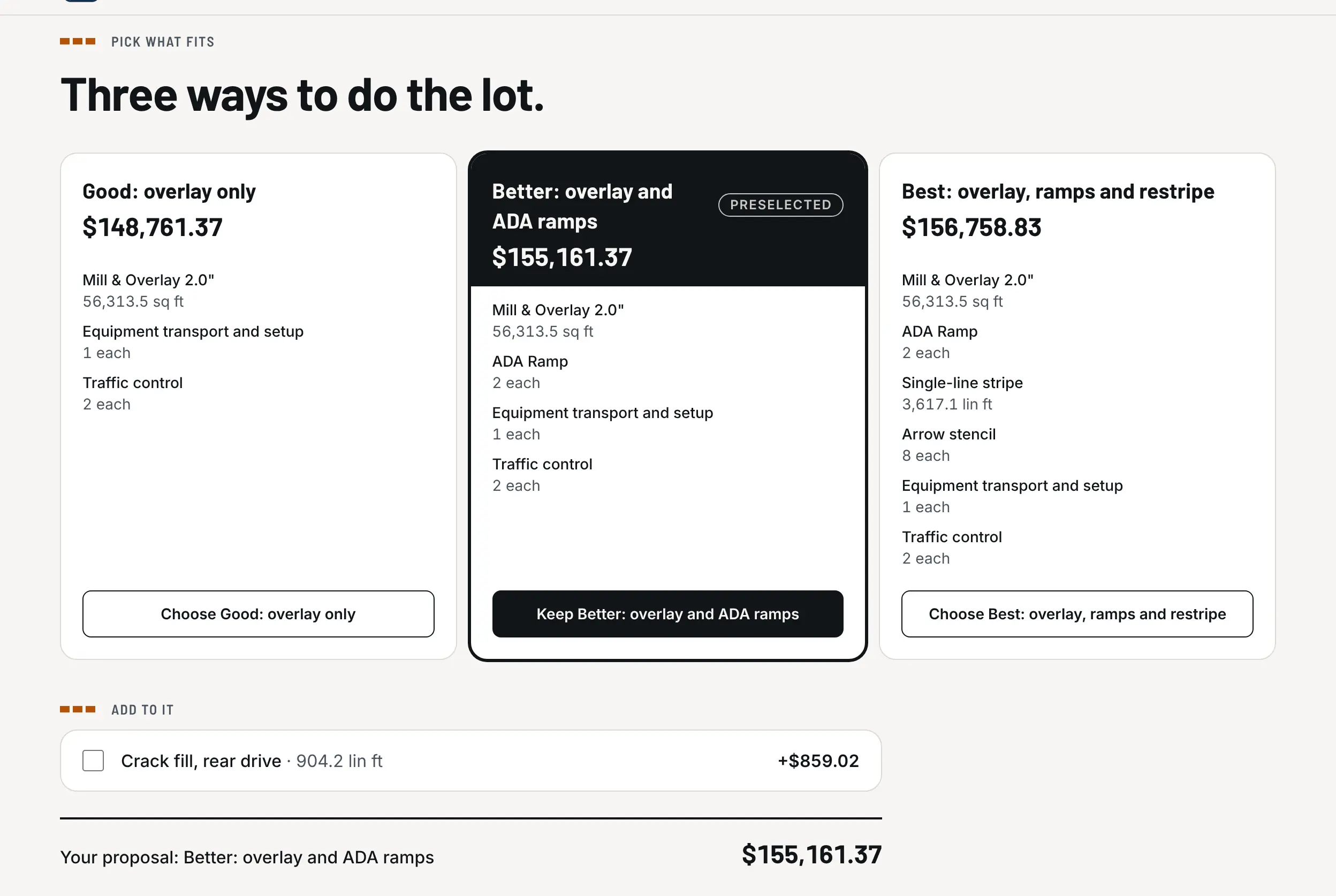
site as of September 18, 2026 [1][2][3]. In Pavr the proposal goes out under your company's name;
the customer opens it on their phone from the email and signs with no password; the signature is
tied to the exact version they were shown; signing creates the job. Here's what the customer
sees
.

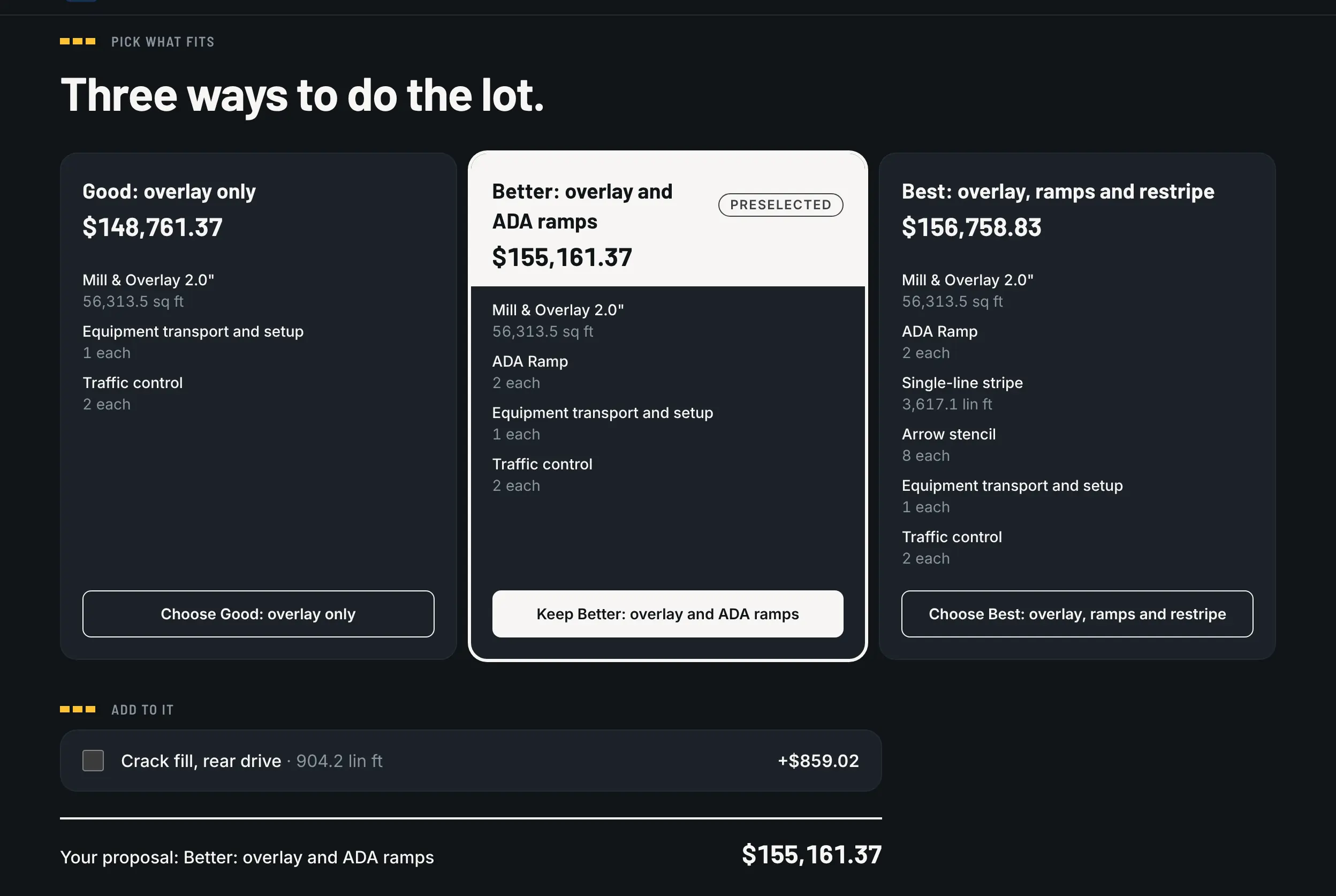
The options on the customer's proposal page: Good, Better and Best side by side, with what each includes and its total.

What a measured estimate becomes: options the customer picks from, each with its total.

The extra work. SiteRecon lists "change order calculators that price extra work accurately"
[3]. A customer signature on the change order isn't listed as of September 18, 2026 [3]. In Pavr a
change order is priced with the markup the customer already agreed to, signed before the work
happens, and billed after it.

The week. SiteRecon lists crew planning — "Know equipment, materials, and labor needs before
mobilizing crews" [3] — and says its crew data sits "alongside your existing scheduling, payroll,
and HR systems" [6]. Scheduling and dispatch aren't listed as of September 18, 2026 [1][3][6]. Pavr's
schedule has weather rules per trade, a rain day that moves as one batch, sealcoat waiting 30 days
on new asphalt, striping waiting 24 hours on sealcoat, and crew and equipment conflicts flagged
before dispatch.

The hours. A crew time clock isn't listed on SiteRecon's site as of September 18, 2026
[1][3][6]. Pavr has clock-in with location, the foreman clocking the whole crew, daily logs and
punch list items that save with no signal and go up when there's some, a payroll CSV with the
overtime split at 40 hours a week, and crew screens in Spanish.

The costs. SiteRecon's paving page says it can "Build historical data comparing actual vs.
estimated costs" [3]. Pavr posts hours, material off the daily log, receipts, sub invoices, mileage
and equipment against the estimate, line by line, while the job is open — yellow at 5% over, red at 10%.
See job costing.
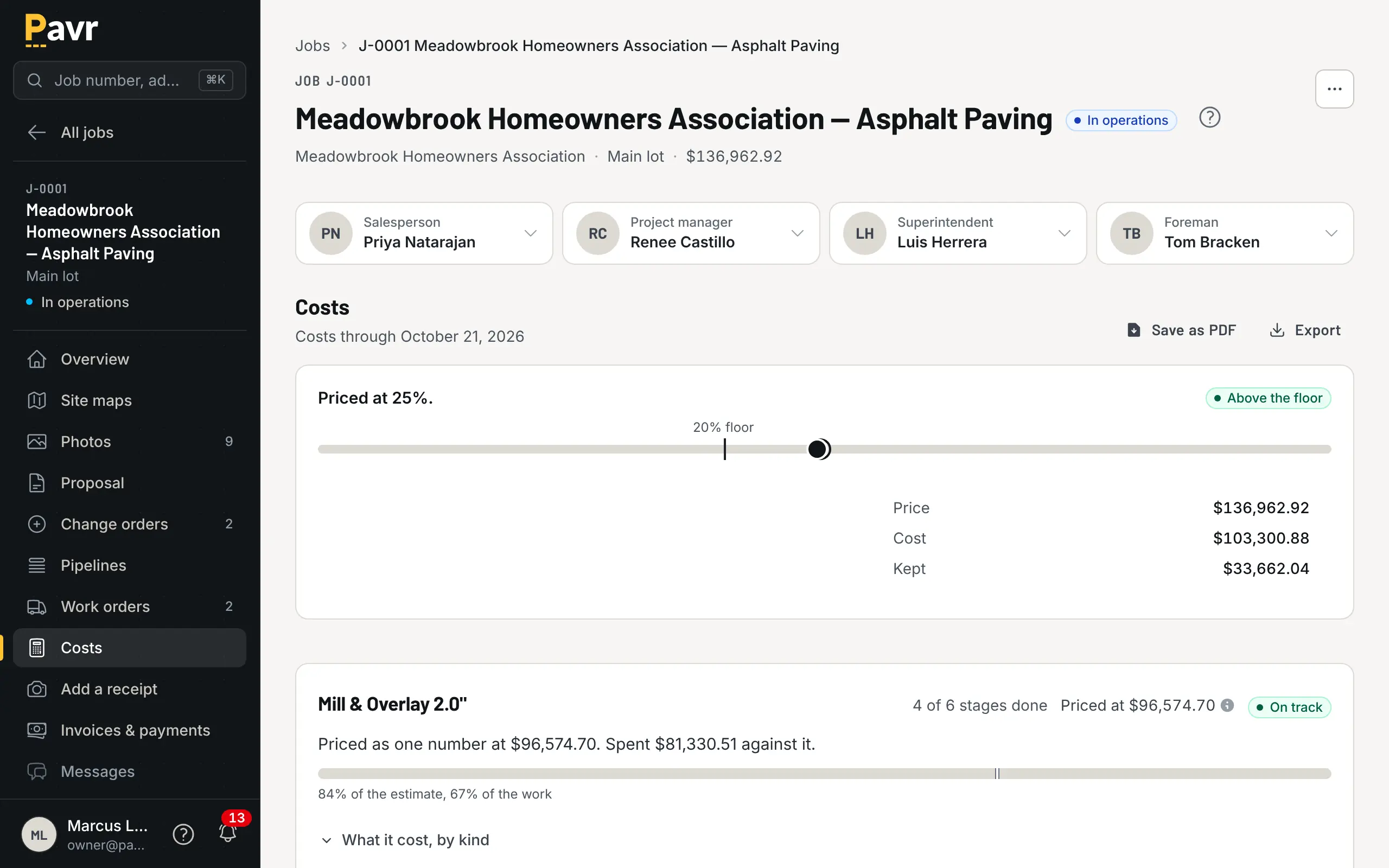
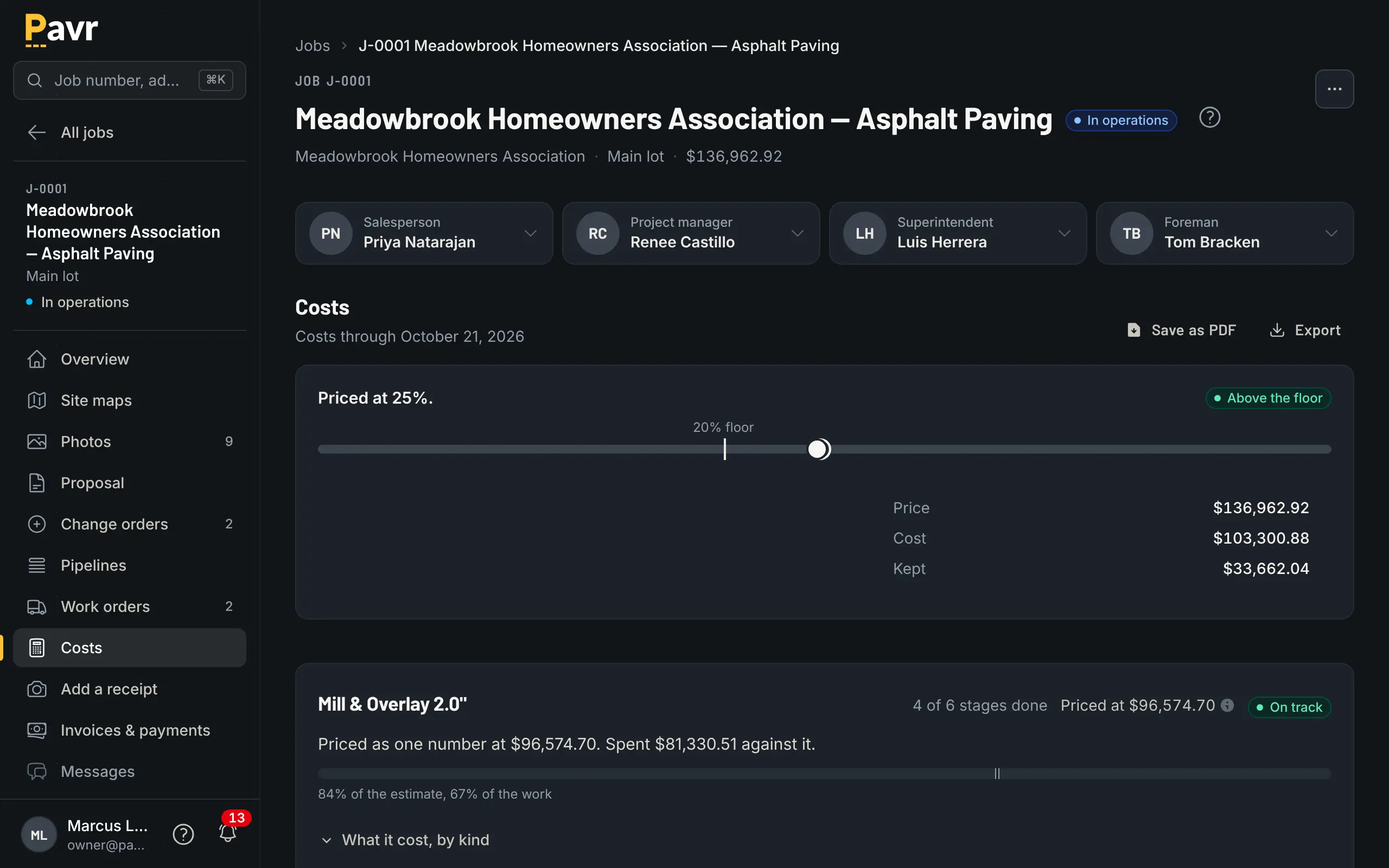
Job costing for the Meadowbrook overlay: priced at 25%, above the floor, with each line's cost against its own estimate.

The line running over, found in week two instead of at closeout.

The money. Invoicing, pay applications and retainage aren't listed on SiteRecon's site as of
September 18, 2026 [1][2][3]. Its integrations carry measurements and estimates into other systems,
and QuickBooks isn't among the ones it lists [7]. Pavr builds the invoice from what was signed,
credits deposits, does pay applications by percent complete with retainage on the bigger jobs, bills
T&M weekly against a cap, sends reminders at 7, 14 and 30 days, and moves invoices and payments
between Pavr and QuickBooks Online without double counting.

Price

SiteRecon publishes plans: Growth at $250 a month with two creator seats, Teams at $400 with five,
and Partner at $500 with five seats plus done-for-you estimates [2]. Each includes $200 of takeoff
credits, with more set at checkout, and yearly billing takes 5% off [2]. Extra creator seats run
$39, $59 or $69 depending on the plan, and Partner carries a one-time onboarding fee [2].

Pavr is $85 a month for each person who estimates, schedules or runs jobs in it. Crew who only clock in,
and customers who sign and follow their jobs, are free. Try it for 14 days with no credit card.
Measuring is included; there are no credits to buy.

An estimator and an owner both estimating in Pavr: $170 a month. The same two people on SiteRecon's
Growth plan: $250, with $200 of takeoff credits included and more set at checkout [2]. They're not
the same purchase, though — one is measuring and estimating, the other is the whole job.

Where SiteRecon is the better fit

Takeoffs are the bottleneck and volume is high. If your estimator's calendar is full of
measuring, buying finished takeoffs gets those hours back.

You want somebody else to do it. Done-for-you takeoffs come with the plans, and the Partner plan
does the estimate for you too [2]. Pavr has no equivalent; somebody at your company draws the lot.

You measure at the property with no bars. Plato measures from a phone before you leave and
keeps working in low-signal areas [4]. Pavr's offline side is the crew's clock-ins, daily logs and
punch list items, not the measuring.

You do more than pavement. If you also price landscape maintenance or snow, one measuring tool
across all of it is tidier than a paving system plus a landscape system [1].

You're keeping the job system you have. SiteRecon's paving page lists connections to Beam,
Jobber, Bitumio, OneCrew, Projul and ServiceTitan [3]. Adding measuring to a system you're locked
into is a smaller change than switching everything.

Using both

There's no connection between the two products, and we're not going to pretend otherwise. What works
in practice: have the takeoff done wherever you like, then type the quantities into the Pavr
estimate — square feet, linear feet, counts — and let the catalog price it from your numbers. A
measured quantity typed in behaves exactly like one you drew, so the estimate, the proposal, the work
order and the invoice all carry the same figure.

If you'd rather stop paying for two things, the site map page
shows what the drawing side of Pavr does, and how to walk a lot before you
price it
covers the part no software does for you:
base failure doesn't show from orbit.

Questions contractors ask

Before you switch.

Is SiteRecon a competitor to Pavr?

Partly. SiteRecon measures properties and, on its paving page, prices estimates from your costs, calculates change orders and compares actual with estimated costs [3]. What isn't listed on its site as of September 18, 2026 is the rest of the job: an e-signature, scheduling and dispatch, a crew time clock and invoicing [1][2][3]. Pavr does the measuring and everything after it, so running both mostly makes sense when the takeoff is the bottleneck.

What does SiteRecon cost?

Its published plans as of September 18, 2026 are Growth at $250 a month with two creator seats, Teams at $400 with five, and Partner at $500 with five seats and done-for-you estimates [2]. Each includes $200 of takeoff credits, with more set at checkout, and yearly billing takes 5% off [2]. Extra creator seats are $39, $59 or $69 depending on the plan, and Partner adds a one-time onboarding fee [2]. Pavr is $85 a month for each person who estimates, schedules or runs jobs in it. Crew who only clock in, and customers who sign and follow their jobs, are free. Try it for 14 days with no credit card. Measuring is included; there are no credits to buy.

Can Pavr measure as well as SiteRecon can?

Pavr measures the way an estimator does: you draw the area, the curb line and the stalls on the satellite view, or you set a scale on the GC's PDF plan and draw on that, or you type in what you walked with the wheel. SiteRecon sells measurement as the core of the product, with done-for-you takeoffs on every plan [2] and a phone app that measures at the property [4]. If you price 40 properties a month and the takeoff is what's slowing you down, that's a fair thing to buy.

What about Go iPave and PropertyIntel?

Go iPave is a property measuring tool for paving contractors from Aspire Software [8], and goipave.com now redirects to Aspire's PropertyIntel page [9]. PropertyIntel says its ProMaps AI "automatically detects and outlines asphalt, concrete slabs, pavement conditions and damage", and it takes off PDF plans with a set scale and counts parking stalls along a drawn line [10]. Its page pitches it at "enterprise landscaping" [10]. If you're evaluating measuring tools, both belong on the list beside SiteRecon [1][10].

Do I still need a takeoff tool if I use Pavr?

Usually not. The measurement in Pavr feeds the estimate directly: square feet become tons at your mix and your depth, gallons at your coverage rate, yards at your thickness, stalls at your price per stall. Nothing is retyped between the drawing and the proposal, which is where the errors usually come from.

Can I put SiteRecon measurements into Pavr?

Yes, by typing the numbers in — Pavr takes measured quantities entered by hand as readily as ones you drew, so a takeoff from anywhere can price a job. SiteRecon exports image, Excel and PDF reports [2], which makes the quantities easy to carry over. There's no direct connection between the two, and we don't claim one.

Which should a two-estimator paving company buy first?

Whichever hurts more. If proposals are late because nobody has time to measure, buy measuring. If proposals go out fine and the money leaks after the signature — unbilled extras, hours nobody approved, invoices that don't match the contract — buy the system that follows the job, because that's where the margin goes.

How do I try Pavr without a big commitment?

Fourteen days, no credit card. Put one lot through it: measure, price, send yourself the proposal, sign it on your phone, then look at the job it created. If you don't like it, Export your data hands you a ZIP of CSVs and you walk away.

Where every line about SiteRecon came from.

Software changes. These are the pages we read on September 18, 2026, in the order they're cited above. If something here is out of date, tell us and we'll fix the page.

  1. [1] SiteRecon home page (siterecon.ai redirects to order.siterecon.ai) https://order.siterecon.ai/ — read September 18, 2026
  2. [2] SiteRecon pricing page https://order.siterecon.ai/pricing — read September 18, 2026
  3. [3] SiteRecon paving and asphalt page https://order.siterecon.ai/industries/paving-asphalt — read September 18, 2026
  4. [4] SiteRecon article on Scout AI in the Plato mobile app https://order.siterecon.ai/blog/ai-property-measurement-app-mobile-field-estimating — read September 18, 2026
  5. [5] SiteRecon quantity takeoffs and estimates page https://order.siterecon.ai/feature/quantity-takeoffs-and-estimates — read September 18, 2026
  6. [6] SiteRecon crew performance tracking page https://order.siterecon.ai/feature/crew-performance-tracking — read September 18, 2026
  7. [7] SiteRecon integrations page https://order.siterecon.ai/feature/integrations — read September 18, 2026
  8. [8] Go iPave product page (Aspire Software) https://www.youraspire.com/products/go-ipave — read September 18, 2026
  9. [9] goipave.com (redirects to Aspire's PropertyIntel page) https://goipave.com/ — read September 18, 2026
  10. [10] PropertyIntel product page (Aspire Software) https://www.youraspire.com/products/propertyintel — read September 18, 2026

The products named on this page are trademarks of their owners. Pavr isn't affiliated with any of them, and no screenshot or logo of theirs appears here. The pictures on this page are Pavr.

Keep looking

Pavr vs OneCrew

Pavr vs OneCrew

You run asphalt and concrete crews where rain days, lots with no signal and pay apps decide how the week goes.

Last checked September 18, 2026

Pavr vs PavementSoft

Pavr vs PavementSoft

You pave and pour concrete for property managers and GCs, and the money you keep gets decided after the proposal is signed.

Last checked September 18, 2026

Pavr vs Spreadsheets and QuickBooks

Pavr vs spreadsheets and QuickBooks

You price from a sheet you built, the books live in QuickBooks, and it all works because you remember everything, until the week you're at a different lot.

Last checked September 18, 2026

Put one real job through it.

Fourteen days, no credit card. Draw a lot you priced last month, price it with your own numbers, and see what it would have made.