Pavr vs ServiceTitan

Pavr vs ServiceTitan

A job-by-job comparison for paving, sealcoating, striping and concrete companies: the trades covered, measuring, the signature, change orders, crew hours, costing, pay apps and price.

Last checked September 18, 2026. Every line quoted from another company carries a numbered source read that day.

The short answer.

ServiceTitan is field-service software sold in three packages, Starter, Essentials and The Works, each behind a Request Pricing button and priced per technician [1].

Its industries page lists 27 trades, including HVAC, plumbing, electrical, roofing and landscaping, and none of them is paving, asphalt, sealcoating, striping or concrete as of September 18, 2026 [2].

It does more than dispatch: its field app works offline and in Spanish [3], and its construction software lists change orders, a schedule of values and payment applications that "meet GC and AIA billing standards" [4].

Pavr is built for exactly those four trades: takeoff on satellite or a PDF plan, tons and gallons off the measurement, one proposal across trades, weather rules and trade waits, signed change orders and pay applications with retainage.

ServiceTitan doesn't publish a price on its site as of September 18, 2026 [1]. Pavr is $85 a month for each person who estimates, schedules or runs jobs in it, and crew who only clock in are free.

Pick Pavr when

A five to sixty person paving, sealcoating, striping or concrete company pricing measured work for property managers and GCs, where the money turns on signed extras and progress billing.

Pick ServiceTitan when

A big service business with a call center, memberships and a dispatch board that never stops, where per-technician pricing, call booking, commission tracking and advanced reporting earn their keep [1].

Side by side

The jobs, not the feature list.

Each row is something you do on a real lot. The Pavr column is what the app does today. The other column is quoted from their own pages, with the source numbered beside it. “Not listed on their site” with a date means we couldn’t find it published that day, not that it isn’t there.

Pavr compared with ServiceTitan, by the job it does
On the job Pavr ServiceTitan
Trades it markets to Paving, sealcoating, striping and concrete, on one proposal when the lot needs more than one. How it works in Pavr 27 industries listed, including HVAC, plumbing, electrical, roofing, landscaping and lawn care; paving, asphalt, sealcoating, striping and concrete aren't among them as of Sep 2026 [2]. It also sells construction software to specialty subcontractors [4]
Measuring the lot Satellite view, a scale set on a PDF plan, or the numbers you walked, feeding area, curb line and stall counts into the estimate. How it works in Pavr Lot and pavement measuring isn't listed on servicetitan.com as of Sep 2026 [2][5]; roof measurement comes in through EagleView, GAF QuickMeasure and Hover [5]. Aspire, part of the ServiceTitan family [6], sells PropertyIntel, whose ProMaps AI "automatically detects and outlines asphalt, concrete slabs, pavement conditions and damage" [7]
Pricing the job 131 built-in paving, concrete, sealcoat and striping services priced from your plant prices and crew rates, with a markup slider per line. How it works in Pavr A pricebook in every package [1]; technicians "build, customize, and present estimates" in the field app and "show multiple options side by side" [3]
Getting it signed The customer signs on their own phone from the email, no login, tied to the version they saw; signing creates the job. How it works in Pavr The documented estimate flow is on site: the technician "Taps Present to show the estimate to the customer", then "Tap Sign/Accept to have the customer sign" [8]
Change orders Priced with the proposal's markup, emailed for signature, the work waiting until it's signed, then billed or added to the schedule of values. How it works in Pavr Listed for construction work: "Create and convert RFIs to change orders, and track changes to completion" [4]; how the customer signs one isn't described there as of Sep 2026 [4][9]
The schedule and the weather A temperature and rain rule per trade, rain days moved as one batch, cure waits between trades, crew and equipment conflicts before dispatch. How it works in Pavr Dispatching and scheduling in every package [1], and "crew scheduling, time tracking, and daily logs" for construction work [4]; weather rules and cure waits aren't listed as of Sep 2026 [1][4]
Crew hours Clock-in with location, the foreman clocking the whole crew, daily logs and punch items saved with no signal, payroll CSV with the overtime split, Spanish crew screens. How it works in Pavr The field app works offline and "includes Spanish-language support"; time goes "to specific cost codes, whether individually or in bulk for a crew" [3]. Payroll management starts in Essentials [1]
Job costing Hours, material, receipts, sub invoices, mileage and equipment against the estimate, line by line, while the job is open. How it works in Pavr On construction work, job costing shows "budget vs. actuals across labor, materials, subcontractors, and equipment" [9]
Progress billing, retainage, T&M Schedule of values from the signed proposal, pay apps by percent complete per line, retainage held and released, G703-style sheet, T&M weekly against a cap. How it works in Pavr A schedule of values and auto-generated pay applications for construction work [4][9]; retainage and T&M caps aren't mentioned on those pages as of Sep 2026 [4][9]
Price $85 a month per person who estimates, schedules or runs jobs. Crew who only clock in are free. 14 days free, no card. How it works in Pavr Not published: every package shows "Request Pricing", and the page says "Our per-technician pricing is designed to fit your business and goals, at any size." [1]

Who each one is for

ServiceTitan's pricing page sells three packages [1]. Starter covers dispatching, scheduling, call
booking, invoicing and a pricebook [1]. Essentials adds mobile estimates and payroll management [1].
The Works adds configurable payroll, advanced reporting, commission tracking and customizable
memberships [1]. Every one of them says "Request Pricing" [1].

Its industries page lists 27 trades as of September 18, 2026: HVAC, plumbing, electrical, garage
door, chimney sweep, roofing, irrigation, water treatment, septic, painting, pool service, landscape,
lawn care, pest control, air duct cleaning, commercial food equipment, audio visual, alarm,
appliance repair, residential remodeling, locksmith, refrigeration, handyman, gutter, siding, dock
and door, and fire and life safety [2]. Paving, asphalt, sealcoating, striping and concrete aren't
on the list [2].

It isn't only a service-call tool: ServiceTitan also sells construction software to specialty
subcontractors, with crew scheduling, daily logs, change orders and pay applications [4]. So the question isn't whether it can run a job. It's whether it knows what a paving job is.

Pavr is built for that job: a lot that has to be measured, an estimate that has to price tons and gallons
from your plant and your crews, a proposal a property manager signs from an email, extra work that
has to be signed before it's built, and an invoice that has to match a contract.

The walk and the price

A pricebook is the right tool when the job is a water heater. It's the wrong tool when the job is
27,400 square feet of mill and overlay with three cut-outs, 61 stalls and a milling sub.

In Pavr you draw the lot on the satellite view, or set a scale on the GC's PDF plan and draw on
that, or type in what you walked with the wheel. Square feet, linear feet and counts are on the
estimate before you add a service. Then 131 built-in services price the work from your plant price
and your crew rates — tons of surface course, gallons of sealer, yards of concrete, crew hours by
crew — with a markup slider per line and the margin next to you the whole time. Here's how
estimating works
.

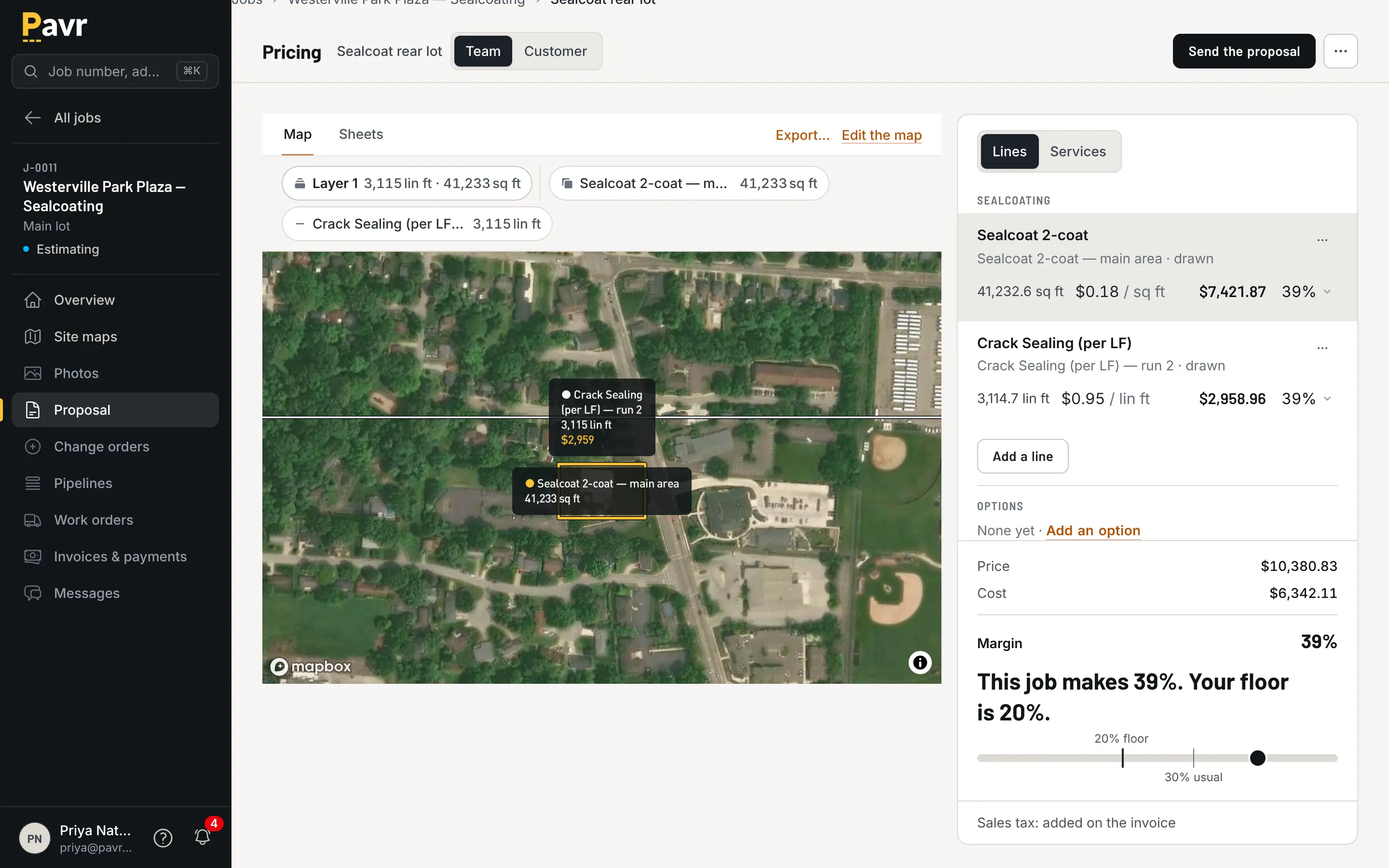
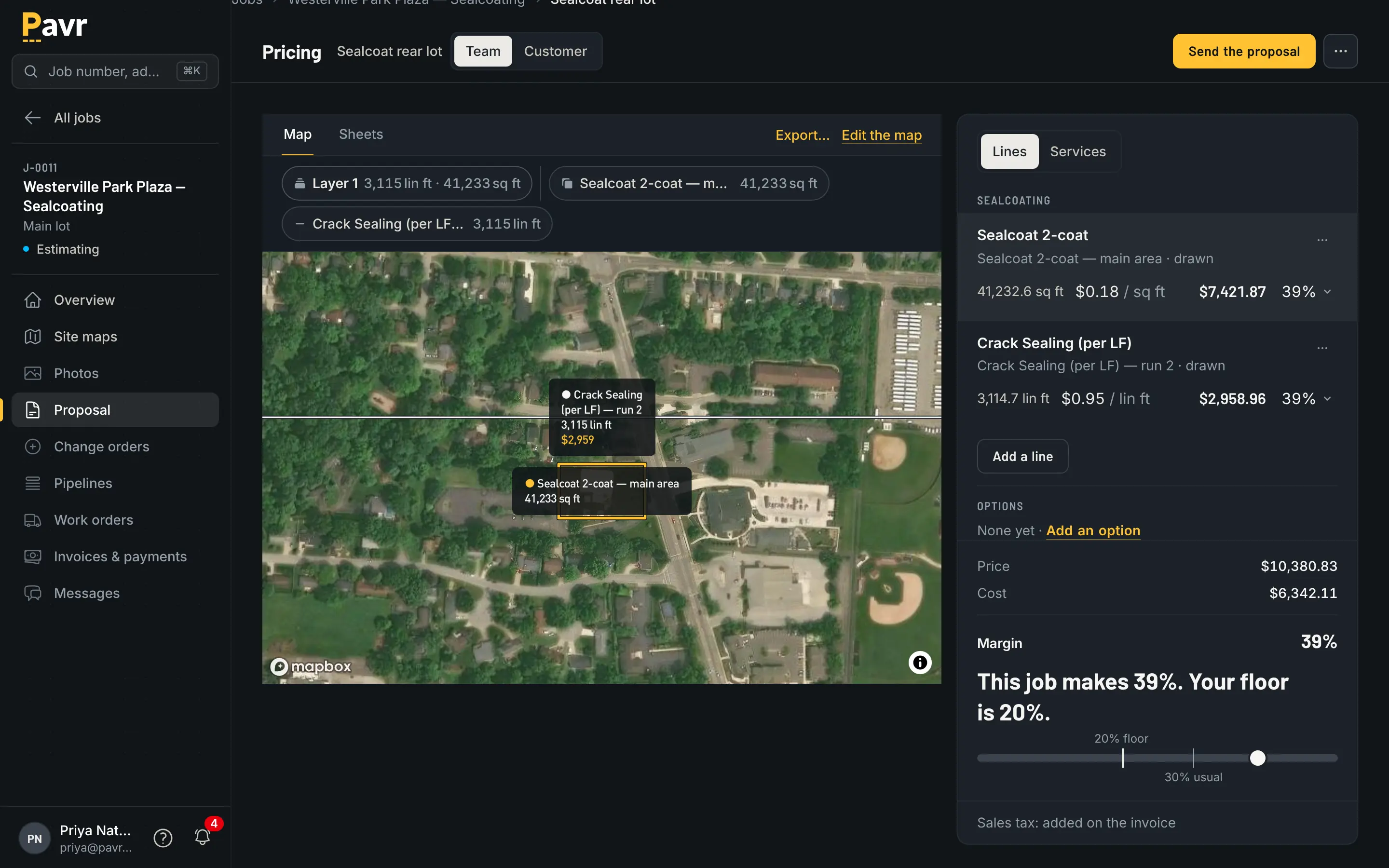
Pricing for a sealcoating job: the lot drawn on the aerial photo with each shape priced as a service, the lines panel beside it grouped by trade, and the price, cost and margin at its foot.

The lot, the takeoff and the price in one place.

Lot and pavement measuring isn't listed on servicetitan.com as of September 18, 2026 [2][5]. Roofers
get measurement through integrations: "With Eagleview, GAF QuickMeasure, and Hover, generate fast
and accurate measurements and calculations directly into ServiceTitan's estimating tools." [5]

The measuring that does touch pavement lives at Aspire, which ServiceTitan's own site calls "a part
of the ServiceTitan family of solutions" [6]. Aspire's PropertyIntel says its ProMaps AI
"automatically detects and outlines asphalt, concrete slabs, pavement conditions and damage" from
aerial imagery, and it's sold for enterprise landscaping [7]. Aspire also sells Go iPave, which it
titles "Property Measurement for Paving Contractors" [10]. If measuring is your whole problem, read
Pavr vs SiteRecon and look at those before you shop for a full system.

The signature

ServiceTitan's documented estimate flow is a field sale: the technician "taps Estimates from the
Job Screen", "Taps Present to show the estimate to the customer", then "Tap Sign/Accept to have
the customer sign" [8]. On a driveway with the homeowner in the garage, that's a fast path.

Commercial paving usually isn't sold that way. The person who signs is a property manager in an
office park, a facilities director at a hospital, or a GC's project engineer. Pavr emails them the
proposal under your company's name; they open it on their own phone, sign with no password, and the
signature is tied to the exact version they were shown. Signing wins the
job with its trades, crews and waits. That's what the customer sees.
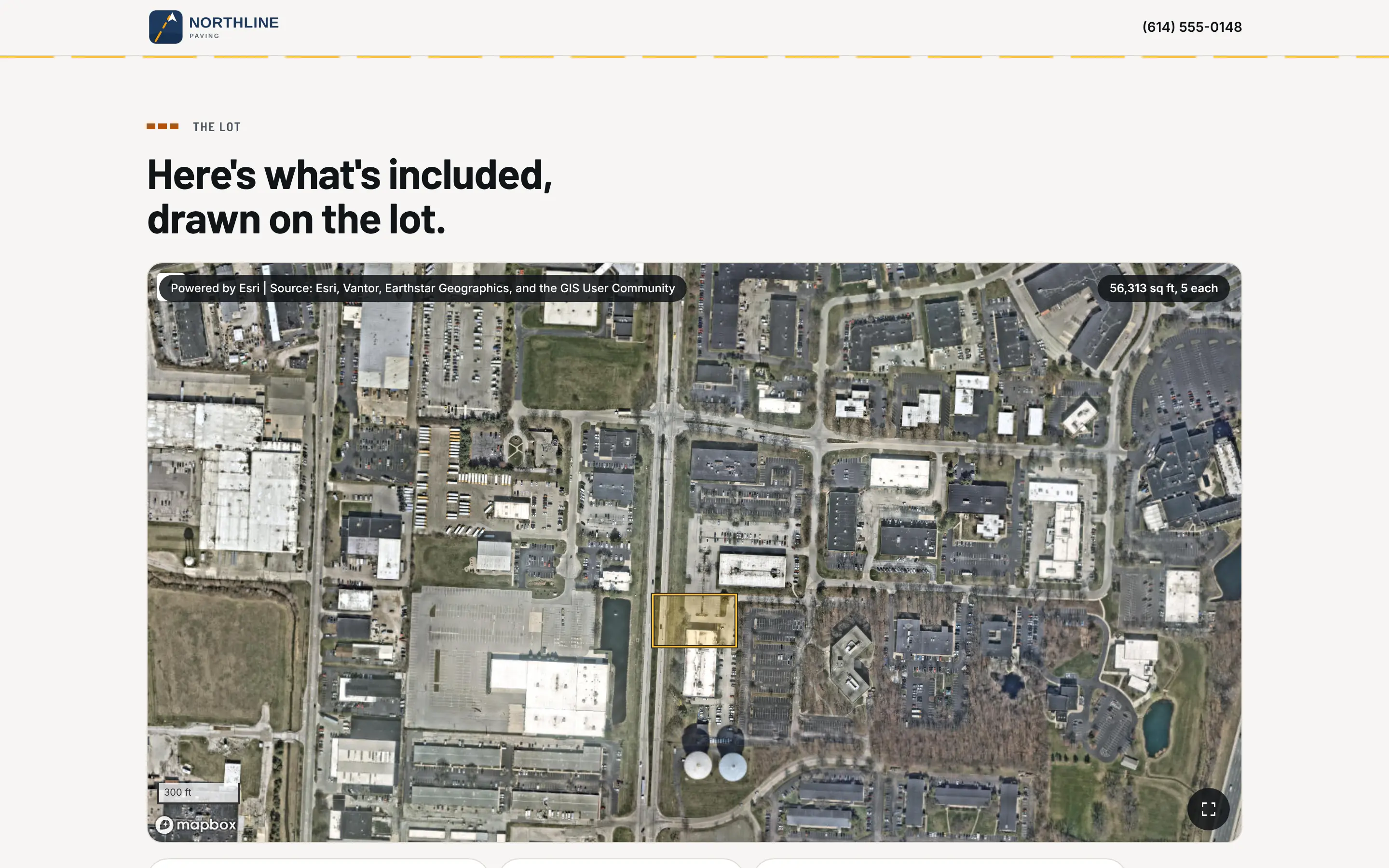
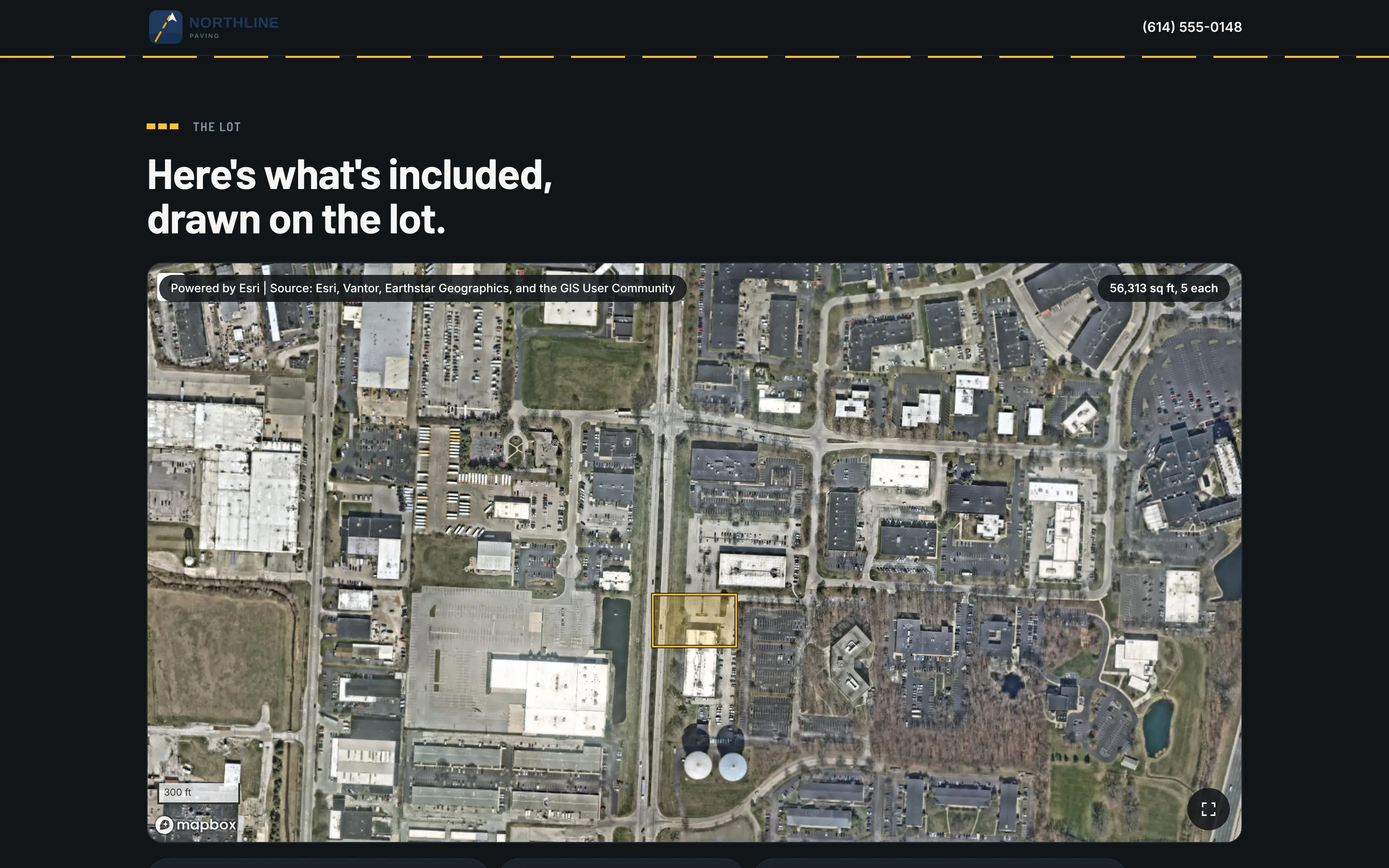
The customer's proposal page before signing: the contractor's letterhead, the headline and the lot drawn on the aerial photo.

The version they signed is the version that's on file.

Change orders

ServiceTitan's construction software lists them: "Create and convert RFIs to change orders, and
track changes to completion" [4], and on commercial work "Change orders connect directly to project
financials" [9]. How the customer signs one isn't described on those pages as of September 18,
2026 [4][9].

In Pavr, extra work is priced from your catalog with the markup the customer already agreed to on
the proposal, emailed for signature the same way the proposal went, and the part of the job it covers
waits until it's signed. Once signed, it's on the invoice, or on the schedule of values as its own
line. Take a real change order from last month into any demo, including this one, and watch how the
customer signs it.
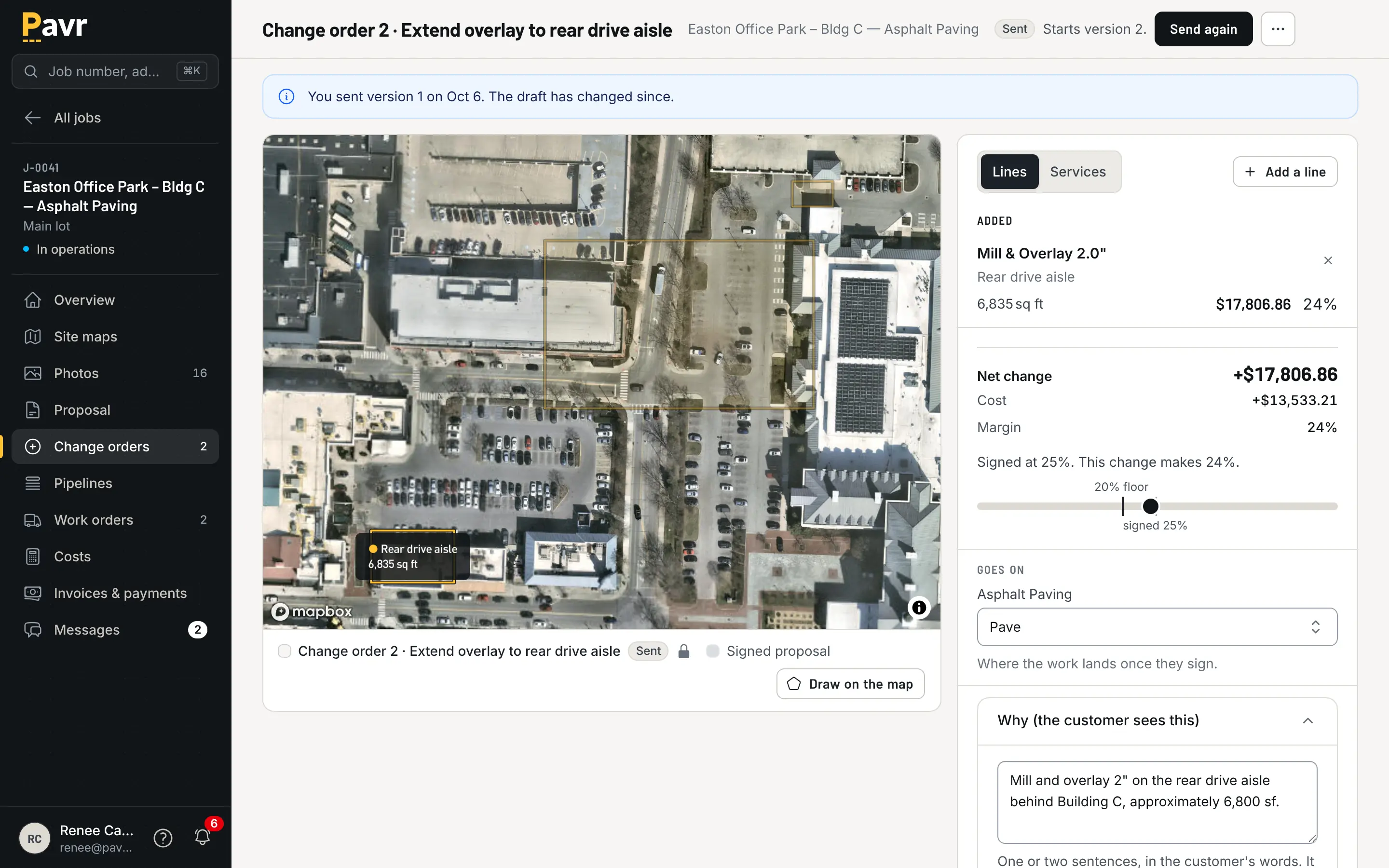
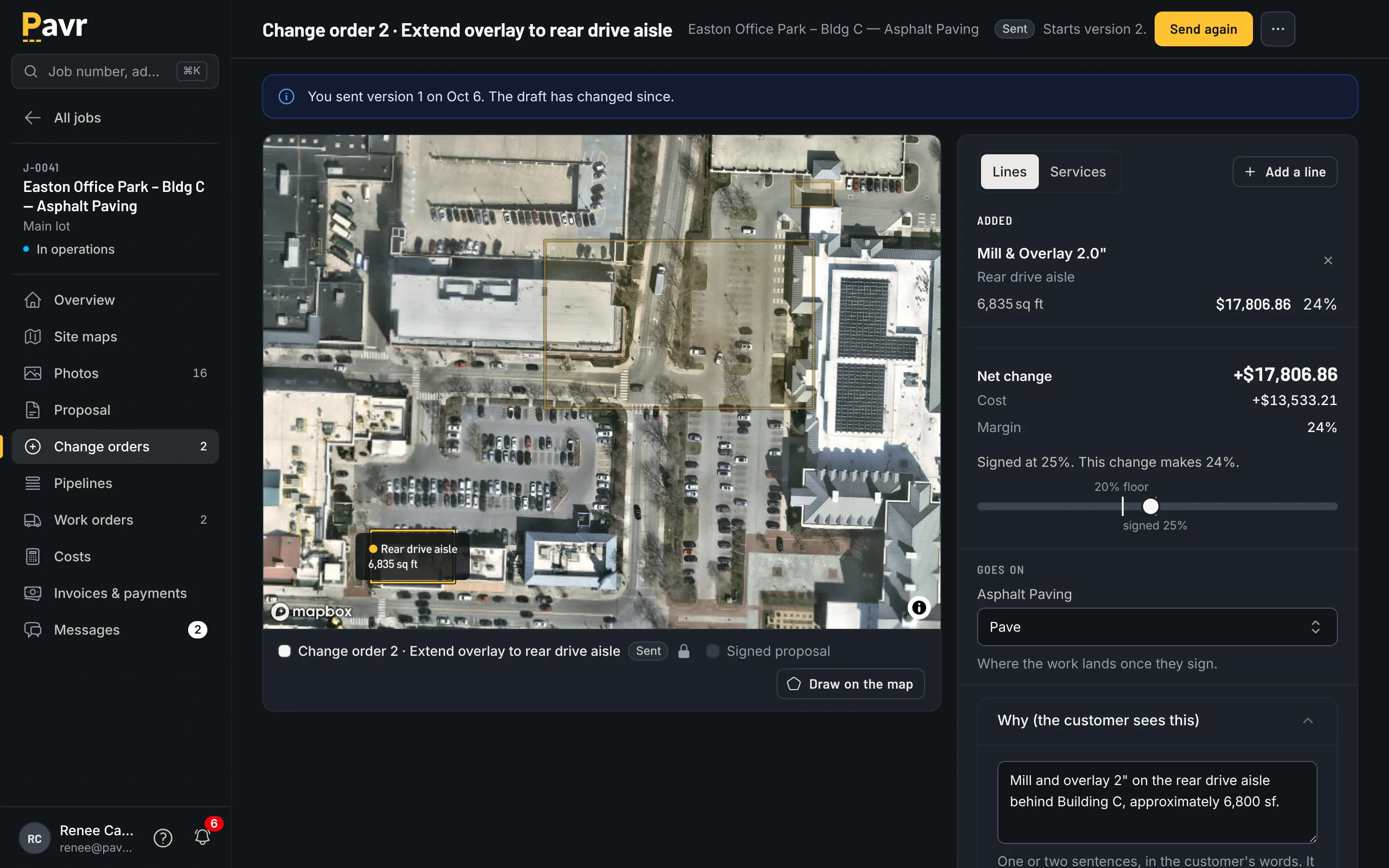
A change order drawn on the map: the original work dimmed, the added area lit, the lines with the net change and its status.

Signed before the extra work. Billed after it.

The week before the crew rolls

Dispatching and scheduling are in every ServiceTitan package [1], and its construction software
lists "crew scheduling, time tracking, and daily logs" [4]. Weather rules and cure waits between
trades aren't listed on its site as of September 18, 2026 [1][4].

Pavr's schedule knows the paving things. Every account starts with a rule per trade: asphalt,
sealcoat and striping want 50°F and no rain, concrete 40°F, all changeable. The forecast flags jobs
that won't make it. A rain day moves as one batch to the next day that passes. The striping waits on
the paving, the sealcoat waits 30 days for new asphalt to cure, the striping waits 24 hours after
sealcoat. Double-booked crews and equipment show up before dispatch, and a customer 30 days past due
goes on hold so nobody schedules them new work without an Admin saying why.
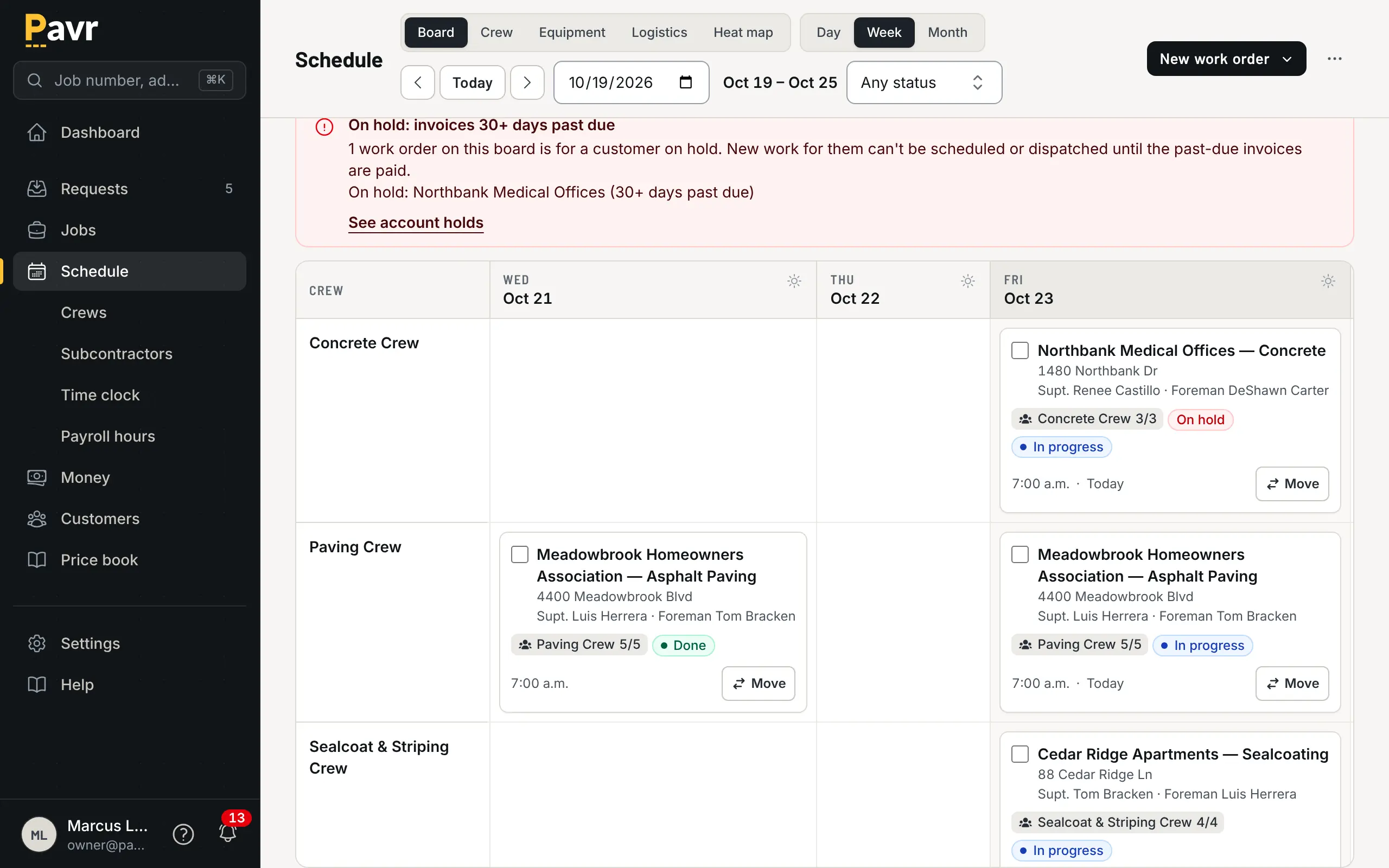
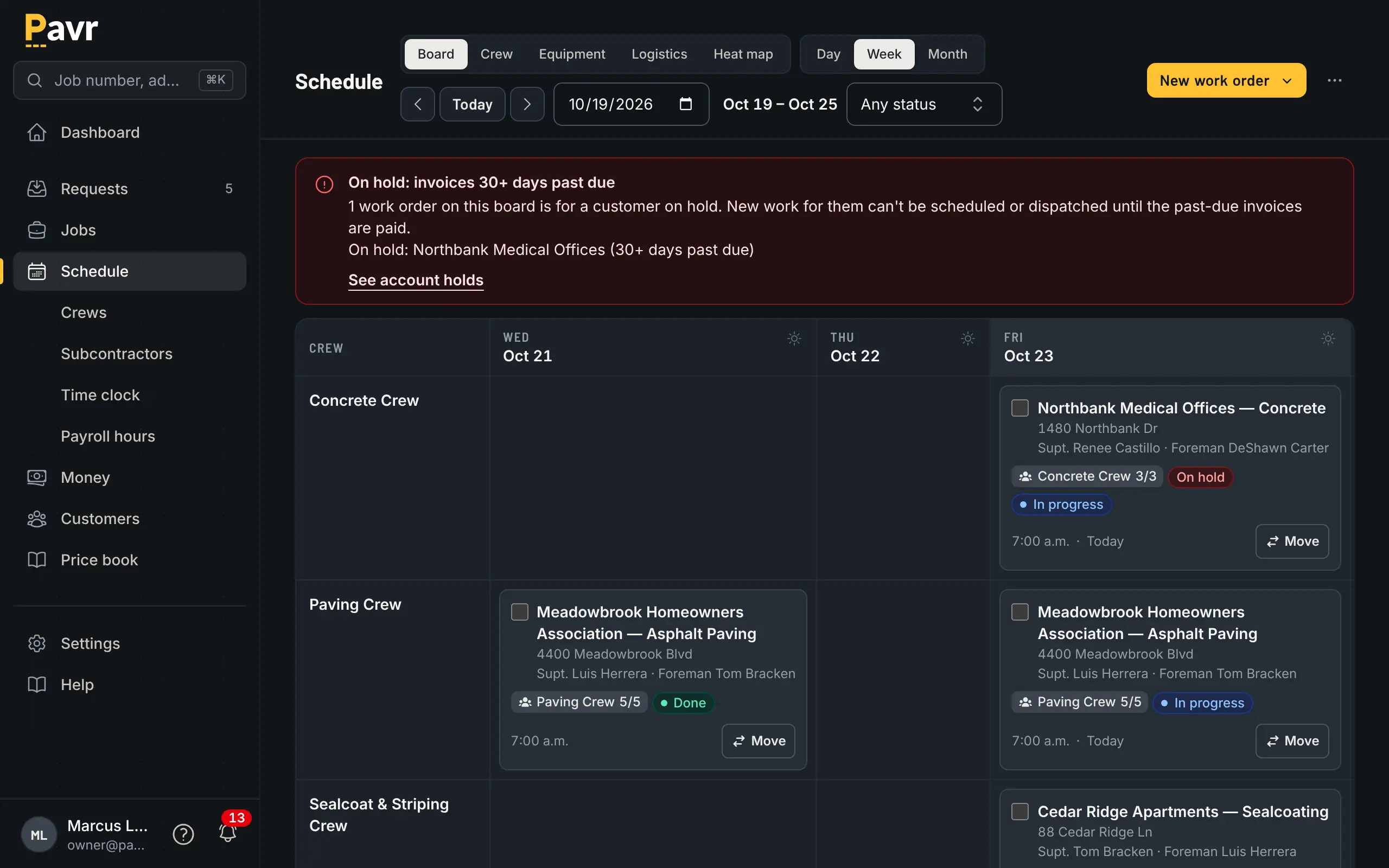
The weekly schedule board with a row per crew and a column per day, work orders as cards, one flagged for weather and one customer on hold.

Five crews, one week, and the weather already accounted for.

Crew hours

Credit where it's due. ServiceTitan's field app says "the Field Mobile App and all its features are
available in offline mode" and that it "includes Spanish-language support" [3]. Technicians can
"track time to specific cost codes, whether individually or in bulk for a crew" [3], and payroll
management starts in the Essentials package [1].

Pavr's crew side covers the same ground for a paving crew: clock-in with location, the foreman
clocking the whole crew, breaks off, daily logs with photos and material used, punch list items from
the lot — all saved on the phone and sent up when there's signal, and nothing sent twice. Approved
hours come out as a payroll CSV with the overtime split at 40 hours a week. The crew screens are in
Spanish.
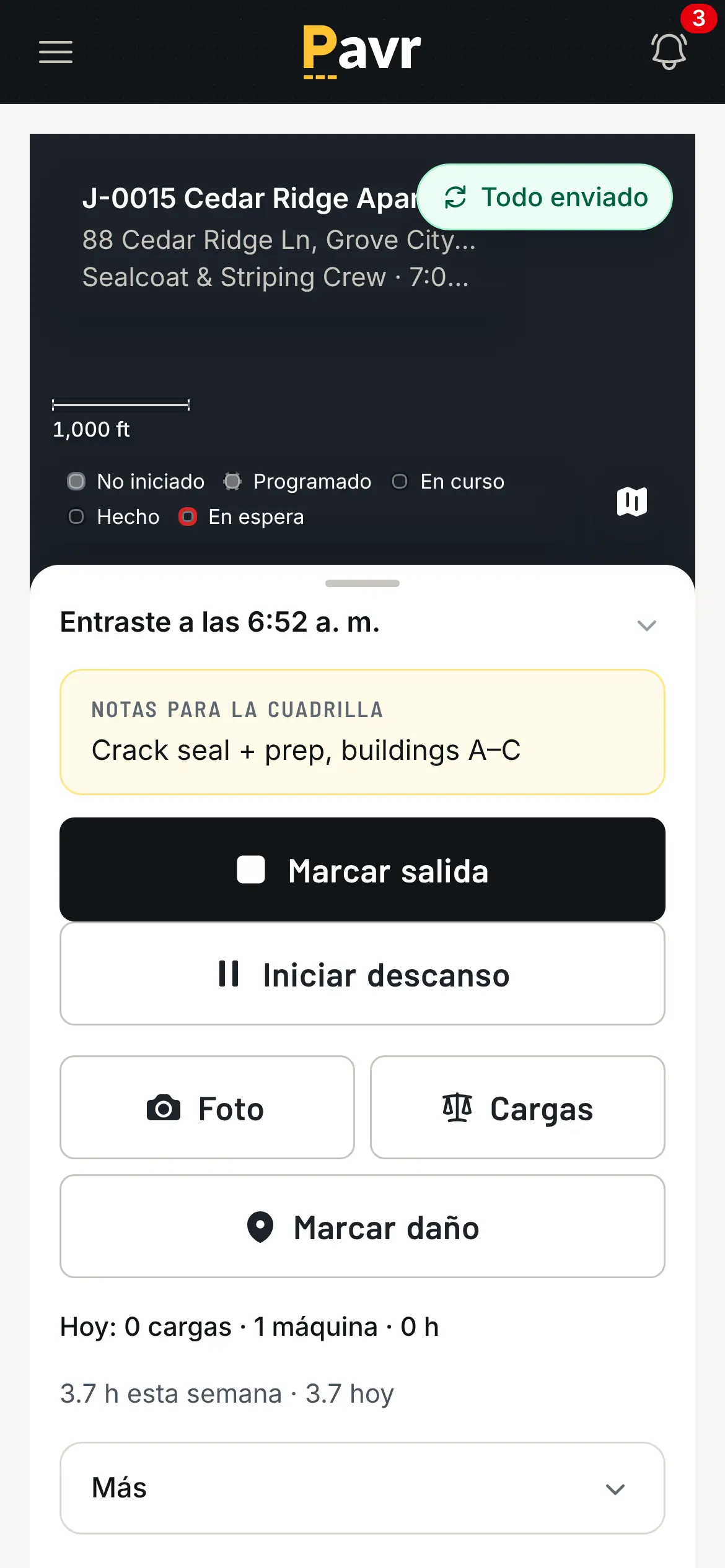
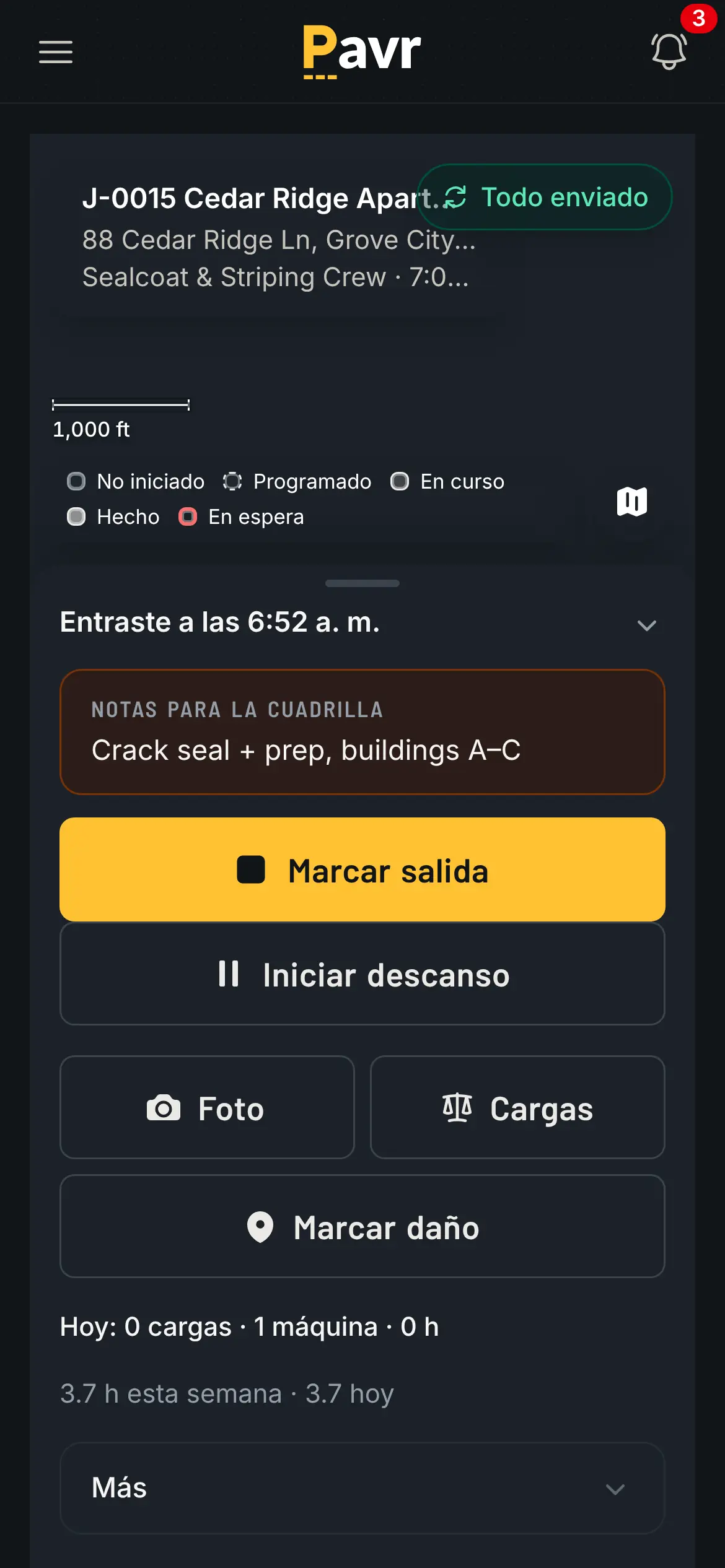
The same crew screen in Spanish, clocked in on the sealcoating job.

The crew side, in the language the crew reads.

Job costing and billing

On construction work this is a real overlap: ServiceTitan's job costing shows "budget vs. actuals
across labor, materials, subcontractors, and equipment", and its progress billing lets you "maintain
a schedule of values based on completed work and auto-generate pay applications" [9]. Its
construction page says those pay applications "meet GC and AIA billing standards" [4]. Retainage held
and released per line, and T&M billed against a not-to-exceed, aren't mentioned on those pages as of
September 18, 2026 [4][9].

Pavr posts approved hours, material off the daily log, receipts, sub invoices, mileage and equipment
hours against the estimate line by line while the job is open, with a cost type going yellow at 5%
over the estimate and red at 10%. See job costing.

The billing starts from what was signed. The invoice comes from the signed proposal plus signed
change orders once the punch list closes. A deposit credits itself. Bigger jobs get a schedule of
values built from the signed proposal, pay applications by percent complete on each line, retainage held
and released and a G703-style continuation sheet. T&M bills weekly against a not-to-exceed and stops
at it. Reminders go out at 7, 14 and 30 days, late fees are there where your terms allow them, and
the customer can pull a statement. That's getting paid.
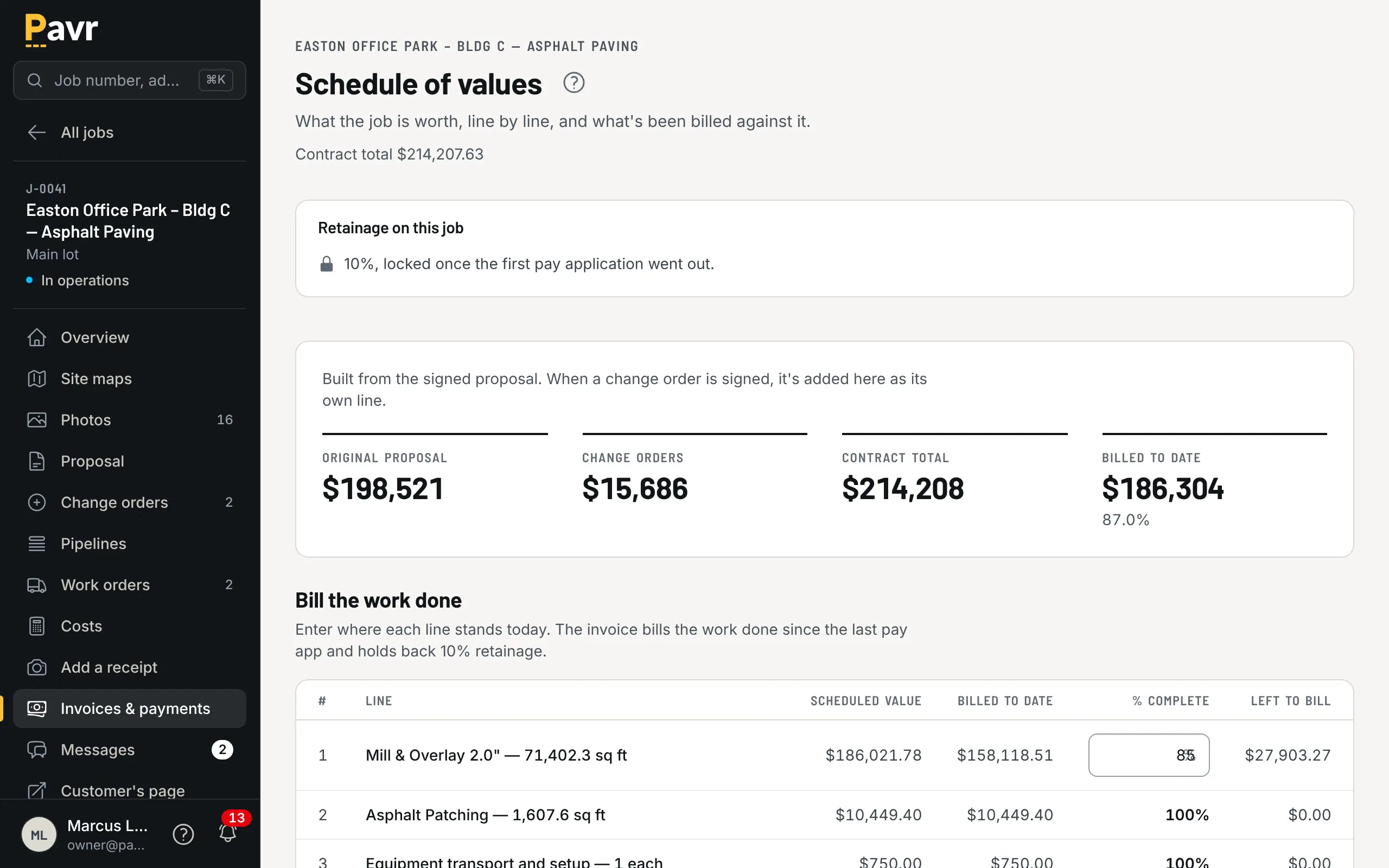
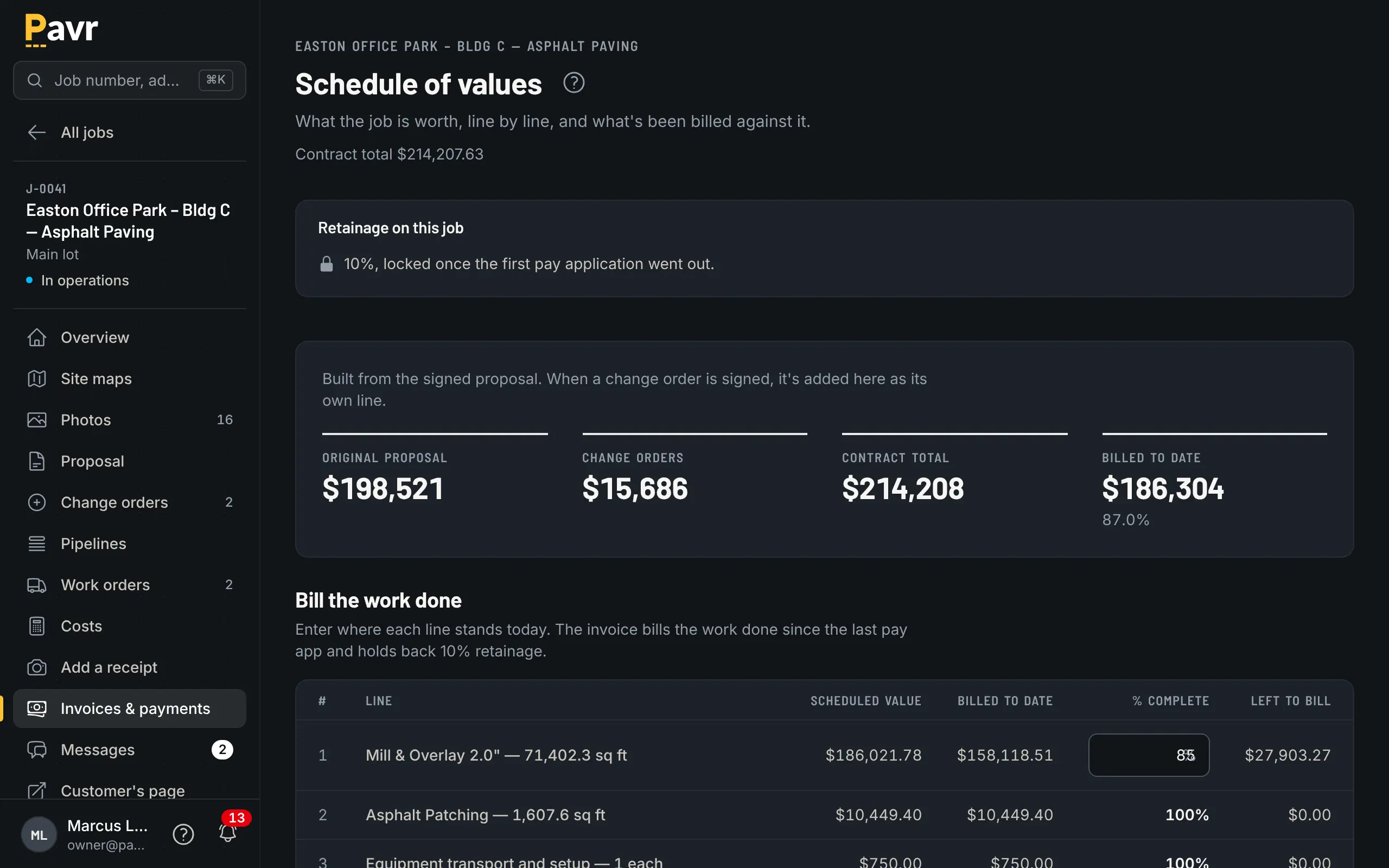
The schedule of values for a progress-billed job: one line per item on the signed proposal plus the signed change order, billed to date and retainage held.

What the GC's project engineer asks for on the 25th of every month.

Price

ServiceTitan doesn't publish one on its site as of September 18, 2026 [1]. Every package says "Request Pricing", and the page says "Our
per-technician pricing is designed to fit your business and goals, at any size." [1] You'll find
per-technician numbers quoted on review sites and blogs; they aren't the vendor's own published
numbers, so this page doesn't repeat them.

Pavr is $85 a month for each person who estimates, schedules or runs jobs in it. Crew who only clock in,
and customers who sign and follow their jobs, are free. Try it for 14 days with no credit card. An
owner, an estimator, an office manager and two foremen: $425 a month, with the crews clocking in
free.

If you're in a demo, ask early whether a per-technician price counts your foremen as technicians
[1], and what happens to the number in year two.

Where ServiceTitan is the better fit

You run a big service business as well as paving. Some companies sealcoat in summer and run an
HVAC or plumbing operation year-round. If the service side is the bigger half, those are trades
ServiceTitan lists [2], and Pavr doesn't run service calls.

You have a call center and memberships. Call booking, customizable memberships and commission
tracking are in ServiceTitan's packages [1]. Pavr doesn't touch any of them.

You price construction work that runs on RFIs and submittals. ServiceTitan's construction side
lists RFIs, submittals, change orders, punch lists and document management for drawings and plans
[9]. Pavr has change orders and punch lists, but no RFIs or submittals.

You need enterprise reporting. The Works package adds advanced reporting [1]. Pavr reports on
jobs, costs, crews and receivables, and stops there.

Switching: what moving actually looks like

Test the pricing first. Take the last commercial lot you priced and put it through Pavr: measure,
price with your numbers, send the proposal, sign it on your phone. An hour, and you'll know.

Your price lists come in from a file. Material, crew rates, equipment and subs are read from the lists you keep, and you check every row before anything is saved. The 131 built-in services carry the shape of the work; you set the markups once.

Don't migrate history. Close out what's open where it lives, and start new estimates clean.

Your data comes back out. Export your data hands the owner a ZIP with one CSV per record type
and a README explaining each file — available from day one, not just at the end.

Questions contractors ask

Before you switch.

Does ServiceTitan work for paving contractors?

ServiceTitan doesn't list paving, asphalt, sealcoating, striping or concrete among the 27 industries on its site as of September 18, 2026 [2]. Its field app is built for technicians who build and present estimates on site [3], and its construction software is pitched at specialty subcontractors working with GCs [4]. Measuring a lot and pricing asphalt by the ton aren't listed on its site as of September 18, 2026 [2][5]. The price on a 400-stall lot starts with the measurement, so that's the first thing to see in a demo.

How much does ServiceTitan cost?

ServiceTitan doesn't publish prices [1]. Its pricing page shows three packages, Starter, Essentials and The Works, with a "Request Pricing" button on each and the line "Our per-technician pricing is designed to fit your business and goals, at any size." [1] Per-technician figures on review sites and blogs aren't the vendor's own published numbers, so this page doesn't repeat them. Pavr is $85 a month for each person who estimates, schedules or runs jobs in it. Crew who only clock in, and customers who sign and follow their jobs, are free. Try it for 14 days with no credit card.

Where is ServiceTitan stronger than Pavr?

Call booking, customizable memberships, commission tracking and advanced reporting are all in its packages [1], and Pavr doesn't do any of them. Its construction software lists RFIs, submittals, change orders, punch lists and document management for drawings and plans [9]; Pavr has change orders and punch lists but no RFIs or submittals. Its field app works offline and in Spanish [3], which Pavr's crew side does too.

Doesn't ServiceTitan own a pavement measuring tool?

Aspire is part of the ServiceTitan family of solutions [6]. Aspire's PropertyIntel says its ProMaps AI "automatically detects and outlines asphalt, concrete slabs, pavement conditions and damage" from aerial imagery, and it's sold as "AI-powered measurements and estimates for enterprise landscaping" [7]. Aspire also sells Go iPave, which it titles "Property Measurement for Paving Contractors" [10]. If measuring is the only thing you need, look at those and at SiteRecon before you shop for a full system.

How do signatures compare?

In the estimate workflow ServiceTitan documents, the technician presents the estimate on site and taps Sign/Accept for the customer to sign [8]. Pavr emails the proposal under your company's name; the customer opens it on their own phone, signs with no password, and the signature is tied to the exact version they were shown. Commercial paving is usually sold to somebody who isn't standing on the lot with you.

What about change orders and pay applications?

ServiceTitan lists both for construction work: change orders that "connect directly to project financials" and payment applications that "meet GC and AIA billing standards" [4][9]. Retainage held and released per line, and T&M billed against a not-to-exceed, aren't mentioned on those pages as of September 18, 2026 [4][9]. In Pavr a change order is priced with the proposal's markup, signed before the work happens and billed after it; a big job gets a schedule of values from the signed proposal, pay applications by percent complete on each line, retainage held and released, and a G703-style continuation sheet.

We're a paving company being pitched ServiceTitan. What should we ask in the demo?

Five things: how a lot gets measured off satellite or a plan; how tons and gallons come from that measurement; how the customer signs a change order and how it reaches the invoice; what a pay application with retainage looks like; and the per-seat price for office people versus field crew. Ask for paving customer references while you're there.

How long would it take to move to Pavr?

An afternoon to bring in your material, crew-rate, equipment and sub price lists from a file and set your markups, and then one real job end to end: estimate, signature, dispatch, crew hours, invoice. Export your data returns a ZIP of CSVs, one per record type, any time you want it.

Where every line about ServiceTitan came from.

Software changes. These are the pages we read on September 18, 2026, in the order they're cited above. If something here is out of date, tell us and we'll fix the page.

  1. [1] ServiceTitan pricing page (packages; no published prices; per-technician pricing described) https://www.servicetitan.com/pricing — read September 18, 2026
  2. [2] ServiceTitan industries list https://www.servicetitan.com/industries — read September 18, 2026
  3. [3] ServiceTitan Field Mobile App page (offline mode, Spanish, estimates, crew time) https://www.servicetitan.com/features/field-mobile-app — read September 18, 2026
  4. [4] ServiceTitan construction management software for subcontractors https://www.servicetitan.com/market/construction-software — read September 18, 2026
  5. [5] ServiceTitan roofing software page (roof measurement integrations) https://www.servicetitan.com/industries/roofing-software — read September 18, 2026
  6. [6] ServiceTitan landscape business software page (Aspire, part of the ServiceTitan family) https://www.servicetitan.com/industries/landscape-business-software — read September 18, 2026
  7. [7] PropertyIntel product page (Aspire) https://www.youraspire.com/products/propertyintel — read September 18, 2026
  8. [8] ServiceTitan help center: estimate workflows in ServiceTitan and ServiceTitan Mobile https://help.servicetitan.com/v1/docs/estimate-workflows-in-servicetitan-and-servicetitan-mobile — read September 18, 2026
  9. [9] ServiceTitan commercial contractor software (job costing, progress billing, change orders) https://www.servicetitan.com/market/commercial-contractor-software — read September 18, 2026
  10. [10] Go iPave product page (Aspire) https://www.youraspire.com/products/go-ipave — read September 18, 2026

The products named on this page are trademarks of their owners. Pavr isn't affiliated with any of them, and no screenshot or logo of theirs appears here. The pictures on this page are Pavr.

Keep looking

Pavr vs Jobber

Pavr vs Jobber

Your work is driveways and residential sealcoat, one person prices every job, and you want booking, proposals and card payments in one subscription.

Last checked September 18, 2026

Pavr vs Housecall Pro

Pavr vs Housecall Pro

Your concrete work is residential flatwork and driveways sold fast, and the customer usually pays by card when the pour is done.

Last checked September 18, 2026

Pavr vs SiteRecon

Pavr vs SiteRecon

Takeoffs are the bottleneck: you price a lot of properties, some of them huge, and measuring is what makes the proposals late.

Last checked September 18, 2026

Put one real job through it.

Fourteen days, no credit card. Draw a lot you priced last month, price it with your own numbers, and see what it would have made.